
If your Free Fire MAX Diamonds Top Up Successful But Not Credited issue shows a success screen but no diamonds appear, the safest move is simple: do not pay again yet. First work out whether you are dealing with a normal delivery delay, a payment that is still under review, a temporary bank hold, or a top-up sent to the wrong account. In most cases, the fastest resolution comes from checking your UID, receipt, and payment status first, then escalating with complete proof instead of only a screenshot of the charge.
Quick recommendation: which route I would take first
The first decision is not who do I complain to? but what exactly succeeded? In digital purchases, a bank notification, an app store confirmation, and in-game delivery are not always the same event.
If you paid through a web checkout and received an order number or confirmation page, start there. Confirm the selected package, the player UID, and whether the order status shows completed or still processing. Then refresh Free Fire MAX by closing and reopening the game. If the order remains unresolved after the normal short wait, keep the order proof ready for support.
If you paid through Google Play or the Apple App Store, check the store-side transaction status before assuming the game failed to deliver. Google receipts can be checked at pay.google.com > Activity > transaction history. On iOS, it is worth trying the in-game restore option if the purchase is confirmed but the diamonds are not visible. App store billing can lag behind web or direct card flows, so diagnosis starts with the store record, not just the game screen.
If your bank, card, or e-wallet shows a charge but you never got a proper order confirmation, treat that as a payment-side issue first. A deducted amount can still be a temporary authorization or pending review rather than a fully settled order. Official guidance supports contacting the payment provider when a charge appears but no confirmation email arrives.
That distinction matters because it tells you whether to wait, refresh, contact the payment provider, or open a support ticket.
Why are my Free Fire MAX diamonds not credited after successful payment?
Most missing-diamond cases fall into four buckets: a short sync delay, payment authorization without final settlement, wrong account details, or delayed fulfillment.
The biggest source of confusion is the word successful. A success screen may only mean the checkout step finished. It does not always prove that the payment was fully captured or that the diamonds were already delivered to your account. From reviewing these cases, that is where many buyers lose time: they see money reserved or deducted and assume the game has already received the payment.
A normal top-up may arrive in 3–5 minutes, but delays are possible. During busy periods, or when anti-fraud and payment review systems are active, digital delivery can slow down even if nothing is actually broken. That is frustrating, especially during events, but it is different from a failed order.
There are also account-side causes that look like delivery failures. If the wrong player UID was entered, if the wrong login method was used after changing phones, or if a route required the correct region or server and that detail was mismatched, the diamonds may not appear where you expect them. In those cases, refreshing the app will not fix the underlying problem.
One more wrinkle: some items have their own delivery rules. For example, Special Airdrop content may go to the Vault within 48 hours post-purchase, so not every missing purchase is meant to appear instantly in the same place.
The diagnostic playbook: what to verify before you escalate
A good troubleshooting flow saves time because it separates a real non-delivery case from a payment still in motion.
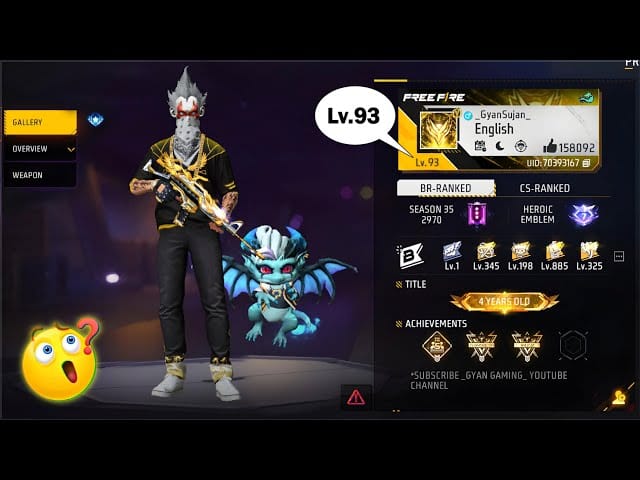
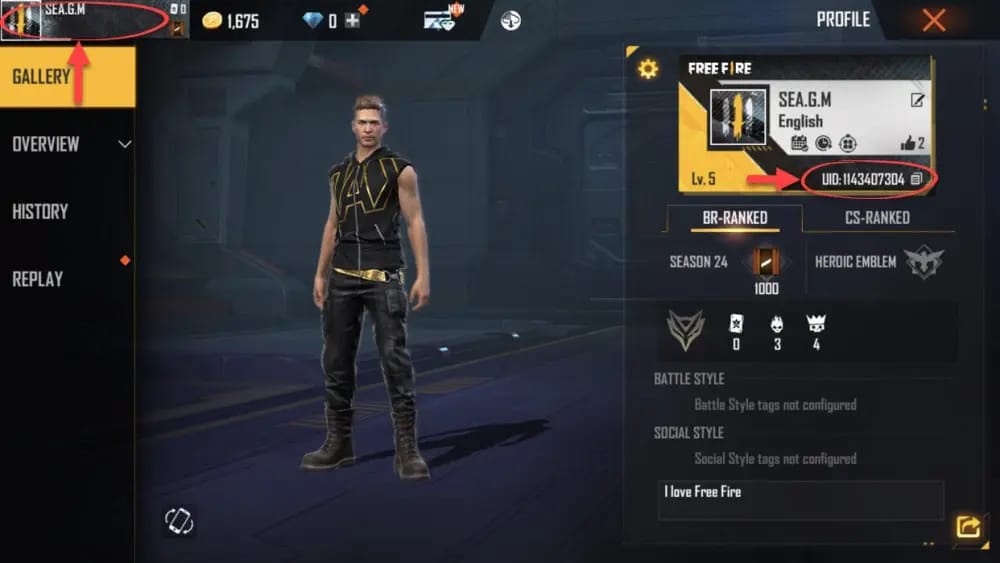
Start with the account details. In Free Fire MAX, your player UID can be found from the top-left profile icon. Compare that UID with the one on the receipt or checkout record. Also verify your in-game nickname, the package you selected, and the account login method you used. If you recently changed devices, relog with the same account credentials; community experience suggests diamonds are account-bound and server-bound, so a different login can make a valid purchase look missing.
Then refresh the entitlement properly. Close and reopen the game. If the balance still does not update, force-stop the app and restart the device. Community troubleshooting also points to checking your internet connection and clearing cache for sync issues. On iOS, some users resolve post-purchase sync problems by using the in-game restore option, and in stubborn cases by offloading or reinstalling the app. None of these steps changes the payment itself, but they can fix the display and sync layer.
After that, compare the payment timestamp with the route you used. A card payment, a bank transfer, an e-wallet, and app store billing do not always settle on the same timeline. App store billing delays are often longer than web or direct card routes. E-wallet purchases can also appear stuck until the provider confirms the transaction. If your wallet app still shows pending, the game may have nothing to deliver yet.
Finally, inspect every place where status clues might appear: order history, email inbox, spam folder, SMS, wallet notifications, and app store purchase history. This is often where you discover whether the order is completed, pending, reversed, or never finalized.
If the order is only minutes old, waiting briefly is reasonable. If it is still unresolved after 24–48 hours, that is the point where escalation becomes more productive.
Which payment route changes the diagnosis?
The payment channel shapes both the likely cause and the best next step.
With web checkout, the strongest advantage is usually cleaner order tracing. If you have an order number, package record, and confirmation page, support can follow the transaction more directly. That does not guarantee instant resolution, but it gives you a clearer paper trail.
With Google Play, the first question is whether the purchase is fully posted in your Google transaction history. Official guidance also notes that you should verify your payments profile country and address, and there is a known troubleshooting angle where a Google Play pending state can be tied to billing profile mismatch. If the store record itself is incomplete, the issue is not yet a pure delivery problem.
With Apple billing, check whether the purchase is visible and try the in-game restore flow. If purchases are blocked entirely, the official fix for In-App Purchase Not Allowed is to go to Settings > Screen Time > Turn on Screen Time. That is not a missing-diamonds fix by itself, but it matters when the purchase flow never completed correctly.
With credit cards and debit cards, a bank hold can look like a completed charge. Community experience suggests temporary holds may clear after about 30 minutes, and if the merchant never captured the payment, the funds can return without any game-side action. This is why money deducted is not enough evidence on its own.
With bank transfer and local e-wallets, confirmation timing matters even more. If the provider app still shows pending, wait for provider confirmation before assuming the game failed. In these cases, the payment provider often has the first useful status update.
For buyers who care about support outcomes, the cleanest cases are usually the ones with a complete receipt trail: order ID, transaction ID, timestamp, package, UID, and visible payment status. That is also why larger purchases deserve stricter verification before you hit confirm.
What if the diamonds went to the wrong UID or the order is stuck?
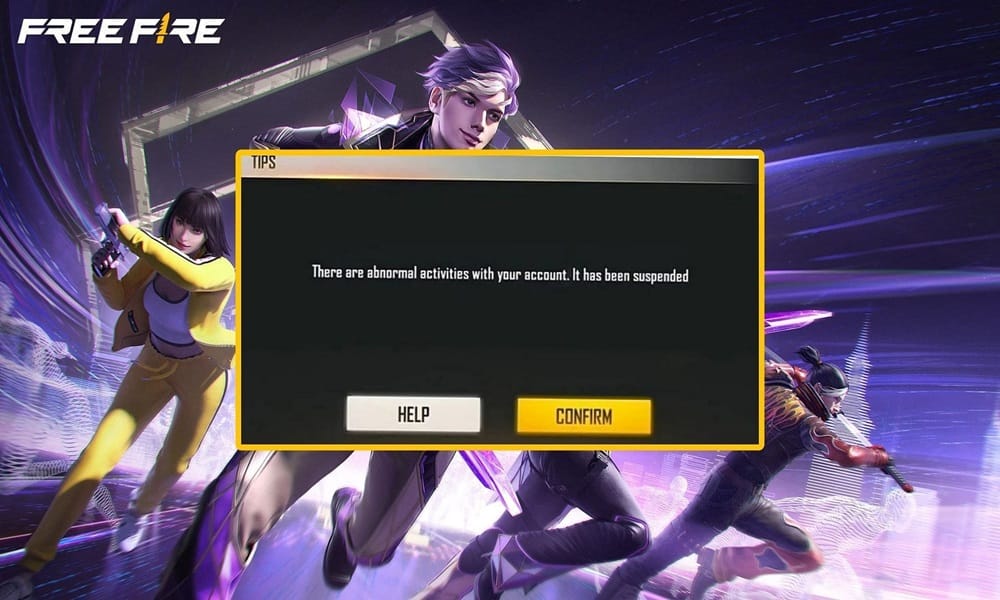
Wrong-account cases are the hardest because the payment may be valid and the delivery may also be valid—just not to your intended account.
If you entered the wrong UID, there is no automatic transfer, and reversal is limited. Reports also indicate that if diamonds were delivered to another valid wrong account, there is generally no reversal for delivered diamonds to a valid wrong account. That is the practical limit many buyers do not want to hear, but it is better to know it early than to spend two days treating it like a normal delay.
Still, you should submit a ticket immediately. Include both UIDs if possible, along with the receipt and transaction details. A rushed copy-paste, an old screenshot, or a region/server mismatch can all create this scenario. The sooner support sees the evidence, the better your chances of getting a clear answer, even if the outcome is not a transfer.
If the order is simply stuck rather than misdirected, your support request should read like a case file, not a complaint. Garena’s support process is clearer when you submit everything at once through in-game Customer Service after logging into your Free Fire account, since the in-game browser can auto-authenticate. You can also use the Garena Free Fire Help Center at ffsupport.garena.com for payment issues.
The evidence support usually needs is consistent:
payment receipt screenshot
player UID
in-game nickname
transaction ID
payment method
timestamp
In practice, adding the selected package and a screenshot of your current diamond balance also helps clarify the case, even though the core required fields are the ones above. Officially, ticket processing can take up to 3 business days after submission.
Refunds, reversals, and who to contact first
A missing top-up is not always a refund case. The right path depends on whether the payment is pending, captured, or already delivered.
If the charge is only a pending authorization, the payment provider or bank is often the first contact, and the hold may reverse on its own. If the payment was captured and you have a valid order record but no diamonds after the waiting window and refresh steps, that becomes a delivery-tracing issue for the seller or Garena support. If the diamonds were already delivered, a refund request can create a second problem.
Garena officially notes that refunded delivered diamonds can result in negative diamonds, and the account may require topping up the negative amount to remove the restriction. That is why filing a refund or chargeback too early can backfire. It may feel like the fastest way to recover money, but if the order later proves to have been delivered, the account consequences can be worse than the original delay.
A practical escalation memo looks like this: wait through the short normal window, refresh the game, verify the payment status, then wait up to 48 hours if the route is known to delay. After that, contact the payment provider first if the payment itself is unclear, or Garena support if the payment is clearly completed and the diamonds are still missing.
Before you buy again: the prevention memo
Most painful top-up mistakes happen before payment, not after it.
For a first-time buyer, the safest habit is to verify the UID, nickname, and any region/server detail before confirming the package. For an urgent event buyer, the temptation is to rush, but that is exactly when wrong-account errors happen. For a high-value buyer, the standard should be even stricter: screenshot the checkout page, the selected package, the UID, and the final receipt.
If you buy through app stores, keep the store transaction history accessible. If you buy through web checkout, keep the order number and confirmation page. If you switch phones, relog with the same account method before assuming the purchase vanished. And if a route asks for UID or server manually, treat that field as the most important part of the transaction.
The safest final verdict is this: if your Free Fire MAX top up successful but no diamonds case is only a few minutes old, refresh and verify. If the payment itself is unclear, check the provider before blaming the game. If the payment is confirmed and the diamonds still do not appear after the waiting window, escalate with complete proof in one ticket. That approach is slower than panic-buying again, but it is the one most likely to solve the problem without creating a bigger one.
If you need a broader walkthrough before your next purchase, see the Free Fire MAX Diamonds top up guide and review How to buy Free Fire MAX Diamonds safely before trying again.