
If your Zenless Zone Zero top-up is not working, check four things first: the correct UID/account login, matching region and store settings, bank approval, and whether the order is pending rather than truly failed. Most Zenless Zone Zero payment failed errors come from account mismatch, fraud checks, 3D Secure timeouts, VPN use, or store-side verification delays.
From reviewing failed recharge cases, the biggest avoidable mistake is retrying too fast. A second or third attempt often triggers duplicate-attempt locks or bank fraud blocks, which turns one failed checkout into a longer mess.
Why does Zenless Zone Zero top-up say payment failed?
It usually fails because the payment method, account data, or checkout session doesn't pass verification.
The common causes break into five buckets:
Officially, HoYoverse says your payment method country/region must match your physical location, VPN should be disabled, and your connection should be stable. Users also commonly report ret 107 when network, payment, or server-side verification breaks during checkout.
A useful distinction most guides miss: failed, pending, and charged-but-not-delivered are not the same problem.
Failed: the payment did not clear.
Pending: the payment is still under verification.
Charged but not delivered: the payment cleared or was reserved, but Monochrome hasn't appeared yet.
Duplicate-attempt lock: repeated retries make the card or checkout path stricter.
If you're comparing checkout paths after an error, this page on Zenless Zone Zero top up payment failed is relevant because cleaner order records make support much easier later.
Can account region or currency mismatch stop a Zenless Zone Zero payment?
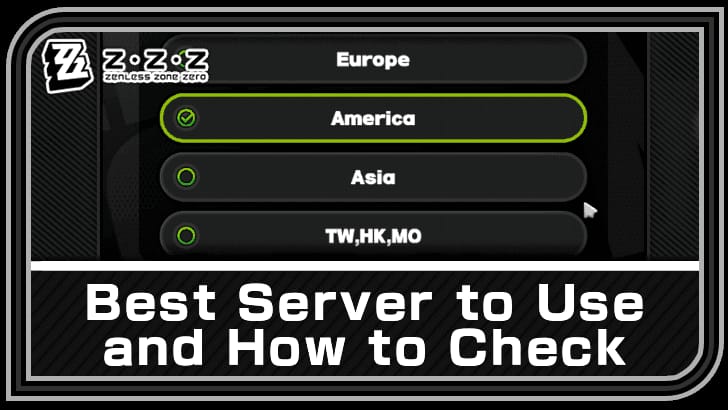
Yes. Region mismatch is one of the most common reasons a valid card still gets rejected.
Official guidance is clear: the payment method country/region must match your physical location. Community reports add another layer: account region, app store region, and card country can also conflict. That's why a card that works everywhere else may fail here.
Watch for these mismatch patterns:
Your Apple App Store or Google Play region differs from your current country
Your local wallet currency doesn't match the account region
You're using a cross-border card in an unsupported country flow
You changed store settings recently and the billing profile hasn't settled
You're on VPN or proxy, which officially can trigger timeout or block behavior
Personally, I would check region before changing cards. People often blame the bank first, but if the store region and payment country don't line up, no amount of retries fixes it.
What account details are most often entered wrong?
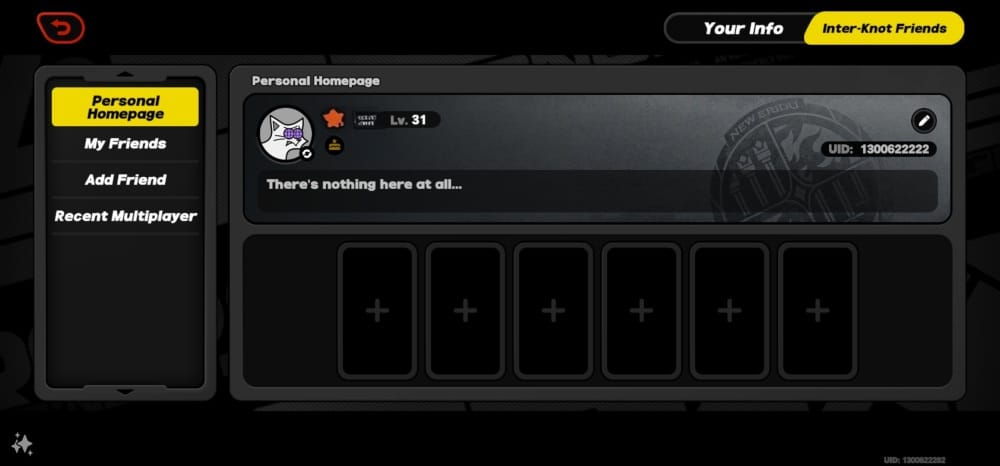
The most common mistakes are wrong UID, wrong server/region, or topping up while logged into the wrong account.
Community guidance says to double-check Player UID and server selection against the in-game profile. The Player UID is the 9-10 digit ID shown at the top-left of your profile. Officially, the login account used for top-up must match the game account that should receive the Monochrome.
That sounds obvious. In practice, it isn't. Platform-linked accounts, alternate logins, and multiple HoYoverse accounts cause a lot of "payment failed" and "not received" confusion.
How can you fix Zenless Zone Zero payment failed errors step by step?
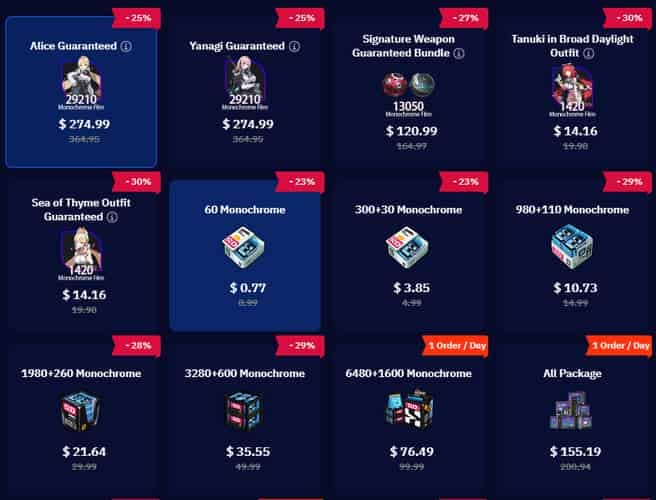
Use this order. It solves the highest-risk mistakes first and reduces duplicate charges.
Stop retrying for a minute
If you've already tried multiple times, pause.
Users commonly report duplicate attempts causing card locks or fraud flags.
Verify the receiving account
Open the game and confirm the Player UID in your profile.
Confirm the correct server/region.
Confirm you're logged into the same account used for the purchase.
Check region and store alignment
Make sure your payment method country/region matches your physical location.
On mobile, verify Google Play or Apple App Store billing settings.
If you're traveling, using a cross-border card, or changed store region recently, this is a prime suspect.
Disable VPN or proxy
HoYoverse officially recommends turning VPN off.
If checkout keeps timing out, switch to a stable Wi‑Fi connection or a mobile hotspot.
Refresh the checkout session
Clear browser cache and cookies.
Try incognito mode, another browser, or another device.
On PC via Epic, update the launcher if that path is failing.
Confirm payment details
Check available balance.
Re-enter billing address exactly as your bank expects.
If 3D Secure failed, contact the bank and ask them to authorize the transaction.
Try one alternate supported payment method
Only do this after ruling out UID, region, and bank verification issues.
Prepaid and gift cards often fail due to international restrictions, so I would avoid them for urgent top-ups.
If it still fails, wait before retrying
Community advice is sensible here: retry after 24 hours if it timed out.
If the bank placed a hold, give it up to 48 hours.
For users stuck between bank issues and delivery issues, Zenless Zone Zero recharge not received after payment is the right branch of the problem to check next.
What should you do if Zenless Zone Zero charged you but the top-up did not arrive?
First, treat it as a delivery or verification delay, not as a fresh payment failure.
Officially, you should:
Restart the game.
Log out and back in.
Check in-game mail for manual activation.
Contact platform support or the HoYoverse Help Center if it still hasn't arrived.
Honestly, delayed delivery is frustrating when the payment already left your account. But a successful bank charge does not always mean the order has fully cleared verification.
Use this escalation timeline:
Prepare these details before contacting support:
Order ID
Transaction ID
Player UID
Exact payment time
Screenshots of the charge/receipt
Platform used: HoYoverse center, Google Play, Apple App Store, Epic
Official support channels include the HoYoverse Help Center and the ZZZ support email: zzzcs_en@hoyoverse.com. In my experience reviewing recharge issues, complete evidence matters more than long explanations. Support moves faster when the proof is clean.
Also, stick to official channels where possible. Officially, safe purchase routes are the HoYoverse center or app stores, and avoiding UID-sharing or unofficial flows reduces account risk.
Why does Zenless Zone Zero say payment failed?
Usually because the card, store, or account details failed verification. The fastest checks are balance, billing address, 3D Secure approval, UID/server accuracy, and whether VPN or region mismatch is involved.
Why was I charged but my Zenless Zone Zero top-up did not arrive?
Because the payment may be pending verification or delayed in delivery. Restart the game, check in-game mail, and gather your order ID and transaction proof before contacting support if nothing arrives within 72 hours.
How do I fix a Zenless Zone Zero card declined error?
Start with the bank. Users commonly report fraud prevention, duplicate-attempt locks, and 3D Secure failures; ask the bank to authorize or whitelist the transaction, then retry once with correct billing details.
Can account region mismatch cause Zenless Zone Zero payment failure?
Yes, very often. If your card country, app store region, account region, or physical location don't match, the payment can be rejected even when the card itself is valid.
How long should I wait if my Zenless Zone Zero order is pending?
Wait before paying again. A good rule is 24 hours for timeouts, up to 48 hours for bank holds, and escalate after 72 hours if the charge is settled but Monochrome still hasn't arrived.
Can I retry a Zenless Zone Zero payment immediately after it fails?
Usually no. Immediate retries are a common way to trigger duplicate-attempt locks or extra fraud checks, so fix the cause first and retry only once.
What details does Zenless Zone Zero support need for a payment issue?
Prepare your UID, order ID, transaction ID, payment timestamp, screenshots, and the platform used. Those are the details official support asks for and the ones that consistently speed up investigation.
Zenless Zone Zero top-up failures are usually fixable once you identify the right bucket: bank decline, account mismatch, region conflict, store/session issue, or delayed delivery. Check UID and login first, disable VPN, confirm region and billing details, then retry carefully. If you've been charged but received no Monochrome, don't keep paying—collect proof, wait through the normal verification window, and escalate to official support with complete order details.