
If your Zenless Zone Zero top-up is not working, first identify the exact failure type: payment failed, order pending, charged but not delivered, or top-up sent to the wrong UID/server. Most cases come from UID mistakes, region or store mismatches, bank verification holds, VPN use, or temporary processing delays.
From reviewing failed recharge cases across digital top-up flows, I would check account details before anything else. A lot of users retry too fast and create duplicate pending orders. If you're dealing with Zenless Zone Zero top up payment failed, the safest path is verify UID/server, disable VPN, confirm billing region, then wait before submitting another payment.
Why is my Zenless Zone Zero top-up not working?
Most Zenless Zone Zero top-up failures happen because the payment never cleared verification, the order is still processing, or the recharge was tied to the wrong account details. Users commonly report four patterns:
Officially, Monochrome is delivered to the UID/server tied to the order. Community reports consistently point to wrong UID or server as one of the most expensive mistakes because the payment itself may succeed, just on the wrong account.
A detail many guides miss: a successful bank charge does not always mean the order has cleared verification. That's why "charged" and "delivered" are separate checks.
Can a region mismatch or platform issue block a Zenless Zone Zero top-up?
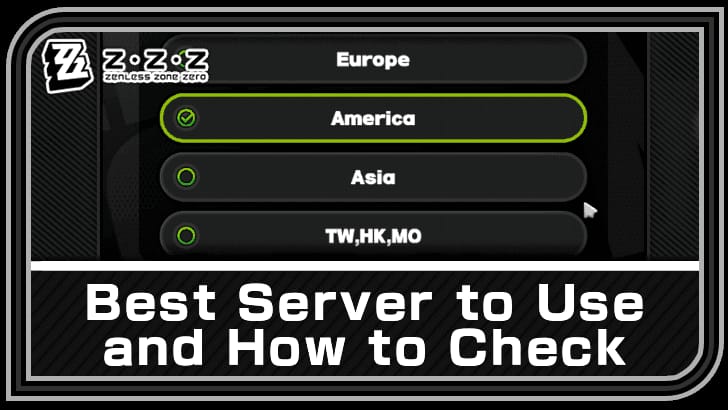
Yes. Region mismatch is one of the most common confirmed causes of top-up failure. Official guidance says your payment method country/region must match your physical location and account region, and VPN use can trigger blocks.
The confusing part is that there are really three region checks, not one:
Account/server region
Billing country on the payment method
Store region on Apple App Store or Google Play
If one of those doesn't line up, the order can fail even when your card is valid.
Which platform-specific issues matter most?
They differ by checkout path:
Officially, in-app store purchases use Apple/Google billing, while direct top-up uses the HoYoverse payment center with your account login or UID flow. That distinction matters. If App Store or Google Play is the problem, changing cards inside the game won't always help because the store layer is what failed.
Personally, I would avoid using a VPN to force a supported region. It often creates more billing conflicts than it solves.
Why does my card or wallet keep getting declined for Zenless Zone Zero?
Usually because the bank blocked the transaction, 3D Secure wasn't completed, the billing details don't match, or the payment method isn't well supported for this type of purchase. Community reports are very consistent here: major credit cards and PayPal clear more reliably than prepaid cards.
Common payment-method problems:
Bank blocks on international or gaming transactions
Contact your bank and ask them to whitelist HoYoverse or allow the transaction.3D Secure failure
Complete the bank verification prompt during checkout. If you close it, the payment often fails.Insufficient balance or hold limits
Check available balance, not just account balance.Prepaid or gift card restrictions
These often fail for international digital purchases.Google Pay billing mismatch
Update address and ZIP/postal code to match the card record.Local wallet region lock
Some wallets only work in their supported country.
Users commonly report PayPal as the easiest fallback when cards keep failing. If you need another route, compare supported methods carefully before retrying Zenless Zone Zero recharge not received cases through the same broken payment path.
How do you fix a Zenless Zone Zero top-up that failed, is pending, or did not arrive?

Use a strict check sequence. In my experience reviewing recharge issues, this prevents duplicate charges and cuts support time.
Verify the account first
Check your HoYoverse login.
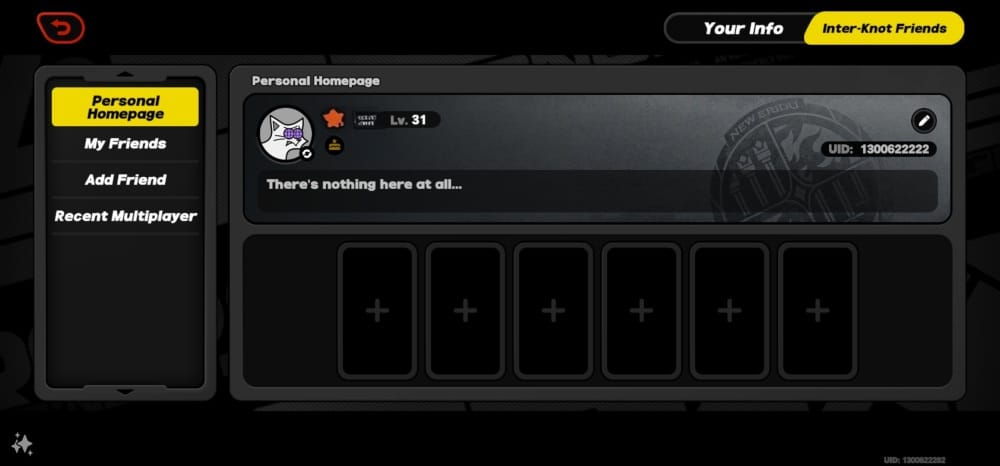
Confirm the 9-digit UID from your in-game profile.
Confirm the correct server/account.
If using direct top-up, make sure the order matches that exact UID.
Turn off VPN and stabilize the connection
Disable VPN completely.
Switch networks if your current connection is unstable.
On PC, update the launcher if you're using Epic or the client.
Check the payment layer
Confirm your billing country matches your physical location and account/store region.
Re-enter the card if needed.
Complete any 3D Secure or bank app approval.
If card declines continue, try PayPal or another supported major method.
Don't spam retries
Wait 1-2 hours for normal processing delays.
If the order shows pending, users commonly wait up to 24-48 hours before escalating.
Do not submit duplicate payments while one is still pending.
If charged but no Monochrome arrived
Restart the game.
Check the Monochrome menu for any manual claim.
Check the correct account and platform.
Look in in-game mail; delayed delivery is often reported within 5-30 minutes.
If the issue continues, collect proof
Order ID
Payment receipt
UID
Platform
Timestamp
Amount
Currency
Screenshot of the error or missing balance
That evidence is exactly what official support asks for, and honestly, it speeds things up more than long explanations.
What should you do if your Zenless Zone Zero top-up was charged but not received?
First confirm whether the charge is completed, pending, or later reversed. Official guidance separates payment failure from charged-but-no-delivery cases, and the recovery path is different.
Follow this order:
Check whether the bank charge is final
A pending authorization isn't the same as a settled payment.
If the bank or wallet shows a hold, contact the payment provider first.
Confirm delivery basics
Restart the game.
Check the correct account/platform.
Check for manual claim in the Monochrome menu.
Wait at least a short delivery window before escalating.
Escalate to the right team
Payment declined/held: contact your bank, card issuer, Apple, Google, or wallet provider first.
Charged but currency missing on official channels: contact the HoYoverse Help Center.
Third-party order issue: contact that seller's support with the order ID and receipt.
Know the refund rule
Officially, virtual currency like Monochrome is generally non-refundable, except where required by law.
So the goal is usually delivery correction, not refund approval.
If you entered the wrong UID, act fast and contact the seller or support with full proof. But prevention matters more here than recovery; wrong-account top-ups are much harder to unwind.
FAQ
Why was my Zenless Zone Zero payment charged but not received?
Because the payment and delivery systems are separate. The charge may have cleared while the Monochrome delivery is delayed, awaiting claim, or tied to the wrong account/platform. Restart the game, check the correct account, then contact support with the receipt if it still hasn't arrived.
How long does a Zenless Zone Zero top-up take to arrive?
Most successful top-ups arrive quickly, but community reports show delays of 5-30 minutes are not unusual. If the order is pending, wait 1-2 hours first and up to 24 hours before treating it as a support case.
Can a region mismatch cause Zenless Zone Zero top-up failure?
Yes, confirmed. Your account region, billing country, and store region need to align, and VPN use can trigger blocks even if the card itself works.
What should I do if I entered the wrong UID for Zenless Zone Zero top-up?
Stop retrying and gather the order ID, receipt, wrong UID, intended UID, amount, and timestamp. Then contact the seller or official support immediately, but understand that wrong-account top-ups are harder to reverse than ordinary payment failures.
Why does my card keep getting declined for Zenless Zone Zero?
The usual causes are bank fraud filters, incomplete 3D Secure verification, billing address mismatch, insufficient available balance, or prepaid card restrictions. I would check bank approval first, then switch to PayPal or another supported major method if the same card keeps failing.
Who should I contact for a failed Zenless Zone Zero top-up?
Contact the payment provider first for declines, holds, or store billing errors. Contact the HoYoverse Help Center for official-channel delivery issues, and contact the seller support team for third-party orders.
Zenless Zone Zero top-up problems are usually fixable, but only if you diagnose the right failure type first. Check UID and server, remove VPN, confirm region and billing alignment, and don't create duplicate orders by retrying too fast. If payment was charged but Monochrome didn't arrive, collect full proof and contact the correct support team with the order ID and receipt.