
The Cheapest Way to Top Up PUBG Mobile UC Online 2026 is usually the option with the lowest total checkout cost, not the lowest advertised price. The real winner is the pack that stays cheapest after bonus UC, payment fees, taxes, exchange-rate spread, and coupon value are counted.
For most buyers, that means comparing official pricing with a trusted direct UID top-up checkout. Official options are safer and clearer, but third-party direct top-ups are widely reported to be cheaper than in-app purchases because they avoid app store fees while delivering the same UC to your account.
Why is the cheapest way to top up PUBG Mobile UC not always the lowest listed price?
It isn’t, because the cheapest PUBG Mobile UC recharge is the one with the best final cost per usable UC after every extra charge is included.
Official PUBG Mobile pricing is confirmed at 60 UC for $0.89, 300+25 UC for $4.49, and 600+60 UC for $8.99. Official partner Midasbuy also offers around 10% off on 300+ UC packs and sometimes safe promo-code bonuses in the 3% to 7% range. But that still doesn’t automatically make it cheapest.
From reviewing recharge complaints, the most common money-wasting mistake is simple: users compare sticker prices and ignore what happens at checkout. Common cost add-ons:
Tax/VAT
Card processing fees
PayPal or wallet fees
Currency conversion spread
Bank foreign transaction charges
And bonus UC matters more than many buyers realize. Community experience consistently shows you should compare total UC received, not just the pack label. A larger pack can be cheaper per UC even if the upfront price looks higher.
A good example: users commonly report direct top-up stores offering 20% off ranges, and some listings go higher. But I would never judge that by headline discount alone. If one checkout adds conversion fees and another supports your local wallet in local currency, the smaller discount can still be cheaper in practice.
If you’re comparing current deals, a transparent PUBG Mobile UC cheap top up page is useful only if you also check the final payable amount before confirming.
Why do PUBG Mobile UC prices vary by country, platform, and payment method?
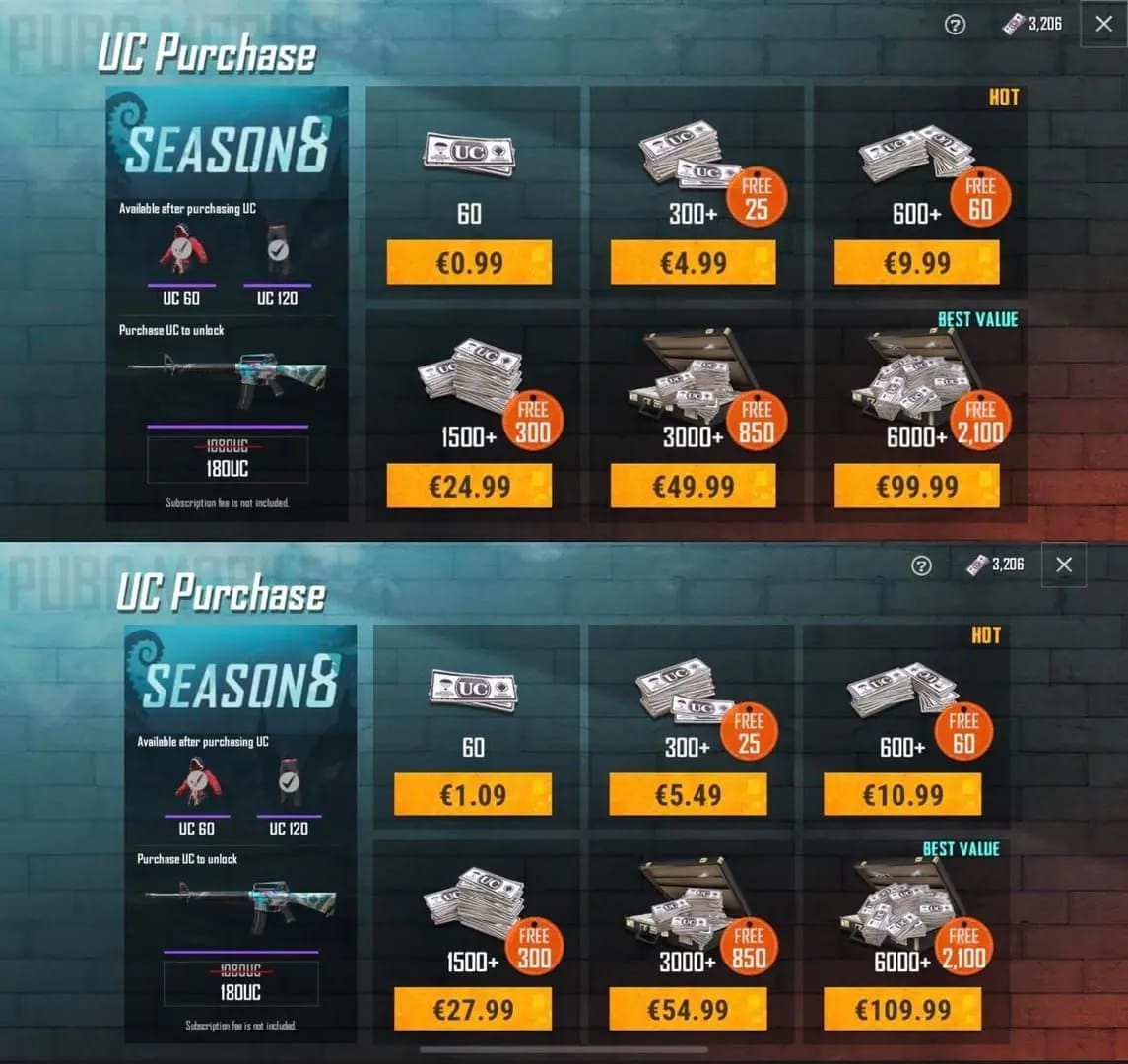
They vary because PUBG Mobile pricing is affected by platform fees, local currency pricing, region rules, and payment costs.
The clearest split is this: in-app purchases are usually more expensive than direct online top-ups. Community reports consistently attribute that to store commissions. Official web partners and direct UID top-up sites often undercut app-store pricing while delivering the same currency.
Region is the next big factor. Community reports say your account region must match the payment region to avoid mismatch errors, and users commonly run into B100-style region/security failures. Restricted regions complicate this further. India is widely reported as restricted in some flows, and changing region settings may involve a 6-month cooldown. That’s a nasty surprise if you were chasing a lower price from another market.
And then there’s payment method. In my experience reviewing failed checkouts, this is where cheap often stops being cheap.
A competitor-miss insight here: local e-wallets can beat cards even when the listed UC price is identical, because lower exchange spread reduces the real total. Overseas buyers especially should check this first.
Also check account type. Community guidance says Global server works on most third-party top-ups, while KR/JP/VN mismatches are where trouble starts.
How can you find the cheapest PUBG Mobile UC top up online in 2026?
You find it by comparing true cost per UC, after confirming your account details and payment path won’t fail.
Confirm your Player ID
Third-party PUBG Mobile top-ups officially require your Player ID/UID.
Double-check every digit before paying.
If buying for someone else, verify the UID from the in-game profile, not chat screenshots alone.
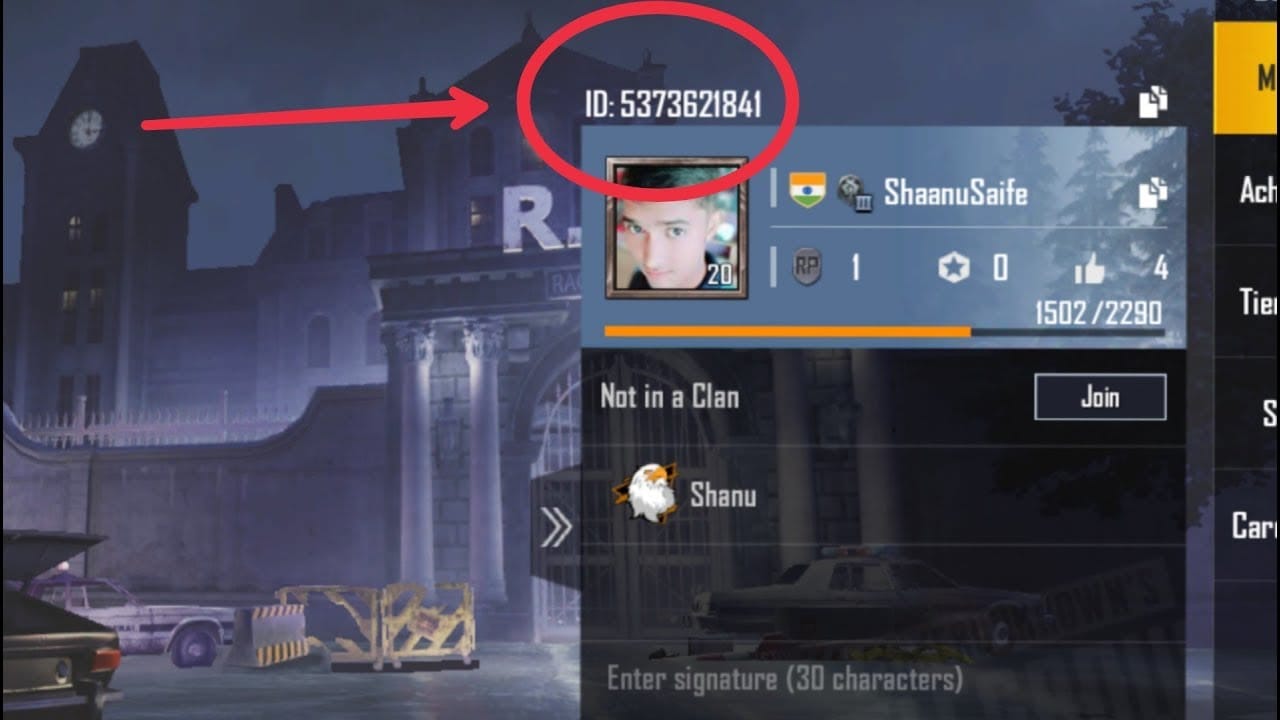
Check server, region, and platform
Have these ready: Player ID, server/region, platform Global, payment method.
If your account is not Global, stop and verify eligibility first.
Personally, I would check region before price. A failed cheap order wastes more time than it saves money.
Compare total payable price
Don’t compare base price only.
Add:
taxes
payment fees
exchange-rate markup
any wallet top-up fee
Then divide by total UC received including bonus UC.
Prefer packs with stronger UC value
Officially, packs like 300+25 and 600+60 already include bonus UC.
Community experience says larger packs often give better value, especially during Double UC events.
A reported April 2026 Double UC event made the 1800 UC pack one of the strongest value plays on trusted sites, with savings up to 35% in event conditions.
Use the payment method with the lowest friction
No-card users should prioritize PayPal, Google Pay, local e-wallets, or local-payment direct top-up options.
For Nigeria and South Africa, local-payment direct top-up options are commonly used specifically to avoid card dependence.
Save proof before closing the page
Keep:
order ID
payment timestamp
package bought
Player ID used
Support will ask for these first.
If you want a cleaner comparison flow, checking a cheapest PUBG Mobile UC recharge option with visible package pricing and supported payment methods can save time before you commit.
How do you top up PUBG Mobile UC safely without losing money to failed payments or wrong-account errors?
You do it safely by using UID-only top-up on trusted checkout paths, never sharing your password, and verifying account details before payment.
Official guidance and community experience align on the core safety checklist:
Use Player ID/UID top-up only
Never share your login password
Prefer official checkout or trusted direct top-up sites
Avoid random Facebook or WhatsApp sellers; users commonly report being blocked after payment
Check whether the site supports your region and payment method
Save the order ID immediately
How should you handle delayed, failed, or wrong-account UC orders?
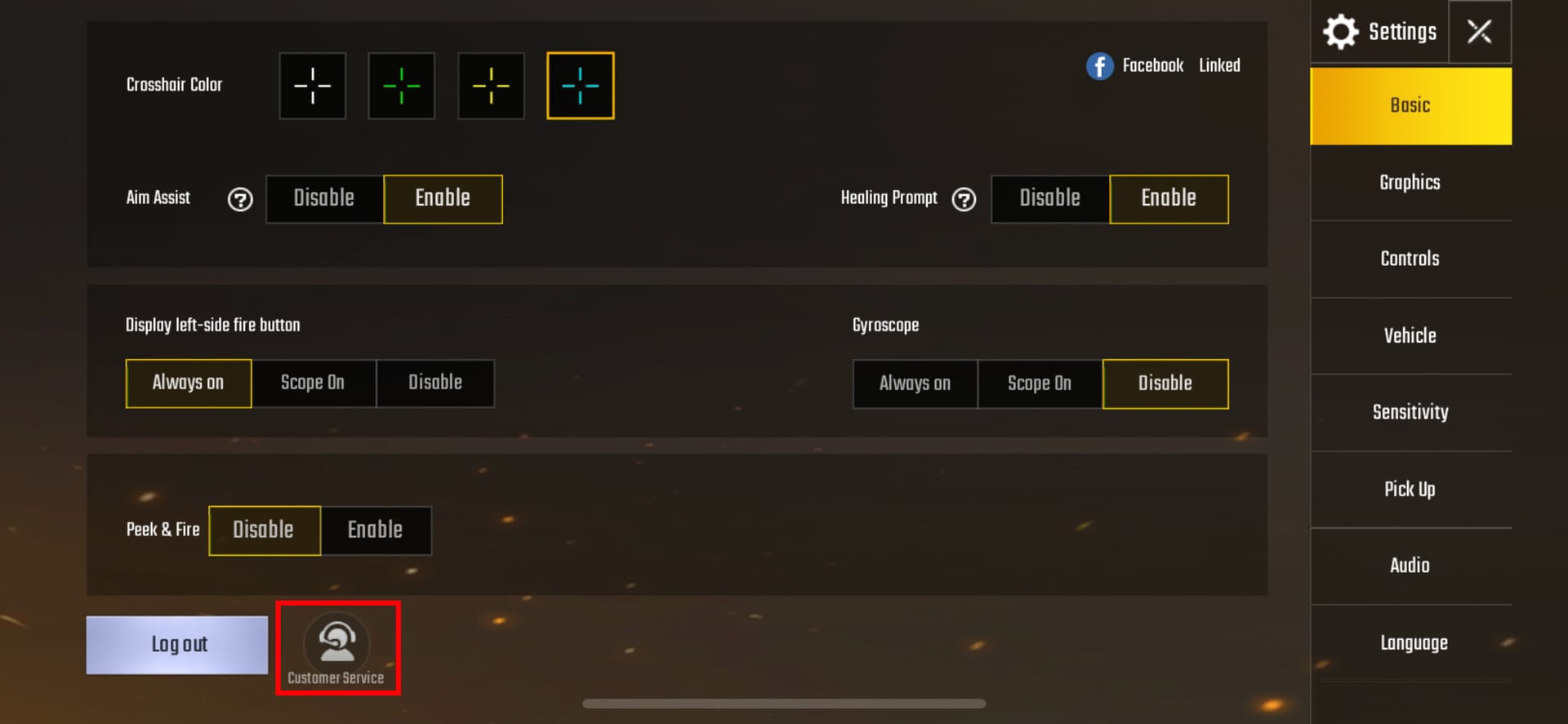
Start with the simplest checks first, because many missing UC cases are just delayed delivery or app-side refresh issues.
If UC is delayed
Fully close PUBG Mobile
Restart your device
Check your network
Wait a bit before escalating
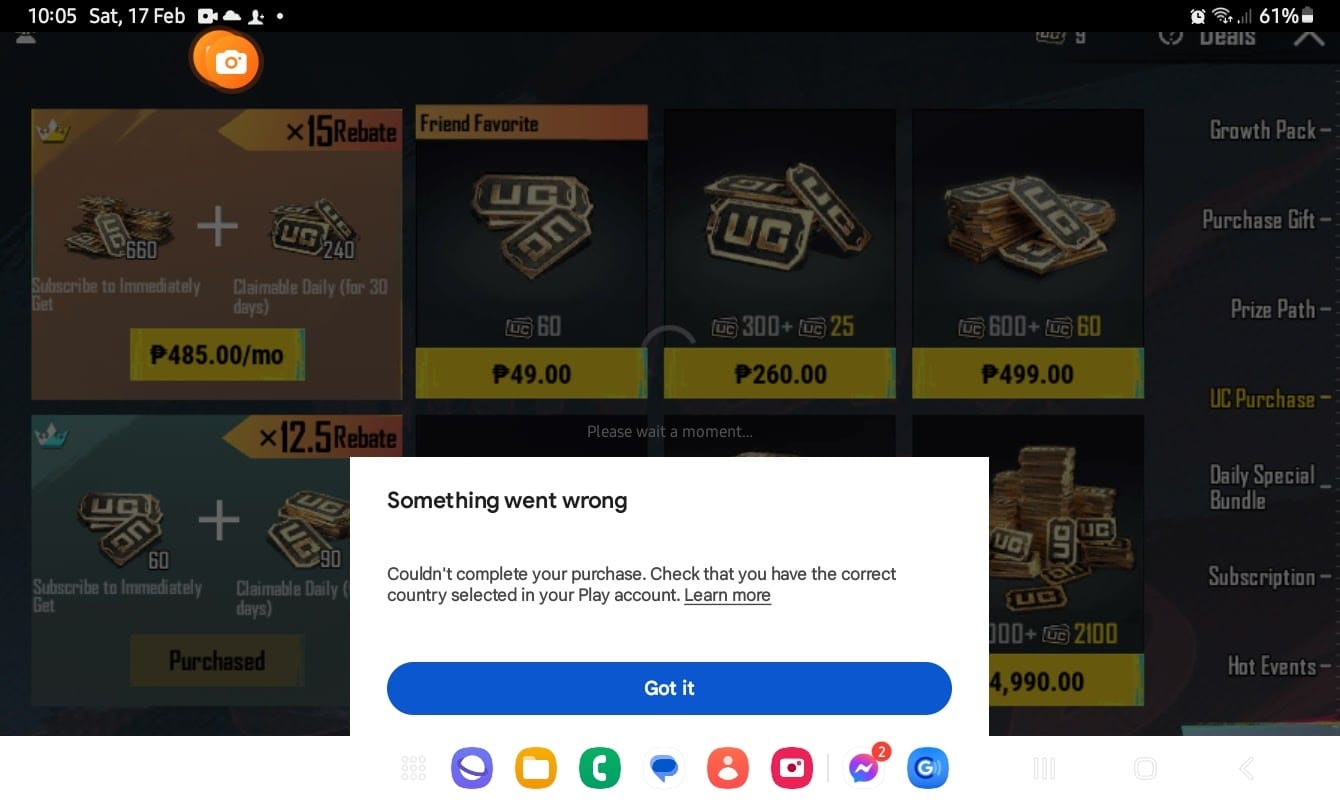
If payment was charged but failed
Check Google Play purchase history if relevant
Use the payment platform’s report problem flow
Contact support with order ID and timestamp
A successful bank charge does not always mean the order cleared verification
If you used the wrong account
Contact seller support fast
Provide Player ID proof and order details
Transfers may depend on whether delivery already completed
If the order is stuck
Community experience says wait up to 24 hours
Then contact live support for manual delivery or refund
If you need a refund
Officially, refunds are available within 7 days post-purchase if the UC is unused, via PUBG support
Honestly, delayed delivery is frustrating when the payment already left your account. But in failed top-up cases, wrong Player ID and region mismatch are more common than most users expect.
What do users ask most about the cheapest PUBG Mobile UC top up?
What is the cheapest way to top up PUBG Mobile UC online?
Usually, it’s a trusted direct UID top-up or official web checkout with the lowest final cost after fees and bonus UC are counted. In-app purchases are usually the most expensive.
Is it cheaper to buy PUBG Mobile UC from the official store?
Sometimes, but not usually versus discounted direct top-up sites. Official web checkout is often cheaper than in-app, and Midasbuy’s discounts and promo codes can make it competitive.
Why does PUBG Mobile UC cost different prices in different countries?
Because local pricing, taxes, exchange rates, and payment-region rules differ. Platform fees also change the final price, especially on app stores.
Can I top up PUBG Mobile UC without a credit card?
Yes. PayPal, Google Pay, prepaid balance, local e-wallets, and some local-payment direct top-up options are commonly available depending on region.
How long does PUBG Mobile UC take to arrive after payment?
Officially and on trusted UID top-up checkouts, delivery is often instant. If it doesn’t show, restart the game and device first before opening a support case.
What should I do if my PUBG Mobile UC top up is delayed?
Close PUBG completely, restart your device, and check your network. If it still hasn’t arrived, contact support with the order ID, Player ID, payment time, and package purchased.
Is it safe to buy discounted PUBG Mobile UC online?
Yes—if it’s a trusted UID-only top-up flow and you never share your password. I would avoid informal social-media sellers even if the price looks unbeatable.
The cheapest safe way to top up PUBG Mobile UC in 2026 is to compare official web pricing and trusted direct UID top-up pricing by final cost per UC, not by headline discount. Check region first, use the lowest-fee payment method you trust, and keep your order proof. If you want low friction and clear pricing, compare VGTopup before paying and choose the pack that gives the best real value, not just the loudest discount.