
Yes—How to Top Up Zenless Zone Zero with Apple Pay is straightforward on Apple devices, but only when the purchase is processed as an Apple-billed in-app purchase. On iPhone, iPad, and some Mac setups, you buy from the in-game Monochrome Market, then confirm through Apple Pay if your Apple ID, App Store region, and payment method are set up correctly.
The biggest blocker isn't usually the card. From reviewing failed recharge cases, it's more often a region mismatch between your Apple ID/App Store and your game setup, or disabled in-app purchase permissions. If you want a quick buying route, Zenless Zone Zero top up with Apple Pay is the phrase to look for—but official iOS purchases still depend on Apple's billing flow.
Why do some users see Apple Pay for Zenless Zone Zero while others do not?
Apple Pay appears only when Zenless Zone Zero is being sold through an eligible Apple billing flow on your device and in your App Store region. That's the part many guides miss: Apple Pay is the wallet, but the actual transaction is still an App Store in-app purchase on iOS.
Users commonly report three conditions deciding whether the option shows:
You're signed in to a valid Apple ID
Apple Pay is active in Settings > Wallet & Apple Pay
Your App Store country/region aligns with where the game purchase is available
And there's a second layer: community reports widely observe that some Apple ID-based accounts are effectively platform-locked, meaning top-up has to go through the App Store IAP route rather than a separate web recharge path.
Apple Pay vs Apple-billed purchase: what's the real difference?
The real difference is this: Apple Pay is the payment method, not the product delivery system. Zenless Zone Zero on iOS sells Monochrome, monthly pass options like Inter-Knot Membership, battle pass access, and one-time packs through Apple-billed checkout when available.
So if Apple Pay doesn't show, that doesn't always mean Zenless Zone Zero doesn't support payment on iPhone. It often means:
Personally, I would check the App Store region first. It's the most overlooked cause.
Why does Zenless Zone Zero Apple Pay fail even when the card works elsewhere?
Because Apple Pay approval for a game purchase still has to pass Apple billing checks, bank authorization, and in-app purchase permissions. A card that works in a shop or another app can still fail here.
Officially confirmed and widely observed causes include:
Bank decline
Insufficient funds
Authentication failure
Expired card
Network instability
Disabled in-app purchases
App Store restrictions
VPN interference
Region mismatch
From comparing checkout paths, users often assume Apple Pay is universal. It isn't. If Zenless Zone Zero is sold as an App Store IAP, Apple and the App Store rules decide whether the payment clears.
Does region mismatch really block Apple Pay top-ups?
Yes, users commonly report that a mismatch between App Store region and the game's expected purchase availability can block the top-up. Overseas users run into this a lot.
The practical rule:
A lesser-known detail: a successful bank charge doesn't always mean the order fully cleared. Sometimes the bank authorizes first, but the App Store or game-side verification still hasn't completed. That's why receipt and timestamp checks matter.
How do you top up Zenless Zone Zero with Apple Pay step by step?
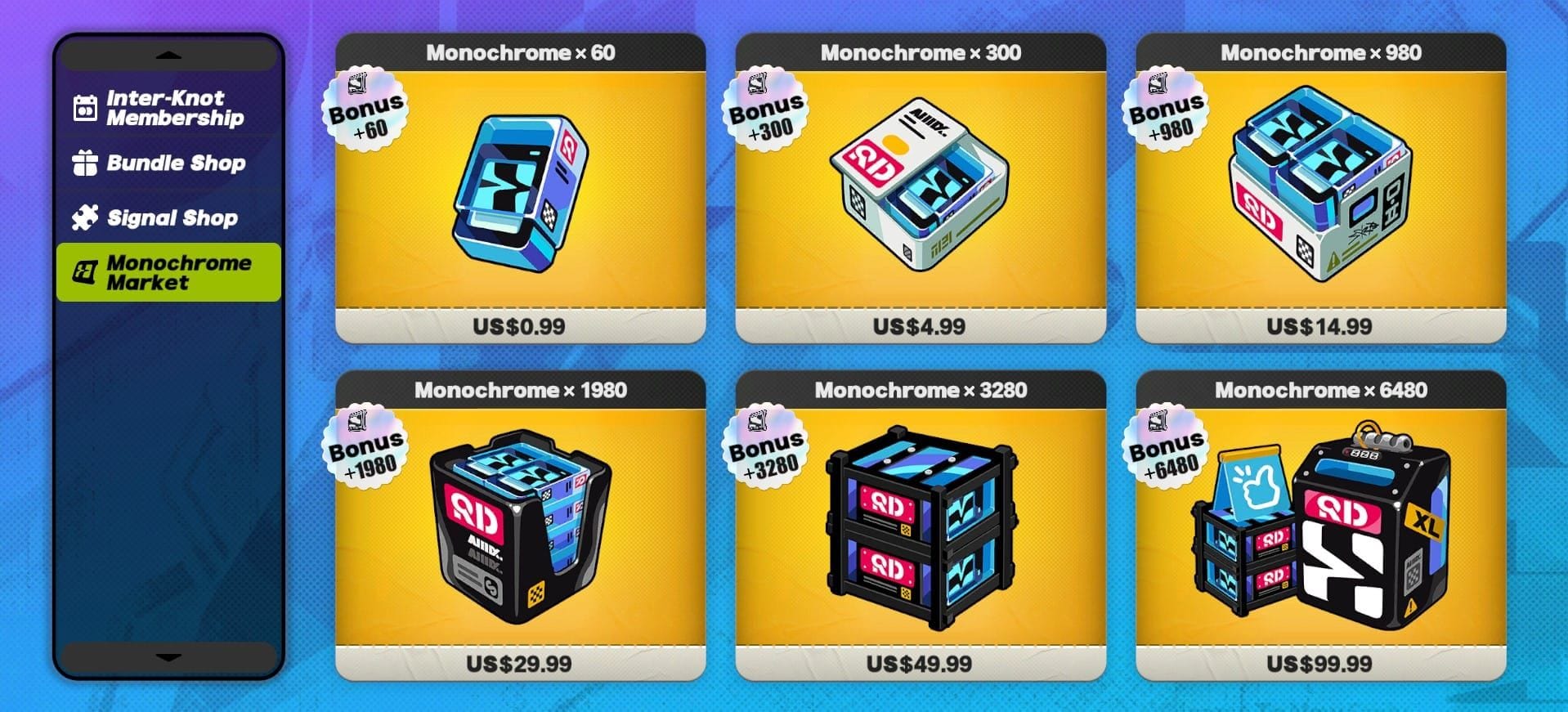
You top up by buying inside the Monochrome Market and confirming the Apple-billed purchase with Apple Pay. That's the official iOS flow.
Check your setup first
Sign in to your Apple ID
Open Settings > Wallet & Apple Pay
Add your card and complete bank verification
Make sure your device is on iOS 14.0+
Confirm in-app purchases aren't restricted
Open Zenless Zone Zero on your iPhone or iPad
Go to the in-game Monochrome Market
Choose the item you want:
Monochrome packs
Inter-Knot Membership
battle pass, if available on your platform
Confirm the purchase
Tap the pack or pass
Approve the Apple-billed checkout with Apple Pay
Complete Face ID, Touch ID, or passcode authentication
Verify delivery
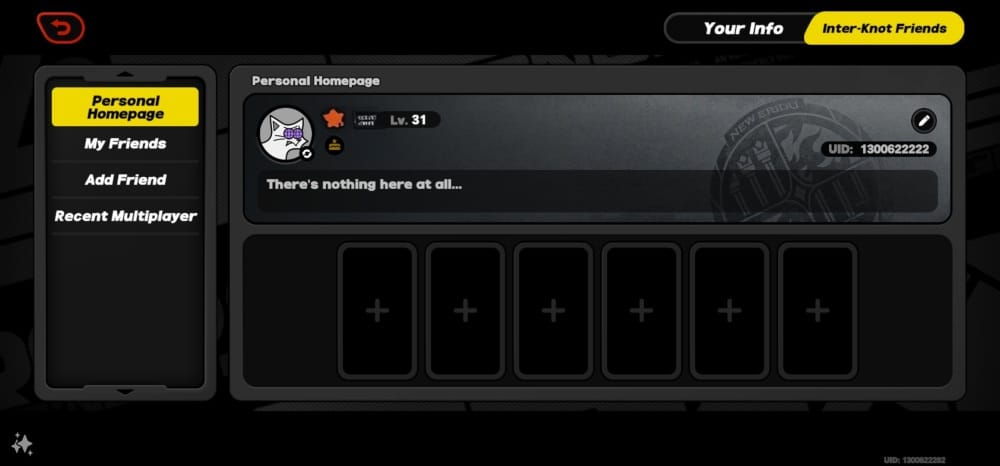
Officially, Monochromes are auto-credited to the matching HoYoverse UID/server
Check the account you're logged into before buying
If you use cross-platform play, make sure you're on the correct linked HoYoverse account
Save proof
Keep the Apple receipt
Note the purchase time
Screenshot your UID/server
If support is needed later, these are the first things they'll ask for
If you're comparing purchase routes, Zenless Zone Zero Apple Pay recharge can be useful wording when checking alternatives. I still prefer the official in-app route when order tracking and account safety matter most.
What should you check if your Zenless Zone Zero Apple Pay order is stuck, missing, or declined?
Check the receipt, account, and payment status before contacting support. That's usually the fastest path.
If payment failed
Do this in order:
Disable VPN
Use a stable network
Verify your card balance
Confirm the card isn't expired
Recheck Apple Pay setup
Make sure in-app purchases are allowed
Confirm your App Store region
If you were charged but got nothing
Official guidance is clear: if charged but not delivered, contact HoYoverse support with your receipt and UID. Before that, try:
Log out and back into the game
Claim on the same platform/account
Restart the app
If there was maintenance or launcher trouble, wait and retry after updates
Honestly, delayed delivery is frustrating when the money already left your account. But don't skip the receipt check. In my experience reviewing recharge issues, the timestamp and Apple order proof often decide whether Apple support or game support can act quickly.
If the top-up went to the wrong account
This is usually a UID/server mismatch problem. Community reports repeatedly warn that wrong-account delivery is one of the easiest mistakes to make, especially when using any UID-based delivery route outside the in-app flow.
Use this quick triage:
FAQ
Can you top up Zenless Zone Zero with Apple Pay?
Yes, if your device and App Store region support the Apple-billed in-app purchase flow. On iOS, the usual method is buying through the in-game Monochrome Market and confirming with Apple Pay.
Why is Apple Pay not showing for Zenless Zone Zero?
Most often, your Apple Pay wallet isn't fully set up, your App Store region doesn't match availability, or the purchase isn't being offered through an eligible Apple billing flow. I would also check whether in-app purchases are restricted on the device.
Does Apple Pay work for Zenless Zone Zero in every country?
No. Users commonly report that country and region settings affect whether the option appears and whether the purchase clears. Overseas users should align the App Store region with the game's supported purchase region to avoid blocks.
What should I do if my Zenless Zone Zero Apple Pay payment failed?
Start with the basics: disable VPN, switch to a stable connection, verify balance, and recheck Apple Pay authentication. If the card works elsewhere but not here, the issue is often App Store billing validation rather than the card itself.
Why was I charged but did not receive my Zenless Zone Zero top up?
A charge doesn't always mean final delivery cleared. Log out and back in, confirm you're on the same account/platform, then contact HoYoverse support with your Apple receipt and UID if the Monochrome still hasn't arrived.
Can I get a refund for a Zenless Zone Zero Apple Pay purchase?
Yes, Apple officially handles refunds for Apple-billed in-app purchases through reportaproblem.apple.com. Refunds can take up to 30 days to appear on your Apple Pay statement.
Do I need the same Apple ID region as my Zenless Zone Zero account?
Not always in a strict one-to-one sense, but in practice the App Store region must align with the purchase availability or the top-up often fails. If you're overseas, this is one of the first checks to make.
Zenless Zone Zero top-up with Apple Pay works best through the official iOS in-app purchase flow: open the Monochrome Market, choose your pack, and confirm with Apple Pay. Before paying, check your Apple ID region, wallet setup, and the account receiving the items. If something goes wrong, use the receipt, UID, and payment status to decide quickly whether Apple or HoYoverse support should handle it.