
Yes—if PayPal is offered in your checkout region and platform, you can top up Genshin Impact by selecting the right package, confirming your UID and server, and finishing payment through PayPal. The catch is that PayPal is not confirmed as a direct option on HoYoverse’s official PC/web top-up flow, so many users rely on mobile store checkout or trusted partner-style top-up paths instead.
Before paying, check four things: your UID, server, billing country, and whether your account is store-bound to App Store, Google Play, or PlayStation Store. From reviewing recharge support cases, the most common preventable mistake is simple but painful: wrong UID or wrong server.
Why can topping up Genshin Impact with PayPal work for some users but not others?
It works for some users because PayPal availability depends on platform, merchant support, and region. Officially, HoYoverse has a web top-up center where you log in, choose a package, and pay, but community reports consistently say PayPal is not directly available on the official PC/web checkout in many cases.
That’s why users often split into three groups:
Two details generic guides miss:
Store origin matters. Community reports say some purchases are tied to the platform where the account was first used for payments. So a mobile-store-bound account may show different options than a web top-up page.
Billing country matters as much as game region. In digital checkout troubleshooting, PayPal failures are often not game-specific at all. They’re caused by billing-country mismatch, unsupported country settings, or PayPal risk screening.
If you’re comparing options for a Genshin Impact top up with PayPal, I’d check platform compatibility before price. A cheaper checkout is useless if the order fails on region rules.
Why do Genshin Impact PayPal payments fail at checkout?
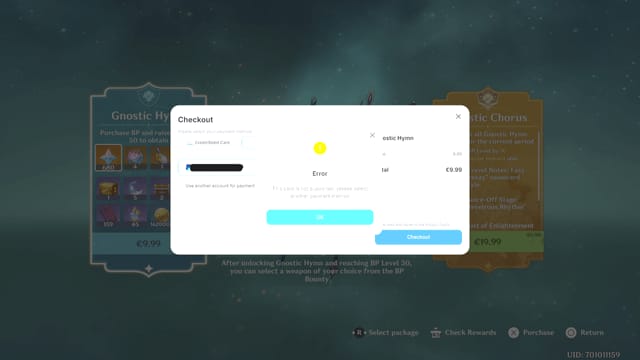
Most failed PayPal payments come from risk checks, funding issues, or region mismatch—not from Genshin itself. Official and community sources line up on the usual causes.
The most common failure reasons
Personally, I would check PayPal status first, not the game. A successful bank charge does not always mean the order has cleared verification. If PayPal still shows pending, the top-up may be stuck before delivery even starts.
And don’t use a VPN for top-up. Users commonly report that it increases failure risk, and community guidance warns it can create Terms of Service problems.
What is the safest way to top up Genshin Impact with PayPal?
The safest way is to use the official top-up path when PayPal is actually available there for your setup, or a clearly trusted top-up path that asks only for the correct UID/server and gives you an order record. Official guidance also makes one thing clear: save your transaction ID, order ID, timestamp, and screenshots.
For safety, verify this checklist before payment:
UID: usually 8–10 digits, shown in the Paimon menu at the lower right
Server: America, Europe, Asia, TW/HK/MO, or China
Product: Genesis Crystals or Blessing of the Welkin Moon
Account path: official login-based top-up or UID-based top-up
Payment proof: PayPal transaction ID and merchant order ID
Region fit: billing country and merchant support must align
Refund expectations are strict. Officially, delivered digital consumables are commonly non-refundable once completed. And if you charge back after receiving the crystals, users widely report risks like negative balance or account penalties. Honestly, that’s not worth it.
How to Top Up Genshin Impact with PayPal step by step?
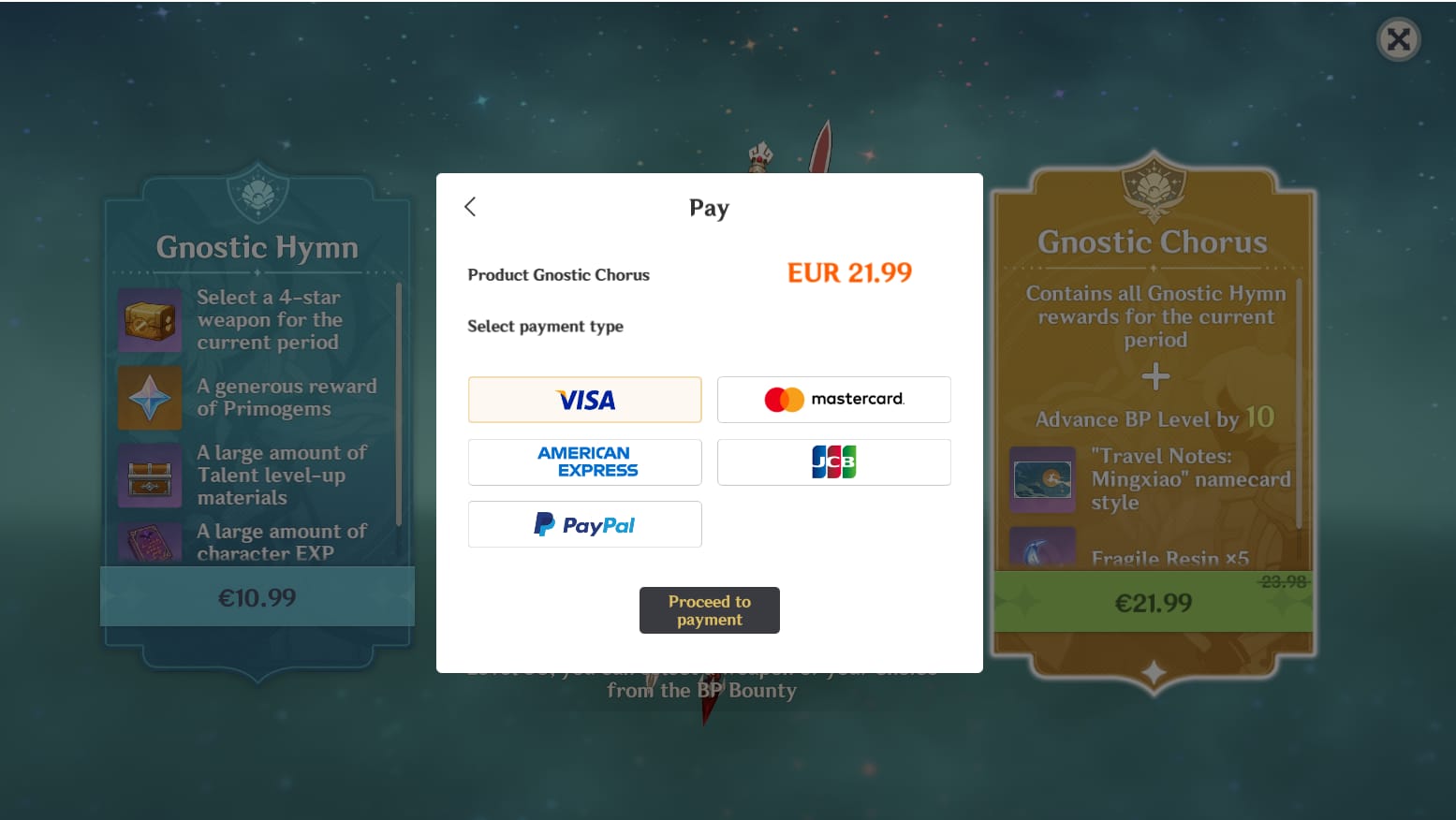
Use a PayPal-supported checkout path, then verify account details before you authorize payment. The exact screens vary, but the flow is consistent.
Open Genshin Impact and note your UID and server.
Your UID is in the Paimon menu, lower right. Double-check the server too. Wrong server entry is one of the most common mistakes.Choose the correct top-up path.
Official web top-up center: log in to your HoYoverse account, select the product, then check whether PayPal is offered for your region/platform.
Mobile route: use App Store or Google Play if PayPal is supported in your local store.
UID-based route: select server, enter UID, and choose the package.
Select the package carefully.
Genesis Crystals are the premium currency and can be converted into Primogems. Officially, first top-up can include a one-time 300 Primogems bonus on eligible packages. Community reports also note Welkin Moon at $4.99 for 300 Genesis Crystals plus 90 daily Primogems for 30 days.Complete PayPal checkout.
Confirm the amount, funding source, and billing details. Then return to the merchant page after authorization. If you close the page too early, you may lose the order confirmation screen.Save proof immediately.
Keep:merchant order ID
PayPal transaction ID
timestamp
package name
screenshot of success page
Check delivery in game.
Delivery is usually instant or within a few minutes. Restart the game if needed, then check your crystal balance or shop history.
If you want a simpler Genshin Impact PayPal recharge, I still recommend the same rule: verify UID and server before you touch the PayPal button.
What should you do if your Genshin Impact top up is delayed or not received?
First, confirm whether the payment completed or is still pending. Delayed delivery and failed payment are not the same problem, and mixing them up wastes time.
Follow this order:
Check PayPal status.
If it says pending, under review, or not completed, wait for final status before retrying.Check the merchant order status.
Look for paid, processing, failed, or completed.Restart the game and recheck the balance.
Official experience notes say manual activation can sometimes be needed if the purchase doesn’t auto-appear on the same platform.Verify UID and server against the order.
If either is wrong, contact the seller immediately. Community reports are blunt here: crystals sent to the wrong UID/server usually can’t simply be transferred back.Contact support with full evidence.
The fastest cases usually include:UID
server
order ID
PayPal transaction ID
timestamp
screenshot of payment success
screenshot of missing balance
From comparing support cases, having both IDs ready is what speeds things up. Without them, support often has to ask follow-up questions before they can even locate the order.
FAQ
Can I use PayPal to top up Genshin Impact?
Yes, but not always through the same path. Community reports say direct PayPal on the official PC/web top-up flow is often unavailable, while mobile checkout or trusted UID-based top-up paths may support it.
Why is my Genshin Impact PayPal payment failing?
Usually because of PayPal risk checks, insufficient balance, billing-country mismatch, unsupported country settings, or a bank block on international gaming payments. I would also check whether you picked a payment path that actually supports your platform.
How long does Genshin Impact top up take to arrive?
Usually instantly or within a few minutes. If it doesn’t arrive, check whether the payment is truly completed before assuming it’s a delivery issue.
Can I top up Genshin Impact for another account with UID?
Yes, UID-based top-up is commonly used for that. But you must match the correct UID and server exactly, because wrong-account deliveries are hard to reverse.
Does Genshin Impact top up depend on region or server?
Yes. Server always matters for UID-based top-up, and region can affect whether PayPal appears at all. Users with overseas or cross-border setups report more failures when billing country and merchant region don’t align.
Can I get a refund for a Genshin Impact top up?
Usually not after delivery. Official guidance treats completed digital consumables as non-refundable, and chargebacks can create account problems.
What should I do if I paid but did not receive the top up?
Check PayPal status, merchant order status, then restart the game and verify UID/server. If it’s still missing, contact support with your order ID, transaction ID, timestamp, and screenshots.
Genshin Impact top-up with PayPal is possible, but only when your platform, region, and checkout path actually support it. The safest approach is simple: verify UID and server first, use a trusted payment page, save every order record, and treat pending PayPal payments as a payment issue—not a delivery issue. If you want the fewest headaches, prioritize clear order tracking over chasing the lowest price.