
To top up Blood Strike with GCash safely, use a checkout flow that clearly shows your correct UID, final amount, and a real payment confirmation page, then save both the order ID and GCash reference before closing anything. Most mistakes happen from wrong account details, region mismatch, or assuming the payment is done right after GCash approval.
For most Philippines users, GCash is usually available through partner checkout flows rather than directly on the official NetEase Blood Strike top-up page. If you want a safer path for Blood Strike top up with GCash, verify UID, server/region, PHP pricing, wallet balance, and your linked mobile number before you pay.
Why can't you always top up Blood Strike with GCash directly?
You usually can't pay with GCash directly on the official NetEase Blood Strike top-up portal. Officially, the NetEase GamesClub Blood Strike page supports Visa, Mastercard, and PayPal. Community reports consistently show that GCash access for Blood Strike is commonly handled through Philippines-focused partner checkouts.
That distinction matters. A lot of users see "Blood Strike top up" and assume every checkout supports the same payment methods. It doesn't. In my experience reviewing recharge issues, this is where confusion starts: users open the official page, don't see GCash, then jump to random sellers. That's the wrong move.
What works more reliably for PH users:
Blood Strike uses Golds as the top-up currency for purchases. Official pricing examples include 50 Golds for USD 0.49 + 6 bonus and 100 Golds for USD 0.99 + 16 bonus. If a page shows wildly unrealistic discounts, treat that as a warning sign, not a bargain.
What should you check before paying for a Blood Strike GCash top up?
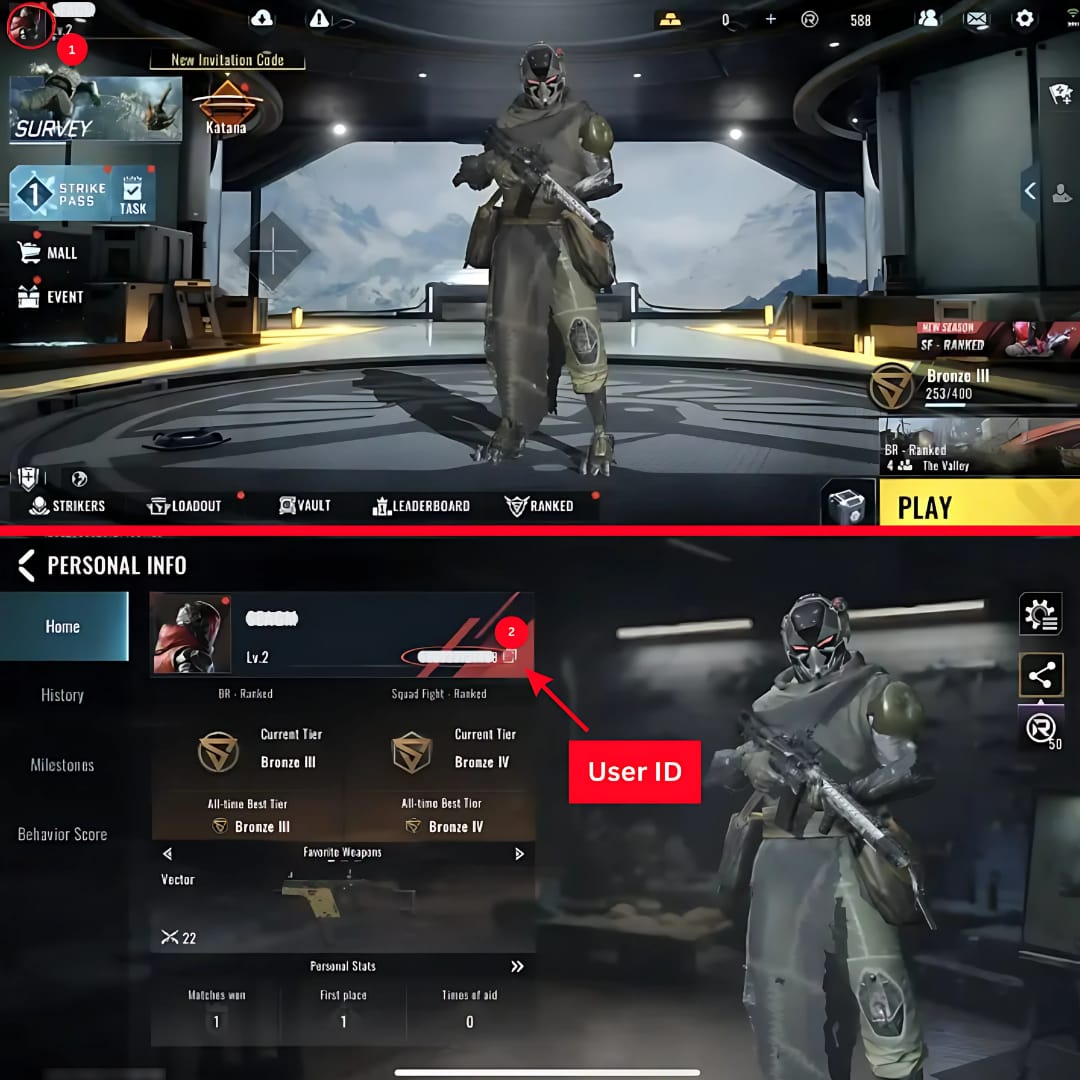
Check your UID, server/region, package amount, wallet status, mobile number, and checkout currency before you approve GCash. If one of these is wrong, payment can succeed while delivery fails.
I would check these in this order:
Blood Strike UID/account ID
Enter the exact UID required by the checkout.
Double-check every digit before paying.
If it's your first time, do a small test top-up first.
Server or region
For GCash-focused PH checkout flows, users commonly report needing the PHL server/region match.
Region mismatch is a known cause of failed or delayed top-ups.
If you're using a store-based route, PH Google Play setup may matter too.
Package and final amount
Confirm the Gold package before payment.
Make sure the checkout is in PHP on PH sites when applicable.
Compare the displayed amount with the package value. Unreal discounts are a red flag.
GCash readiness
Your wallet should have enough balance.
Official guidance: a fully verified GCash account and available transaction limits help prevent failures.
Check that the mobile number linked to GCash is active.
Support visibility
The page should show order tracking or at least a clear order ID.
It should explain delivery timing and support contact options.
Personally, I would avoid any page asking for your game login. Legit top-ups should only need the UID, not your password.
That last point gets missed by weaker guides. A successful bank or wallet charge does not always mean the merchant order cleared properly. The real checkpoint is the merchant success page plus a saved order ID.
How can you tell if a Blood Strike GCash top-up page is safe?
A safe page asks for your UID, shows the exact package, uses a normal GCash handoff, and gives you an order record. Unsafe pages often push login requests, vague delivery promises, or unrealistic discounts.
Users commonly report these trust signals:
Good signs
Clear Blood Strike Gold package list
UID-only top-up flow
GCash handoff to app with MPIN/OTP approval
Order ID or reference shown after payment
Stated delivery window, often 1 to 5 minutes on PH partner sites
Visible support path for missing credits
Red flags
Asking for your Blood Strike password
"Manual top-up" through chat or social sellers
Huge discounts with no order tracking
No payment confirmation page
No refund or support explanation
Community reports repeatedly flag cheap social-media GCash offers as scam-prone. Official policy also warns that unauthorized third-party top-ups can risk account bans and data exposure. So yes, convenience matters, but safety matters more.
If you're comparing options for Blood Strike recharge Philippines GCash, I personally prefer the path with clearer order tracking even if it isn't always the absolute cheapest.
How do you top up Blood Strike with GCash safely step by step?
The safe method is simple: choose the right package, enter the correct UID, complete the GCash authorization, then return to the merchant page and save proof.
Open a legitimate Blood Strike top-up checkout
Use an official or widely used PH-compatible checkout flow.
Confirm it supports GCash before entering details.
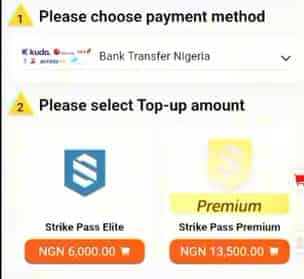
Select the Gold package
Pick the denomination you want.
Review bonuses and final price before continuing.
Enter your Blood Strike UID
Paste carefully if possible.
Check the server/region shown or required by the page, especially PHL for PH wallet flows.
Choose GCash at checkout
The page should redirect or hand off to GCash.
If GCash isn't listed, don't force it through an unrelated payment method.
Approve inside GCash
Log in with your MPIN if prompted.
Complete OTP or approval.
Make sure the amount matches the checkout.
Return to the merchant confirmation page
This is critical.
In wallet-based checkouts, users often think approval inside GCash is the end. It isn't. The order is only safely documented once you return and see the merchant success page.
Save proof before closing
Screenshot the confirmation page.
Save:
order ID
GCash reference number
UID used
package selected
timestamp
Check Blood Strike for delivery
Many users receive Golds within 1 to 5 minutes.
If nothing appears after 30 minutes, start troubleshooting.
How do you fix a Blood Strike top up if the GCash payment failed or the credits did not arrive?
First, separate a wallet problem from a merchant delivery problem. If GCash failed before approval, it's usually a wallet or session issue. If GCash charged you but Golds didn't arrive, contact the merchant first with proof.
Quick diagnosis
From comparing checkout paths, the most common preventable issue is still the wrong UID or wrong region. Honestly, delayed delivery is frustrating when the money already left your wallet, but support moves much faster when your evidence is complete.
What proof should you collect?
Support usually needs these first:
GCash receipt or payment screenshot
Merchant order ID
GCash reference number
Blood Strike UID/account ID
Selected package
Payment timestamp
Screenshot of the confirmation or error page
Who should you contact first?
Use this order:
Merchant support first if you were charged but Golds didn't arrive.
GCash Help Center if the wallet payment failed, reversed oddly, or you need payment-side tracing.
Game support only if the merchant confirms successful delivery but the account still shows nothing.
Refund expectations are narrower than many users think. Merchant policy usually controls top-up refunds. Official GCash guidance for wrong sends is best-effort, not guaranteed. And if you entered the wrong Blood Strike account, official guidance indicates the game side generally won't refund merchant-entry mistakes.
Also check for maintenance or downtime before retrying. Community users often overlook this and keep resubmitting payments into a broken session.
Can I top up Blood Strike with GCash without a credit card?
Yes. PH users commonly use GCash through partner checkout flows, and some users also report Google Play as an alternative route in PH setups. The official NetEase portal itself officially lists cards and PayPal, not direct GCash.
Why did my Blood Strike GCash payment fail?
The usual reasons are insufficient balance, an unverified wallet, transaction limits, session timeout, app issues, maintenance, or region mismatch. I would check wallet verification and the PHL server/region match first.
How long does Blood Strike top up take after paying with GCash?
Many PH checkout flows commonly deliver within 1 to 5 minutes. If it's still missing after 30 minutes, collect your order ID, UID, timestamp, and GCash reference, then contact the merchant.
What should I do if Blood Strike credits are not received after GCash payment?
Wait a few minutes, reopen the game, and confirm you used the correct UID and package. If the credits still don't appear, contact the seller or checkout support first with the receipt, order ID, UID screenshot, and GCash reference number.
Do I need a Blood Strike account ID or UID to top up?
Yes. Blood Strike top-ups commonly require your UID or account ID, and entering it correctly is essential. A wrong UID is one of the few mistakes that can turn a successful payment into a non-recoverable delivery issue.
Is it safe to top up Blood Strike using GCash on a third-party checkout page?
It can be safe if the page is a known checkout flow, asks only for UID, shows clear pricing, and provides order tracking and support. I would avoid any page asking for your login or pushing social-media/manual payment arrangements.
Can I get a refund if I entered the wrong Blood Strike account?
Usually no, or at least not reliably. Official guidance indicates wrong-account top-ups are generally not refundable on the game side, and GCash isn't responsible for merchant-side account entry errors.
Blood Strike GCash top-up is safest when you treat it like a payment workflow, not just a quick wallet tap. Verify the UID, region/server, package, PHP amount, and GCash readiness before paying, then return to the merchant success page and save every reference number. If you want the lowest-risk result, use a clear checkout flow with visible support and do a small test top-up first.