
If your Bigo Live Diamonds payment failed, don't keep retrying immediately. First confirm whether the payment was declined, still pending, or already charged, then verify your Bigo ID, region, and payment method before making one clean retry through a trusted recharge channel.
From reviewing failed recharge cases, the biggest pattern isn't a broken checkout. It's a mismatch between account region, app-store country, and payment instrument, plus bank fraud checks. Users commonly report that about 30% of failures come from bank fraud filters, and 70-90% of issues clear after simple fixes like refreshing, clearing cache, updating the app, or enabling 3D Secure. If you need a quick reference, this Bigo Live Diamonds payment failed fix is useful once you've identified whether the issue is failed, pending, or charged-without-delivery.
Why does Bigo Live say payment failed?
It usually means the payment was rejected before the Diamond order fully cleared. The rejection can happen at the bank, wallet, app store, or Bigo-side risk check.
Here are the most common causes:
One detail many guides miss: failed, pending, and paid but no Diamonds are not the same problem.
Payment failed: no completed order; usually no Diamonds; often no final charge
Payment pending: money may be on hold for 5-48 hours
Paid but no Diamonds: charge succeeded, but delivery is delayed, unsynced, or frozen for review
Honestly, this distinction saves time. A successful bank charge does not always mean the order has cleared verification.
Does retrying too many times make Bigo Live payment errors worse?
Yes. Repeated retries can trigger more fraud checks and increase duplicate-charge risk.
In my experience reviewing recharge issues, this is where users make the problem worse. They tap pay three or four times, the bank sees repeated attempts, and the next clean payment gets blocked too. If the first attempt failed, fix the cause first, then retry once only.
Does account region mismatch cause Bigo Live payment errors?
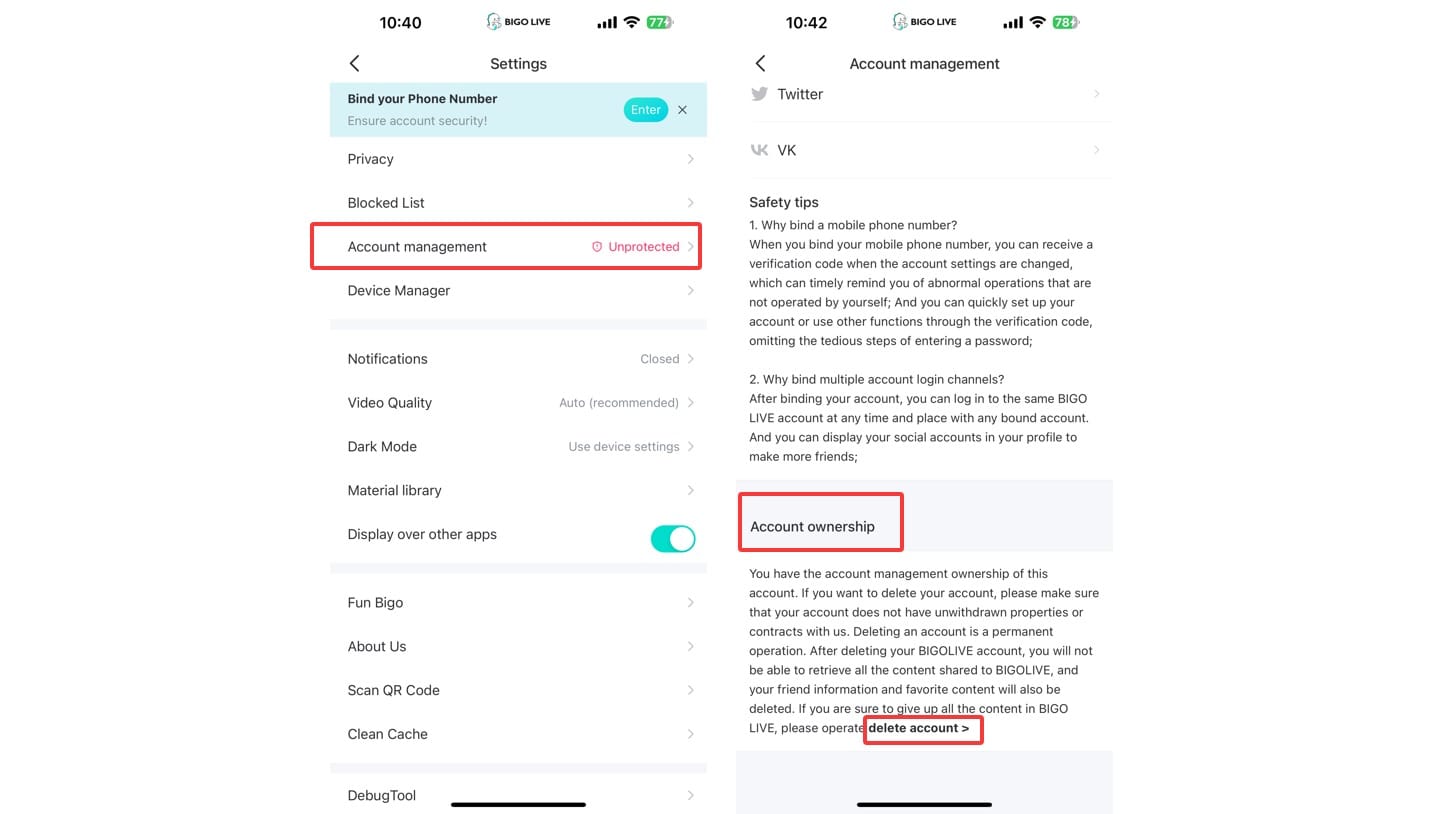
Yes, and it's one of the most common repeat-failure causes. If your Bigo account region, app-store country, and payment card country don't line up, checkout can fail even when your card is valid.
Bigo users commonly hit this in overseas setups. Example: your Bigo account is set to one country, your App Store or Google Play region is another, and your card bills in a third. That can trigger Error 4301 or silent declines. Community experience also shows VPN use raises risk flags, especially on new accounts or larger orders.
I would check these first:
Bigo ID: usually 7-10 digits in Me > Profile
Bigo region: Me > Settings > Region
Store region: Apple App Store or Google Play country
Payment country/currency: where your card or wallet is issued
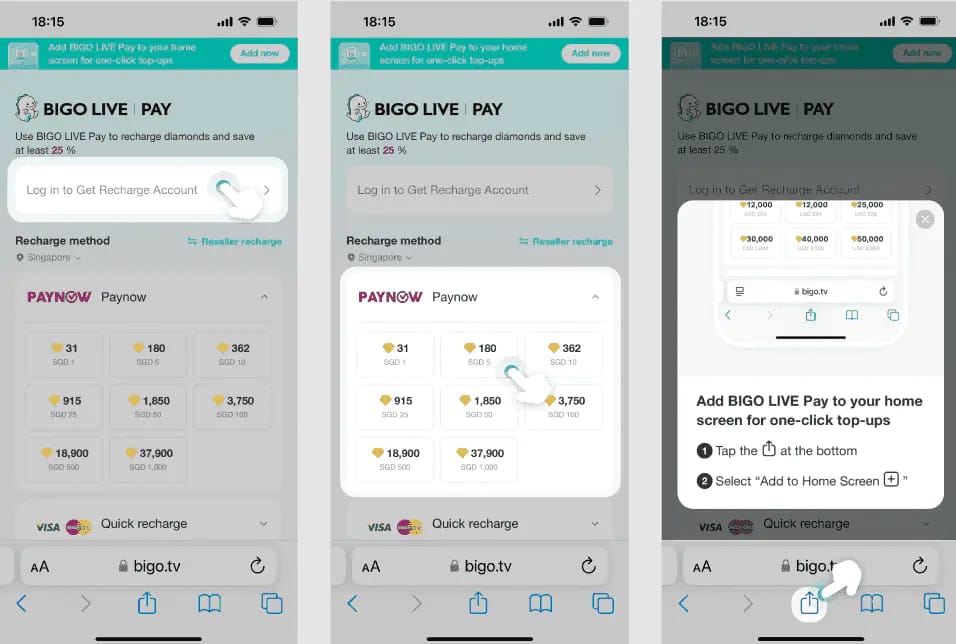
Officially, the Bigo recharge site supports USD cards like Visa, Mastercard, and American Express, which avoids some local currency conversion issues. For overseas users, matching app region to payment country is usually the cleanest fix. Personally, I would avoid using a VPN during payment.
Can I get a refund if my Bigo Live payment failed or stayed pending?
Yes, but only in specific cases. Refunds are generally limited because Diamonds are usually sold under an all-sales-final policy, with exceptions for failed delivery or duplicate charges within 30 days.
Here's the practical breakdown:
Refund timing, when approved, is commonly 3-5 business days for cards, though full processing can take up to 30 days.
And one more edge case: frozen Diamonds are different from missing Diamonds. Security review can freeze them for 7-14 working days, especially on new accounts, orders above $50, VPN use, or multiple payment methods.
What should I do when Bigo Live Diamonds payment fails?
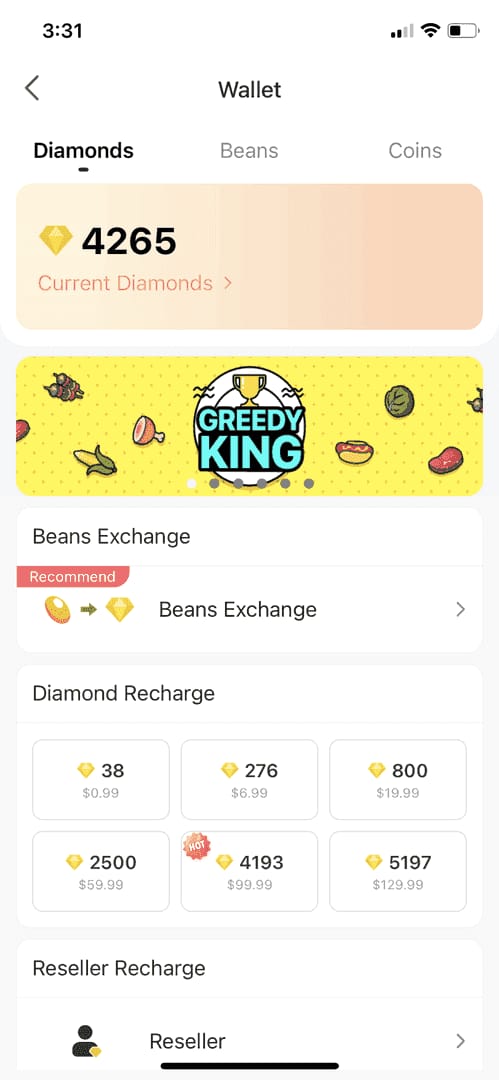
Start by identifying the payment status, then fix the exact cause before one controlled retry. This order matters because it reduces duplicate charges.
Check the status
If it says failed, don't pay again yet.
If your bank shows a hold, treat it as pending for up to 48 hours.
If you were charged and got no Diamonds, check for sync delay or account review.
Refresh the wallet first
Open Me > Wallet
Pull down History to refresh
Wait 10-30 minutes if the charge just happened
Clear app-side issues
Clear Bigo app cache
Update the Bigo app
If using Google Play, make sure the app isn't below version 5.0
Verify account and region
Confirm your Bigo ID carefully
Check Me > Settings > Region
Make sure your payment country matches the account/store setup
Check bank authentication
Look for OTP or 3D Secure prompts
Confirm the card isn't blocked for international payments
If needed, call the bank and ask them to whitelist Bigo
Retry once with a small pack
Use a $1-$5 pack
Wait at least 5 minutes after the failed attempt
Don't switch between multiple cards too fast
Switch method if needed
Non-card options commonly include PayPal, Apple Pay, Google Pay, Opay, and local wallets
Bank transfer is rare and, from a troubleshooting standpoint, usually less reliable than cards or e-wallets
If you need an alternate path after fixing the root cause, this Bigo Live Diamonds top up failed page is relevant when comparing safer retry flows.
What evidence should I save before contacting support?
Save everything before the transaction disappears from your banking app. The fastest support cases usually start with complete proof in the first message.
Keep these details:
Order ID
Bigo ID
Receipt screenshot
Timestamp
Amount and package
Payment method used
Then contact support through Me > Feedback > Recharge Issues or the official address feedback@bigo.tv. Include ID, date, amount, method, and screenshots. If the order is still pending, wait up to 48 hours first unless you see a clear duplicate charge.
How can I recharge Bigo Live Diamonds safely after a failed payment?
Use a verified channel, confirm account details twice, and test with a small order first. That's the safest sequence.
Choose the payment path
Official site is the clearest option for USD card payments
App-store checkout can work, but region mismatches are more common
Community experience says verified third-party top-up channels are often easier for overseas users and can be 20-35% cheaper than official pricing
Verify the account before paying
Check the Bigo ID digit by digit
Confirm you're topping up the correct account
Wrong-account top-ups usually aren't refundable
Match region and currency
Use the same country across account, store, and payment method where possible
Avoid VPNs during checkout
Overseas users should prefer a payment flow that matches their billing country
Watch the discount level
Real discounts exist
Unreal discounts are the red flag
Community guidance is simple: be cautious above 35% off, and never use a seller asking for your password
Test small, then scale
Start with a small pack after any failed payment
If it clears, move to the larger package
This is especially important on new accounts or after a fraud block
From comparing checkout paths, I personally prefer the one with clearer order tracking, even if it's not always the cheapest. When payment has already failed once, visibility matters more than saving a little extra.
FAQ
Why were my Bigo Live Diamonds not received after payment?
Usually because the order is still syncing, pending verification, or the Diamonds were frozen for review. Refresh the wallet, clear cache, wait 10-30 minutes, and if nothing changes after 48 hours, contact support with order proof.
How long does a Bigo Live Diamond recharge take?
Most successful deliveries are fast, but pending transactions can take 5-48 hours. Users commonly report that 80% of pending orders resolve within 48 hours.
Can I get a refund if my Bigo Live payment failed?
If it was only a failed authorization, the bank hold often drops automatically. If you were fully charged but Diamonds were not delivered, refunds may be possible for failed delivery or duplicate charges.
Does account region mismatch cause Bigo Live payment errors?
Yes. A mismatch between Bigo region, app-store country, and card country is a common cause of repeated failures and Error 4301.
What should I do if my Bigo Live order is still pending?
Wait up to 48 hours before escalating, and don't submit another payment during that window. Save the order ID, Bigo ID, receipt, and timestamp in case support needs them.
How can I recharge Bigo Live Diamonds safely?
Use the official site or a trusted top-up channel, verify your Bigo ID twice, avoid VPNs, and test with a small package first. Never share your password, and be skeptical of discounts above 35%.
Bigo Live Diamonds payment failures are usually fixable, but the right fix depends on whether the order was declined, pending, or charged without delivery. Check status first, then verify Bigo ID, region, and payment authentication before one careful retry. If the order stays unresolved after 48 hours, send full proof to official support. For safe recharges, prioritize verified payment flows, small test orders, and exact account matching.