
For most T3 Arena purchases, the refund decision does not come from a separate game-store promise. It usually comes from the billing platform you used, especially the Apple App Store or Google Play. That leads to one practical rule: if you paid through the store, check the receipt and order history first. If the charge posted but your T-Gems did not arrive, treat it as a delivery problem before treating it as a refund problem. That distinction is what saves buyers the most time, and often the most frustration. For a plain-language overview, see this T3 Arena top up refund policy.
The first decision: is this a refund case or a delivery case?
Most confusion around a T3 Arena top up starts here. Buyers often see a charge and assume the next step must be a refund request. In practice, that is not always the best move.
T3 Arena, developed by XD Entertainment Pte Ltd, sells in-app items such as T-Gems through standard mobile billing systems. On iPhone, that means Apple App Store billing. On Android, that means Google Play Billing. Because of that setup, refund handling usually follows Apple or Google systems rather than a custom T3 Arena refund promise.
The useful split is simple:
If the purchase was accidental, unauthorized, or duplicated, the store refund route is usually the right first stop. If the payment appears completed but the credits are missing, the better first move is the in-game Help Center with proof of purchase. From reviewing digital top-up disputes, this is the point buyers miss most often: missing delivery is not automatically the same thing as a refundable purchase.
A pending payment sits in a third category. If the transaction is still under review, requesting a refund too early can create more confusion than clarity. Official guidance points buyers toward waiting 24 to 48 hours before treating a pending charge as a refund issue.
That is also why a bank dispute should not be your opening move. Community reports repeatedly warn that chargebacks can create account risk, including negative balances or bans. Even when a buyer feels justified, skipping the official store and support path first is usually the worst escalation order.
If you want a clean support path, use this sequence: check the store policy page, review order history, open the T3 Arena Help Center, then submit proof to the store if needed.
Can you actually refund a T3 Arena top up?
Sometimes, yes. But for consumable digital currency, the answer gets much narrower once the item has been delivered.
T-Gems are a consumable in-game currency. Under standard app store billing logic, consumables are the least refund-friendly category after successful delivery. That is what all sales are final usually means in plain English here: once the currency has been credited to the account, and especially once it has been used, refund approval becomes much less likely. Apple and Google may still review requests case by case, but that is not the same as a standing promise that a used top-up can be reversed.
This is where buyers should separate several common situations:
An accidental purchase may still be reviewable by the store, especially if reported quickly. A duplicate charge is also something the billing platform may investigate if you provide the receipt. An unauthorized transaction should be reported to the store immediately with proof. A pending payment usually calls for patience first. But a delivered top-up that has already reached the account is the hardest category to unwind.
Google Play is the clearest example of this distinction. Officially, accidental purchases may be eligible for refund within 48 hours, while later requests are more case by case and are weaker if the content has already been consumed. Apple also reviews refund requests, but again, review does not guarantee approval.
So if you are asking, Can you refund a T3 Arena top up after using the credits? the practical answer is usually no. If you are asking, Can I request review for an accidental or unauthorized purchase? then yes, that is exactly what the store refund systems are for.
What should you verify before paying?
The best refund strategy is often prevention. Wrong-account purchases, region mismatches, and missing proof are the cases that become messy fastest.
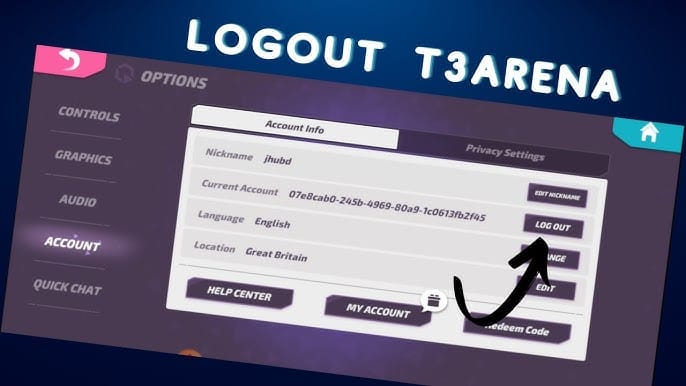
Before paying, confirm which T3 Arena account is actually logged in. On a shared phone or tablet, this matters more than people expect. A buyer may think they are topping up their own account, while the active game profile belongs to someone else. Once a consumable item is delivered, support options are often narrower.
Next, check the device ecosystem and billing identity. On iPhone, your Apple ID controls the purchase history and later restoration path. On Android, the same applies to your Google account. If you change phones later, restoration depends on signing back in with that same store account and using Restore Purchases in T3 Arena settings.
Region is another quiet trouble spot. Community guidance consistently flags region mismatch as a reason delivery can fail or become delayed. If the App Store or Google Play region does not match the game setup tied to your account, you are creating a support problem before the payment even starts.
It also helps to know what kind of item you are buying. T-Gems are consumable. That means they are generally final after delivery. Premium pass or subscription-style purchases still follow app store rules too, but refund review and auto-renewal cancellation are not the same thing. Buyers sometimes confuse those two processes.
Finally, know where your proof will appear. Apple receipts live in Apple purchase history. Google receipts live in Google Play order history. The order ID from that receipt is essential for almost every refund claim, missing-credit ticket, or escalation. A quick screenshot of your account ID and relevant store details before purchase can save a long back-and-forth later.
For related troubleshooting, readers often also need a T3 Arena top up and purchase troubleshooting center.
Why did my T3 Arena payment go through but the credits did not arrive?
This is usually one of four things: the payment is still pending, the entitlement is delayed, the purchase went to the wrong account, or there is a region-related delivery problem.
The important point is that a card charge or bank notification does not always mean the in-app order has fully cleared and delivered. Buyers understandably see the money movement first and assume the game has failed. Sometimes it has. Sometimes the billing review is simply not finished yet.
If the payment is marked pending, wait 24 to 48 hours before pushing into refund mode. That is the official timing window most relevant here. If the store receipt exists and the T-Gems still do not appear, then the issue shifts from billing review to entitlement or delivery.
At that point, the official route is the T3 Arena in-game Help Center. The developer’s support flow for missing items is straightforward: open the Help Center, submit a ticket, and include the order ID, transaction date, account ID, and screenshots. The more complete the first message is, the faster the case usually moves. In app-store billing disputes, vague tickets are often what slow everything down.
A clean support submission should include:
order ID from the store receipt
transaction date
platform used, such as Apple App Store or Google Play
T3 Arena account ID
screenshots of the receipt
screenshots showing entitlement status or missing credits in game
If you changed phones and purchases seem missing, try Restore Purchases before asking for a refund. Officially, restoration depends on using the same Apple ID on iPhone or the same Google account on Android. If restoration works, there is no refund issue at all. If it does not, then you have a support case with proof.
This is also the moment to avoid overreacting with a chargeback. Community reports suggest that refund attempts after delivery, or bank disputes before support review, can lead to negative balance issues or account penalties. Even if the item is missing, the safer path is still receipt first, support second, store escalation third.
Apple or Google Play: which rules matter more?
The answer depends entirely on where the purchase was billed, because no official direct T3 Arena checkout policy appears in the fact set. For normal mobile buyers, Apple App Store and Google Play are the policy backbone.
On Apple, refund requests go through reportaproblem.apple.com. The process is to sign in, choose Request a refund, select the reason, such as accidental purchase, unauthorized purchase, or item not received, and submit for review. Apple also controls the restoration path on iOS, so if you changed devices, the same Apple ID matters both for purchase history and for restoring purchases.
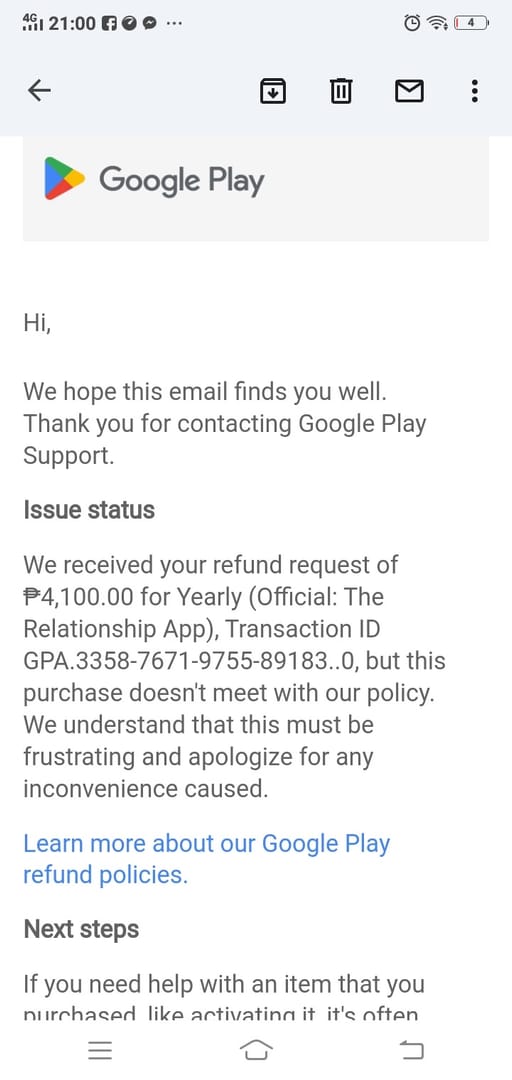
On Google Play, the refund path runs through play.google.com, then Profile, Payments & subscriptions, Budget & order history, select the purchase, and Request refund. Google Play officially notes that accidental purchases may be eligible within 48 hours, while later requests are more discretionary and weaker if the content has already been consumed.
In practical terms, Apple and Google are similar in one important way: neither platform turns consumable currency into an easy refund category after delivery. Where they differ is mostly in process and timing, not in the core logic.
That means your route should match your problem:
If the purchase was accidental or unauthorized, start with the store. If the payment posted but the item is missing, start with T3 Arena support. If the payment is still pending, wait first. If you changed phones, restore first.
What about wrong-account purchases, family devices, and child purchases?
These are the cases where prevention matters most, because support options often shrink after delivery.
A wrong-account top-up is one of the hardest situations to fix. Community guidance suggests contacting support with proof, but buyers should not assume that consumable currency can simply be moved from one account to another. Once the item has been delivered, the room for reversal is often limited.
Shared devices create a similar problem. If multiple people use the same phone or tablet, the active T3 Arena account and the active store account may not belong to the same person. That is how buyers end up with a valid receipt but the wrong in-game destination. The best defense is to verify the logged-in game account before paying, not after.
Child purchases and family-device purchases usually follow the guardian’s store account rules because the billing relationship belongs to the store account owner. If the transaction was unauthorized, report it to Apple or Google immediately through the official refund path. If it was authorized but simply made on the wrong profile, support may review it, but the outcome is less predictable.
Voucher-code situations are also stricter according to community guidance. Those are generally treated as non-refundable, and wrong-account redemption requires support escalation with code proof.
If your refund is denied, what should you do next?
Do not jump straight to a bank dispute. First, make sure you have exhausted the official path in the right order.
Start by reviewing the store policy page and your purchase history. Confirm whether the transaction is completed, pending, duplicated, or already marked delivered. Then use the T3 Arena in-game Help Center if the issue is missing credits, restoration failure, or a wrong-account problem that needs manual review. If the store requested more evidence, send the receipt, order ID, screenshots, and a short timeline in one organized message.
A good payment ticket is brief and factual. Include when you paid, what platform you used, what account received or failed to receive the item, and what you already checked. Emotional detail does not usually help. Timestamps, screenshots, and the exact order ID do.
If the store denies a refund for a delivered consumable, that is not unusual. Community reports say denials are common when more than 48 hours have passed or when the credits were already delivered. In those cases, an appeal with screenshots may still be worth trying, but expectations should stay realistic.
The final buyer memo is simple. T3 Arena refund outcomes are mostly controlled by Apple App Store or Google Play rules. Consumable currency like T-Gems is generally final once delivered. Missing credits should be handled first as a support and entitlement issue, not as a reflex refund request. And if you want the best chance of a clean outcome, keep your order ID, account ID, platform details, and screenshots ready before you ever need them.