
Most Roblox top ups that are going to complete do so quickly, but a pending order usually means one of three things: the payment is still being verified, the store has not finalized the charge, or the purchase details need checking. The fastest safe response is not to pay again right away. First confirm whether the order is processing, failed, reversed, or sent to the wrong Roblox account. Then wait only within the normal window for your payment route, and escalate with full proof if that window passes. If you need broader help, see the Roblox top up delivery time page for route-specific context.
Quick diagnosis: what your symptom usually means
When buyers panic, they often treat every delay as the same problem. It usually is not. A web card purchase that has not appeared after a short wait is a different case from an Apple App Store order still marked pending, and both are different again from Robux that were delivered to the wrong account.
Here is the shortest practical map from symptom to next move:
The timing side matters too, because pending is not equally suspicious across all checkout routes. Gift card redemption is officially instant once the redeem succeeds. Web checkout with a credit card or debit card is often instant if there is no hold, though prepaid cards may need matching billing information. App-based purchases through Apple App Store or Google Play tend to create more confusion because the store can show a payment state before Roblox reflects the final result. Community reports also describe bank authorization holds and incomplete 3-D Secure verification as common reasons for a charge to appear before Robux arrive.
That is why a pending status can be normal at first, especially on app-store billing, but becomes a warning sign if it stretches beyond the usual route-specific window.
Why is my Roblox top up still pending after payment?
In most cases, the payment moved faster than the verification process. Buyers see a bank notification and assume the order is complete, but digital purchases often pass through extra checks before delivery is finalized.
One of the most common triggers is payment review. Larger or unusual orders are more likely to be screened. Community reports suggest high-value orders can take longer, and official information does not promise a fixed delivery time. That gap between official caution and community expectation is where many support complaints begin: users expect an exact ETA, but Roblox does not really offer one.
Another frequent cause is incomplete 3-D Secure or bank verification. If your card issuer asked for an OTP or extra confirmation and that step was interrupted, the payment can sit in limbo. From the buyer side, it may look like card charged, no Robux. In reality, the bank may only be showing an authorization hold rather than a fully captured payment.
App-store processing is another major source of delay. Roblox officially directs users to check purchase receipts in Apple Store, Google Play, Amazon, Microsoft, Xbox, Samsung, or Xsolla-linked profiles when the order does not appear clearly inside Roblox. Community behavior reports also point in the same direction: app-store purchases often process more slowly than direct web checkout. A single reported experience notes Apple Pay purchases can remain pending in App Store history for up to three days before clearing. That should not be treated as a guarantee, but it does explain why app purchases feel slower and less transparent.
Then there are avoidable issues. Region or currency mismatch can slow review, especially when the checkout path does not align cleanly with the buyer’s local setup. Account-entry mistakes are even more common than many users realize. If you were logged into the wrong Roblox account, the Robux may already be delivered correctly—just not to the account you meant to top up.
How do you tell whether the order is processing, failed, or on the wrong account?
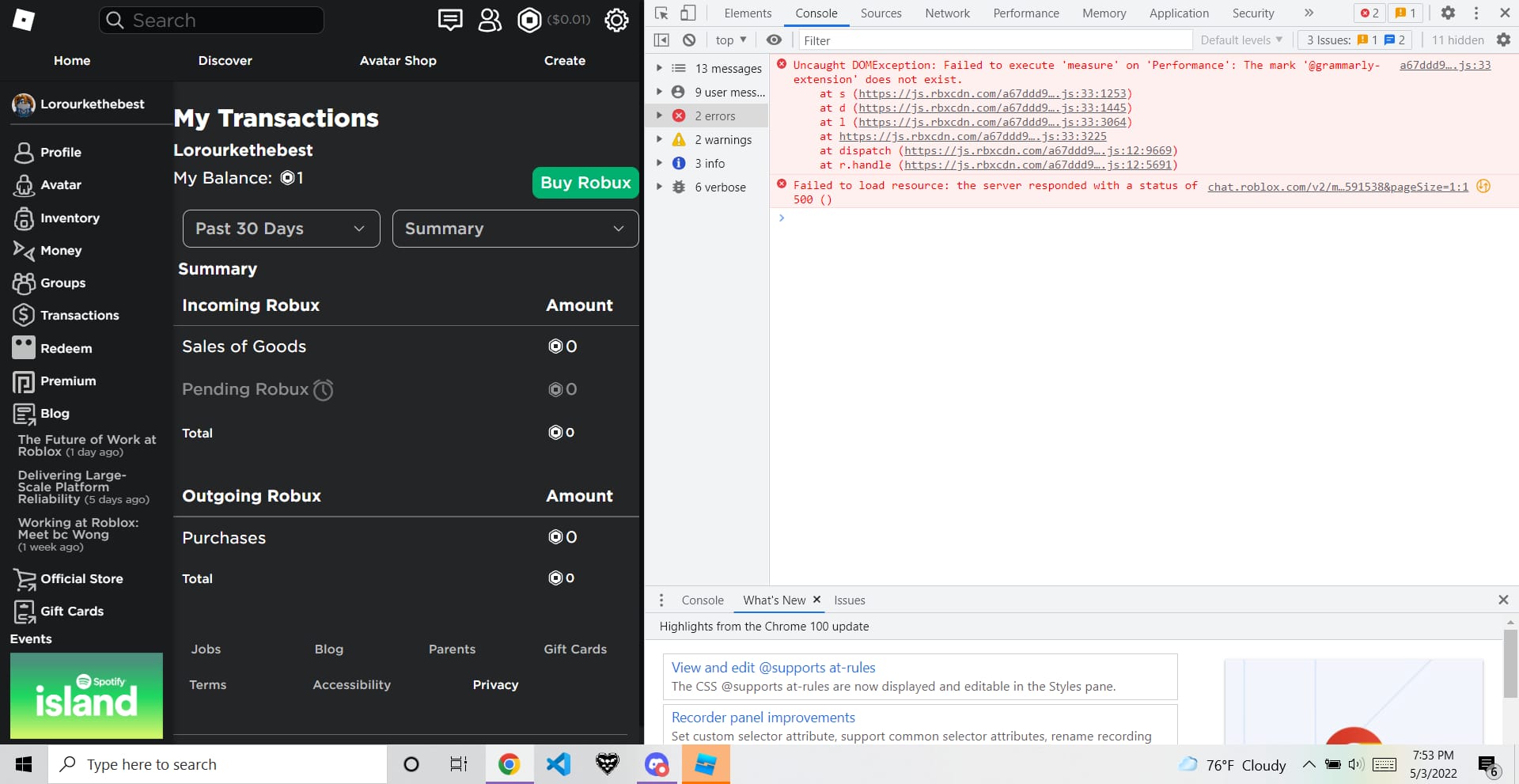
Start inside Roblox, not in your banking app. Your bank can tell you that money moved or was reserved. It cannot tell you whether Roblox recognizes the order.
Roblox’s own tracking path is straightforward: log into the account, click the Robux icon at the top right, and open My Transactions. That page shows your Robux balance, purchase history, sales, and pending Robux. On mobile, the same check is available through the Robux section, where you can open My Transactions and review the Summary tab.
If the order appears there as pending, the purchase is at least visible to Roblox and still processing. If nothing appears in Roblox but you bought through an app store, check the store’s purchase history next. Google Play purchase history is the key reference for Android app top-ups, and Apple App Store history serves the same role for iPhone or iPad purchases. If Roblox shows nothing but the store has a receipt, that receipt may contain the order or transaction ID support needs.
Email matters too. A payment confirmation email can help establish whether the order was created, and it gives you a timestamp that is often more useful than a vague memory of I bought it earlier today.
To separate the three most common states:
Still processing: the order appears in Roblox or store history as pending.
Failed or not finalized: there is no clear Roblox record, the store status is unclear, and the bank charge may later reverse if it was only an authorization hold.
Delivered to the wrong account: the payment succeeded, but the intended account shows nothing while another account you use has the balance or transaction record.
If you suspect the wrong-account scenario, log out and verify the exact username on the account you intended to fund. Official guidance supports this check, and it solves more cases than people expect.
What should you do while waiting for a Roblox top up?
The shortest reliable fix sequence is simple, and it saves a lot of unnecessary duplicate payments.
First, check My Transactions in Roblox. Second, check the store receipt or payment confirmation email. Third, confirm the exact Roblox username, payment timestamp, amount, currency, and checkout method. Only after that should you decide whether to wait, retry, or escalate.
For most purchases, a short wait is reasonable. Community guidance commonly suggests waiting 24 to 48 hours before contacting support because many delayed purchases resolve automatically in that period. If the purchase was made through an app store, a longer wait can still be normal than it would be for direct web checkout. Community reports also describe bank-charged-but-no-credits cases resolving within one to three days when the issue is an authorization hold.
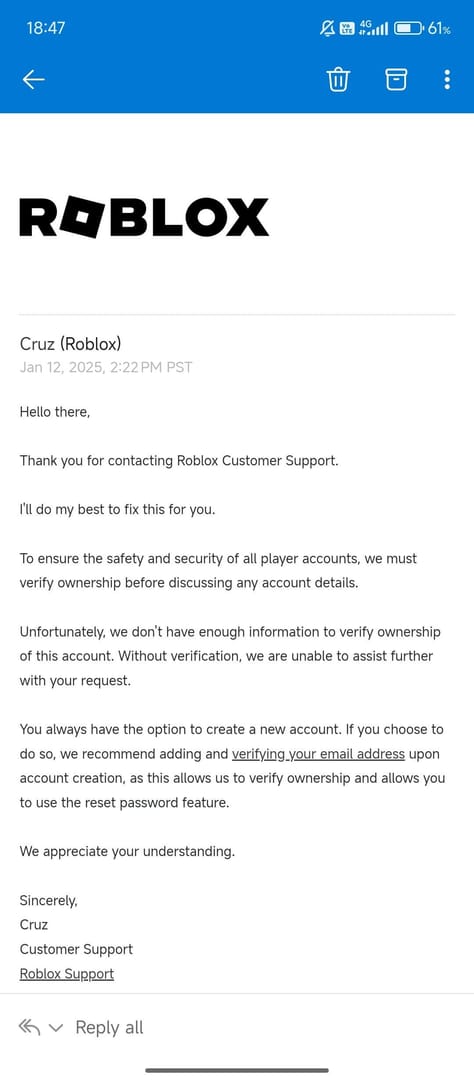
That does not mean every delay should be tolerated indefinitely. If you are charged and still have no Robux after the normal route-specific window, support becomes the right next step. Officially, you can escalate by submitting a ticket with evidence and replying to the confirmation email if needed.
What you should not do is just as important. Do not repeat the same payment quickly. Do not file duplicate support tickets. Do not start a chargeback before confirming whether the order is still processing. Those actions create overlapping records, extra holds, and more confusion over which transaction support should investigate. In delayed digital top-up cases, that is often the biggest self-inflicted slowdown.
If the purchase is urgent—for example, you need Robux for an event or a time-limited item—the safest move is still to diagnose first. A second rushed payment can leave you with two pending charges and no faster resolution.
What proof should you prepare before contacting support?
Support works fastest when your case is traceable. A screenshot of a bank charge by itself usually is not enough, because it may show only that the bank reserved funds, not that Roblox received and finalized the payment.
The core evidence to gather is consistent across missing-credit cases:
Official guidance supports collecting the order ID, Roblox username, payment timestamp, amount, currency, receipt screenshot, and bank reference before you submit a ticket. If there is no Roblox order history, the store receipt becomes even more important because it may be the only place where the transaction ID is visible.
A useful rule here is that order ID plus account name solves more cases than a payment screenshot alone. Support needs to connect a payment to a Roblox account. The stronger that link is, the less back-and-forth your ticket usually requires.
If you are dealing with a missing purchase history case, do not assume the order vanished. Official guidance says to verify the app store or email receipt for the transaction ID. That often becomes the bridge between I paid and support can actually find it.
How can you get faster, safer delivery next time?
The fastest checkout is not always the one that feels fastest in the moment. The better question is which route gives you the clearest tracking and the lowest chance of review delays.
For urgent buyers, web checkout is often simpler than app billing because it avoids an extra store-processing layer. Community reports also suggest repeat buyers using saved payment methods may clear verification faster. That does not guarantee instant delivery, but it fits the broader pattern that familiar, consistent payment behavior tends to create fewer fraud flags.
Gift cards are the cleanest option when you want predictable redemption. Officially, successful gift card redemption adds Roblox Credit immediately, and that credit can then be spent through the Get Robux button on the redemption page. Community consensus also treats gift cards as less prone to pending delays than direct card purchases. If you are buying a digital gift card, one single-source timing estimate says delivery is typically within 5 to 15 minutes, though that timing should be treated as typical rather than guaranteed.
A few habits reduce trouble regardless of route:
double-check the Roblox username before paying
keep billing information matched if using prepaid cards
use local-currency checkout paths where possible
avoid very large one-shot purchases when speed matters, since larger orders face more review risk
keep receipts and confirmation emails until the Robux are visible
If you want a proof-ready purchase flow, VGTopup can be a practical option to consider for order handling, especially if you value having clear purchase records on hand. The important part is not to assume any seller can bypass normal verification entirely; what helps most is a checkout trail that is easy to document if a rare delay needs review.
Final call on pending orders
A pending Roblox top up is usually a verification or processing issue, not a sign that you should immediately buy again. Check My Transactions first, then your store history or payment confirmation email, then confirm you used the correct Roblox account. Web purchases often clear faster, app-store purchases can take longer, and gift card redemption is the most straightforward when successful.
If the order is still missing after the normal wait for your payment route, stop retrying and contact Roblox Support with the full evidence set: order ID, username, timestamp, amount, currency, receipt, bank reference, and checkout method. That is the fastest safe path to a real answer.