
Philippines players searching for a League of Legends GCash top-up usually want one thing: a safe way to pay in PHP without a credit card and without sending RP to the wrong account. The practical answer is yes—GCash is commonly used in PH through approved web checkout routes such as Codashop, rather than as a confirmed direct payment option inside the LoL PC client. Check your Riot ID, confirm your account is on the SEA region used for PH top-ups, and keep the GCash receipt and order ID if the payment goes pending.
If you’re comparing checkout options before paying, this is the part that matters most for a safe League of Legends GCash top up: account match first, wallet second.
Pre-payment checklist that prevents most RP mistakes
Use this before you tap Pay:
Riot ID is correct: format should look like
Name#TagRight account is logged in: especially if you share a PC or switch Riot accounts
Region/server is SEA for PH top-ups: official SEA coverage includes PH accounts post-2024 merge
Recipient is correct: if buying for a friend, double-check their Riot ID
GCash balance is enough: include room for retries or wallet holds
PHP pricing looks normal: examples commonly seen in PH are 575 RP from ₱199, 1380 RP at ₱449, and 2800 RP from ₱899 on Riot PH with bonus RP
Browser can open payment windows: pop-up blocking breaks some wallet redirects
Internet is stable: OTP and app-switch failures often happen on weak mobile data
From reviewing recharge issue patterns, I would check the Riot ID and region first. People often blame GCash, but the more common preventable problem is paying for the wrong account or a mismatched region.
Can I top up League of Legends with GCash in the Philippines?
Yes, PH players commonly use GCash for LoL RP through approved partner checkout pages, not through a clearly confirmed direct GCash button in the PC client.
What buyers in the Philippines usually mean by LoL GCash top up is simple: pay in PHP, use a local wallet, and have Riot Points (RP) delivered to the correct Riot account. Community-backed checkout flow for PH is typically:
Enter your Riot ID
Select the RP package
Choose GCash
Confirm details
Scan QR or enter MPIN
Receive RP, usually instantly after payment confirmation
That’s why many PH users treat web checkout as the normal route for League of Legends RP recharge Philippines, not an odd workaround. If you want a no-card path with familiar local payment wording, that’s the expected flow.
Other PH-friendly wallet rails also appear on some checkout pages, including Maya, GrabPay, ShopeePay, and QR Ph. If GCash isn’t shown, I’d try a supported local fallback before forcing repeated wallet attempts.
What account details should I check before buying League of Legends RP?
Check your Riot ID, current logged-in account, region/server, and recipient before payment. Those four details cause more failed or misdirected top-ups than the wallet itself.
The details that matter
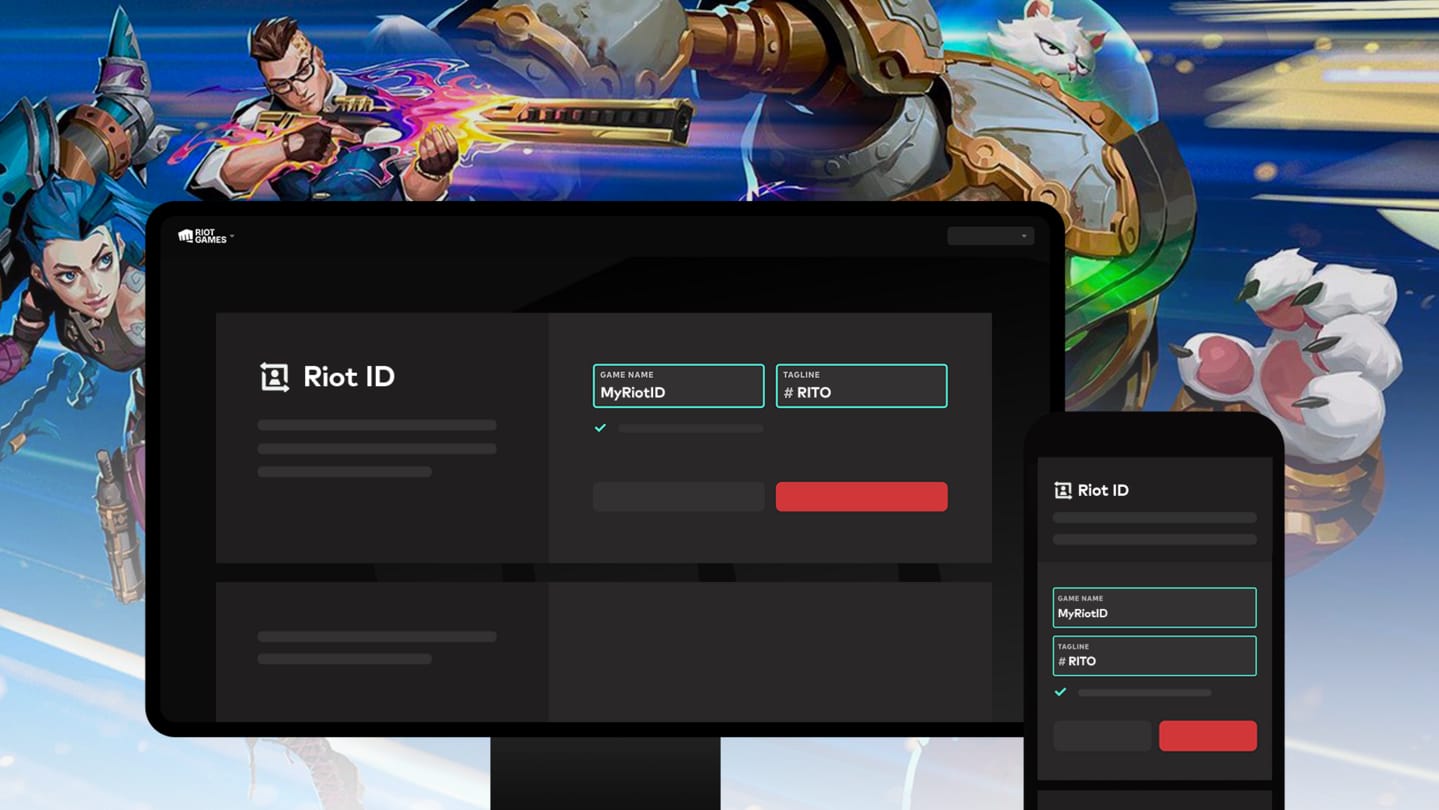
A lesser-known point: a phone change doesn’t affect the RP itself if the Riot account is correct. RP is tied to the Riot account, not your handset.
And if you’re buying for someone else, don’t rely on memory. Ask for their Riot ID in text and paste it carefully. Honestly, this is one of the most frustrating avoidable mistakes.
Why did my GCash payment fail or stay pending?

Most failed or pending GCash payments come from wrong account details, low wallet balance, OTP/authentication issues, pop-up blocking, or a session that expired before the merchant confirmed the payment.
Here’s the quick diagnosis:
In local-wallet troubleshooting, the fastest diagnosis is separating authorization from completed payment. A successful wallet deduction does not always mean the order fully cleared merchant verification. That’s why duplicate purchases happen: users see money leave GCash, assume failure, then pay again.
If GCash keeps failing, common PH fallbacks include Maya or another available local method on the same checkout page. I would switch methods after one clean retry, not after five rushed attempts.
Will League of Legends top up show in PHP for Philippines players?
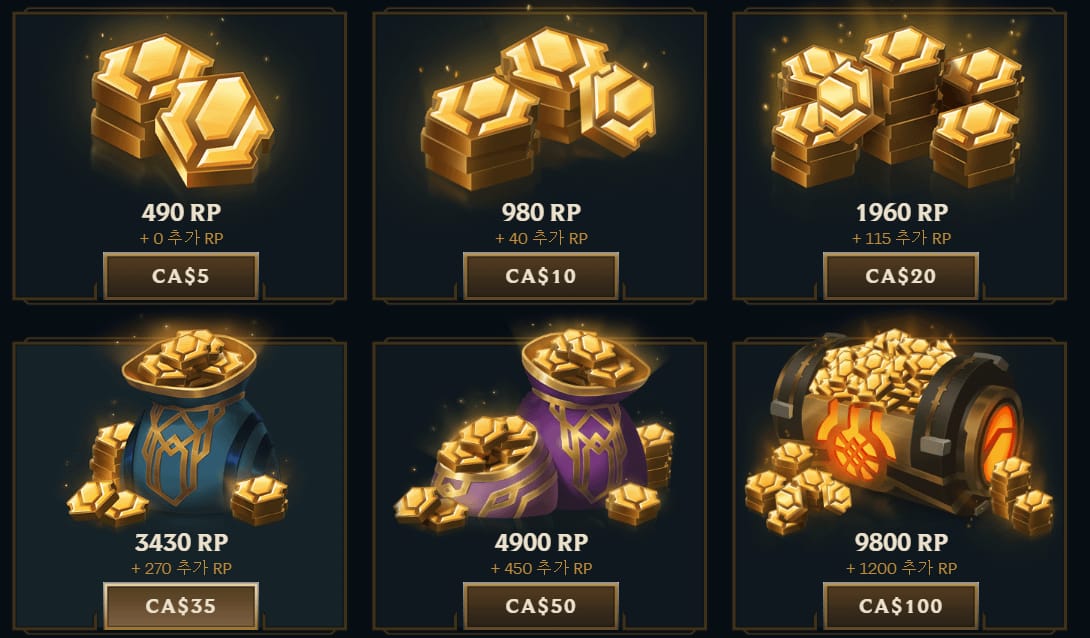
Yes, PH buyers should normally expect PHP pricing on PH-compatible checkout routes.
Common price points reported in the market include:
575 RP from ₱199
1380 RP at ₱449
2800 RP from ₱899 on Riot PH, with bonus RP
1650 RP is a useful target if you’re topping up for a battle pass purchase
If the page shows a different currency unexpectedly, stop and recheck the account region and checkout route. From comparing payment paths, wrong-currency display is one of the clearest signs that something is off before you pay.
For buyers comparing value and convenience, this is also where a clean League of Legends RP recharge Philippines flow matters more than chasing a tiny discount from an unclear seller.
What should I do if GCash was charged but Riot Points did not arrive?
Wait briefly first, then escalate with proof if the RP still hasn’t arrived after the normal window.
Community reports consistently describe delivery as instant after GCash confirmation, with normal delay usually under 5 minutes. A support case starts to make sense if:
No RP after 10 minutes
Still missing after 10–30 minutes
You’ve already confirmed the Riot ID and region are correct
Collect these 5 things before contacting support
Order ID
GCash receipt or transaction reference
Riot ID
Timestamp of payment
Screenshots of the order/payment status
The most useful proof is the exact transaction reference and timestamp, not just a screenshot of your wallet balance. If the RP is still missing, contact the checkout provider first if that’s where you paid, then Riot Support for RP errors or refund review with purchase details.
And don’t repurchase while the first order is unresolved. That’s the mistake that turns one delayed order into two support tickets.
What should first-time PH buyers avoid?
Avoid suspiciously cheap RP offers, unclear sellers, and any route that doesn’t clearly ask for the correct Riot account details.
Safer practice in the Philippines:
Use official or clearly authorized payment routes
Prefer checkout pages with clear Riot ID entry, PHP pricing, and order tracking
Keep receipts immediately after payment
If GCash isn’t available, use a known local fallback such as Maya, GrabPay, ShopeePay, or QR Ph where supported
Users commonly report safer experiences with trusted names like Codashop for PH LoL top-ups, and community feedback strongly favors that over too cheap offers from random pages. Personally, I would avoid any seller whose price is unrealistically low and whose support path is vague. Saving a few pesos isn’t worth a lost RP order.
Short FAQ
How long does League of Legends top up usually take after payment?
Usually instant, with normal delays often under 5 minutes. If nothing arrives after 10 minutes, start checking the order status and prepare support proof.
Can I buy RP for another Riot account?
Yes, you can, but only if you enter the correct Riot ID for the recipient. Wrong-recipient mistakes are common and preventable.
Where can I get a receipt or order ID for a payment issue?
From the checkout confirmation and your GCash transaction record. Save both before closing the page.
Is direct GCash inside the LoL PC client confirmed?
No clear confirmation supports direct GCash in the PC client for PH. Community guidance consistently points players to approved partner checkout routes instead.
Best next step for PH players
If you need RP today, use a PH-friendly web checkout that shows PHP pricing, asks for your Riot ID, and supports GCash or another local wallet cleanly. Check the account and region before paying, then keep the receipt, order ID, and timestamp until the RP lands. If your payment is already stuck, don’t retry blindly—verify whether it’s a pending authorization first, then escalate with complete proof.