
To get your Hatsune Miku: Colorful Stage crystals top-up receipt, first check which billing route you used: Apple App Store, Google Play, or the official web checkout. For reimbursement or support, save the receipt itself plus your order ID, payment date, amount, currency, Player ID, and a screenshot of the successful or failed delivery screen. If crystals were charged but not delivered, contact Apple or Google billing first for store purchases, then send the receipt and screenshots to official game support.
Best route if you may need reimbursement later
My recommendation: use the billing channel with the clearest downloadable record, not just the easiest checkout.
From comparing checkout paths, Apple App Store and the official web store are usually the cleanest for reimbursement proof. Community reports consistently say Google Play works, but Apple and official web email records are often easier to hand to finance teams. And if you later need support, cleaner records save time.
The official web store for crystals is colorfulstage-store.sega.com. Officially, you enter your Player ID, choose the product and payment method, and receive a confirmation email after payment. Web store crystals are delivered to your in-game Gift Box after login.
If you’re comparing where to buy next time, keep a copy of your Hatsune Miku: Colorful Stage top-up receipt and your platform order record together. That pairing resolves most support questions faster than a bank screenshot alone.
Buyer profiles
You need employer reimbursement: Apple or official web is my first pick.
You’re on Android and just need valid proof: Google Play is fine if you save the order number.
You expect support friction and want the easiest paper trail: I’d avoid any route where you only have a card statement and no platform receipt.
You need a tax invoice specifically: don’t assume the game provides one. A source here only supports using the platform invoice/receipt for business reimbursement, and notes there may be no separate tax invoice from the game.
How do I get a Hatsune Miku: Colorful Stage crystals receipt?
You get it from the billing platform you used, because the game itself does not provide an in-game purchase history view.
That’s the part many players miss. In my experience reviewing recharge issues, users often search inside the game first, but Colorful Stage relies on platform records.
Apple App Store

For Apple purchases, check your Apple ID purchase history. Community guidance points to:
Settings > Apple ID > Purchase History
Or your App Store purchase history
Save:
receipt screenshot
transaction date
amount and currency
Apple account used
Google Play
For Google Play purchases, use your Google Play order history. One source specifically notes:
Go to play.google.com
Select the order
View or download the receipt
Keep the Google Play order number. It’s unique per transaction and one of the best proof points for support.
Official web checkout
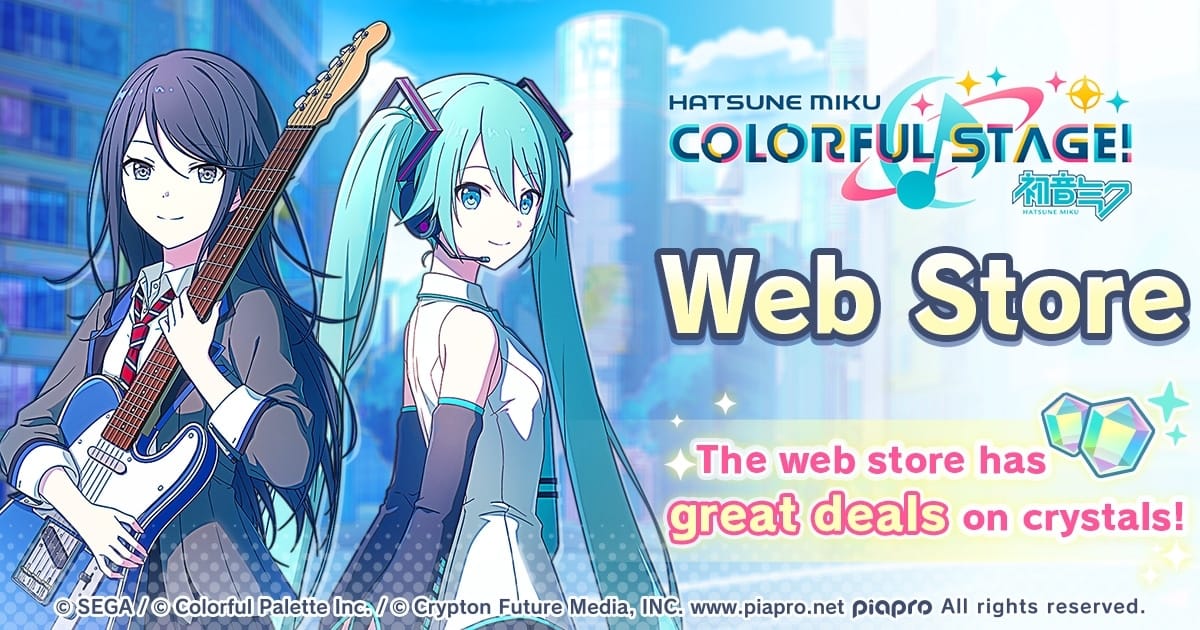
For web store purchases, the official flow is:
Go to colorfulstage-store.sega.com
Enter your Player ID
Select crystals and payment method
Complete payment
Receive a confirmation email
Officially, web store payment supports credit card and Apple Pay.
Receipt, invoice, statement: what actually counts?
For support, the platform receipt is strongest. A bank or card statement is secondary proof.
Here’s the practical difference:
Users commonly report that receipt beats statement for verification. A successful bank charge does not always mean the order fully cleared or was tied to the right account. Honestly, that’s frustrating when the money already left your account, but support teams still need the transaction matched to a game entitlement.
What records should you keep for reimbursement or support?
Keep a minimum proof set immediately after payment. Don’t wait until something goes wrong.
The fastest-resolved tickets usually include both payment proof and the in-game identifier. Officially, Player ID is required for all support tickets, including purchase issues. In Hatsune Miku: Colorful Stage, that Player ID is an 18-digit number shown at the bottom right of the title screen.
Save this proof set
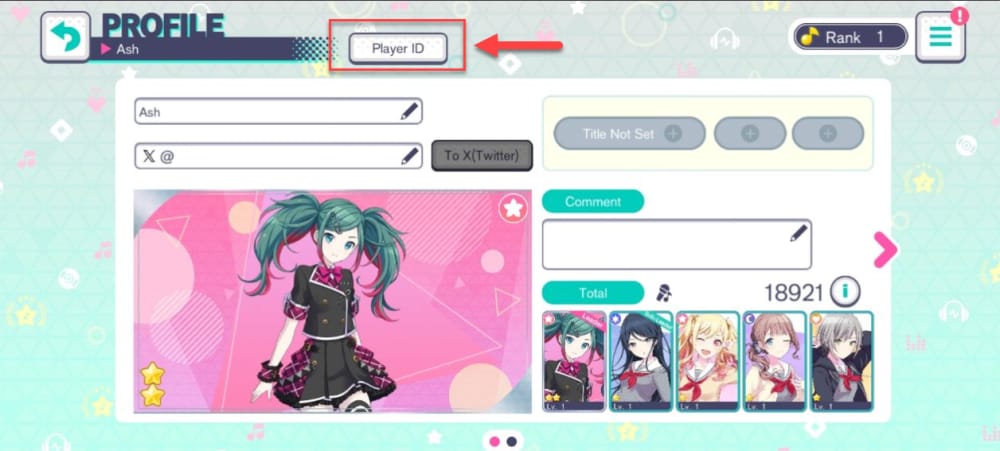
Player ID
order ID or transaction ID
date and time of purchase
amount and currency
platform used: Apple, Google Play, or web
screenshot of success screen or error screen
screenshot showing crystals did not arrive, if relevant
Community experience also says to save:
confirmation screen right after top-up
pending/failed status if shown
bank statement only as backup proof
If you need a clean support bundle later, preserving your Hatsune Miku: Colorful Stage recharge payment proof right after checkout is far easier than reconstructing it days later.
What should you redact before sending screenshots?
Redact sensitive details before uploading anything to support.
Safe redactions:
full card number
full email address if unnecessary
unrelated purchases on the same statement
Leave visible:
order number
date
amount
merchant/platform name
last digits if needed for matching
Why is my purchase missing from order history?
Most missing-record cases come from the wrong account, changed device, or delayed posting.
I would check these first:
1) Wrong Apple ID, Google account, or login method
If the purchase was made under a different Apple ID or Google account, the receipt will appear there, not on your current device account.
2) Changed phone or unlinked account
Officially, if you changed phone, use Game Center or Google login to restore access where applicable. On iOS, signing in to Game Center can restore purchases on a new device. If the account wasn’t linked, official support may ask for:
device model
purchase history screenshots
old login details if email/login changed
3) Delayed posting
One source says in-app crystals can take up to 24 hours to appear post-purchase. So if the charge is recent:
restart the game
restart the device
check whether Free Crystals were spent first, because official guidance notes Paid Crystals are separate and are spent second in gacha or energy restore
4) No in-game history exists
This catches people out. There’s no in-game purchase history view, so a missing record often means you’re looking in the wrong place. Use Apple, Google Play, or the web confirmation email.
What proof helps most when crystals were charged but not delivered?
The best proof is a platform receipt plus your Player ID plus screenshots showing non-delivery.
Officially, if you were charged and got no crystals, the first checks are:
restart the game/device
confirm whether Free Crystals were consumed first
contact support with proof
Copy-paste support checklist
Use this in your ticket:
Player ID:
Platform used: Apple App Store / Google Play / official web store
Order ID or transaction ID:
Purchase date and time:
Amount and currency:
Product purchased:
Device model:
Did crystals appear in Gift Box or balance: Yes/No
Screenshots attached: receipt, payment screen, in-game balance/error screen
For multiple top-ups, list every order ID in the same ticket with screenshots. That helps support trace the right transaction faster.
Who should you contact first: app store billing or game support?
For Apple and Google Play purchases, contact the platform billing side first for the receipt, then the game support team for entitlement issues.
That order matters. Community experience consistently points to platform billing first when you need the official receipt or order record. Then use official game support if the purchase exists but the crystals didn’t land correctly.
Contact platform billing first when:
you need the receipt or order history
the charge appears on your card but not in your saved records
you need the Apple or Google order number
Contact official game support when:
you have the receipt, but crystals didn’t arrive
you changed phone or login and can’t match the purchase to the account
you need account recovery tied to purchase proof
Official support channels listed in the facts include:
support-pjsekai.sega.com/hc/en-us/requests/new
sega.helpshift.com/hc/en/12-hatsune-miku-colorful-stage
Officially, the support flow is:
Access the in-game menu
Submit a request at the support site
Attach purchase receipts/screenshots
And yes, support may ask for purchase history at Crystal Shop and device details in the form, even though the actual billing proof comes from the platform.
When I would avoid a chargeback
Personally, I would avoid a chargeback unless you’ve exhausted normal support. Community reports say refunds are rare after delivery, and chargebacks can risk account penalties. For missing crystals, a documented support ticket is the safer route.
Final verdict
If reimbursement or support proof matters, buy through Apple App Store or the official web store when possible, and save everything immediately: receipt, order ID, amount, date, Player ID, and screenshots. For Android, Google Play is still valid—just don’t lose the order number. If a purchase goes wrong, get the platform receipt first, then file with official support using your 18-digit Player ID and a clean, redacted evidence set.