
For most users, official Mobile Legends: Bang Bang top-up is the safest option. It uses supported payment channels such as Google Play, Apple App Store, cards, and some regional wallets, and it carries the clearest support ownership with no Terms of Service violation risk [official].
A third-party checkout can still be acceptable, but only if it is authorized and transparent. The real safety test isn't just price. It's whether the seller needs only your UID and server ID, shows order tracking, explains refund limits, secures payment properly, and gives responsive support when diamonds are delayed or sent wrong.
Why is official Mobile Legends: Bang Bang top-up usually the safest option?
Official checkout is usually safest because payment, delivery, and support all stay inside approved channels. According to official guidance, in-game top-ups through supported stores are the lowest-risk path and don't violate ToS.
That matters more than people think. From comparing checkout paths, the biggest difference isn't convenience — it's responsibility. If you buy through the in-game store, Google Play, Apple App Store, Apple Pay, Google Pay, bank transfer, GCash, GoPay, or other supported rails, there's a clear chain of accountability. If payment fails or diamonds don't arrive, you know where to start: official support or the app store payment system.
Official checkout also tends to be better on:
Policy clarity: official warnings against unauthorized recharge are explicit
Support ownership: in-game Customer Service has a defined path for payment issues
Lower enforcement risk: no abnormal transaction flag from unofficial fulfillment
Payment security: recognized processors and store-layer protections
Still, official isn't perfect. Some users hit region limits, card declines, or missing local payment options. And if you don't have a credit card, this is often where checkout friction starts. That's the main reason buyers compare alternatives like Mobile Legends: Bang Bang official vs third party recharge.
Why do some third-party Mobile Legends: Bang Bang top-up sites feel risky?
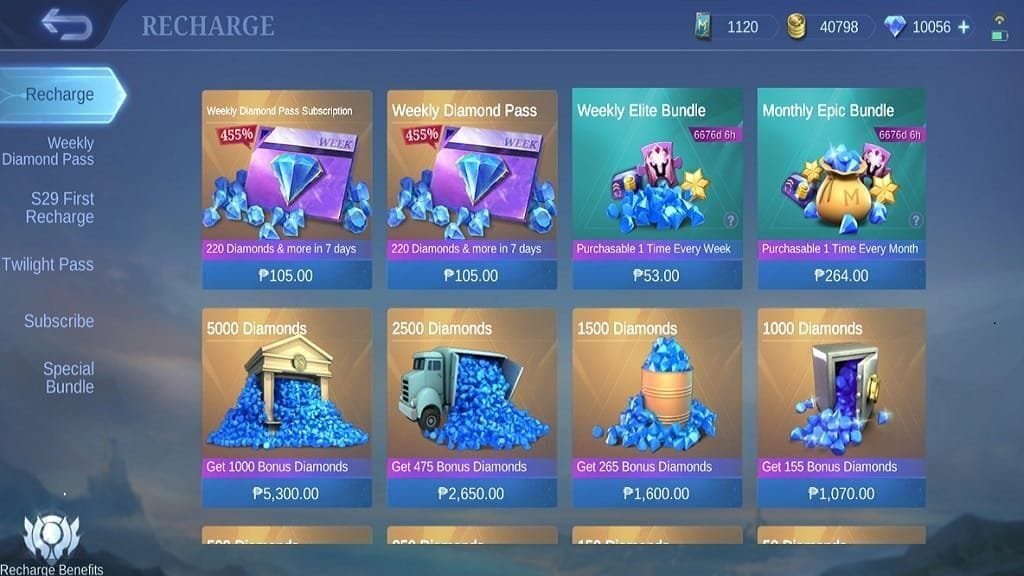
Some third-party sites feel risky because "third-party" covers two very different models: authorized partners and unverified resellers. Community reports consistently separate those two.
Here's the practical distinction:
Officially, unauthorized third-party recharges can be treated as abnormal transactions and may lead to diamond deductions or bans. Community experience adds detail: the risk usually isn't "using a website" by itself. It's the fulfillment method behind it — fraud flags, chargebacks, stolen payments, unsupported payment behavior, or account abuse.
That's where many articles stay too vague. "Ban risk" in practice usually means one of these:
Unauthorized recharge source
Chargeback-linked orders
High-volume suspicious activity
Login sharing during fulfillment
Unsupported region or compliance mismatch
And yes, sources differ a bit here. Community users often report no issues on authorized partner sites, while official policy language warns broadly against unauthorized third-party services. My read is simple: if your account is valuable or ban-sensitive, don't gamble. Use official checkout.
One more edge case matters now: a single-source restriction indicates US-region third-party top-ups were blocked from January 15, 2026 due to compliance policies. If your account or payment profile is US-linked, check region first before assuming any external checkout will work.
Why do wrong UID, server mismatch, and delayed delivery cause more problems than people expect?
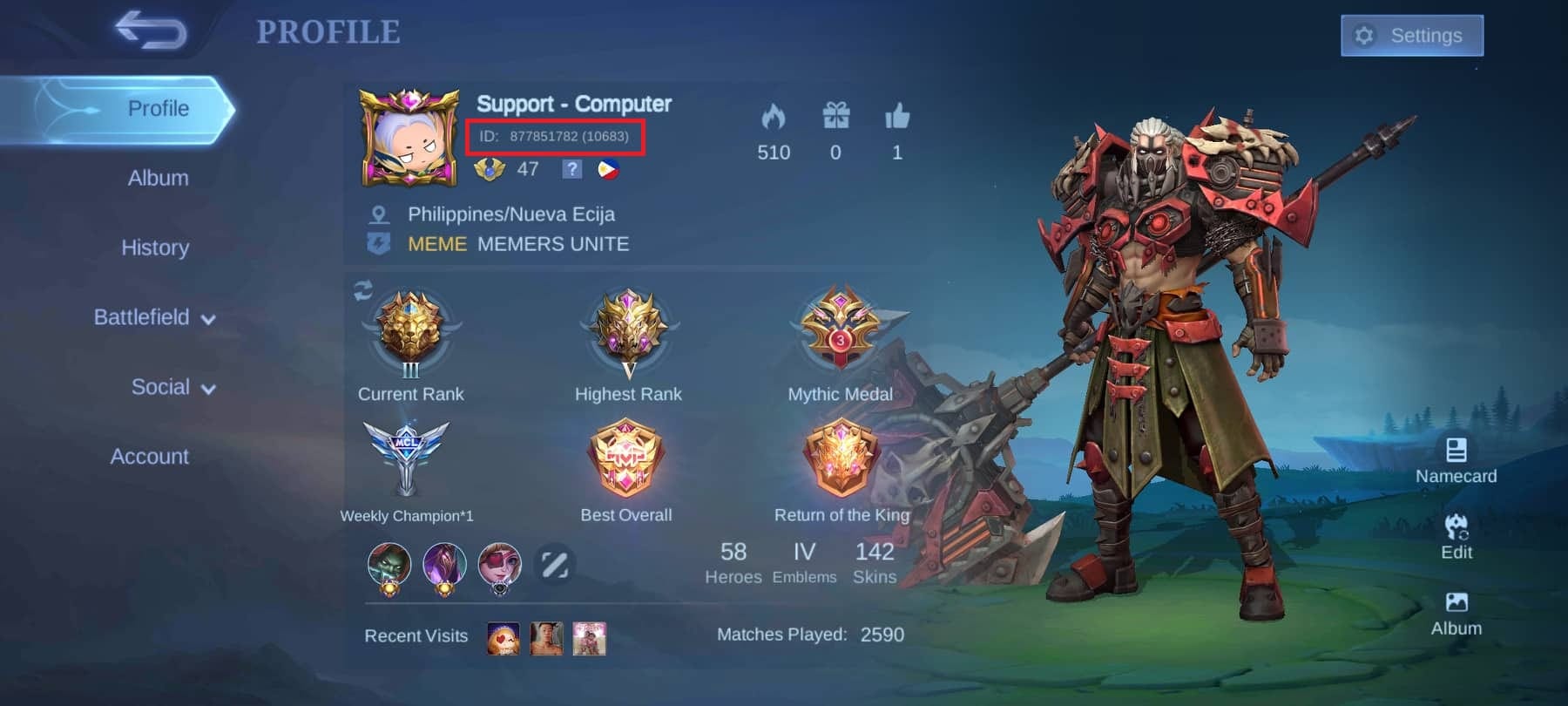
Wrong account input causes more losses than most buyers expect. In my experience reviewing recharge issues, the most common avoidable failure is entering the wrong UID or server ID — not the payment method itself.
Mobile Legends top-up targeting is precise:
UID: shown on your profile
Server/zone ID: needed with the UID for accurate delivery
If either is wrong, diamonds can go to the wrong account. Community guidance is blunt here: many third-party sellers won't refund wrong-UID orders, and reversal is only sometimes possible if caught immediately.
Other common failure points:
Region mismatch: delivery blocked by account/payment region conflict
Verification hold: payment captured, order still under review
High traffic delay: authorized sites often deliver in 1-5 minutes, but delays happen during busy periods
Sync lag: diamonds may appear after relogging, mailbox refresh, or even after playing a match
Honestly, delayed delivery is frustrating when the payment already left your account. But a successful bank or wallet charge doesn't always mean the order fully cleared verification. That's a detail generic guides often miss.
How can you check whether a Mobile Legends: Bang Bang top-up seller is trustworthy before paying?
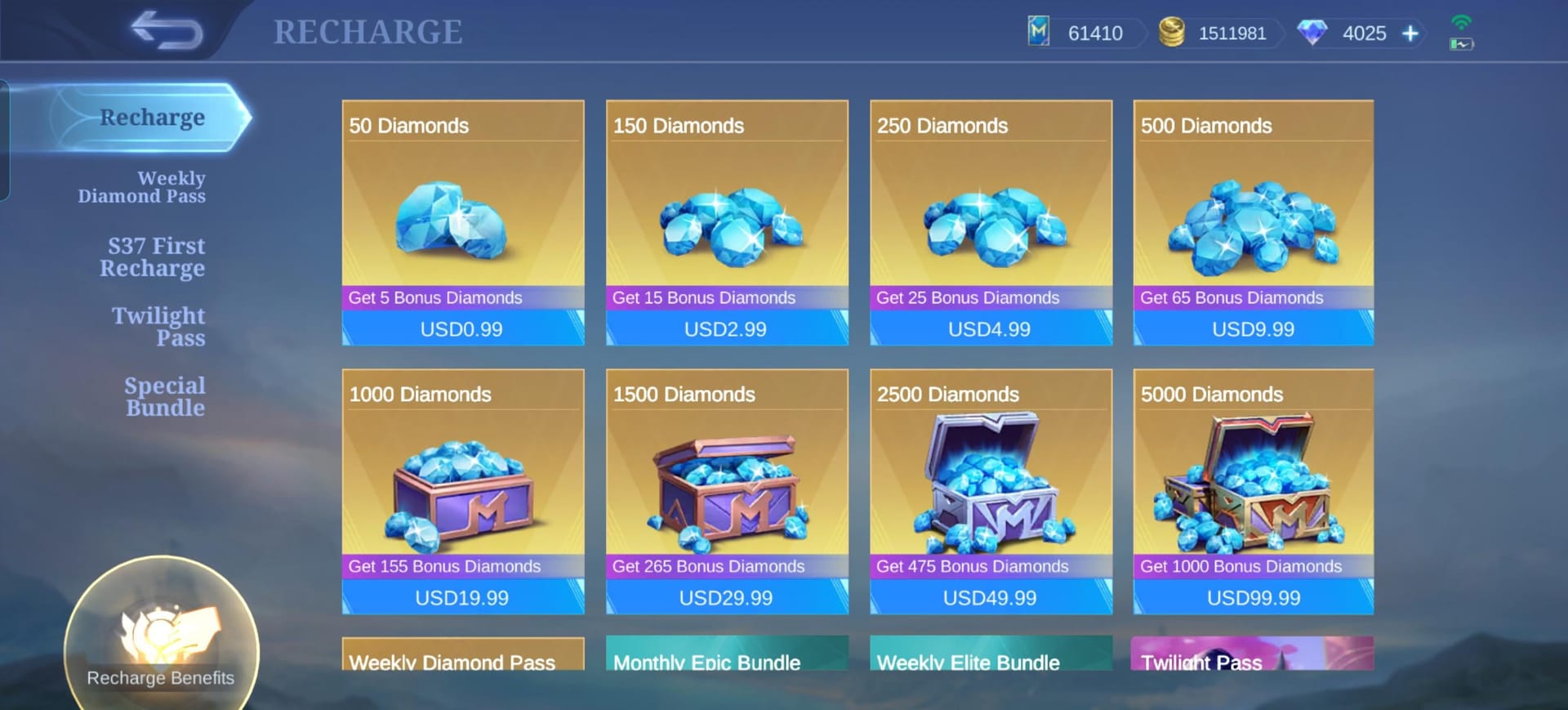
You can check a seller's trustworthiness before paying by verifying its input flow, policy pages, payment security, and support proof. Price matters, but trust signals matter more.
Use this checklist:
Confirm the account-input method
Safe pattern: seller asks for UID and server ID only
Avoid if it asks for login email, password, or account sharing
For larger orders, bind your game account to Facebook or Google first for recovery protection
Check payment and site security
HTTPS is basic, not optional
Recognized payment flow is better than off-platform manual payment requests
Transparent checkout beats "message us after payment" setups
Read the policy pages before paying
Delivery window stated clearly
Refund policy visible
Wrong-account responsibility explained
Privacy and support channels listed
Look for order tracking
You should be able to check order status after payment
Delivery proof or status updates should exist
No order lookup usually means weaker post-payment support
Judge the pricing
Discounts of 5-20% below in-game are commonly reported on authorized sellers
"Too good to be true" pricing is a scam or chargeback warning sign
Test small first
Start with a small order, such as 50 diamonds
Confirm delivery in-game before placing a larger order
If you're comparing whether a Mobile Legends: Bang Bang third party top up safe option is worth using, I would check order tracking and refund boundaries before I even look at the discount.
What should you do if your Mobile Legends: Bang Bang top-up is delayed, missing, or sent to the wrong account?
You should first verify sync, account details, and payment status, then contact the right support channel with complete proof. Fast resolution usually depends on how much evidence you saved.
First checks
Restart the game.
Log out and back in.
Refresh the mailbox.
Play one match if needed to force sync.
Recheck the UID and server ID used on the order.
Confirm whether the payment is completed or still under verification.
Save this evidence immediately
Who to contact
Official top-up issue: use in-game Customer Service > Payment and Gifts Problem
Authorized third-party issue: contact the seller first with full proof
Payment captured but no delivery: escalate through the payment provider if needed, especially for Google Pay or app-store-linked payments
Ban appeal: use in-game support and provide proof that no unauthorized third-party was used, plus account ID confirmation
For wrong-account cases, speed matters. Some sellers may reverse a recent mistake, but many won't refund wrong UID entries once fulfilled.
Is official Mobile Legends: Bang Bang top-up safer than third-party checkout?
Yes. Official checkout is the lowest-risk option because it is ToS-compliant, uses supported payment channels, and has the clearest support path.
Can you get banned for using a third-party Mobile Legends: Bang Bang top-up site?
Yes, if the top-up is unauthorized or linked to abnormal transactions. Official and community sources both indicate risks such as diamond deduction, permanent bans, fraud flags, and account abuse issues.
How do I know if a Mobile Legends: Bang Bang recharge site is legit?
Check whether it asks only for UID and server ID, uses HTTPS, shows transparent pricing, provides order tracking, and has visible support and refund terms. Personally, I would avoid any seller asking for your login credentials.
What should a trusted Mobile Legends: Bang Bang top-up checkout show before payment?
It should show the exact package, final price, delivery expectation, refund boundaries, and a working support path. A trusted checkout should also generate an order ID and payment proof you can save.
Why did my Mobile Legends: Bang Bang top-up not arrive after payment?
The usual reasons are sync delay, payment verification hold, wrong UID/server entry, or region mismatch. Authorized sites often deliver within 1-5 minutes, but high traffic can slow that down.
Which payment method is safest for Mobile Legends: Bang Bang top-up?
The safest method is the one inside official checkout using supported processors such as Google Play, Apple App Store, Apple Pay, Google Pay, cards, bank transfer, GCash, or PayNow where available. For disputes, methods with clear receipts and transaction history are easier to resolve than informal transfers.
Official Mobile Legends: Bang Bang top-up remains the safest choice for most buyers because it gives you the clearest policy protection, support ownership, and lowest ban risk. Third-party checkout can be reasonable when it is authorized, transparent, and tested with a small order first. My recommendation: use official for high-value or main accounts, and use any external seller only after checking UID flow, region fit, order tracking, and support proof carefully.