
Yes—if Binance Pay appears at checkout, you can top up Harry Potter: Magic Awakened Jewels without using a credit card. Officially, NetEase does not list Binance Pay on its top-up site, so this is usually a third-party checkout path rather than an official one.
Before you pay, verify your UID/account ID, server, and region exactly. From reviewing failed recharge cases, this is the mistake that causes the most avoidable losses. And after payment, save the order ID, Binance Pay transaction reference, and a screenshot. That one habit makes delayed-order support much faster.
Why do users choose Binance Pay to top up Harry Potter: Magic Awakened Jewels without a credit card?
Because it gives a real no-card checkout path when cards fail, aren't available, or simply aren't what you want to use. Third-party sellers commonly support Binance Pay, USDT, Bitcoin, and Ethereum for HPMA Jewels, while the official NetEase top-up page does not officially support Binance Pay.
In practice, Binance Pay is attractive for three groups:
No-credit-card buyers who want to pay from crypto balance
Cross-border users whose banks decline game or foreign merchant charges
Privacy-focused buyers who prefer wallet authorization over card entry
I’d still be clear about the trade-off: official support is better for disputes, but third-party checkout is where crypto and Binance Pay options usually exist. If your priority is no-card payment, that trade is often worth it.
If you want a checkout path built around that use case, Harry Potter: Magic Awakened Binance Pay top up is the kind of route to compare after confirming the payment method is actually shown at checkout.
What payment methods work best if you don't want to use a credit card?
Binance Pay is one of the better no-card options, but it isn't the only one. The best method depends on your region, wallet balance, and how much delivery tracking you want.
Concrete examples from the facts: NetEase officially shows region-specific methods such as DANA in Indonesia, and community reports say Apple Pay may appear in some NetEase flows. In the Philippines, GCash, Maya, and GrabPay are supported on some third-party HPMA top-up paths. So the right question isn't Which method exists somewhere? It's Which method is visible for your account, region, and checkout page right now?
What should you verify before paying for Harry Potter: Magic Awakened Jewels with Binance Pay?
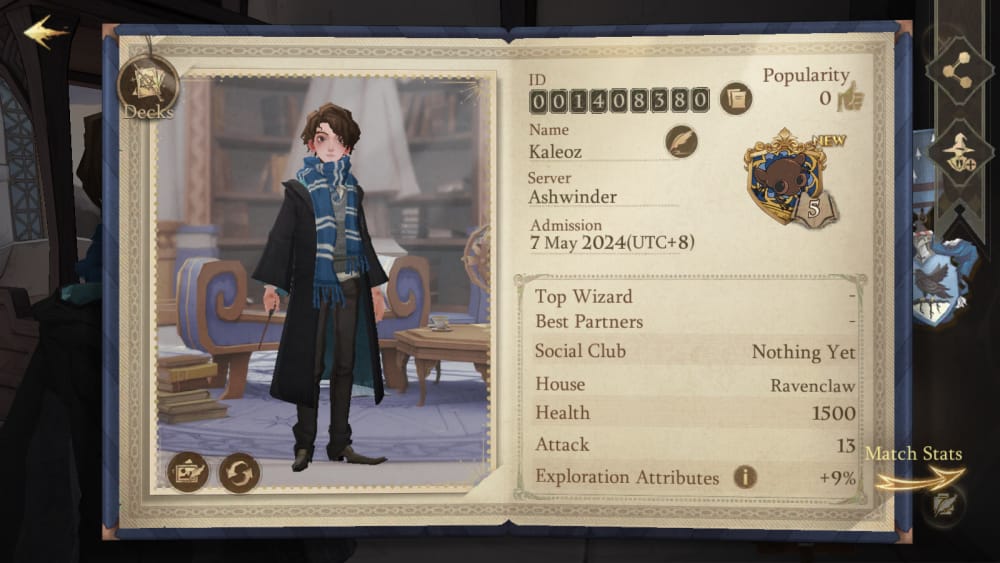
You should verify your account details, region match, and payment readiness before you authorize anything. A successful wallet payment does not always mean the order can be fulfilled correctly.
Check these first:
UID or account ID: enter it exactly as shown in-game
Server: some sellers require server selection before delivery
Region: region mismatch is a common cause of payment failure or wrong routing
Product/package: make sure you're buying Jewels or the exact pack you want
Platform/account binding: confirm you're topping up the correct linked game account
Binance Pay availability: don't assume it exists until you see it at checkout
Wallet balance: enough available balance for the order and any conversion difference
KYC status: Binance Pay transactions on third-party merchants may be limited by verification rules
This is the part many guides skip. From comparing checkout paths, the payment method is only half the job; the account mapping is what protects you from an irreversible mistake. Community experience consistently shows that wrong-UID top-ups can be irrecoverable.
For users comparing no-card routes, Harry Potter: Magic Awakened crypto recharge no credit card is worth checking only after you've confirmed the UID, server, and region details you plan to submit.
How to top up Harry Potter: Magic Awakened Jewels with Binance Pay step by step?
You can do it in a few minutes if the seller supports Binance Pay and your account details are correct.
Choose the correct product
Select the Jewels package or specific pack you want.
Double-check the item name. Some stores list Monthly Card, keys, or supply packs separately.
Enter your UID/account ID
Type it manually and compare it once more with the in-game profile.
If the checkout asks for server, select the exact one tied to your account.
Review region and account fit
If your game account is tied to a different region, stop and verify compatibility first.
Global server top-ups are available on some sellers, but not every product path works the same way.
Select Binance Pay at checkout
If Binance Pay isn't shown, don't force another crypto assumption. Use a supported method instead.
Availability varies by region and platform. That's widely observed.
Complete the Binance Pay authorization
Scan the QR code or approve in the Binance app, depending on the flow.
Do it promptly. Expired QR codes and merchant-side timeouts are common failure points when users hesitate.
Wait for payment confirmation
Don't submit a second payment just because the page is slow.
In community reports, Jewels often arrive instantly after payment confirmation on third-party sites, but not every order clears at the same speed.
Save proof immediately
Keep:
order ID
Binance Pay transaction reference
payment screenshot
UID/server used
Honestly, this is boring admin work, but it saves a lot of pain later.
Why did my Harry Potter: Magic Awakened Binance Pay payment fail or my Jewels not arrive?
Usually because of region restrictions, expired payment authorization, insufficient balance, KYC limits, or wrong account details. Those are different problems, and you should treat them differently.
Quick diagnosis table
I would check UID + server + region first, then the Binance side. People often blame the wallet when the real issue is account targeting.
And don't retry blindly. A second payment can create a duplicate charge while the first order is still pending review.
What's the safest way to use Binance Pay for Harry Potter: Magic Awakened Jewels?
The safest way is to treat it like a verified checkout, not a rush purchase. That means one clean order, exact account details, and complete proof saved before you close the page.
My practical checklist:
Use the official NetEase top-up page first if you want official dispute handling
NetEase officially supports its own top-up site.
But Binance Pay is not officially supported there.
Use a third-party route only when you specifically need no-card payment
That's where Binance Pay, USDT, and other crypto options usually appear.
Personally, I prefer the path with clearer order tracking, even if it isn't always the cheapest.
Verify before paying
UID/account ID
server
region
package
payment method shown live
Keep one evidence set
order ID
transaction reference
screenshot of successful payment
screenshot of account details entered
Know who to contact
Contact the seller or VGTopup support for delayed delivery, wrong package issues, or payment/order tracking problems on the checkout you used.
Contact official support for game-account issues on the official top-up path.
FAQ
Can I top up Harry Potter: Magic Awakened Jewels with Binance Pay without a credit card?
Yes. If Binance Pay is available on the checkout page, you can pay without a credit card. Officially, NetEase does not support Binance Pay on its own top-up site, so this is usually done through a third-party seller.
What do I need before paying for Harry Potter: Magic Awakened Jewels with Binance Pay?
You need the correct UID or account ID, and often the correct server. I’d also confirm region compatibility, wallet balance, and whether Binance Pay is actually listed before starting payment.
Why did my Binance Pay payment for Harry Potter: Magic Awakened fail?
The usual causes are insufficient balance, unsupported region, expired QR/code, KYC limits, or merchant timeout. If the payment method never appears, that checkout likely doesn't support Binance Pay for your case.
How long does it take for Harry Potter: Magic Awakened Jewels to arrive after payment?
Users commonly report instant delivery after payment confirmation on third-party sites. If nothing arrives after a reasonable wait, contact support with your order ID, transaction reference, and account details.
What should I do if I entered the wrong Harry Potter: Magic Awakened account ID?
Contact the seller immediately and provide the full order trail. Still, wrong-UID top-ups are often hard to reverse, so prevention matters more than recovery here.
Is Binance Pay safe for Harry Potter: Magic Awakened top up?
It can be a safer no-card option than direct card entry because it uses wallet authorization instead of exposing card details. The real safety issue is not the wallet itself—it's whether you entered the correct account, server, and region.
Can I use Binance Pay if my game account region is different from my payment region?
Sometimes, but this is where failures happen. Verify that the checkout supports your game region first, because a payment can authorize while the order still fails due to region mismatch.
Binance Pay is a practical way to top up Harry Potter: Magic Awakened Jewels without a credit card, but only when the checkout actually supports it. The smart move is simple: confirm Binance Pay live, verify UID/server/region carefully, then save every payment record. If you want a no-card route, use VGTopup only after those checks are done.