
To avoid a wrong Crystal of Atlan top up, verify four things before paying: the exact UID or Player ID, the correct server, the correct region, and whether the account is guest or bound. In Crystal of Atlan, the recharge ID is the numeric Player ID shown in your profile, not your display name.
Officially, you can find it by logging in, tapping your avatar at the top-left of the main screen, and copying the Player ID from the profile area. Before checkout, save screenshots of the UID, selected server/region, order ID, and payment receipt. That proof matters if delivery is delayed or sent to the wrong account.
Why do Crystal of Atlan top up orders go to the wrong account?
They usually go wrong because the UID is correct but the server or region is wrong, or because the buyer used a nickname, an old screenshot, or a guest account by mistake.
From reviewing failed recharge cases, this is the pattern I would check first: users focus on the number, then rush past the server dropdown. Community reports consistently point to wrong server and wrong region as the most preventable errors. And Crystal of Atlan adds one extra trap: regions are commonly reported as launcher-specific, so the client you installed can affect what account environment you're actually using.
The most common wrong-order causes
Using display name instead of Player ID
Community guidance is clear: the display name is different from the recharge ID. Use the numeric UID/Character ID from the profile.Selecting the wrong server or region
Users commonly report separate launchers/clients for NA/SA, EU, and Asia. A valid UID on the wrong region can fail delivery.Copying an old screenshot
This is more common than people expect. If you changed accounts, switched devices, or made a new character, an old UID screenshot can point to the wrong profile.Guest account confusion
Community experience shows guest accounts can create progress or identity confusion when later linked to Google, Apple, or Facebook through the Accelerant account system.Topping up for the wrong character on the same account
If you have multiple characters, support will usually need the exact UID proof, not just my account.
If you're about to buy currency, use the same verified details throughout the order flow. This is exactly why a page like Crystal of Atlan top up correct UID player ID matters more than a generic recharge page.
Why do server and region matter when entering Crystal of Atlan account details?
They matter because Crystal of Atlan accounts are widely reported as region-locked, and top-up delivery depends on matching the UID to the correct server environment.
A lot of guides blur server and region, but they aren't always the same thing in checkout terms:
Community examples include servers such as Golden Fleece (Asia) and Yudora (NA). That doesn't mean every list stays the same forever. Interface labels can change by update, so always trust the current in-game wording over an old guide screenshot.
What’s the hidden mistake most guides miss?
The hidden mistake is launcher-region mismatch. Users often think, I can log in, so my region must be fine. Not always. Community reports say NA/SA, EU, and Asia can use separate clients, and wrong launcher choice can cause login or top-up failure even when the UID itself is valid.
Personally, I would avoid topping up until I confirm:
the launcher/client matches the account region
the server shown in-game matches the checkout dropdown
the UID was copied from the current logged-in profile, not a saved image
And one more edge case: there are no server transfers reported in the fact set. So if you created a new character on another server, that doesn't move your old progress. It creates a separate destination for top-up mistakes.
Why can payment succeed but Crystal of Atlan delivery still fail or delay?
Because a successful charge doesn't always mean the account verification passed cleanly.
Officially, Crystal of Atlan uses the Xsolla top-up site, and that site verifies character ID before purchase. But in practice, users still report verification failures from wrong UID entries, and official notes also indicate some top-up delays were fixed with updates and may require checking in-game mail. There are also official reports that cross-server features have caused recharge delays in some versions.
That means:
Bank/card charged does not always equal items delivered
Verification mismatch can still stop fulfillment
Manual review is much easier when your proof is complete
Official payment methods on the Xsolla route include:
Apple Pay
Google Pay
credit card
If you're comparing checkout paths, I personally prefer the one with the clearest order tracking, even if another method feels faster. When something goes wrong, the order number and timestamp matter more than shaving 30 seconds off checkout.
How do I find my Crystal of Atlan UID, player ID, server, and region before top up?
The safest method is to pull the UID from the live in-game profile, then match it to the server and region shown on that same session.
30-second account check
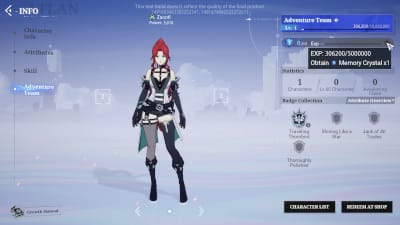
Log into the exact character you want to top up.
Don't do this from memory. Open the live account first.Tap your avatar in the top-left corner of the main screen.
This is the official path.Copy the Player ID from the profile.
Officially, the game may label it as Player ID, UID, or Character ID.Check the server and region shown in-game or in the login/client context.
If your launcher is region-specific, confirm it matches your account region.Make sure you're not looking at a display name.
Recharge uses the numeric ID, not the nickname.If you use a guest account, bind it first if possible.
Community experience says guest accounts create more confusion than payment method choice, especially after device changes.Take screenshots before paying.
Save:UID / Player ID
server name
region/client context
current character/profile screen
Then enter the details on the top-up page and recheck the dropdowns before payment.
If you want a simple reminder page while ordering, Crystal of Atlan verify server region before recharge is the right kind of checkpoint to keep open in another tab.
How can I verify Crystal of Atlan account details before I submit payment?
Use a short checklist and don't trust autofill, old browser sessions, or remember me if you switch accounts.
From comparing checkout paths, this is the cleanest prevention workflow.
Pre-payment checklist
Best practice before clicking pay
Paste the UID manually from the copy button.
Community advice consistently favors copying over typing.Re-read the server/region dropdown.
This is where many I entered the right ID cases actually break.If topping up for a friend, ask for a fresh screenshot taken that day.
Not a cropped image from chat history. Old screenshots are a real source of bad orders.Uncheck remember me and clear cache if you've used another account on that browser.
This single-user tip is worth following because account autofill mistakes are annoying and avoidable.Save payment evidence immediately after checkout.
Keep:order ID
payment receipt
timestamp
amount paid
selected server/region screenshot
Check in-game mail if delivery seems delayed.
Official notes say some top-up delays were fixed and mail should be checked.
One more practical note: first top-up rewards for Vouchers/Opals are commonly reported as double rewards. Nice bonus, but don't let that rush you into skipping verification.
What should I do if I entered the wrong UID, server, or region for Crystal of Atlan top up?
Stop and gather proof first, then contact official support through the in-game User Center or command center.
Honestly, this is the frustrating part. Once a wrong-account order is delivered, reversal may not be realistic. And for third-party orders, the fact set clearly says wrong-ID entries may be non-refundable. So speed matters, but accuracy matters more.
Do this immediately
Do not place a duplicate order.
A second payment can make the case harder to untangle.Collect all evidence.
Support proof should include:UID screenshot
server/region screenshot
order ID
payment receipt
receipt timestamp
Open the in-game User Center.
Officially, this is the correct support route for wrong delivery issues.Write a precise message.
Include:the UID you intended
the UID entered, if different
server and region selected
payment time
whether delivery arrived or not
If you recently switched accounts, mention it.
Community reports show multiple-character and account-switch confusion is common.Check official Facebook announcements if support channels are slow.
The official CrystalofAtlan Facebook page is used for announcements and support queries.
What support usually needs
If the issue is simply delayed delivery, support can often review it faster when your screenshots are complete. In delayed-delivery troubleshooting, the fastest cases to resolve are the ones with a clear in-app UID screenshot and a timestamped receipt.
FAQ
How do I find my Crystal of Atlan UID or player ID?
Open the game, tap the avatar at the top-left of the main screen, and copy the Player ID from the profile. Officially, this may also be labeled UID or Character ID.
What is the difference between server and region in Crystal of Atlan top up?
Server is the specific world your character is on; region is the broader account environment, often tied to the launcher or client. Both must match for clean verification.
Can I top up Crystal of Atlan with just my character name?
No. Community guidance says recharge should use the numeric Player ID, not the display name or nickname.
What happens if I enter the wrong UID for Crystal of Atlan top up?
Delivery can fail, go to the wrong account, or require support review. If it already happened, stop making new payments and submit a ticket with UID proof, order ID, receipt, and timestamp.
Why does Crystal of Atlan top up fail when the account region does not match?
Because users commonly report region-locked clients and launcher-specific account environments. A mismatch can break verification even if the UID itself looks correct.
What screenshots should I save before paying for Crystal of Atlan top up?
Save the UID/profile screen, selected server, region/client context, order number, payment receipt, and timestamp. Those are the core support documents.
Can support fix a Crystal of Atlan top up sent to the wrong account?
Sometimes support can investigate, but don't assume every wrong-account case is reversible. Officially, the right route is the in-game User Center, and complete proof gives you the best chance.
Crystal of Atlan top up mistakes are usually preventable: verify the live UID, match the exact server and region, and confirm whether the account is guest or bound before paying. Save screenshots and receipts every time. If you already have those details confirmed, complete your order with the same in-app information you verified and keep the proof until delivery is fully confirmed.