
To top up Poppo Live Coins before the weekly rewards reset deadline, don’t wait for the final minutes. Poppo Live weekly rewards commonly reset every Sunday at 23:59 UTC+8, and users often report a 90–120 second server sync delay around reset, with heavier failure risk during peak evening traffic.
If you need coins for weekly tasks, gifting, or a limited-time campaign, verify the reset time in the app’s tasks or notices first, then finish payment early. For a smoother purchase window, see Poppo Live Coins top up before weekly reset and keep your UID, receipt, and order ID ready in case delivery lags.
Why is it risky to top up Poppo Live Coins right before the weekly rewards reset?
It’s risky because payment success, order approval, and coin delivery are not always the same moment. That gap is where people miss the deadline.
From reviewing digital top-up support cases, the most common last-minute failure isn’t a declined card. It’s users realizing too late that they entered the wrong UID, used a slower checkout path, or assumed a bank charge meant coins were already credited. Community reports also point to 30–60% peak failure risk between 6–11 PM UTC+8 near deadline windows.
Three timing problems matter most:
Server sync delay: daily reset behavior shows a 90–120 second sync lag, and weekly cutoffs can feel the same
Payment review: issuer checks, bank review, and network congestion can hold a payment after you authorize it
App store lag: App Store and Google Play purchases can arrive in seconds, but users also report delays stretching to hours under load
That’s why I would avoid I’ll buy at 11:58 PM thinking. Honestly, it’s the worst time to discover a verification hold.
What should you verify before buying Poppo Live Coins close to the deadline?

Verify the reset time, the exact account UID, your region/platform, and the pack size before you pay. Those four checks prevent most avoidable misses.
Users commonly report weekly tasks resetting Sunday 23:59 UTC+8, separate from the daily reset at 00:00 UTC+8. But don’t rely only on community timing. Confirm the current window from the app profile tasks, notices section, or the official Poppo Live app page/help center if a campaign or reward period is involved.
What should your pre-payment checklist include?
A practical point many guides miss: server time beats your local clock. If you’re outside UTC+8, convert carefully. And if you’re buying for weekly gifting, remember some rewards expire fast: gifts can expire in 24 hours, and tasks in 7 days.
Should you buy Poppo Live Coins early or wait until the last day?
Buy early if the coins are tied to a weekly reward target. Waiting until the last day only makes sense if you’ve already confirmed the deadline and can tolerate delay risk.
In my experience comparing checkout paths, the safer play is to top up in the morning or early in the day, not during the final evening rush. Community feedback consistently says third-party delivery is often faster than app-store processing under heavy traffic, while in-app purchases can be cleaner for users who want native Apple Pay or Google Pay support.
A simple timing rule:
One useful edge case: if your goal is to maximize new week missions, an [exp] recommendation is to top up after the Sunday 23:59 UTC+8 reset, not before. That’s different from topping up to finish the current week.
How to top up Poppo Live Coins before the weekly rewards reset deadline?
Use a method with clear tracking, finish early, and verify the credited balance before reset. That’s the safest flow.
Open Poppo Live and confirm the correct account
Go to your profile and copy the numeric UID exactly.
Don’t type it from memory. Copy-paste is safer.
If you manage more than one account, I would check this first. Wrong-account top-ups are commonly reported as permanent and unrecoverable.
Check the current reset or campaign cutoff
Open tasks and notices in the app.
If the deadline is tied to a weekly reward, community timing points to Sunday 23:59 UTC+8.
If it’s tied to a limited-time campaign, use the official Poppo Live notice or help center wording, not screenshots from social posts.
Choose your payment path
In-app route: Profile > Coins > Top Up, select a package, pay via App Store/Google Play with Apple Pay, Google Pay, credit card, or debit card where supported.
Other supported methods commonly reported include GCash in the Philippines and USDT via Binance.
For PH users, GCash via supported checkout is often reported as instant. If you want another purchase option before cutoff, Poppo Live Coins recharge for event rewards fits naturally here.
Pick the right pack
Don’t buy blindly. Match the pack to your weekly goal.
If you only need a few gifts, a smaller pack may be smarter than chasing bulk value.
If you recharge regularly and have Level 5 verification, users report better rates on larger packs, around 9,460 coins per USD on the 946,000-coin tier.
Pay and save proof immediately
Keep the order ID, receipt, payment timestamp, and UID screenshot.
A successful bank charge does not always mean the order has cleared verification. That detail matters near deadline.
Confirm delivery before reset
Check your wallet balance.
If coins don’t show, pull down to refresh the wallet 2–3 times.
Then log out/in, check for app updates, and clear app cache if payment failed near deadline.
What should you do if your Poppo Live Coins do not arrive before reset?
First, treat it as a delivery issue, not automatically a lost payment. Then gather proof fast.
Users commonly report delivery in 1–5 minutes on some third-party routes, while app-store purchases can range from seconds to hours. If you’re still missing coins close to reset, don’t keep retrying blindly. Duplicate payments create a second problem.
Follow this order
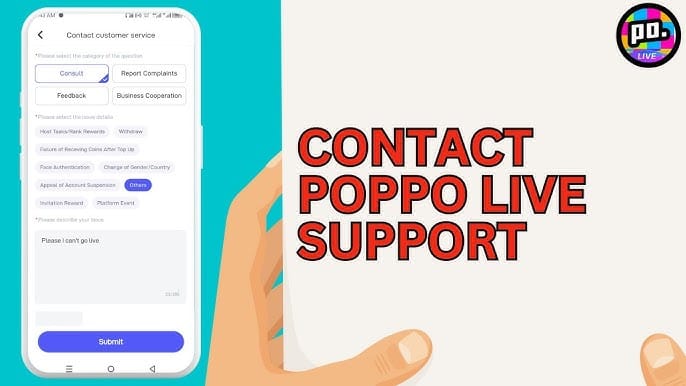
Refresh the wallet
Pull down the wallet page 2–3 times.
Then log out and back in.
Check payment status
Look for completed, pending, or under-review status from your bank, card issuer, or app store.
Near deadline, issuer checks and network issues are common causes of delay.
Clear app cache if payment failed
This is especially relevant when the app hangs during checkout or returns you to the balance page without updated coins.
Collect support evidence
UID
Order ID
Receipt or transaction proof
Purchase timestamp
Screenshot of current balance
Contact in-app support
Use in-app chat and send the full proof set.
If the payment provider shows pending review, you may also need to contact the issuer.
The fastest support cases usually come from users who already have the UID, order ID, and receipt ready. If you wait to gather those after reset, you lose time you don’t have.
What time do Poppo Live weekly rewards reset?
Poppo Live weekly rewards commonly reset every Sunday at 23:59 UTC+8. Daily reset is commonly reported at 00:00 UTC+8, with a 90–120 second server sync delay.
Still, check the app’s tasks and notices before any deadline purchase. That matters even more for event-style campaigns, membership-style reward windows, or limited offers, because the safest source is the current in-app notice or official help center wording.
FAQ
What time do Poppo Live weekly rewards reset?
Users commonly report the weekly reset at Sunday 23:59 UTC+8. Check the tasks page or notices in case a current campaign uses a different cutoff description.
How long does a Poppo Live coin top up take?
Commonly reported delivery is 1–5 minutes on some external checkout paths, while app-store purchases can be seconds to hours. Near reset, traffic and payment review can slow things down.
Why are my Poppo Live Coins not showing after payment?
Usually it’s a refresh issue, payment review, app-store lag, or network delay. Refresh the wallet 2–3 times, re-login, check updates, and keep your order ID and receipt ready.
Can I top up Poppo Live Coins right before reset?
You can, but it’s a bad idea if the coins must count before the cutoff. Last-minute purchases face sync delay, issuer checks, and heavier failure rates during peak hours.
What should I check before buying Poppo Live Coins?
Check the exact UID, reset time, region/platform match, payment method, and pack size. I’d also save a screenshot of the profile page before paying.
Can app store payments delay Poppo Live coin delivery?
Yes. Users report App Store and Google Play purchases can be instant, but they can also post late during high traffic or review checks.
What do I do if I topped up the wrong Poppo Live account?
Act fast, but expectations should be realistic. Community reports say wrong-UID top-ups are usually permanent, which is why copy-pasting the profile ID before payment is critical.
To top up Poppo Live Coins before the weekly rewards reset deadline, the safest move is simple: confirm the cutoff, verify your UID and platform, and pay well before Sunday 23:59 UTC+8. Don’t trust the final minutes. Leave buffer for sync delay, payment review, and support if needed. If the coins must count for this week, buy early and confirm the balance before reset.