
Before any Growtopia top up, verify the exact account you are logged into, match those details against the checkout form, and save proof before paying. Most wrong-account cases happen because users trust old screenshots, shared-device logins, or autofill details instead of confirming the active account right before checkout. One key correction first: for Growtopia, the identifier you need is usually your GrowID. Community reports consistently note there is no separate UID/player ID/server field for standard top-ups, and no region selection is normally required.
Pre-payment checklist that actually prevents bad orders
Use this in order. It takes under a minute.
Open Growtopia and go to Play Online. Check the ID shown on the right side of the login screen.
Log in and confirm Connected as: [GrowID] in the lower-left area of the main menu.
Screenshot both views if you're doing a high-value order or buying for someone else.
If the checkout says UID, user ID, or player ID, enter your GrowID unless that store clearly says otherwise.
Ignore server/region anxiety. Community guidance says Growtopia top-ups use the global main server, with no server field for normal purchases.
If you're on a shared phone or recently switched accounts, log out and back in before paying.
Check the order preview and compare it against your screenshot character for character.
Don’t trust autofill, saved notes, or an old screenshot from another device.
For gift purchases, ask the recipient to send a fresh screenshot of their exact GrowID.
Save the order ID and payment receipt before closing the checkout page.
If you want a final cross-check before paying, use this mindset: the safest Growtopia UID top up check is simply matching the active in-game GrowID to the order preview, not guessing what UID means.
Quick diagnosis
From reviewing failed recharge cases, the most common preventable issue is not payment failure. It's account-detail mismatch.
The two expensive mistakes are simple: entering the wrong account, then placing a duplicate order because delivery wasn't immediate. Honestly, that second mistake is the one that turns a fixable delay into a messy support case.
How do I verify my Growtopia Player ID before top up?
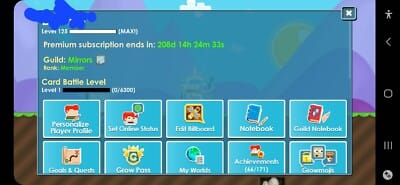
You verify it by checking the active GrowID inside the game, then matching it exactly to the checkout form.
Officially, Growtopia accounts use a GrowID for login and progress sync, whether you sign in with username/password or linked Google, Apple, Steam, or Ubisoft credentials. To find it:
Launch Growtopia.
Tap Play Online.
Look at the ID shown on the right side of the login screen.
After login, confirm Connected as: [GrowID] in the main menu.
That second check matters more than people think. In missing-credit troubleshooting, the fastest path is usually to stop repeat orders, verify the intended account, and compare the order record with the active login on the device.
What if the store says UID, user ID, or player ID?
For Growtopia, community guidance is consistent: there is no separate UID for normal top-ups; the practical identifier is your GrowID. So if a checkout uses generic labels like user ID or player ID, treat that as a naming issue, not a signal that Growtopia has a hidden numeric ID.
A useful comparison: some stores show a preview or a help icon to confirm the expected format before payment. Use it. If the field accepts your GrowID and the preview matches your screenshot, you're on the right track.
Why do Growtopia buyers send top ups to the wrong account?
Because the wrong details often look familiar enough to feel right.
Old screenshots and saved notes
Users commonly report entering an old or alternate GrowID from a previous device, a second account, or a copied note. Personally, I would avoid using any saved account note unless it was updated after your last successful order.
Shared phones and account switching
Yes, a shared device can absolutely cause a wrong-account purchase. Community experience shows this is one of the biggest risks. If multiple people use the same phone or tablet, or you run parallel app setups, you can easily top up the account that was last active instead of the one you meant to use.
Safer routine:
Log out
Log back into the intended account
Confirm Connected as
Then open checkout
If the device is messy, clear app data or use guest mode to isolate accounts before trying again.
Buying for a friend
This is where one missing confirmation creates the whole problem. Never type a friend's GrowID from memory or chat text alone. Ask for a fresh screenshot from their login screen or main menu. That single habit prevents most gift-order mistakes.
If you're comparing options before purchase, the same rule applies on any Growtopia player ID before recharge flow: verify the recipient's live GrowID, not an old message.
What should I check first if the top up did not arrive?
First, check the account details before assuming the payment failed.
Community reports say gems may not be immediate, so wait 30+ minutes after purchase, then relog and check the balance again. A successful card charge, bank transfer confirmation, or app-store receipt doesn't always mean the order has fully cleared delivery review yet. That's frustrating, but it's common enough that I would not place a second order during that window.
Use this order:
Wait 30+ minutes
Relog
Check gems on the intended GrowID
Check the suspected alternate GrowID if you may have used the wrong one
Review the order record for the exact entered ID
Only then contact support
Is this a wrong account issue or a region/server problem?
Usually, it's not a region or server problem. Community guidance says Growtopia top-ups don't normally use server or region fields, and region mismatch is rare for top-up delivery. IP issues may affect connectivity, but they aren't the usual reason gems land on the wrong account.
Also worth stating clearly: official top-ups and in-app purchases through Google Play or Apple are tied to the logged-in Growtopia/Google/Apple account flow, which reduces manual ID entry risk. Third-party checkouts are where exact GrowID entry matters most.
What evidence helps support fix a wrong-account or missing-credit case?
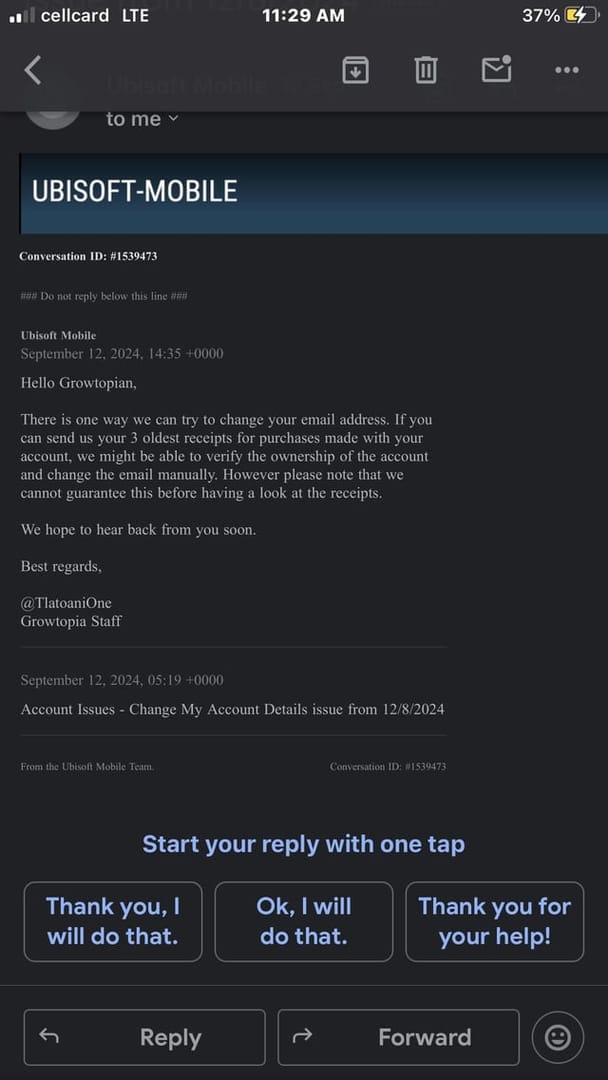
A clean proof set helps more than a long explanation.
Support usually needs:
Order ID
Payment timestamp
Payment method used
Receipt screenshot
Screenshot of the GrowID/account screen
Short discrepancy note explaining what you entered and what account you expected
If gems were sent to the wrong account, community advice is practical: contact the top-up provider first, not the game support team, because the provider has the order record tied to the entered GrowID.
What does a useful screenshot look like?
It should show:
the visible GrowID on the login screen or Connected as
enough of the screen to prove it's from Growtopia
no cropped-out account name
no edits
Redact payment card details if needed, but don't hide the order number, timestamp, or transaction proof.
Mini case note: why some tickets move faster
Support outcomes are usually better when users provide one clean evidence set with order ID, payment proof, and an account screenshot instead of sending five partial screenshots over time. A short note like this works:
Order paid at 8:14 PM by card. Checkout entry was GrowID X. My active account screenshot shows GrowID Y. No gems received on Y after 30+ minutes and relog.
That gives support something they can actually trace.
What I would check before paying on high-value orders
For small orders, a quick GrowID check is enough. For larger purchases, I would add friction on purpose.
Take a fresh screenshot and rename it with the date and GrowID
Compare the screenshot to the order preview before tapping pay
If using card, Apple Pay, Google Pay, bank transfer, or crypto, save the payment confirmation page immediately
If you changed phones recently, use the official recovery page to confirm which email is tied to which GrowID
If your account isn't secured yet, enable Secure My Account and complete email verification
Official recovery and security tools matter here:
Recover GrowID list:
growtopiagame.com/recoverPassword or email account actions:
growtopiagame.com/accountAccount issue help: Ubisoft Help Center for Growtopia
And one more edge case: private servers are not compatible with official top-ups. Make sure you're using your main official game account.
Short FAQ
Where can I find my Growtopia UID or account details?
You usually need your GrowID, not a separate UID. Check it on the Play Online login screen and confirm Connected as after login.
What happens if I top up the wrong Growtopia account?
The gems usually go to the GrowID entered on the order. Verify that account first, then contact the top-up provider with your order ID, receipt, timestamp, and screenshots.
Should I reorder if my Growtopia top up has not arrived yet?
No. Wait at least 30+ minutes, relog, check both the intended and suspected alternate account, and review the entered GrowID first.
Can a shared device cause a Growtopia wrong-account purchase?
Yes. Community reports say shared devices and multi-account setups are a common cause of wrong-account top-ups.
Before you hit pay
Treat Growtopia verification as an account check, not a server or region check. Confirm the active GrowID, match it to the order preview, and keep one clean proof set. If anything looks off after payment, don't panic-buy again. Verify first, then escalate with evidence. If you're ready to top up, use VGTopup only after you've confirmed the exact Growtopia account details and saved a quick screenshot for your records.