
Yes—if the checkout supports local wallets, you can top up Yoyo Coins with GCash in the Philippines by selecting your coin package, entering the correct YoYo user ID, and authorizing payment in GCash. For PH users, the key checks are simple: make sure your account region matches the Philippines, confirm the amount is shown in PHP, and save the order ID and GCash receipt.
In local usage, top up, recharge, load, cash in, and buy coins often mean the same thing: paying for Yoyo Coins through an e-wallet instead of a credit card. If you want a no-card option, Yoyo Coins Top Up GCash recharge is the phrase many buyers look for, but the real decision point is whether your account details and wallet authorization are correct before you pay.
Why do Philippines users search for Yoyo Coins top up with GCash instead of card payment?
Because GCash is an official local payment option for YoYo (PHL), and it removes the need for a credit card. Officially supported PH payment methods include GCash, Globe, Smart, Maya, GrabPay PH, Coins.ph, and bank transfer through the local checkout flow.
For most Philippine users, top up is the native buying term. But in practice, these all point to the same action:
Top up / recharge: add Yoyo Coins to your account
Load / cash in: wallet language users apply to the payment step
Buy coins: plain shopping intent
That wording matters. A lot of generic guides treat these as different actions. They aren’t, at least not in the PH wallet context. From comparing checkout paths, I’d say the biggest advantage of GCash is clarity: no card entry, PHP pricing for PH users, and a familiar wallet authorization flow.
Why does PHP pricing matter for Yoyo Coins top up in the Philippines?
It matters because PH users should see Philippine peso pricing in the local checkout, not a surprise USD conversion. Officially, YoYo top-ups for the Philippines use PHP, and PH users generally see PHP displayed in Codashop.
That reduces two common problems:
If you see a non-PHP flow, I would check region first. Users commonly report that account-region mismatch is where things start breaking, especially when the wallet itself is fine.
Why might GCash not appear or fail during a Yoyo Coins top up?
Usually because of region mismatch, wallet balance, OTP failure, session expiry, maintenance, or a temporary risk hold. Those are the repeat offenders.
From reviewing failed recharge cases, the most common issue isn’t GCash itself. It’s either the wrong YoYo account details or a PH-incompatible account region that the buyer notices too late.
Common causes and fixes
A successful debit also doesn’t always mean the order has fully cleared. Honestly, that’s the frustrating part. In local-wallet checkouts, payment can show in GCash first while merchant confirmation is still pending.
How do you top up Yoyo Coins with GCash step by step in the Philippines?
Use the PH checkout, enter the correct user ID, choose your package, select GCash, and complete wallet authorization. Officially, the flow is straightforward.
Open the PH checkout for YoYo (PHL).
Codashop is the official top-up platform mentioned for YoYo Coins in the Philippines.Enter your YoYo user ID.
Don’t guess. Community reports consistently point to wrong account identifiers as a major cause of failed or misdirected top-ups. If the product asks for user ID, use that exact ID.Check your account region before paying.
If your YoYo account isn’t matched to the Philippines, the top-up can be restricted.Choose the coin amount.
Confirm the package and make sure the price is shown in PHP.Select GCash as payment method.
No credit card is needed for this route.Authorize the payment in GCash.
OTP authentication is required. Keep your connection stable during this step.Save the order reference immediately.
Keep:Order ID
GCash payment confirmation
User ID entered
Wait for delivery confirmation.
Officially, successful payments are typically delivered instantly.
If you want to compare another wallet-friendly route before paying, Yoyo Coins Top Up Philippines wallet top up is a useful reference point for checking available payment options by region.
How can you tell if your Yoyo Coins order is completed, pending, or failed?
Check both the wallet result and the coin delivery result. They are related, but not identical.
Use this quick read:
I personally prefer payment methods with clear order tracking, even if they aren’t always the cheapest. For urgent top-ups, that matters more than shaving off a tiny fee.
What should you do if your Yoyo Coins do not arrive after a successful GCash payment?
First, verify the payment in GCash history, then contact the merchant with your receipt and request manual credit. That’s the fastest path according to the official support flow.
Follow this order:
Check GCash transaction history.
Confirm the payment is posted, not just processing.Confirm the exact account details used.
Review the user ID you entered. If it was wrong, support will ask for it anyway.Collect proof before contacting support.
Save:Order ID
GCash receipt or reference number
YoYo user ID
Screenshot of payment confirmation
Contact the merchant support first for delivery issues.
Official guidance says to contact Codashop support if coins were not received after payment.Use GCash Help Center for payment errors or refund concerns.
If the issue is wallet-side, that’s the right escalation path.Wait for refund timing if the order failed.
Officially, pending failed orders can auto-refund in 24–72 hours. If merchant failure is confirmed, deducted funds are typically returned.
One practical note many guides miss: don’t spam retries while the first order is still pending. That’s how duplicate charges happen.
Can I use Coins.ph instead of GCash for Yoyo Coins top up?
Yes, Coins.ph is also an official alternative for YoYo top-ups in the Philippines. Community experience suggests both wallets work well, but they suit different buyers.
GCash vs Coins.ph for PH users
Users commonly report:
GCash monthly wallet limit: up to ₱500,000
Coins.ph daily limit for verified users: up to ₱1,000,000
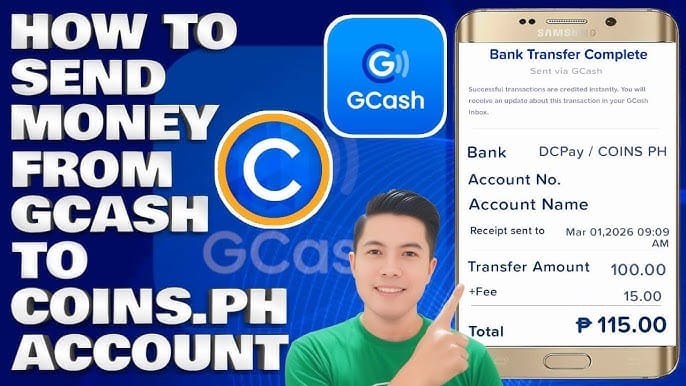
If you need to move funds from GCash to Coins.ph, official guidance points to DCPay Philippines Inc. via GCash transfer, with InstaPay and a PHP 15 fee. Personally, I’d only bother with that extra step if GCash is unavailable or you need the higher verified-wallet limit.
FAQ
Can I top up Yoyo Coins with GCash in the Philippines?
Yes. GCash is officially supported for YoYo (PHL) top-ups through the local checkout flow, with PHP pricing for PH users.
Why is GCash not showing for my Yoyo Coins top up?
The usual reasons are region mismatch or checkout availability. Check that your YoYo account is for the Philippines and that you’re using the PH top-up flow.
How long does Yoyo Coins top up take after GCash payment?
Officially, delivery is typically instant after successful payment. But pending confirmation can still happen for a few minutes, especially if wallet or merchant verification is delayed.
What should I do if my Yoyo Coins payment is successful but coins did not arrive?
Check GCash history first, then contact the merchant with your order ID, payment receipt, and user ID. If the order failed after deduction, refunds commonly process back within 24–72 hours.
Do I need an account ID to buy Yoyo Coins?
Usually, yes. Officially, the PH flow requires entering your YoYo user ID before selecting the coin amount, so verify the exact identifier carefully.
Can I pay for Yoyo Coins in PHP instead of USD?
Yes. For PH users, the local checkout should display prices in Philippine peso. If you don’t see PHP, check whether you’re in the correct region flow.
Is it safe to top up Yoyo Coins using GCash?
Yes, if you use the official checkout path, verify the transaction inside the GCash app, and avoid suspicious links. In my experience reviewing recharge issues, unofficial sellers create more trouble than the wallet does.
Yoyo Coins top up with GCash in the Philippines is straightforward when three things line up: the correct YoYo user ID, a PH-compatible account region, and a clean GCash authorization. Use the PHP checkout, keep your order proof, and don’t retry blindly if payment is still pending. If coins don’t arrive, start with the merchant order ID and your GCash receipt—that’s usually the fastest fix.