
Yes — you may still be able to top up Super SUS from an unsupported country, but only if three things line up: your Super SUS account region, your payment method’s billing country, and the publisher’s accepted payment route. Officially, Super Sus payments are region-locked even though the payment page can load globally.
From reviewing failed recharge cases, I’d check region mismatch before anything else. Most cross-border failures aren’t stock problems. They come from foreign-card declines, Google Play country mismatch, local wallet unavailability, or entering the wrong Space ID/server. If you need a direct option for Super SUS Top Up top up from abroad, verify your account details first, then pay.
Why does Super SUS Top Up fail when my country, payment method, and account region do not match?
It fails because cross-border success depends on policy checks, not just whether checkout opens.
The three-region problem is what most users miss:
Officially, Super Sus says some players have issues purchasing GS in the in-game shop due to regional financial policies. That’s the confirmed part. Community reports add the practical layer: Google Play purchases often fail when the Play country doesn’t match the billing country, and foreign cards can be declined when IP, store region, and card country don’t line up.
In my experience reviewing recharge issues, the billing-country mismatch is the most common payment blocker. But the most expensive mistake is different: wrong Space ID or wrong server. A bank charge can succeed while the top-up still can’t be delivered to the intended account.
Why is Super SUS Top Up unavailable or harder in unsupported countries?
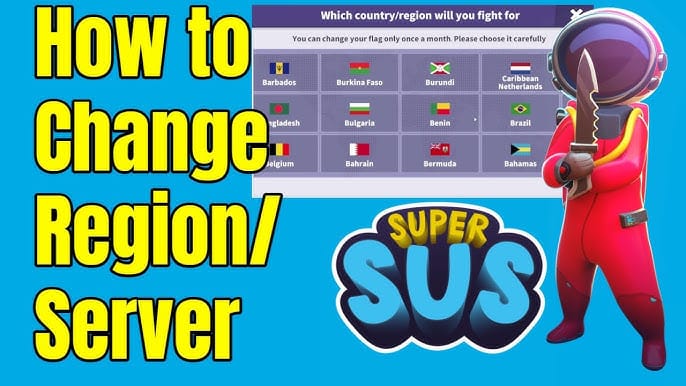
Because unsupported usually means either the payment route is blocked or the local method you need isn’t offered.
Officially, the Super Sus payment site is available globally, but payments are region-locked. That distinction matters. A page loading in your browser does not mean your country, card, or wallet is accepted.
Examples from official payment availability show how local this is:
So if you’re abroad, the issue may not be Super Sus itself. It may be that your usual wallet isn’t available, your card doesn’t allow cross-border gaming transactions, or the checkout currency triggers FX fees and anti-fraud review. And yes, local currency conversion matters. Your final charged amount can be higher than the package price once bank conversion and foreign transaction fees are added.
One thing many guides skip: unsupported country and unsupported payment method are not the same problem. If your account can receive GS but your local checkout route fails, users commonly report that third-party top-up services work because they use Space ID delivery instead of app-store billing. That’s a workaround reported by the community, not an official publisher promise.
How do I check whether my Super SUS account region is eligible before I pay?
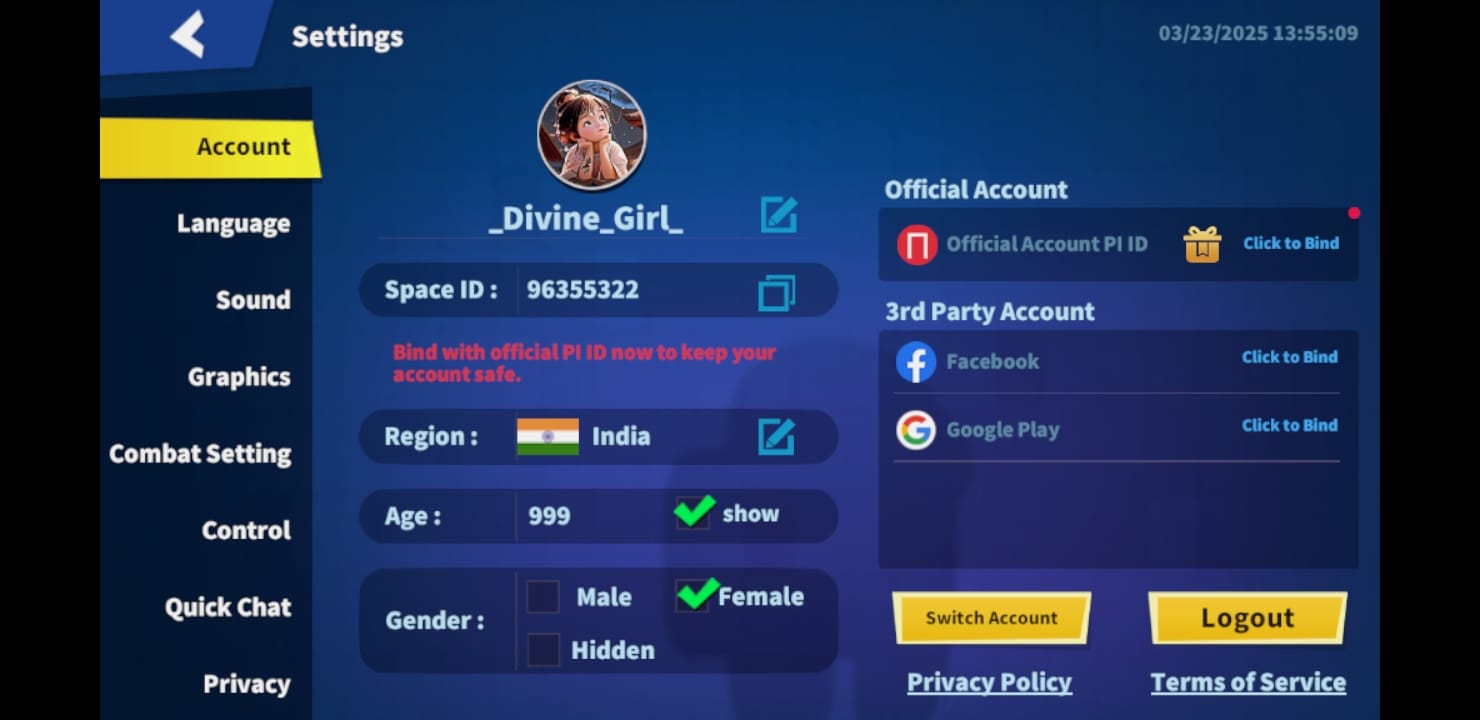
Start by confirming your account identifier and server, then check the payment route.
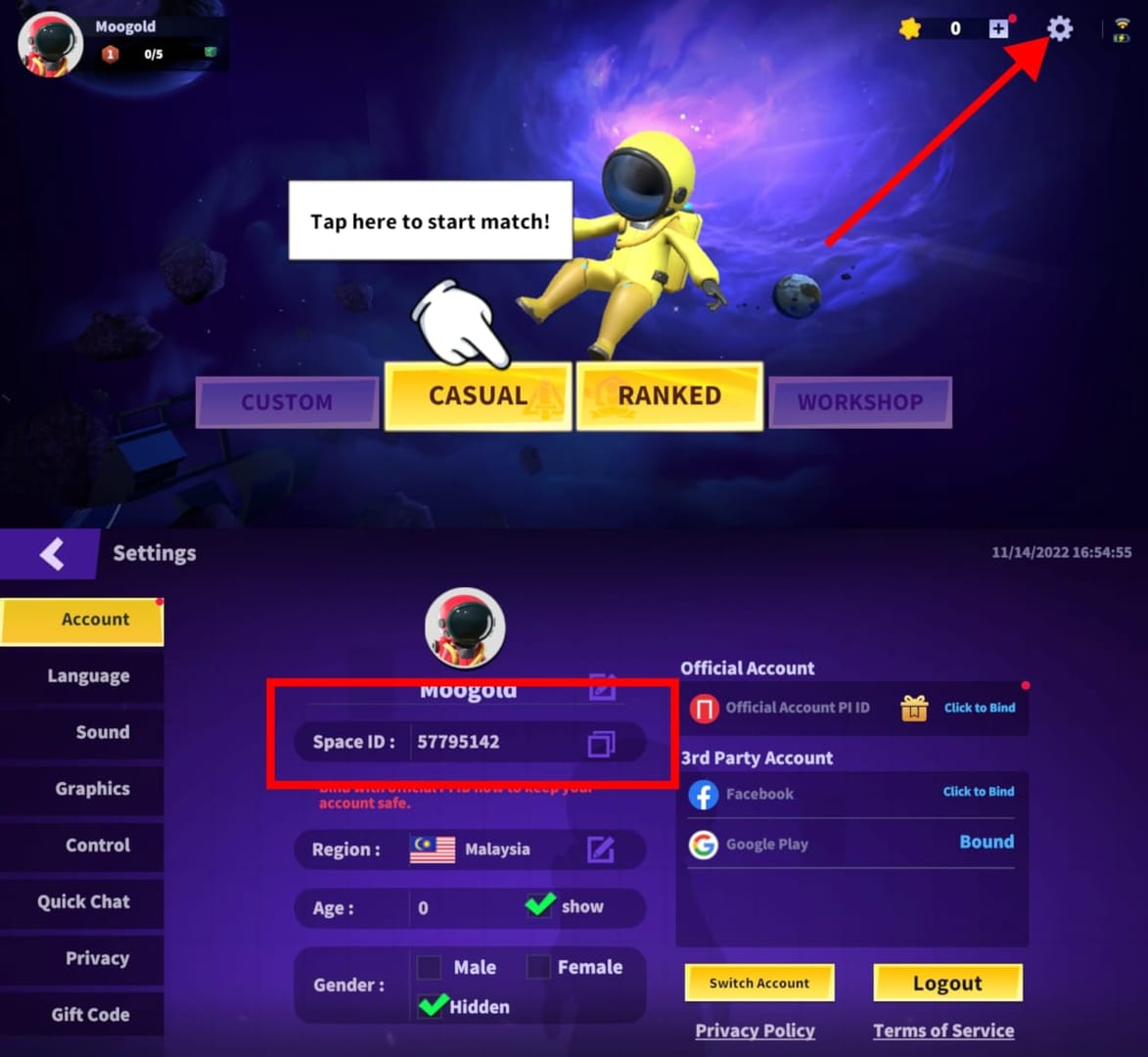
Super Sus uses Golden Star (GS), also called Goldstar. For top-up, the key identifier is usually your Space ID; some sellers may call it Player ID or User ID. Community guidance consistently says to check the Space ID in the game settings, upper-right area. If your account isn’t bound yet, the official bind path is:
Open Settings
Go to Account
Bind Google or Facebook if it says your account is not bound yet
That bind step matters more than people think. If something goes wrong, an unbound account is harder to recover or verify.
Then verify these before paying:
Space ID: copy it exactly
Server/region: community reports mention United States, Europe, and Asia regions
Account binding: bind first if not already linked
Store route: official site, app store billing, or direct ID top-up
Final currency: check whether you’ll be charged in local currency, USD, or another currency
Personally, I would avoid guessing the server from your location. A player living in Germany can still be using an Asia account. That mismatch is where delayed or failed delivery starts.
How to Top Up Super SUS Top Up from unsupported countries step by step?
The safest method is to use a Space ID-based top-up flow after confirming your account region and payment compatibility.
Check official policy first.
Visit the official Super Sus website and FAQ to confirm there isn’t a current regional billing restriction affecting your account. Officially, some regions have in-game purchase issues due to financial policies.Confirm your account details in-game.
Open Super Sus, find your Space ID in settings, and note your server/region. Don’t rely on username alone.Choose a top-up route that fits your situation.
If your local app store billing works, that’s the clearest official route.
If in-game purchase fails abroad, users commonly switch to direct ID-based top-up services.
If you don’t have a working local wallet, card or crypto-supported checkout may be easier depending on availability.
Pick the GS package carefully.
Community-reported flow is simple: select Golden Star denomination, enter Space ID, checkout, and pay. Some marketplaces show low entry prices — for example, one listing showed 100 GS at $0.88 and 310 GS at $2.36 — but price should come after compatibility, not before it.Review the payment page before submitting.
Check:charged currency
card billing country
any bank conversion fee
tax/VAT if shown
whether 3D Secure is required
Save proof immediately.
Keep the order ID, payment confirmation, timestamp, and a screenshot of your Space ID. Honestly, this is what speeds up support later.Wait through the normal delivery window.
Community-reported delivery on some top-up sites is instant or around 2–10 minutes. If it’s still pending after that, don’t re-pay right away.
If you’ve already confirmed your details and want a direct Space ID route, Super SUS Top Up cross-border recharge is the kind of checkout flow to use carefully: correct ID first, payment second.
What should I do if my Super SUS payment is declined, pending, or not received?
First, separate payment failure from delivery failure. They are not the same issue.
If payment was declined
Check these in order:
Billing country mismatch
Common with Google Play and foreign cards abroad.Issuer block or 3D Secure failure
Users often blame the seller, but many cross-border declines are bank-side.Unsupported wallet or local method
A payment page can load while your country-specific method is unavailable.Currency or anti-fraud trigger
Large FX differences, unusual IP location, or first-time international gaming charges can trigger review.
If payment succeeded but GS didn’t arrive
I would check this first:
A successful bank charge does not always mean the order cleared verification. That’s a real cross-border pain point. If the order is delayed, contact the seller first with:
order ID
Space ID
server/region
payment screenshot
timestamp
Community reports on marketplaces say seller contact is usually the fastest path after a delay. If the issue looks account-side or game-side, check the official Super Sus support/FAQ and use the in-game bug report if needed. Officially, rebooting the device or reinstalling the client is also suggested for persistent game or top-up issues.
Refund expectations depend on the failure type:
Declined before capture: usually no completed charge
Pending verification: wait for processor update before retrying
Wrong ID/server entered: harder case; support will usually need full proof and outcome depends on delivery status
Charged but not delivered: provide order evidence quickly and don’t place duplicate orders
FAQ
Can I top up Super SUS if my country is not supported?
Sometimes, yes. Officially, payment access is region-locked, so success depends on whether your account region and payment route are accepted. Community reports say direct Space ID top-up can work when in-game billing fails.
Why is my Super SUS payment failing from abroad?
Usually because of region mismatch, foreign-card decline, or store-country conflict. Google Play country mismatch and bank anti-fraud checks are widely reported causes.
Does Super SUS require the account region to match the payment country?
Not always exactly, but consistency matters. In practice, account region, store region, and billing country that don’t align are much more likely to trigger declines or review.
Can I use a foreign debit or credit card for Super SUS Top Up?
Sometimes. It depends on issuer approval, merchant acceptance, and whether your card supports cross-border online billing and 3D Secure.
What currency will I be charged in for Super SUS Top Up?
That depends on the checkout route and region. Always review the final payment page because conversion fees, foreign transaction fees, and tax/VAT can change the real total.
What should I do if my Super SUS top up is delayed or not received?
Check order ID, payment status, Space ID, and server first. If the normal delivery window has passed, contact support with screenshots and don’t submit a second payment until the first order is clarified.
Conclusion
Yes, you can sometimes top up Super SUS from an unsupported country, but only when the account region, billing country, and payment route are compatible. The safest approach is simple: verify your Space ID and server, check official regional billing rules, use a payment method that supports cross-border charges, and keep your order ID. If anything goes wrong, those details are what get the issue fixed fastest.