
If your Age of Empires Mobile Empire Coins top up was not received after payment, first confirm whether the payment is actually completed or only authorized, then recheck the exact player ID, character name, server, and region used on the order. Most missing top-up cases are caused by pending payment review, wrong account details, or short delivery delays — not permanent loss.
From reviewing failed digital recharge cases, I would check order status before anything else. A bank charge alert is not proof that coins were delivered. If you need a quick reference while troubleshooting, this page on Age of Empires Mobile Empire Coins top up not received covers the same issue from the buyer side.
Why did my Age of Empires Mobile Empire Coins payment go through but I got nothing?
Because payment went through and order fulfilled are not the same thing. In digital top-ups, there are at least four states that users often mix up:
A successful bank charge does not always mean the order cleared verification. Honestly, this is where many users get stuck. They see money leave the card and assume the coins must already be in-game.
Users commonly report charged payments without coins in community groups. The recurring causes are:
Wrong player ID
Wrong character name
Server mismatch
Region mismatch
Anti-fraud or payment review
Gateway timeout after payment
Short fulfillment delay on publisher servers
For Age of Empires Mobile, player ID and server are key delivery fields, and community reports consistently point to those details as the first failure point. Nickname alone is not enough.
How long does Age of Empires Mobile Empire Coins top up delivery usually take?

Most orders are delivered in 1 to 5 minutes after payment confirmation, and official or seller-side guidance commonly puts the outer normal window at up to 30 minutes. A 5 to 15 minute delay can still be normal when publisher servers are slow.
Use this timing guide:
In my experience reviewing recharge issues, 30 minutes is the practical line. Before that, many missing orders are just delayed. After that, you should stop guessing and start documenting.
One edge case people miss: delayed delivery during scoring windows can cost you event rewards even if the coins arrive later. If timing matters, escalate faster and include that context.
What should I check first if my Age of Empires Mobile Empire Coins top up is not received?

Check payment status and delivery status separately, then verify account details in the exact order below.
Open the order history on the top-up site
Confirm whether the order says pending, paid, failed, canceled, or completed.
Some services explicitly advise checking order history before contacting support.
If the order is still pending, don't pay again.
Check whether your bank charge is final or temporary
A posted charge is stronger evidence than a fresh authorization hold.
If you see a hold only, the order may never have fully completed.
If 3D Secure or issuer verification failed after authentication, the order can remain stuck even though your bank app shows activity.
Recheck the recipient details
Player ID
Character name
Server
Region
Community guidance for Age of Empires Mobile top-ups consistently requires these fields. I would check this before blaming the payment gateway.
Confirm you're viewing the right game account
Log out and back in if needed.
Restart the app.
Make sure you're not checking an alt account on a different server.
Look for duplicate or conflicting payment notices
One receipt plus one failed order often means the payment path broke mid-process.
Two receipts can mean duplicate attempts. Don't file two separate cases with different stories.
Wait up to 30 minutes if the order is marked paid
Most deliveries land in 1-5 minutes.
Delays up to 30 minutes are still reported as normal.
Collect evidence before contacting support
Order ID
Transaction ID or payment reference
Payment timestamp
Amount paid
Player ID
Character name
Server
Screenshots of the order page and payment receipt
If you're troubleshooting a stuck purchase, this guide on Age of Empires Mobile Empire Coins recharge failed fix is also relevant because failed payment and failed delivery often overlap.
What should I do if I entered the wrong account for Empire Coins top up?
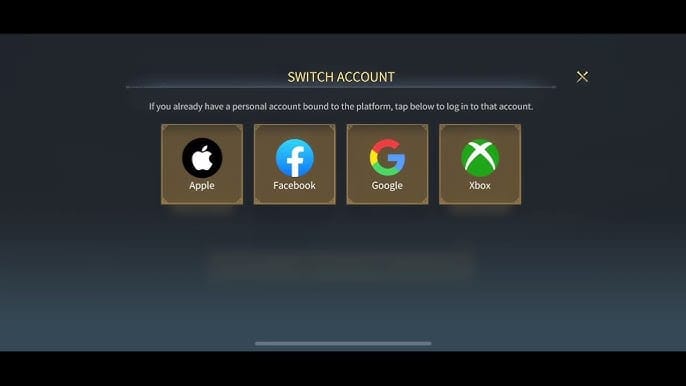
Contact the platform support immediately, but don't expect a guaranteed reversal. Some third-party top-up services may help recover a wrong-account top-up in certain cases, yet no reversal is guaranteed once delivery succeeds to a valid account.
This is the hard truth:
A lesser-known issue: community reports suggest region changes can be affected by alliance membership, which can create mismatch confusion. So if your account setup changed recently, verify region and server first instead of assuming the old details still apply.
When you contact support, be precise. Say:
what you entered,
what the correct player ID/server should have been,
whether the order shows completed or pending,
and attach proof.
How can I get a refund if my Empire Coins order is stuck or failed?
Refunds depend on where you bought and what actually happened. Officially, in-game purchase refunds are requested through the purchase store, such as Google Play or Apple, under store policy. The developer's official help guidance separates store refund issues from game support issues.
Use this refund logic:
Personally, I would avoid filing a chargeback while a normal support case is still under review unless the platform tells you to. Chargebacks can complicate investigations, especially when the order status is still being checked.
For official escalation, Age of Empires Mobile support can be reached in-game through Profile > Settings > Customer Service, and the official help center is at support.ageofempires.com.
How do I contact support for a missing Empire Coins top up, and what proof do they need?
Support moves faster when you send a complete case the first time. The minimum useful evidence is:
Order ID
Transaction ID or bank/payment reference
Exact payment time
Amount paid
Player ID
Character name
Server
Screenshot of payment success or bank charge
Screenshot of order status
Screenshot showing current in-game balance if relevant
Use this short message format:
State the issue: Empire Coins top up paid but not received.
Add the order ID and payment time.
List the exact account details entered.
Say whether the order is pending, paid, or completed.
Attach screenshots.
Community experience shows customer service often resolves non-delivery after purchase proof is provided. That's why evidence quality matters more than writing a long complaint.
FAQ
Why is my bank charged but the top up still says pending?
Because the bank charge may be an authorization hold, not a fully settled payment. Wait for final status on the order page and avoid paying again during that window.
How do I check my Age of Empires Mobile Empire Coins order status?
Check the order history on the site or app where you purchased the top-up. Look for status labels such as pending, paid, failed, canceled, or completed.
What proof does support need for a missing Empire Coins top up?
Support usually needs your order ID, payment reference, timestamp, amount, player ID, character name, server, and screenshots. If you leave out the account details, the case often slows down.
Can I get a refund if my Empire Coins order is stuck or failed?
Yes, sometimes — but the route depends on the purchase channel. In-game purchases follow app store refund policies, while top-up site issues are handled by that platform's support team.
What should I do if I entered the wrong account for Empire Coins top up?
Report it immediately with the wrong and correct account details. Recovery is possible in some cases, but once coins are delivered to a valid account, reversal is often not guaranteed.
How long should I wait before escalating a missing top up?
Wait up to 30 minutes after confirmed payment unless the order clearly shows failed or canceled earlier. If it's still unresolved after that, open a support case with full evidence.
Age of Empires Mobile Empire Coins top up issues are usually fixable, but only if you diagnose them in the right order: payment state first, recipient details second, delivery window third. Check the order history, verify player ID and server, wait up to 30 minutes, then escalate with screenshots and transaction details. If you still need help after that, contact VGTopup support with your order ID and proof so the case can be reviewed faster.