
No—there are no legitimate free LivU Coins hacks, generators, or shortcut tools. Safe LivU Coins top up means using an official or clearly authorized payment flow, entering the correct LivU account ID and region, completing payment authorization, and keeping your order proof in case coins are delayed.
From reviewing recharge issue patterns, the biggest avoidable mistakes are wrong account details, region mismatch, and users assuming a bank charge means the coins must already be cleared. If you want a LivU Coins safe top up, treat free coins, shared-card deals, and forced chargeback advice as red flags.
Why are free LivU Coins generators and hack tools not real?
They’re not real because legitimate LivU coin delivery still requires a normal payment and account-matching process. Community reports consistently describe free coin offers as fake downloads, phishing pages, survey traps, or mod APK promotions that never deliver balance.
In scam-prevention edits, this is the pattern I see most:
a page promises 999999 coins
it asks for login details, card verification, or survey completion
it redirects you through ads or APK downloads
no coins arrive
Users commonly report these offers on YouTube, Reddit, and fake promo pages. The risk isn’t just wasted time. It’s malware, account theft, and stolen payment data. And there’s a simple logic test here: if official top-up requires payment authorization, no real tool can bypass that and still credit your account normally.
Myth vs reality
A safer move: use app store billing, the official LivU website recharge flow, or a clearly established payment path that only asks for your User ID—not your password.
Why do users think chargebacks or risky shortcuts are harmless?
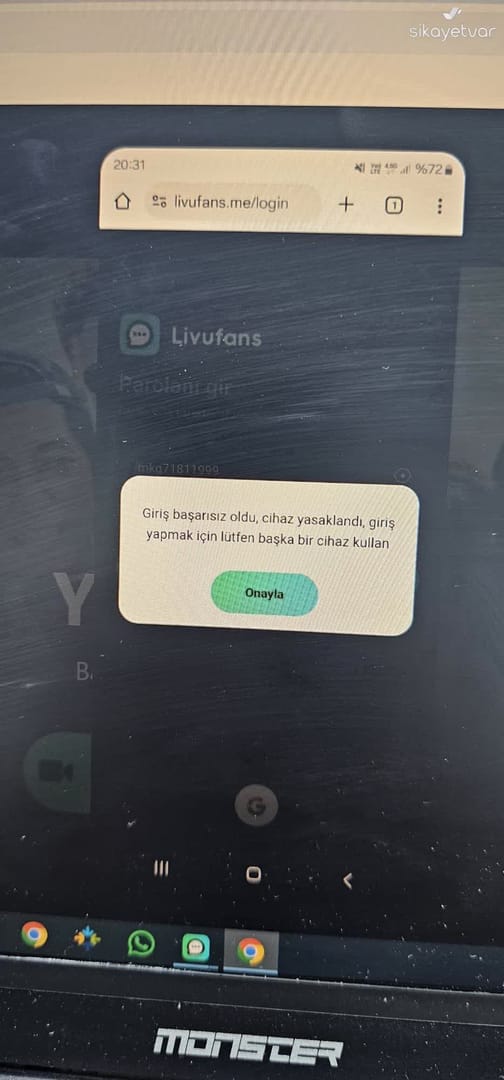
Because refunds, reversals, and chargebacks get mixed together, and that confusion leads to bad decisions. Officially, LivU support says refund requests can be submitted, accepted refunds return to the bank in 7–14 working days, and consumed coins aren’t refundable.
That’s very different from forcing a payment dispute through your bank. From comparing checkout paths and support cases, I would avoid chargebacks unless the payment is truly unauthorized and you’ve already tried normal support. Community and single-source reports suggest reversal attempts can trigger order review, and unconfirmed reports even suggest account checks or bans after unauthorized disputes. The certainty boundary matters here: only official LivU support can confirm penalties in your case.
Refund, dispute, and chargeback are not the same
Two details many guides miss:
If coins were already used, official policy says they’re not refundable.
A successful bank charge does not always mean the order has passed verification. Delays can happen during payment review or because the app/session didn’t refresh.
If you topped up the wrong account, users commonly report the best first step is support with transaction proof—not an immediate chargeback.
Why are unofficial discounts, shared cards, and region-mismatch top-ups risky?
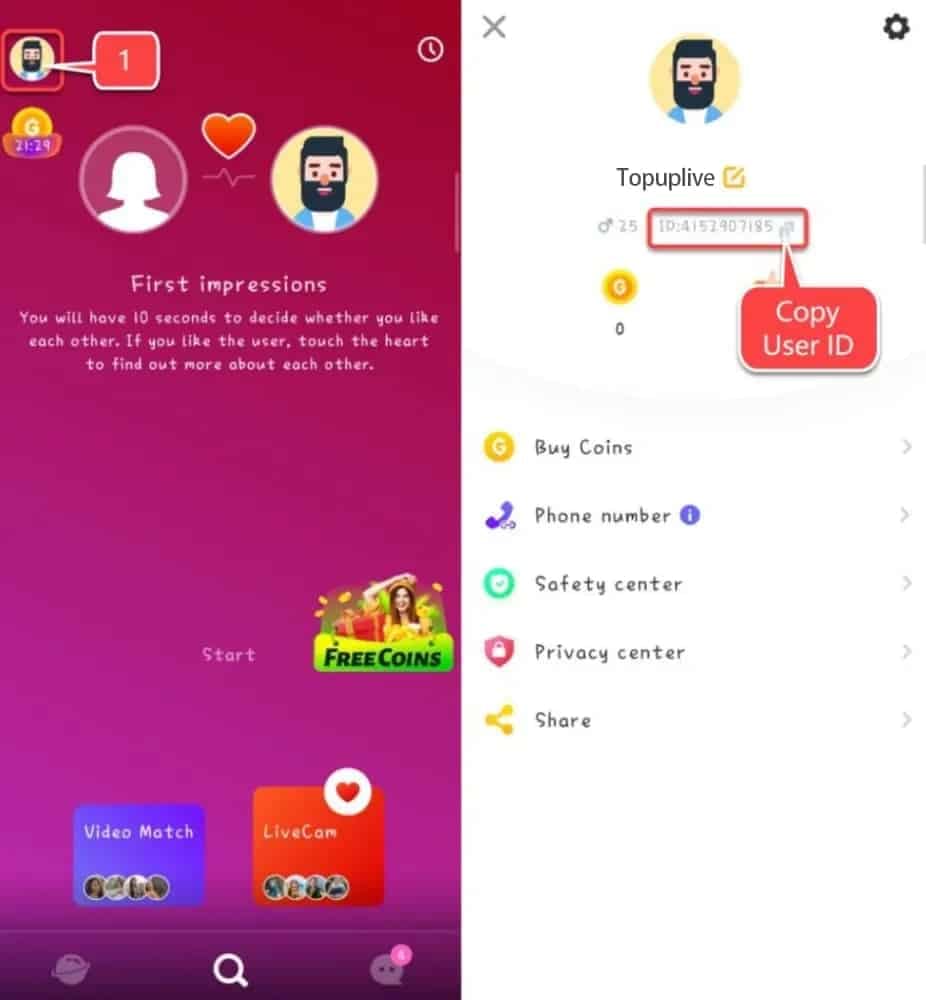
Because cheap doesn’t equal traceable. Legitimate top-up usually needs four things to line up: correct account ID, supported payment method, successful authorization, and delivery confirmation. Break any one of those, and the order can fail or stall.
Personally, I’m not against discounted recharge offers in principle. Official LivU recharge pages list discounted packages, and community-trusted channels can offer local payment convenience or even discounts reportedly up to 40%. But I would avoid any seller asking for your password, using someone else’s card, or ignoring region rules.
Users commonly report region-specific top-ups such as MYS, TR, ZAF, and KHM. Wrong-region top-up can fail or delay delivery. Turkish users, for example, are reported to prefer in-app local methods to avoid scam pages. That’s a useful reminder: region and payment compatibility matter more than chasing the lowest sticker price.
Signs of a normal checkout vs a risky one
If you’re comparing options, a LivU Coins legit recharge should feel boring: clear package, clear payment, clear receipt. That’s a good sign.
How can you top up LivU Coins safely without falling for scams?
You can do it safely by verifying account details first, using a supported payment path, and saving proof before anything goes wrong. Honestly, delayed delivery is frustrating when the payment already left your account, so prevention matters.
Confirm the exact LivU account ID
Enter the correct User ID only.
Don’t guess. One wrong digit can send coins elsewhere.
If your region matters, verify that too before paying.
Choose a supported payment route
Official website recharge flow
App store billing through Google Play or Apple App Store
Clearly established top-up channels that require User ID, not password
Common supported methods reported by users: credit card, debit card, prepaid card, local wallet
Check package, currency, and fees
Review denomination carefully. Community examples mention packages like 360 and 650 coins on some sites.
Make sure the displayed currency matches what your bank or wallet expects.
Finish bank app authentication or 3DS prompts. Leaving early is a common failure point.
Save proof before closing the page
Screenshot order ID
Save payment timestamp
Save selected package and account ID used
Keep the email receipt if one is issued
Wait for delivery confirmation
Some third-party channels advertise instant delivery, but instant still depends on successful authorization and account matching.
If coins don’t appear, restart the app or device, log out and back in, and check your internet first. That’s official troubleshooting.
How should you troubleshoot a LivU Coins payment that failed, is pending, or was sent to the wrong account?
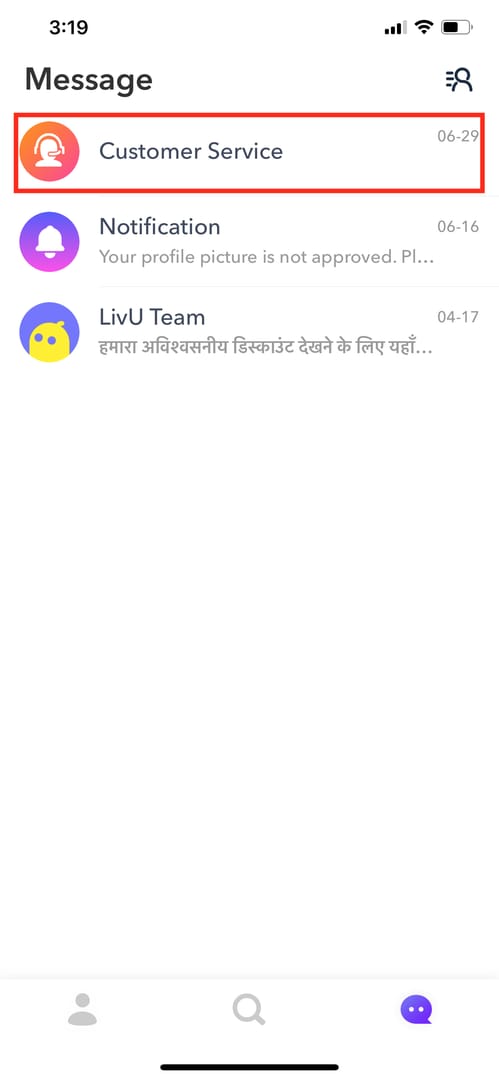
Start with basic verification, then escalate with evidence. Official guidance says failed purchases can come from poor internet or an outdated app, and delayed coins often relate to pending payment verification.
Check the obvious first
Was money actually deducted?
Is your internet stable?
Is the LivU app updated?
Did you restart the device and relogin?
Match the order details
Confirm the LivU ID entered
Confirm region
Confirm package selected
Confirm payment authorization completed
Collect support evidence
Order ID
Payment proof
Timestamp
Email receipt
Screenshot of the package bought
Screenshot of the account ID used
Contact the right side
If payment is pending or authorization failed, your bank/payment provider may need to confirm the transaction.
If payment succeeded but coins didn’t arrive, contact LivU support at support.livu.me with order ID and proof.
If the wrong account was topped up
Request help from support immediately with transaction proof.
Don’t spend time on reversal tricks. They often complicate review.
Quick troubleshooting table
Are free LivU Coins generators real?
No. Community reports and scam patterns point to phishing, malware, fake surveys, or fake downloads—not real coin delivery.
Can I get banned for using LivU Coins hacks or unofficial top ups?
Possibly, but only LivU can confirm penalties in a specific case. Unconfirmed reports suggest unauthorized top-ups or disputes may trigger account review, so I would avoid hacks and any seller asking for your password.
Why did my LivU Coins payment go through but coins did not arrive?
Usually because of pending verification, app refresh issues, wrong account details, or region mismatch. Official troubleshooting says to restart, relogin, check internet, and then contact support with order ID and payment proof.
Can I charge back a LivU Coins purchase if I used the wrong account?
You can try through your bank, but it’s not the safest first move. Support-first is better, especially because official refund eligibility depends on whether coins were consumed, and forced reversals can create extra review.
How do I top up LivU Coins safely?
Use the official LivU website, app store billing, or a clearly established checkout that asks only for your User ID. Verify ID, region, package, currency, fees, and save screenshots before payment.
What should I do if my LivU Coins recharge is pending?
Check whether the payment was fully authorized and whether the app refreshed properly. Then gather the order ID, timestamp, receipt, and account ID used before contacting support or your payment provider.
Is it safe to buy discounted LivU Coins from third-party sellers?
It can be safe if the checkout is traceable, asks only for User ID, supports normal payment authorization, and gives a receipt. I would avoid too cheap offers tied to shared cards, hacked APKs, or no order tracking.
LivU Coins Top Up myths are easy to believe because scams imitate real checkout language. The safe rule is simple: no free generators, no password-sharing, no rushed chargebacks, and no payment without proof. Verify your LivU ID, region, package, and authorization first, then use a traceable payment path. If something goes wrong, collect evidence and go to support before escalating.