
In the US, Watcher of Realms Gold with Cash App usually works only when the checkout explicitly supports Cash App or standard debit-card payment. The key distinction is simple: Cash App balance is not a universal wallet option everywhere, while Cash App Card-style debit checkout is what most digital goods sites are built for.
For Watcher of Realms, official information confirms that Codashop US supports direct Cash App payment for W-Gold, and you don't need a Cash App Card there. On other USD checkout flows, you may need a debit-card path instead. Before paying, verify your User ID, Zone ID, US region, and billing ZIP, because most failed orders come from those details, not the game itself. If you want a straightforward Watcher of Realms Gold Cash App top up, treat payment method support and account matching as the two checks that matter most.
Why do US buyers search for Cash App instead of a regular bank card for Watcher of Realms Gold?
Because "Cash App" is how many US buyers describe their payment method, but checkout systems don't always mean the same thing by it. That's the part most guides miss.
From reviewing digital top-up payment failures, the most common mistake is assuming Cash App balance, Cash App Card, and linked bank funding all behave the same. They don't. For digital goods, merchants usually accept either:
a direct wallet button for Cash App, if the site supports it
a standard debit card checkout
another local checkout method in USD
For Watcher of Realms in the US, the confirmed direct case is Codashop US, which officially supports Cash App for W-Gold top-ups. That's different from the official game shop flow, which redirects buyers to partners and does not list direct Cash App on the official shop itself.
Personally, I would always separate these two questions before paying:
That distinction saves time. And honestly, it's where a lot of US buyers get tripped up.
Why might Cash App work in one checkout flow but fail in another for Watcher of Realms Gold?

Because website top-up and in-app billing are different payment rails. A site can support Cash App directly while an app-store purchase route does not.
Officially, shop.watcherofrealms.com redirects top-ups to partners such as Smile.one, and no direct Cash App option is confirmed on the official shop itself. On the other hand, Codashop US does support direct Cash App for Watcher of Realms W-Gold. That's why one path works cleanly and another doesn't.
There's also a cost angle. Users commonly report that partner top-up sites are cheaper than in-app purchases because they avoid app-store platform fees. I agree with that preference. If your goal is value and cleaner order tracking, I would avoid the in-game store unless you specifically need app-store billing.
Typical US failure points are also very local-market specific:
Insufficient Cash App balance
Billing ZIP mismatch
Fraud screening or security hold
Issuer decline
Card not enabled for online purchases
Blocked digital goods transactions
A successful charge attempt doesn't always mean the order has cleared verification. That's an annoying but real edge case. Community reports say pending orders usually resolve shortly after payment confirmation, but Cash App payments can cancel after 24 hours if still pending, and official policy says funds return instantly if the transaction is flagged as fraudulent.
Why do account ID and region checks matter before you buy Watcher of Realms Gold?
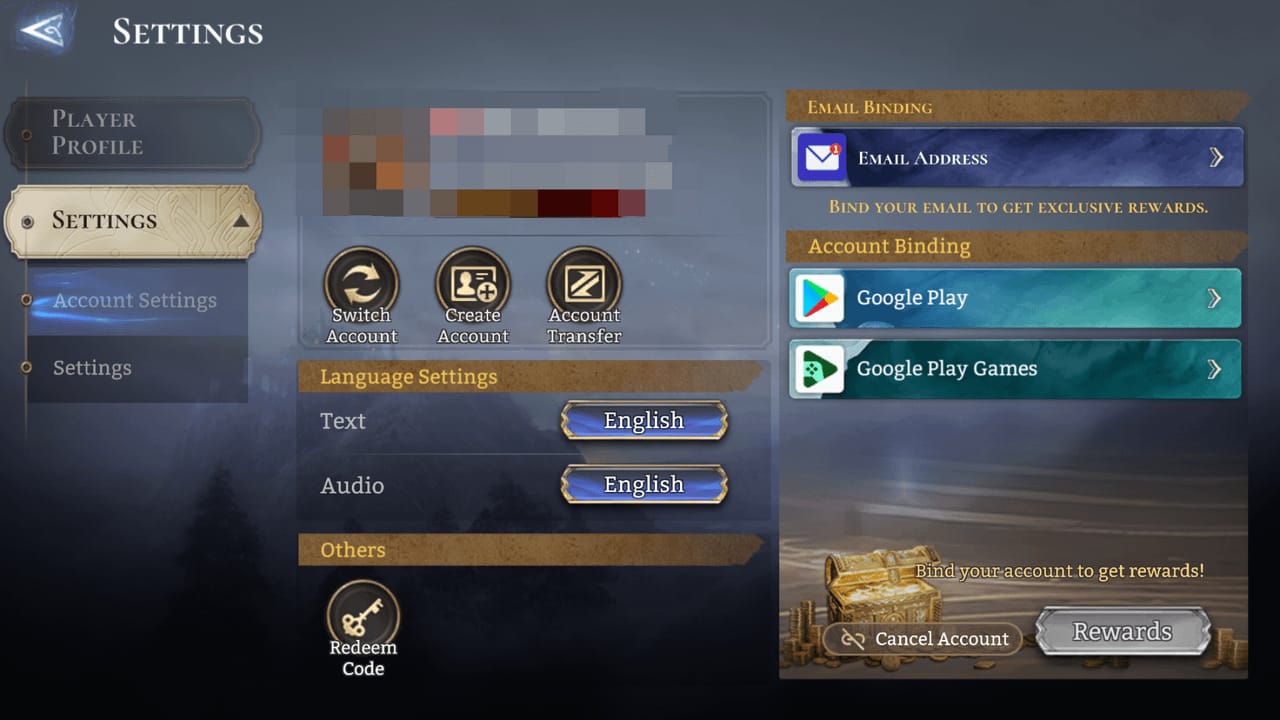
Because W-Gold delivery is tied to the exact game account, not just your payment. If the account details are wrong, the payment can still go through while the Gold goes to the wrong place or gets stuck for review.
For US top-ups, the required identifiers are:
User ID: 7 digits
Zone ID: 4 digits
Format example: 1234567 (1234)
Users commonly report that you should verify User ID and Zone/Server before payment to match the correct US account. And after the publisher change, official guidance indicates US accounts should use the US-region client by Skystone for compatible top-ups.
I would check these first:
This is also why gifting or topping up another account needs extra care. One wrong digit is enough to create a support case.
How do you top up Watcher of Realms Gold with Cash App in the US step by step?
Use a checkout that clearly supports your payment type, then verify account details before you pay. For direct Cash App in the US, the confirmed route is Codashop US.
Choose a trusted top-up path
For direct Cash App, use a checkout that explicitly lists it.
If the site only supports debit-card payment, use your debit-card route instead.
Don't assume every Watcher of Realms seller supports Cash App just because it accepts cards.
Pick your W-Gold package in USD
W-Gold is sold in USD packages on partner sites.
Officially listed Smile.one US price examples include:
Enter the correct account details
Input your 7-digit User ID and 4-digit Zone ID
Double-check the account is your US Watcher of Realms account
If topping up for someone else, confirm the ID from a screenshot, not from memory
Complete USD checkout
On supported sites, choose Cash App directly if available
On ZIP-verified checkouts, enter your US billing ZIP code exactly as your payment profile expects
Review the final total before confirming

Save proof immediately
Keep the order ID
Save the payment receipt
Take a screenshot of the User ID / Zone ID used
Wait for delivery
Community experience says delivery is usually instant
If the order is marked pending, wait for payment confirmation before trying again
From comparing checkout paths, I prefer the one with clearer order tracking even if the price difference is small. If you need another Watcher of Realms Gold US wallet recharge route, prioritize visible payment status and account-entry confirmation over flashy discounts.
What should you do if Cash App payment fails or Watcher of Realms Gold does not arrive?

First, don't place a duplicate order until the first payment status is clear. That's the fastest way to turn one issue into two.
Follow this order:
Check payment status
Was it declined, pending, or completed?
If pending, wait briefly for confirmation
Recheck the common failure points
enough Cash App balance
correct billing ZIP
online purchases enabled
no digital-goods block or fraud hold
Confirm account details
User ID
Zone ID
US-region account/client
Gather support proof
order ID
payment timestamp
receipt screenshot
account ID screenshot
Contact the top-up site support first
Users commonly report quick resolution when payment succeeded but W-Gold was not credited
Official game support channels and the game's Facebook support route can also help with payment issues
Ask about refund options if the order remains stuck
Community reports say refunds may be handled through the top-up site or Cash App
If there is no delivery and no resolution, dispute options may apply
In US checkout troubleshooting, the fastest support resolution usually starts with three details: order ID, account ID, and payment timestamp. I would send those in the first message instead of waiting for support to ask.
FAQ
Can you use Cash App to buy Watcher of Realms Gold in the US?
Yes, directly on Codashop US, according to official support for Watcher of Realms W-Gold. But that does not mean every checkout or the official shop itself supports direct Cash App.
Do you need a Cash App Card to top up Watcher of Realms Gold?
Not on Codashop US. Officially, direct Cash App is supported there, so a separate Cash App Card isn't required for that route.
Why did my Cash App payment fail for Watcher of Realms Gold?
The usual reasons are insufficient balance, ZIP mismatch, fraud checks, issuer decline, or card settings blocking online/digital purchases. In my experience reviewing recharge issues, ZIP and card-setting problems are more common than users expect.
How long does Watcher of Realms Gold top up take to arrive?
Usually instantly after successful payment confirmation, based on community reports. If the order is pending, delivery can be delayed until the payment clears.
What account details do I need before buying Watcher of Realms Gold?
You need your 7-digit User ID and 4-digit Zone ID. Verify the correct server/region before paying, especially on US accounts.
Can I use Cash App balance instead of a bank card for digital top-ups?
Only when the merchant directly supports Cash App as a payment option. If the checkout only accepts standard debit-card payments, your wallet balance alone is not the same thing.
What should I do if I paid but did not receive Watcher of Realms Gold?
Wait briefly if the order is still pending, then contact the top-up site's support with your order ID, account ID, receipt, and timestamp. Keep all proof until the W-Gold is credited or refunded.
Watcher of Realms Gold top-up with Cash App in the US is straightforward once you separate direct Cash App checkout from debit-card-style payment. The safest move is to use a checkout that clearly supports your method, verify your User ID, Zone ID, US region, and billing ZIP, then keep your order proof. If speed matters, choose the route with the clearest payment status and support tracking.