
To top up Super SUS Goldstar for live gifting and creator fan support, the safest approach is to verify the receiving account first, then use an official or clearly supported checkout route for your region. The crucial detail is the 11-digit Super Sus Space ID, because Goldstar top-ups are tied to that identifier. Just as important, though, is a reality check: current official information supports Goldstar as premium currency for in-game items such as skins, roles, bundles, and Super Pass. It does not clearly confirm a universal live gifting or creator-tip system across all accounts.
If you arrived here looking for a simple yes-or-no answer, here it is: you can buy Super SUS Goldstar safely, but you should not assume it functions as creator fan credits unless you have already confirmed that feature inside your own game flow. That distinction matters, because it changes how much you should buy, which checkout route makes sense, and what kind of proof you need to keep in case the balance does not appear.
For a broader walkthrough, you can also see the Super SUS top up guide.
What is Goldstar actually for, and why does that matter before you pay?
A lot of search intent around Super SUS uses terms like live gifting, fan support, coins for gifts, or creator credits. The problem is that the confirmed facts are narrower than that language suggests. Officially, Goldstar is the premium currency used for in-game purchases, including skins, roles, bundles, and Super Pass. There is also evidence of event-based value, such as a recharge event where topping up 1000 Goldstars granted a Ruby Skin set within 7 days.
What is not clearly documented in the fact set is a broad, official live gifting or creator support feature comparable to a dedicated tipping system. One source explicitly notes that no live gifting or creator features were found and that Goldstar appears tied to cosmetics only. That does not prove no account will ever show social or support-style interactions, but it does mean buyers should be careful with assumptions.
In practical terms, this changes the buying mindset. If your goal is to unlock cosmetics, buy Super SUS Goldstar with confidence once your account details are correct. If your goal is to support a creator, first confirm what your account can actually do before making a large purchase. The biggest avoidable mistake is not choosing the wrong card or wallet; it is buying a large balance for a use case that has not been verified on your account.
What should you verify before a Super SUS Goldstar top up?
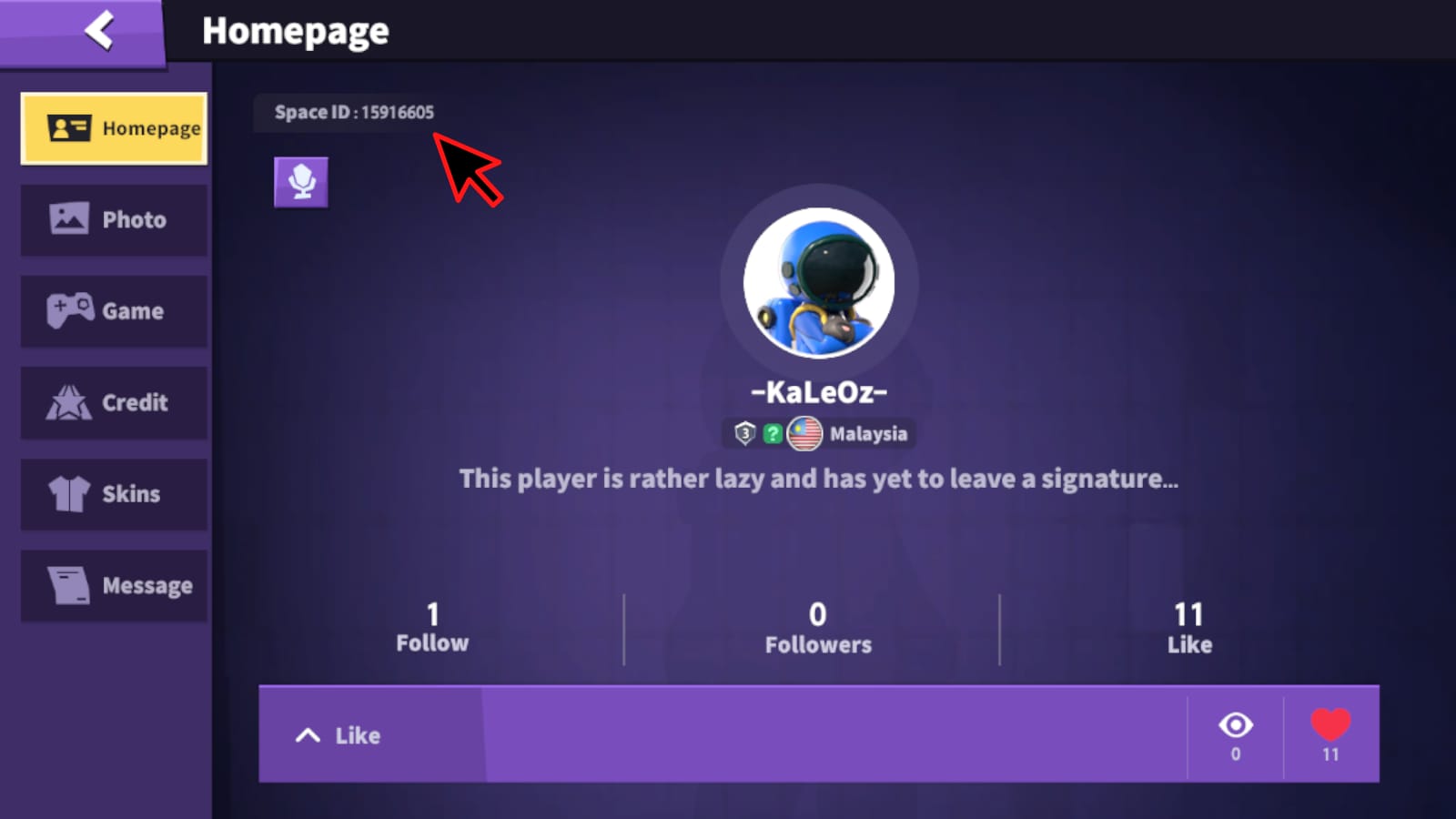
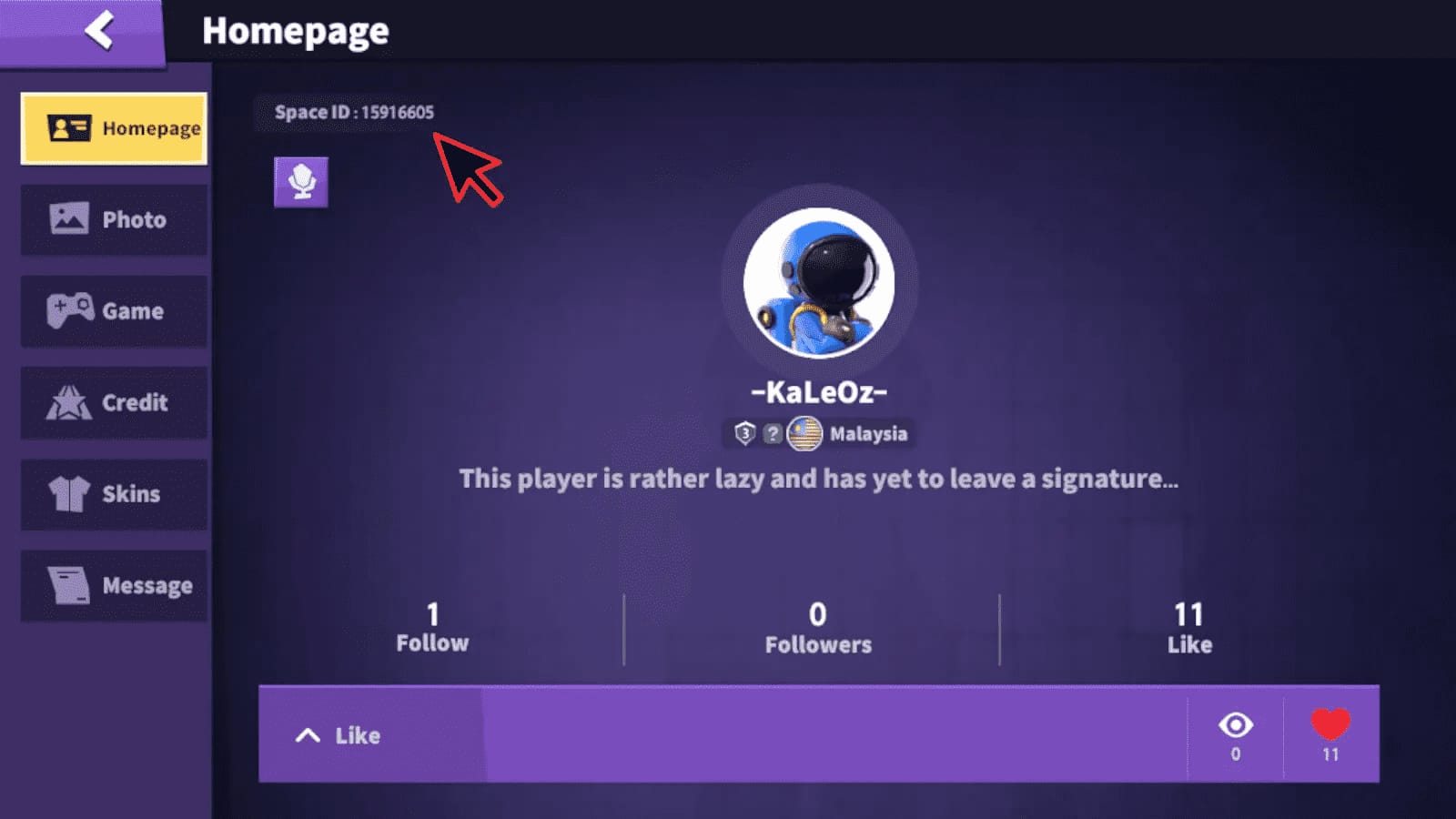
The most important requirement is the 11-digit Space ID. Officially, Super Sus Goldstar top-ups require that identifier, and the standard process is straightforward: enter the Space ID, select the Goldstar amount, pay, and the balance is delivered to the account.
That sounds simple, but support cases usually become messy because buyers verify too little before checkout. From reviewing digital top-up issues in general, the pattern is familiar: people remember the payment method, but not the exact account details that support will ask for later.
Before you pay, confirm these points carefully in the app or on the account screen:
the exact 11-digit Space ID
the login method currently tied to that account
whether the profile shown on screen is the one you intend to fund
your region and payment region
whether you are on a shared or recently switched device
That last point matters more than many buyers expect. If you use multiple accounts, or if someone else has logged in on the same phone or tablet, it is easy to top up the wrong profile without noticing until after payment. A wrong-account top up is much harder to fix than a failed payment.
Region also deserves more attention. Community guidance repeatedly points to region mismatch as a common source of friction. Matching the payment region to the account region can reduce failures, especially when using local methods such as GrabPay in Singapore or the Philippines, GCash in the Philippines, or Touch 'n Go eWallet in Malaysia.
If you want a focused breakdown of account checks, the related topic is covered in What account details do you need before buying Super SUS Goldstar?.
Is it better to top up on iPhone, Android, or the web?

For Super SUS, the usual App Store versus Google Play versus web comparison is less dramatic than it is for many other apps. The available facts point to a web-based top-up flow rather than a clearly documented app-store billing system. Community information describes iOS, Android, and web as using a fairly uniform web top-up path, and there is no documented app-store restore purchase flow in the fact set.
That has two important implications.
First, the safest baseline is the official recharge site, pay.supersus.io, which is identified as the official Super Sus Goldstar recharge site and includes regional selectors. Second, official partner routes may make more sense than trying to force a mobile-store style purchase expectation onto a system that does not appear to rely on classic in-app billing.
For supported regions, Codashop is an official partner for Super Sus Goldstar in PH, SG, MY, and TL. Officially supported regional payment methods include:
GCash in the Philippines
GrabPay in Singapore and the Philippines
Touch 'n Go eWallet in Malaysia
Credit cards are the main global option on official routes. The fact set does not show official support for USDT or Binance Pay, so buyers should not assume those are available on official checkout pages.
The practical trade-off is simple. If you want the clearest order trail and the least ambiguity, use the official web checkout at pay.supersus.io. If you are in a supported region and prefer a familiar local wallet, Codashop may be more convenient. What matters is not whether you are on iPhone or Android, but whether the route is official or clearly supported for your region and whether it gives you usable order details afterward.
For a side-by-side platform view, see Super SUS top up on iPhone vs Android vs web checkout.
How much Goldstar should you buy if you are testing, repeating, or spending big?
Because live gifting and creator support are not clearly documented as universal Goldstar uses, the safest buying strategy is to size your purchase around confirmed in-game value first.
Community guidance suggests that first-time buyers often start with 100 to 310 Goldstar as a low-risk test. That makes sense. It lets you confirm that the account, region, and delivery flow all work before you commit more money. It also fits buyers who simply want enough balance for a small cosmetic purchase.
There are some pricing snapshots in the fact set, but they come from mixed community and single-source references rather than a single official global price table. Examples include:
100 Goldstar listed around $0.88 to $1.40 in some snapshots
310 Goldstar listed around $2.04 to $2.36
520 Goldstar listed around $3.97
one Philippines listing showing 100 Goldstar at ₱42.75 plus 28 extra
Those figures are useful as rough orientation, not as a universal promise. Regional pricing and partner offers can vary.
A better way to think about quantity is by buyer profile:
If you are a first-time buyer, treat the purchase as a system test. A small pack is enough to verify that your Space ID is correct, your payment method works, and the balance arrives as expected.
If you top up regularly, your focus should shift from smallest possible spend to cleanest repeat process. Keep your previous receipts, confirm the same Space ID each time, and check your order history before making the next purchase. Repeat buyers often run into trouble not because the platform changed, but because they assume the same account is still active on the device.
If you are planning a larger purchase, only do it for a confirmed use case. Community guidance points to 1000+ Goldstar purchases making more sense during events or for pass-related value. There was also an official event where recharging 1000 Goldstars granted a Ruby Skin set within 7 days. That is the kind of concrete reason that justifies a bigger order. A vague hope that Goldstar might function like creator gift credits is not.
Payment went through, but the Goldstar did not appear. What now?
This is where buyers need calm, not speed. A successful charge is not always the same thing as completed delivery. Community experience suggests that balance issues sometimes clear after a relog or after waiting 5 to 10 minutes, while some non-official routes may take anywhere from 2 to 60 minutes.
Start with the simplest checks.
Make sure the Space ID on the order is the one you intended to top up. If it is wrong, the Goldstar may have been delivered elsewhere. Then check whether the payment is fully completed rather than merely pending. After that, relog the game and refresh the account state. If you purchased across regions, consider whether a region mismatch may have interfered with processing.
The most useful support bundle is not complicated, but it needs to be complete. Keep:
the order ID
the receipt or invoice screenshot
the Space ID used for the purchase
the payment timestamp
screenshots of the account or balance page if relevant
wallet or card transaction proof when applicable
This is especially important because there is no documented restore purchase flow in the available fact set. If the balance does not appear, support is more likely to rely on your Space ID and payment proof than on any automated restore mechanism.
If the issue persists after a short wait and a relog, stop retrying random payments. Repeated attempts can make the situation harder to untangle. Instead, gather your proof and contact the official help route with a clean summary of what happened.
If you need a dedicated troubleshooting path, the related topic is Why did my Super SUS Goldstar not arrive after payment?, and for documentation recovery there is also Super SUS receipt, invoice, and order ID recovery guide.
What should different buyers do differently?
The best advice depends less on hype words like fan support and more on what kind of buyer you are.
A first-time buyer should keep things boring on purpose. Use the official recharge site or an official regional partner, enter the 11-digit Space ID carefully, and start with a small amount such as 100 or 310 Goldstar. Your goal is not maximum value on the first try; it is confirming that the account and payment flow work correctly.
A repeat buyer should build a routine. Use the same trusted route, keep every receipt, and verify the active account before each purchase. Repeat spending becomes safer when your proof trail is organized. It becomes riskier when you rely on memory.
A high-value supporter should be the most conservative of all. Use official pay.supersus.io or an official partner such as Codashop where supported, take screenshots before and after payment, and avoid making a large purchase unless the intended use is clearly confirmed in-game. Bigger orders deserve stricter checks, not looser ones.
Across all three profiles, the same safety boundary applies: avoid suspiciously cheap offers and unclear sellers. Community guidance consistently favors sticking to official routes like pay.supersus.io and Codashop, especially because order tracking and support proof are cleaner there.
The practical bottom line
Super SUS Goldstar is a real and useful premium currency, but the confirmed use case is in-game spending on items such as skins, roles, bundles, and Super Pass. If you are searching for How to Top Up Super SUS Goldstar for Live Gifting and Creator Fan Support, the honest answer is that you can top up Goldstar safely, but you should verify any gifting or creator-support function inside your own account before buying for that purpose.
For most buyers, the best next move is simple: use your 11-digit Space ID, choose an official or supported regional checkout, start small if this is your first purchase, and keep the order ID, receipt, and timestamp from the moment you pay. That is what prevents the most expensive mistakes.
If you want the straightforward route, the main reference point remains the Super SUS top up guide.