
To top up PUBG Mobile UC with crypto safely, verify your player ID and package first, use a trusted checkout with clear order tracking, and send the exact coin on the exact network shown at payment. Most failed crypto top-ups come from wrong account details, wrong network selection, or underpaying after fees — not from the UC product itself.
PUBG Mobile doesn’t officially accept cryptocurrency directly. The safe workaround is to buy a region-matched UC gift card with crypto, then redeem it on official Midasbuy using your player ID and account region. If you want PUBG Mobile UC top up with crypto, treat it like an irreversible transfer: check every detail before you send.
Why do users choose crypto for PUBG Mobile UC top up?
Crypto is mainly useful when card payments fail, you don’t have a credit card, or you want a payment method with more privacy. Community experience consistently shows this is the practical use case: buy a UC gift card with Bitcoin, USDT, or Ethereum, then redeem through official Midasbuy.
From comparing checkout paths, crypto is convenient only when the seller gives you three things clearly:
exact coin and network
live order status
reachable support
Without those, crypto becomes the riskiest option because blockchain payments are irreversible. Google Play and the App Store are official for PUBG purchases, but they don’t support crypto. So the real trade-off is simple:
Personally, I prefer any flow with clearer order tracking over a slightly cheaper one. Reddit-style community consensus is blunt here: official Midasbuy is the only officially safe redeem path, while very cheap unofficial UC offers are where scams and unusable carding UC reports show up.
Why do PUBG Mobile UC crypto payments fail or get delayed?
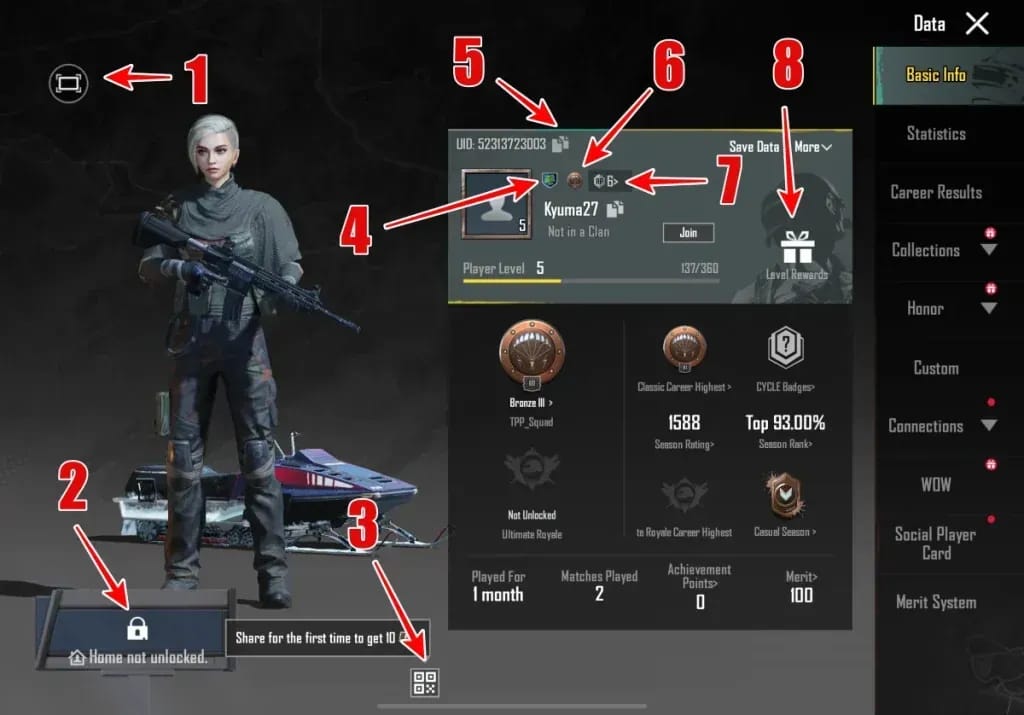
They usually fail because of input mistakes or payment mismatches. In my experience reviewing recharge issues, the most common preventable problem is the wrong player ID entered before payment.
Officially, Midasbuy needs:
your PUBG Mobile player ID
your account region
the UC package or gift card amount
Your player ID is the 10–11 digit Character ID shown in the in-game settings. And region matters more than many guides admit. Some UC gift cards are region-locked, such as US-only cards, and unsupported region combinations can trigger redeem failure, including community-reported B100 errors.
The other big failure points are crypto-specific:
A detail many competitors skip: the right coin is not enough. USDT is the classic trap. Users commonly send USDT on ERC20 when the checkout generated a TRC20 address, or the reverse. That’s much harder to recover than a normal card-payment error.
And a successful wallet send doesn’t always mean the order has cleared. Delays can come from blockchain confirmations, fraud checks, or security flags on the account or device. Typical delivery is often instant after confirmation, but some sellers note up to 10 minutes, and longer waits do happen.
How do you top up PUBG Mobile UC with crypto safely step by step?
The safest method is: buy a region-correct UC gift card from a trusted crypto-enabled seller, then redeem it on official Midasbuy.
Check your PUBG account details first
Open PUBG Mobile and copy your 10–11 digit player ID exactly.
Confirm your account region.
Choose the correct UC amount before paying.
If you’re buying for another account, I would check the ID twice. One wrong digit is enough to ruin the order.
Verify the product page before checkout
Make sure the page clearly states the region, UC amount, and delivery method.
Look for HTTPS, support contact, and order tracking.
Avoid using a VPN to force a cheaper region. Users commonly report payment flags or account risk from cross-region behavior.
Choose the crypto carefully
Common options are Bitcoin, Ethereum, and USDT.
If using USDT, match the exact network shown by the seller, such as TRC20 or ERC20.
Check whether the payment page requires a memo or tag. If it does, include it exactly.
Send the exact amount within the quote window
Use the generated wallet address only for that order.
Pay before the quote expires. If it times out, rescan or generate a new address.
Don’t let network fees reduce the received amount below the required total.
Save proof before closing the page
Screenshot the order confirmation
Save the order ID
Save the TXID / transaction hash
Save the wallet address used
Save the player ID you entered
Redeem through official Midasbuy
Log in to Midasbuy.
Go to the PUBG purchase page and tap Redeem.
Select the correct region, enter your player ID, and redeem the code.
Then check your UC balance in the in-game store.
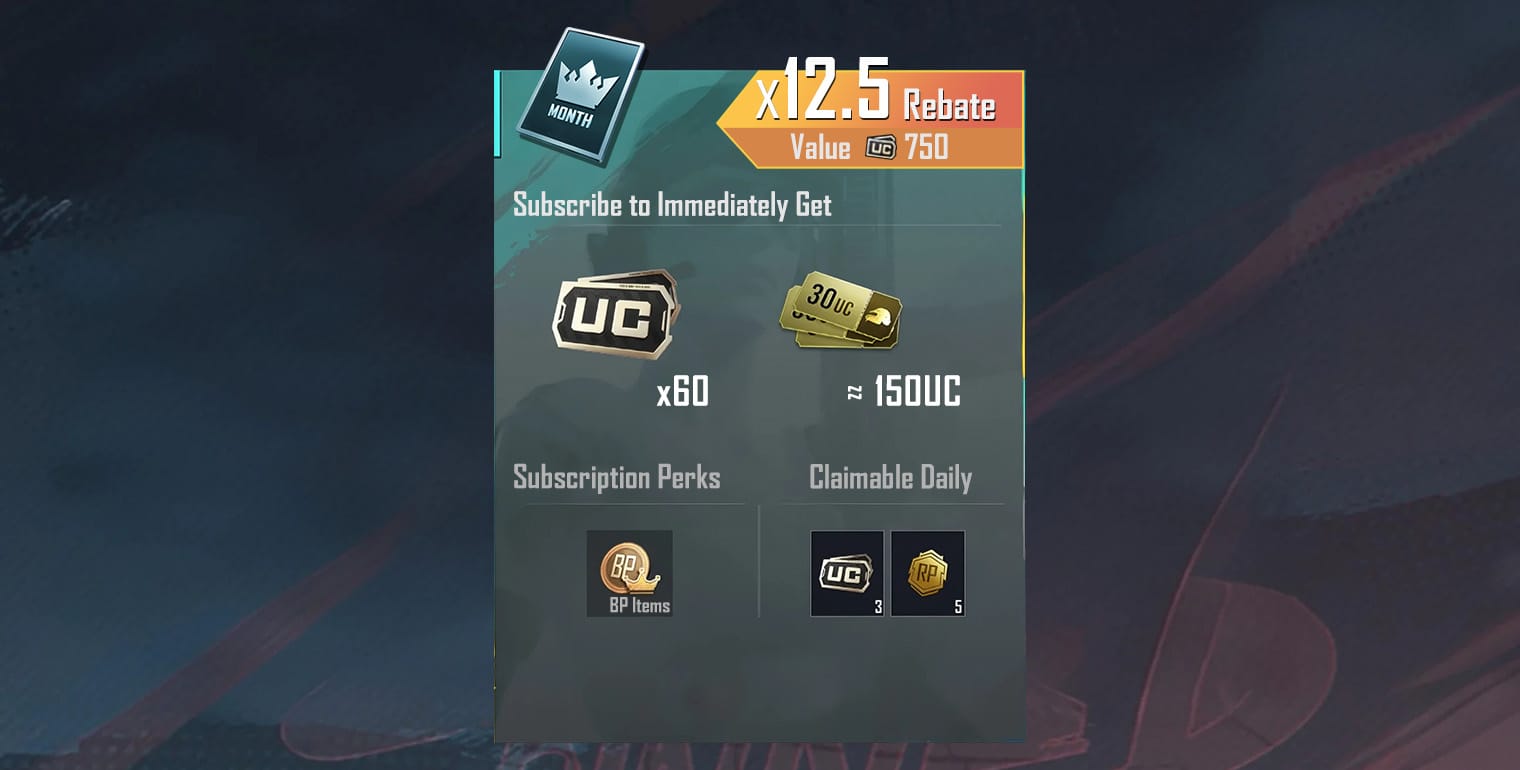
If you’re comparing ways to buy PUBG Mobile UC using bitcoin, this official-redeem route is the one I’d trust most because it separates the crypto payment risk from the final UC redemption step.
What should you do if your PUBG Mobile UC crypto order has a problem?
Start with evidence, not guesses. When troubleshooting delayed delivery, the first details support usually needs are the order ID, transaction hash, selected package, and the exact account identifier used.
Use this order:
Wait for confirmations
Check whether the blockchain transaction is still pending.
Slow chains and manual review can delay delivery.
Refresh and verify
Refresh the game.
Check Midasbuy order history.
Confirm you redeemed the code on the correct region and player ID.
Collect the full support bundle
order ID
TXID
wallet address
coin and network used
amount sent
player ID
screenshots of confirmation
Contact the seller first for payment-side issues
Best for pending payment, expired quote, underpayment, or no code received.
Contact official PUBG support for UC-side issues
If the code redeemed but UC still doesn’t appear after 24 hours, official guidance is to open a Helpshift ticket with receipts.
Honestly, delayed delivery is frustrating when the payment already left your wallet. But support can only fix certain problems. They can usually help with pending verification or missing delivery records. They usually cannot reverse a blockchain transfer sent to the wrong address or wrong network.
Can you buy PUBG Mobile UC with crypto?
Yes — but not directly from PUBG Mobile. Officially, PUBG Mobile UC doesn’t accept cryptocurrency as a direct payment method, so the standard workaround is buying a UC gift card with crypto and redeeming it on Midasbuy.
Is it safe to top up PUBG Mobile UC with USDT?
Yes, if you use a trusted seller and match the exact network shown at checkout. The main risk with USDT is sending on the wrong chain, which users commonly report as the most expensive mistake.
Why did my PUBG Mobile UC not arrive after crypto payment?
The usual causes are wrong player ID, region mismatch, delayed blockchain confirmation, expired quote, or underpayment after fees. First refresh the game, check Midasbuy history, then contact support with your order ID and TXID.
What happens if I send crypto on the wrong network?
In many cases, the payment can’t be recovered. That’s why network matching matters as much as the coin itself, especially for USDT.
Can I get a refund for a PUBG Mobile UC crypto top up?
Usually not once the crypto transfer is completed, because blockchain payments are irreversible. Official PUBG support may handle unused UC refunds within 7 days in some cases, but that is different from reversing a mistaken crypto transfer.
What details do I need before paying for PUBG Mobile UC with crypto?
You need your 10–11 digit player ID, account region, selected UC package, and your contact/order details. I’d also keep a screenshot of the player ID entry before paying.
How long does PUBG Mobile UC delivery usually take after crypto payment?
Commonly it’s instant after the crypto confirms, though some sellers note up to 10 minutes. If nothing arrives after 24 hours, contact support with full proof.
PUBG Mobile UC crypto top-up is safe when you use crypto only for the gift card purchase and keep redemption on official Midasbuy. Double-check player ID, region, coin, network, and final amount before sending. If you want the lowest-risk path, choose a checkout with transparent support and full order traceability — then keep every receipt until the UC is in your account.