
If your Bigo Live Diamonds payment failed, first check whether the order is actually failed, only pending, or charged without delivery. That distinction matters more than most users realize. A true failure means no charge; a pending payment often clears within 24–48 hours; a charged-but-undelivered order usually needs a wallet refresh before support.
From reviewing failed recharge cases, the biggest mistake is retrying too fast. Start by refreshing Me > Wallet > History, wait 5–10 minutes, and check your bank statement before trying again. Basic fixes like refresh, cache clear, and relog reportedly resolve about 90% of recharge issues within 10 minutes. If you need a structured Bigo Live Diamonds payment failed fix, focus on status, account ID, region, and payment verification first.
Why did my Bigo Live Diamonds payment fail?
The most common reasons are bank fraud filters, 3D Secure failure, insufficient funds, billing mismatch, app glitches, and region restrictions.
Here’s the breakdown that matters:
Two stats stand out. Around 30% of failures are tied to bank fraud filters on entertainment or international transactions, and 40% come from account ID mismatches. That second number surprises people, but honestly, I would check the account details before blaming the card.
A lesser-known issue: cross-border payments get much riskier at higher amounts. Payments over $100 reportedly fail 68.5% of the time cross-border, versus 4.2% for local transactions. That’s why testing with a small order—such as $1 for 60 diamonds—is often the cleanest way to confirm whether the payment flow works.
Can region mismatch or account errors block a Bigo Live recharge?
Yes. Region mismatch and account mistakes are confirmed causes of Bigo Live recharge failure.
Error 4301 is tied to region mismatch on gift cards or recharges. Users commonly report this when the payment method country, account region, and checkout region don’t line up. Nigeria is one documented example where users report region-lock issues and 4301 errors.
Account errors are just as serious. Your Bigo account ID is a 7–10 digit number in the Me section. If you top up the wrong ID, diamonds can go to another account, and community reports say recovery is often not possible. That’s why just retry is bad advice if you haven’t confirmed the right login and ID.
From comparing checkout paths, region consistency is often more important than users expect:
App account region
Card or wallet issuing country
Gift card or recharge region
Whether you’re using a VPN
Whether the payment is local or cross-border
And repeated retries can make things worse. Users commonly report extra risk checks after multiple failed attempts, which is why spacing retries by 15–30 minutes is safer than hammering the checkout.
Why does app store billing fail differently from web checkout?
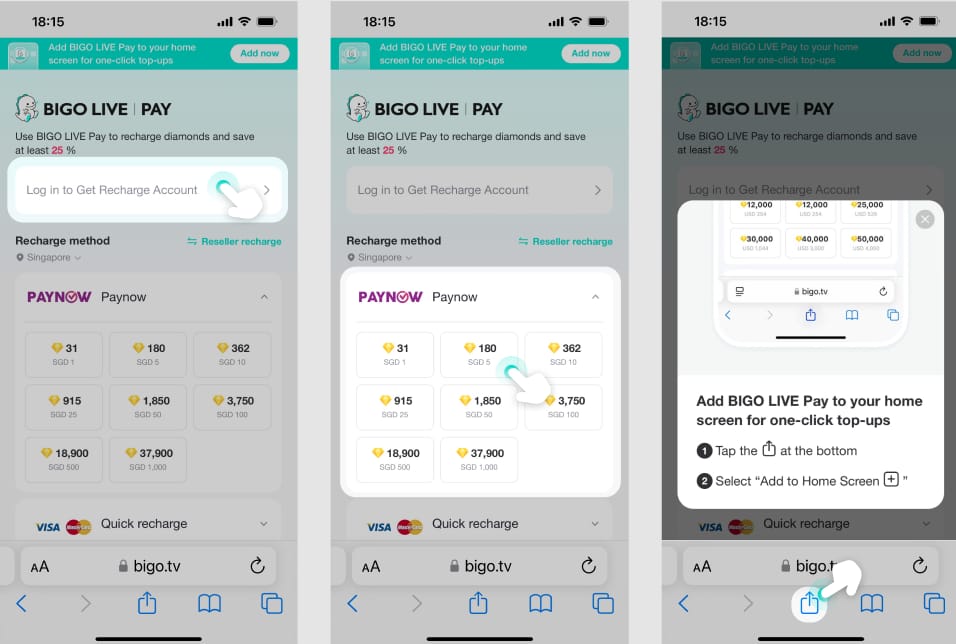
Because Apple and Google handle in-app billing, while direct web recharge uses a different payment flow.
If your in-app purchase fails on iPhone or Android, the official guidance is to contact the App Store or Google Play for billing declines. Apple Pay declines are officially tied to payment settings under Settings > Payment & Shipping or issuer-side blocks. On the web side, Bigo’s official recharge portal is m.bigopay.tv, and failures there are more likely tied to bank checks, region, or browser/session issues.
That difference changes who you contact:
Personally, I prefer the route with clearer order tracking, even if it isn’t always the cheapest. When the official path is blocked by region or payment-country mismatch, some users use third-party top-ups as an alternative. If you go that route, verify the seller and keep every receipt.
How do I fix a Bigo Live Diamonds payment failed error step by step?
Fix it by checking order status first, then verifying account/payment details, then retrying safely.
Identify the order state
Failed: immediate reject, no charge.
Pending: charged, but still processing; wait 24–48 hours.
Charged but not delivered: payment completed, diamonds missing; often an app sync issue.
Cancelled: user or system cancelled; no charge.
Refresh the wallet before doing anything else
Open Me > Wallet > History
Pull down to refresh
Wait 5–10 minutes
For delayed delivery, refresh 3–5 times
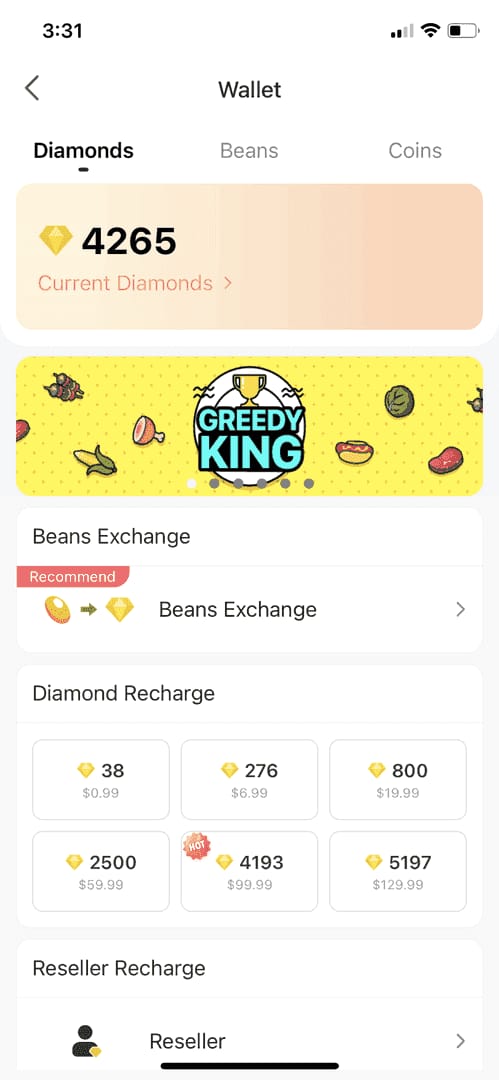
One source set says this resolves 68% of pending cases in 5–10 minutes.
Check your bank or payment statement
Don’t rely only on the app error message.
A successful bank charge does not always mean the order has fully cleared verification.
If there’s no charge, treat it as a failed payment.
If there is a charge, don’t retry immediately.
Verify the Bigo account
Confirm you’re logged into the right account
Check the 7–10 digit numeric Bigo ID
Make sure you didn’t switch accounts or use a guest/session login by mistake
Check payment details
Enough balance for the purchase plus 1–3% fees
Correct CVV, expiry, billing address, ZIP/postcode
3D Secure enabled
OTP entered within 60 seconds
Fix app/session problems
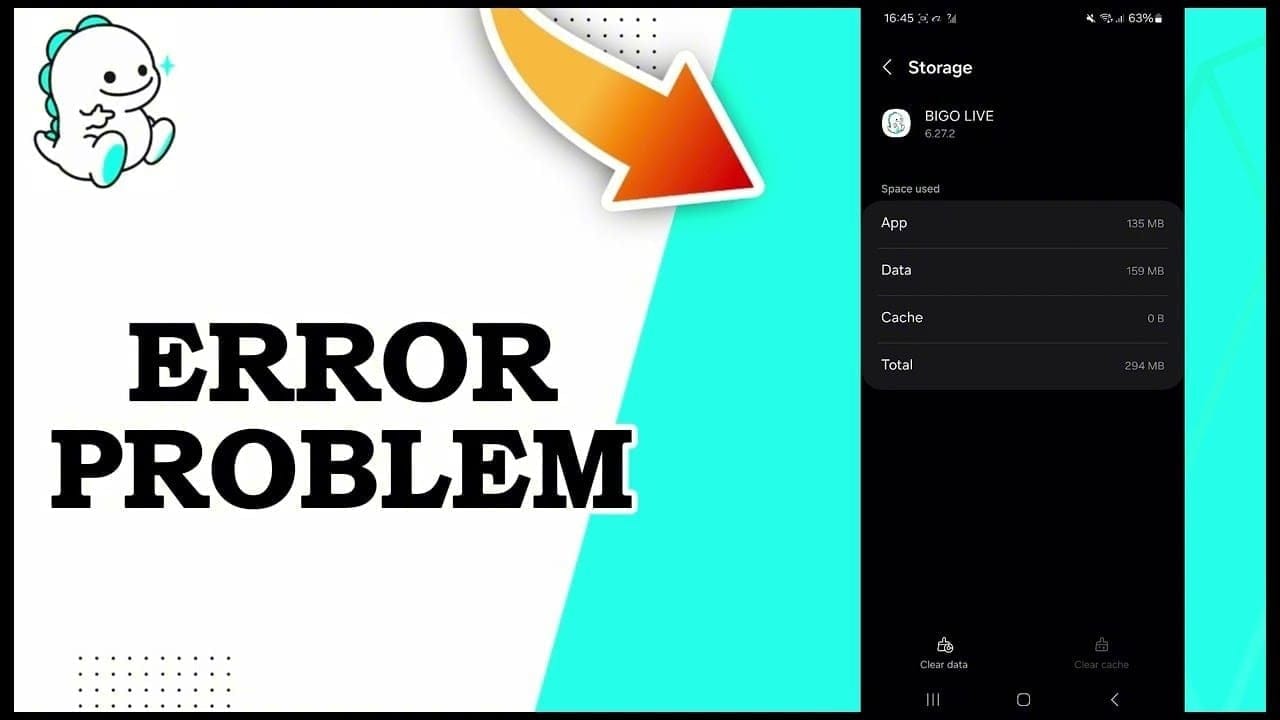
Clear cache: Android Settings > Apps > Bigo > Storage > Clear Cache
Update Bigo to version 5.0 or later
Relog into the app
Turn off VPN
Retry safely
Wait 5–10 minutes after the first failure
Max 3 attempts per 24 hours per payment method
Space retries 15–30 minutes apart
After 2 fails, switch payment method or route
Test small before buying big
Try a small order first, such as $1 for 60 diamonds
This is especially useful if your earlier failure looked like a fraud filter or cross-border decline
If the official route keeps blocking you and you’ve already confirmed no duplicate charge, an alternative checkout path can help. That’s where a practical Bigo Live Diamonds top up not received troubleshooting flow also matters: verify seller, order ID, and delivery tracking before paying again.
What should I do if I was charged but my Bigo Live Diamonds did not arrive?
Wait briefly, refresh the wallet, then escalate with proof if the diamonds still don’t show.
Use this order:
Wait 10 minutes
Many delayed deliveries are sync-related, not true failures.
Refresh wallet history 3–5 times
Check Me > Wallet > History
Users commonly report this fixes charged-but-undelivered orders
Wait up to 24–48 hours if status is pending
About 80% of pending transactions resolve within 48 hours
Collect proof before contacting anyone
Bigo ID
Order ID
Payment timestamp
Amount
Currency
Screenshots
Receipt or bank confirmation
Contact the right party
Bank first for card declines or fraud blocks
Apple/Google for in-app billing issues
Bigo support for charged but missing diamonds via Me > Feedback > Recharge Issues or feedback@bigo.tv
Seller support if you used a third-party recharge service
In digital top-up troubleshooting, the fastest resolutions usually happen when users send complete proof in the first message. Honestly, delayed delivery is frustrating when the money already left your account, but vague tickets slow everything down.
Refund expectations are stricter than many expect. Community reports say diamonds are generally non-refundable, except for unauthorized transactions, technical failures, or app store disputes. Duplicate or failed charges may be reversible through the payment provider, but don’t assume an automatic refund.
Why does Bigo Live say payment failed?
Usually because the bank blocked the transaction, 3D Secure failed, the billing details didn’t match, or the app/session glitched. Region mismatch and VPN use also trigger declines.
Why were my Bigo Live Diamonds not received after payment?
Most often, the payment is pending or the app wallet hasn’t synced yet. Refresh Me > Wallet > History, wait 10 minutes, and check again before opening a ticket.
How do I fix a declined card on Bigo Live?
Call your bank first and ask whether fraud prevention blocked the charge. Then verify CVV, expiry, billing address, available balance, and 3D Secure before retrying.
Can region mismatch cause a Bigo Live payment failure?
Yes. Error 4301 is associated with region mismatch, and users commonly report failures when account region, payment country, and recharge region don’t align.
How long should I wait if my Bigo Live recharge is pending?
Wait up to 24–48 hours. Around 80% of pending transactions reportedly resolve within that window, and retrying too early increases duplicate-charge confusion.
Will I get a refund if my Bigo Live diamond purchase fails?
If the payment truly failed, there’s usually no charge to refund. If you were charged, refunds are uncommon unless the case involves unauthorized payment, a technical failure, or an app store dispute.
What details does support need for a Bigo Live payment issue?
Support needs your Bigo ID, order ID, payment time, amount, currency, screenshots, and receipt. I would send all of that in the first message to avoid back-and-forth.
Bigo Live Diamonds payment failures are usually fixable, but only if you treat failed, pending, and charged-but-not-delivered as different problems. Refresh the wallet first, verify your 7–10 digit Bigo ID, stop after a few retries, and check region and billing details before paying again. If you were charged, gather proof and contact the right party—bank, app store, Bigo, or seller—based on where the payment actually failed.