
Yes, you may be able to top up Path to Nowhere from abroad, but success usually depends on three things matching: your account or store region, your payment method’s billing country, and the checkout route you use. If any of those conflict, the most common results are unsupported-country errors, wrong currency display, card declines, or a charge that goes into review. From reviewing failed recharge cases across digital top-up flows, I would check the region match first, not the card balance.
Pre-payment checklist that prevents most overseas top-up failures
Before you pay, verify these six items:
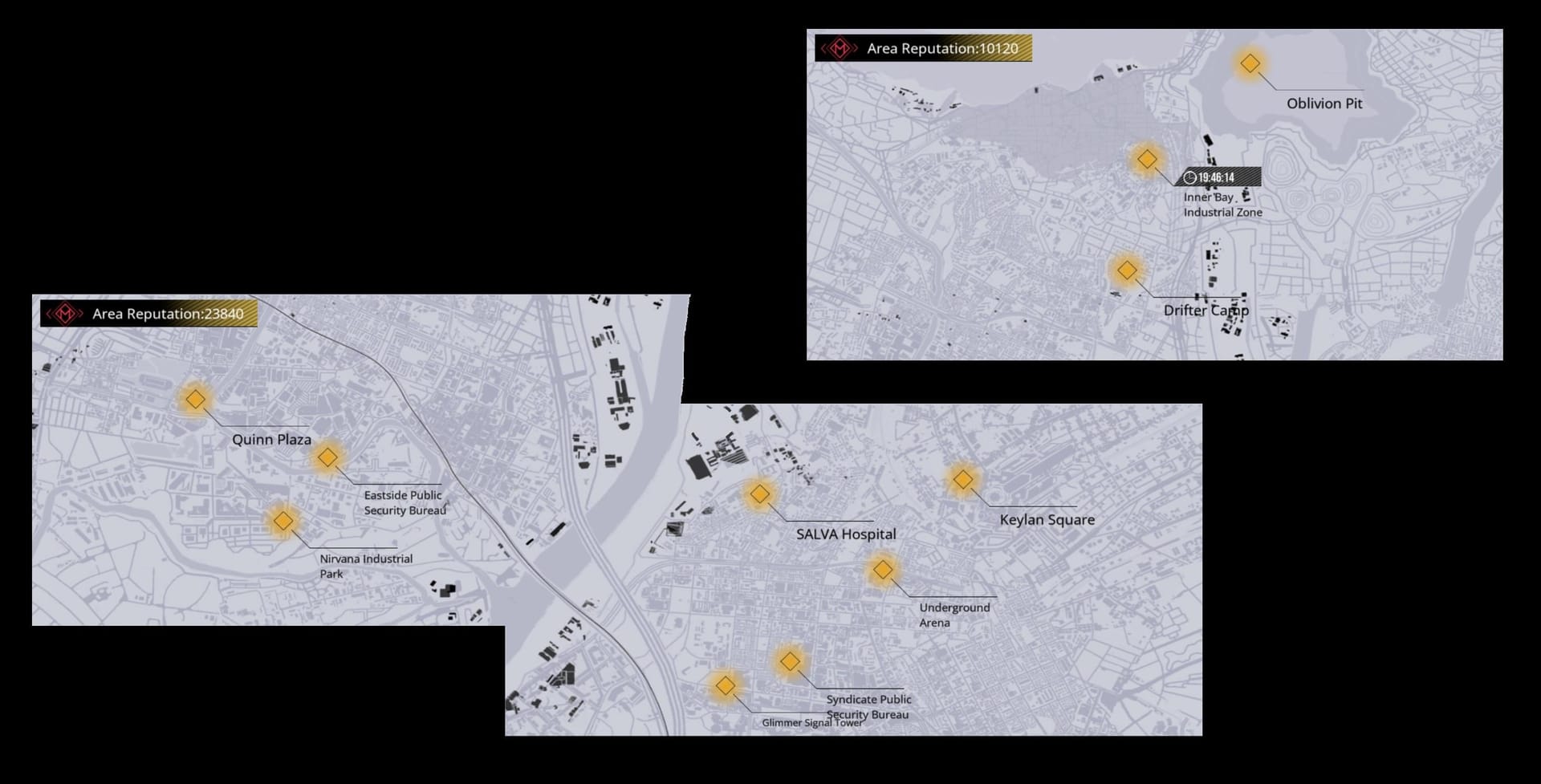
Your server/region: Path to Nowhere users commonly identify JP, EU, Asia, and NA servers.
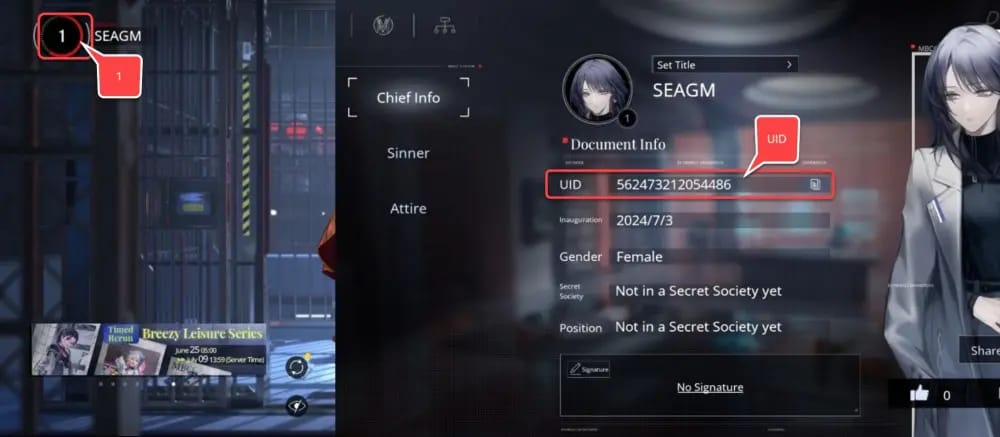
Your login binding: make sure the account is bound correctly through supported account binding, such as Twitter or MBCC, before any UID-based recharge.
Your UID/account ID: copy it directly from the game. Don’t type from memory.
Your app-store country: Apple ID country/region or Google Play country.
Your payment billing country: the country tied to your card or wallet.
Your checkout route: in-app store billing or UID-based web top-up.
If you want a simpler cross-border route, Path to Nowhere top up from abroad usually makes more sense only after you’ve confirmed the right UID and server.
Why do Path to Nowhere top ups fail abroad?
They usually fail because one of three regions doesn’t match: where you are, where your store/account is registered, and where your payment method was issued.
Here’s the confidence split:
Confirmed by official platform rules
Apple App Store requires a payment method from the same Apple ID country/region.
Apple Pay also depends on region alignment between device region and bank card country.
Google Play payments profile must match the country for in-app purchases.
Google Play country changes are limited to once per year.
Google Play can show Check correct country when location and payment profile conflict.
Widely reported by users
In-app Path to Nowhere purchases fail with country mismatch errors when traveling or using a foreign-issued card.
Foreign credit cards often get declined in-app even when the card works elsewhere.
Europe-based users commonly report switching away from in-app purchases to UID top-up sites.
Monthly pass renewal can fail after a store-region change if the payment method no longer matches.
That’s why I’m abroad isn’t the real diagnosis. The real issue is which billing system you’re asking to process the payment.
Can I top up Path to Nowhere from another country?
Yes, but not every route works equally well abroad.
If you’re using Apple or Google in-app billing, your success depends heavily on store-country rules. If your Apple ID is set to one country and your card is from another, the purchase often fails. On Google Play, changing country is possible, but officially limited and usually requires a local payment method to complete the switch.
If you’re using a UID-based top-up route, users commonly report fewer region-lock problems because the delivery is tied to your game UID rather than your app-store billing profile. Community reports consistently say this is the safer path for unsupported countries.
A practical distinction:
No official Path to Nowhere cross-border top-up policy is published, so anything beyond store rules is mostly community-observed rather than publisher-confirmed.
What should you check first: account region, store country, or payment country?
Check store country first, then payment billing country, then UID/server.
That order catches the highest-friction failures fastest.
Store-country check

Google Play: Profile icon → Settings → General → Account and device preferences → Country and profiles
Apple: check your Apple ID country/region and whether your payment method belongs to that same country
If those don’t match, in-app purchases are the first thing I would stop trying. Honestly, repeated retries here just increase the chance of duplicate pending charges.
Payment-country check
A card can be valid and still fail. A successful authorization attempt doesn’t always mean the order cleared verification. In practical checkout troubleshooting, users often blame the wrong currency display, but the hidden issue is usually billing-country mismatch or bank foreign transaction filtering.
Watch for these signs:
card charged then reversed
bank app shows pending but game gets nothing
Apple Pay or Google Pay appears available but won’t finalize
monthly pass renewal suddenly stops after a region change
UID/server check
For UID-based recharge, this is the non-negotiable step:
Open Path to Nowhere.
Copy the exact UID.
Confirm the server/region.
If buying for another person, ask for a screenshot, not just a typed number.
Users commonly report UID top-ups working across servers if the account is bound correctly. That’s a big if. Wrong UID means wrong delivery.
Why is Path to Nowhere showing the wrong currency at checkout?
Because displayed currency and final settlement currency are not the same thing.
This is where many overseas buyers get tripped up. The price you see in the app or checkout page may reflect the store region, but your bank may settle the charge in another currency. That creates four separate outcomes:
Normal conversion: charge succeeds, bank converts currency
Extra cost: foreign transaction fee added by your bank
Authorization failure: issuer blocks cross-border or mismatched billing
Store rejection: payment never gets past Apple/Google region checks
A quick decoder:
And if you’re comparing routes, Path to Nowhere overseas recharge region mismatch is usually easier to solve through UID-based checkout than by forcing app-store billing to behave like a local purchase.
Which payment route is least likely to break when you’re abroad?
UID-based web checkout is usually the least fragile option for cross-border users, based on community reports. In-app billing is cleaner when everything matches, but it breaks hard when it doesn’t.
Here’s the practical comparison:
Community reports also mention local methods such as GCash on Philippines checkout pages and GrabPay on Singapore/Malaysia pages for Path to Nowhere top-up. Treat those as availability checks, not universal support.
One more thing: users commonly report avoiding VPN during Google Play in-app purchases. VPN may help with server access, but it can make billing checks stricter, not easier.
Common mistakes that create duplicate charges or delayed credits
Personally, I would avoid forcing region changes just to buy one pack. Community experience suggests that can create more problems than it solves, and store-policy risk is real.
Charged but no Ultracubes? What should support see in the first message?

Support needs a clean proof bundle. This is the fastest way to get a useful answer.
Collect:
UID/account ID
server/region
order ID
payment timestamp
receipt screenshot
error screenshot or pending status screenshot
Users commonly report that support cases move faster when all of that is sent in the first message. Delayed delivery is frustrating when the payment already left your account, but a vague I paid and got nothing ticket usually slows everything down.
If the issue happened after an Android update and the purchase display looks broken, users also report that clearing cache can fix post-update display issues. That won’t solve a true billing-country mismatch, but it can solve a stuck purchase screen.
Short FAQ
Can I use a foreign credit card for Path to Nowhere top up?
Yes, sometimes — but foreign cards often fail in-app due to billing-country mismatch. They tend to work better on UID-based checkout routes.
Why does Path to Nowhere say my country is unsupported?
Usually because the billing route you chose checks store country or payment country, not just your game account. It doesn’t always mean your account is blocked.
Should I change my Google Play country to fix it?
Only if you actually relocated and can meet Google’s local payment requirements. Officially, country changes are limited to once per year.
Is VPN a good fix for overseas top-up?
For payment, no. Community reports say VPN can help access some servers, but users commonly avoid it during Google Play purchases because it can trigger restrictions.
Final call
For most overseas buyers, the safest order is simple: verify server and UID, check store country, check payment billing country, then choose the checkout route that matches your situation. If in-app billing throws country or currency errors, don’t keep retrying. Switch to a UID-based path after confirming account details. If you want the smoothest result, verify first and use VGTopup only when the supported region and payment route are clear for your case.