
A VPN by itself usually does not make Genshin Impact top up cheaper. Japan pricing can appear in JPY on the official top-up flow, and users commonly report roughly 25% lower prices than US pricing after conversion, but that only works cleanly when your payment method, billing country, and sometimes store setup also match. If they don’t, payment declines are common.
From reviewing cross-border recharge failures, the real blocker is rarely the VPN alone. It’s the mismatch between VPN IP, game server, app-store country, and card billing profile. If you’re comparing Genshin Impact top up vpn japan, compare the final payable total—not the sticker price—and assume extra risk if you force a region mismatch.
Why doesn't a VPN alone usually unlock cheaper Genshin Impact prices?
It usually doesn’t because IP location is only one part of the checkout decision. Users commonly report that a Japan VPN can display JPY pricing on the official top-up site, but the payment still fails if the card billing country doesn’t match Japan.
Here’s the split most guides blur together:
That distinction matters. Your account region equals your server, and HoYoverse officially treats that separately from your IP, app-store country, and billing country. You also can’t change account server after creation; a new account is needed.
On mobile, the VPN matters even less. Community reports consistently say App Store and Google Play settings override simple IP tricks, and changing Apple store country is hard enough that many users need a new Apple ID. In practice, PC and the official web top-up are the only routes people even consider for Japan-price attempts.
Is Genshin Impact actually cheaper in Japan after currency conversion and taxes?
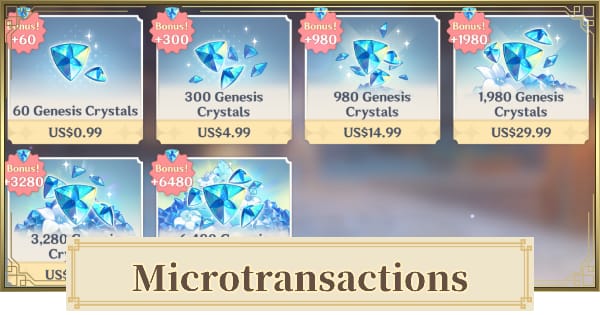
Sometimes yes, but not always by the amount people expect. Community price comparisons put Japan at about 25% cheaper than USD after FX conversion and fees in many cases, while official web checkout also avoids the app-store fee layer that inflates effective cost on iOS and Android.
That last point is easy to miss. The official Top-Up Center and PC client avoid the 30% platform fee effect users associate with App Store and Google Play pricing. So if you’re comparing value, don’t compare Japan mobile to US official web. Compare like for like.
What I would check first:
Official web/PC total in your home region
Japan JPY total after conversion
Foreign transaction fee from your bank
Tax inclusion
Whether your card will even clear fraud checks
A lower list price can vanish fast. In price-comparison checkouts, users often overestimate savings because they ignore FX spread, card fees, and failed-payment retries. And honestly, a cheap top-up isn’t cheap if your bank flags it and you lose time chasing reversals.
For product value, the usual comparisons are:
Also, Japan isn’t the global floor. One extracted comparison shows Ukraine up to 61.6% better value than USD baseline, which proves the bigger point: Japan is cheapest is not a universal truth. It’s just one commonly discussed region.
What risks should you know before trying a Japan VPN top up?
The main risks are payment failure, account flags, and ToS exposure. Officially, HoYoverse support advises users to disable VPN when payments fail. Community reports also warn that VPN-based regional pricing exploits can violate terms, especially when paired with region-mismatched billing.
This is where the evidence splits:
My view: don’t treat no bans reported as safety. Community consensus says official-site VPN use is safer than risky discount channels, but it’s still a gray area. Personally, I would avoid repeated region-hopping on the same account, especially if your bank profile clearly doesn’t match the checkout country.
And switch off the VPN after the purchase attempt. Users commonly do that to avoid unnecessary gameplay flags.
If you want a cleaner comparison before forcing a mismatch, check Genshin Impact cheaper top up japan region against a normal supported recharge path and see whether the real savings still justify the friction.
How can you check whether a Japan-priced top up is possible on your account?
You can check it by verifying platform origin, UID/server, and payment compatibility before you try to pay.
Confirm your account basics
Verify your 10-digit UID
Confirm the correct server/region
Make sure the account has been logged in within the last 30 days
Double-check the package: Genesis Crystals, Welkin, or Gnostic Hymn
Check where your account normally buys
If you started on PC/official web, you have the cleanest path
If your purchases are tied to iOS or Android store billing, region tricks get harder
On mobile, store country often matters more than VPN location
Test the official flow only
Log into the Official Top-Up Center
If you insist on testing Japan pricing, users commonly try VPN first, then select region if prompted
Enter UID and server carefully
Stop if the payment method requires a clearly mismatched billing profile
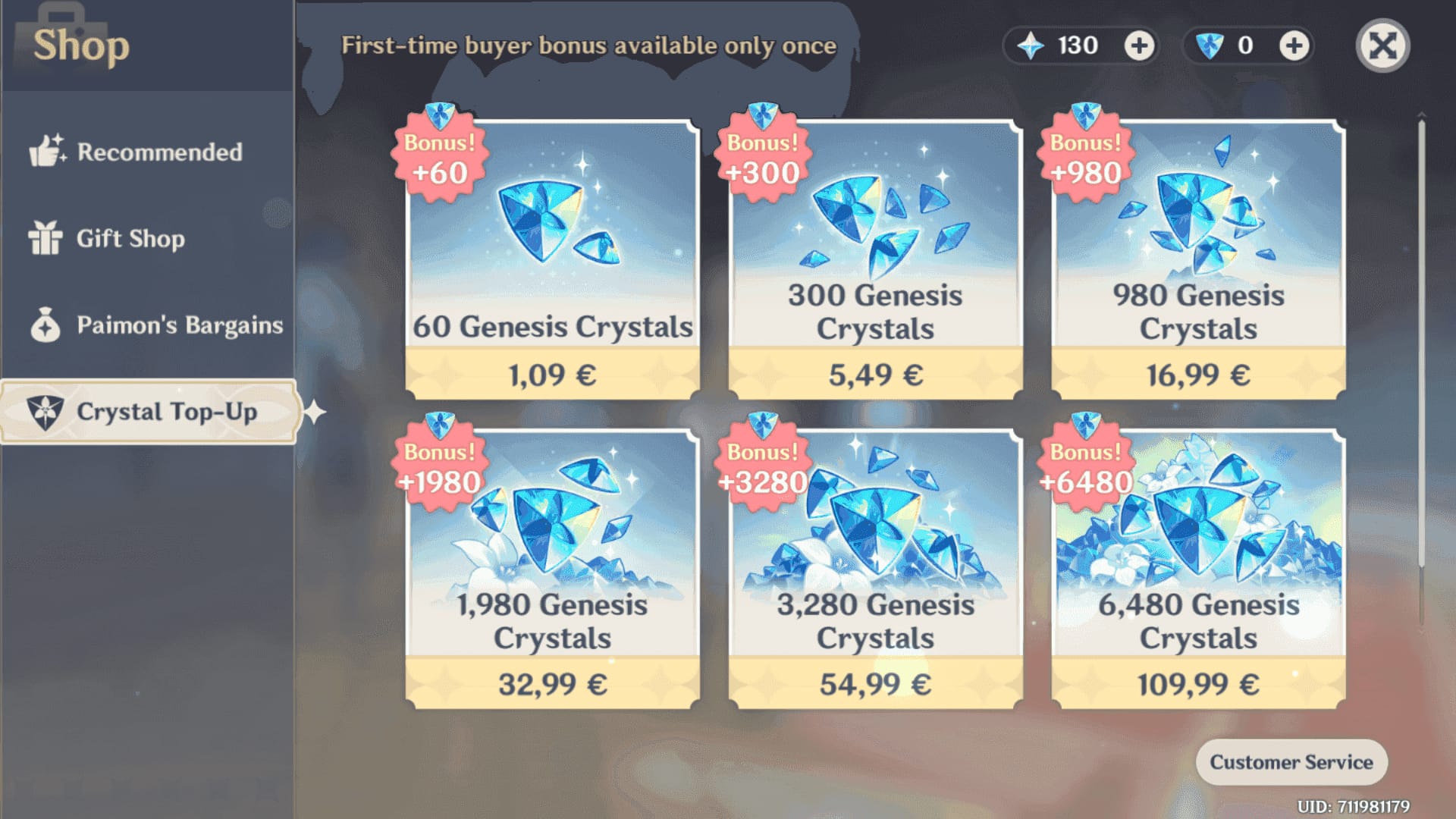
Compare final checkout totals
Convert JPY to your currency
Add bank FX fee if your card charges one
Consider tax and any wallet/card surcharge
If the gap is small, it’s usually not worth the failure risk
Watch for fraud triggers
International VPN purchases often trigger bank alerts
A successful bank charge does not always mean the order cleared verification
Save the order ID and receipt immediately
What's the safest way to get better Genshin Impact top-up value without VPN risk?
The safest way is to use supported recharge channels and chase value through official web pricing, gift-card discounts, promos, and package choice instead of forcing a Japan mismatch.
In my experience reviewing recharge issues, this is the practical order:
Use the official Top-Up Center or PC client first
Official delivery is typically immediate if successful
No app-store fee layer
Clearer order tracking than improvised region workarounds
Use safer discount methods
Community users often buy discounted platform gift cards at roughly 10–15% off
Watch for official promos
Don’t forget the first top-up bonus: officially, some packages include 300 extra Primogems
Pick the right package
Welkin is usually the best value if you can wait 30 days
Genesis Crystals are simpler for immediate pulls
Promo codes are separate; they’re redeemed in settings or on the web, not as a top-up discount
Avoid unreliable shortcuts
Crypto is not officially supported for Genshin top-up
Community reports say there’s no reliable crypto path for official Japan pricing without a credit card
Recent region locks also make cross-region third-party top-ups less dependable
If you don’t want to gamble on region mismatch, a straightforward recharge flow with clear package selection and account-detail checks is usually the better buy than a cheaper route that fails at payment.
FAQ
Can a VPN make Genshin Impact top up cheaper?
Sometimes it can show cheaper regional pricing, especially JPY on Japan checkout pages. But a VPN alone usually isn’t enough because billing-country and store-country checks often block payment.
Is Genshin Impact cheaper in Japan than in the US?
Users commonly report Japan pricing is about 25% cheaper than US pricing after conversion and fees. Still, the real answer depends on FX rate, tax, and whether your payment method is accepted.
Do I need a Japanese App Store or Google Play account to pay Japan prices?
For mobile purchases, usually yes or something close to it. App-store country matters more than VPN IP, and changing Apple store country is widely reported as difficult.
Can I get banned for using a VPN to buy Genesis Crystals?
Sources differ. Community reports say official-site-only use has low visible ban reports, but VPN pricing workarounds are still widely considered a ToS risk, so there’s no truly safe guarantee.
Why does my Genshin Impact payment fail after changing region?
The usual cause is a mismatch between VPN region, billing address, card issuer country, or store country. HoYoverse officially advises disabling VPN, clearing cache, using stable internet, and retrying.
What is the safest way to buy Genshin Impact top up at a better price?
Use the official web top-up or PC route first, then look for discounted gift cards, official promos, and better-value packages like Welkin. That’s safer than forcing a region mismatch for a small theoretical saving.
What should I do if Genesis Crystals do not arrive after payment?
First verify UID, server, package, in-game mail, and wait up to 24 hours. If it still hasn’t arrived, restart the game and contact the official support page with your UID, order ID, transaction ID, and receipt.
Genshin Impact top up with a Japan VPN can be cheaper on paper, but VPN alone rarely solves the whole checkout. The real test is whether your billing profile, platform, and payment method match well enough to clear without flags or declines. My recommendation: use official web or PC first, compare the final paid total, and only chase Japan pricing if the savings are clear and your payment setup genuinely fits.