
To top up Free Fire Diamonds with GCash Wallet in the Philippines, enter your correct Free Fire UID, choose a Diamonds package, select GCash at checkout, and complete the PHP payment in the GCash app or approval window. On official and trusted PH channels, delivery is usually instant after successful payment confirmation.
Before you pay, check four things: your UID, your server, your selected package, and your GCash wallet balance. If payment succeeds but Diamonds don't show up, verify the UID, order ID, and GCash payment reference first. That split matters: Garena handles delivery issues, while GCash handles payment-side failures.
If you want a simple local-wallet route, Free Fire GCash top up is the search phrase most PH buyers already use for this kind of checkout.
Why do Philippines players prefer GCash for Free Fire Diamonds?
GCash fits PH buying habits better because it lets you pay in PHP through an e-wallet instead of relying on a credit card. That's the real reason searches like "Free Fire top up GCash" are so common: users want a no-card checkout, local currency, and a familiar approval flow.
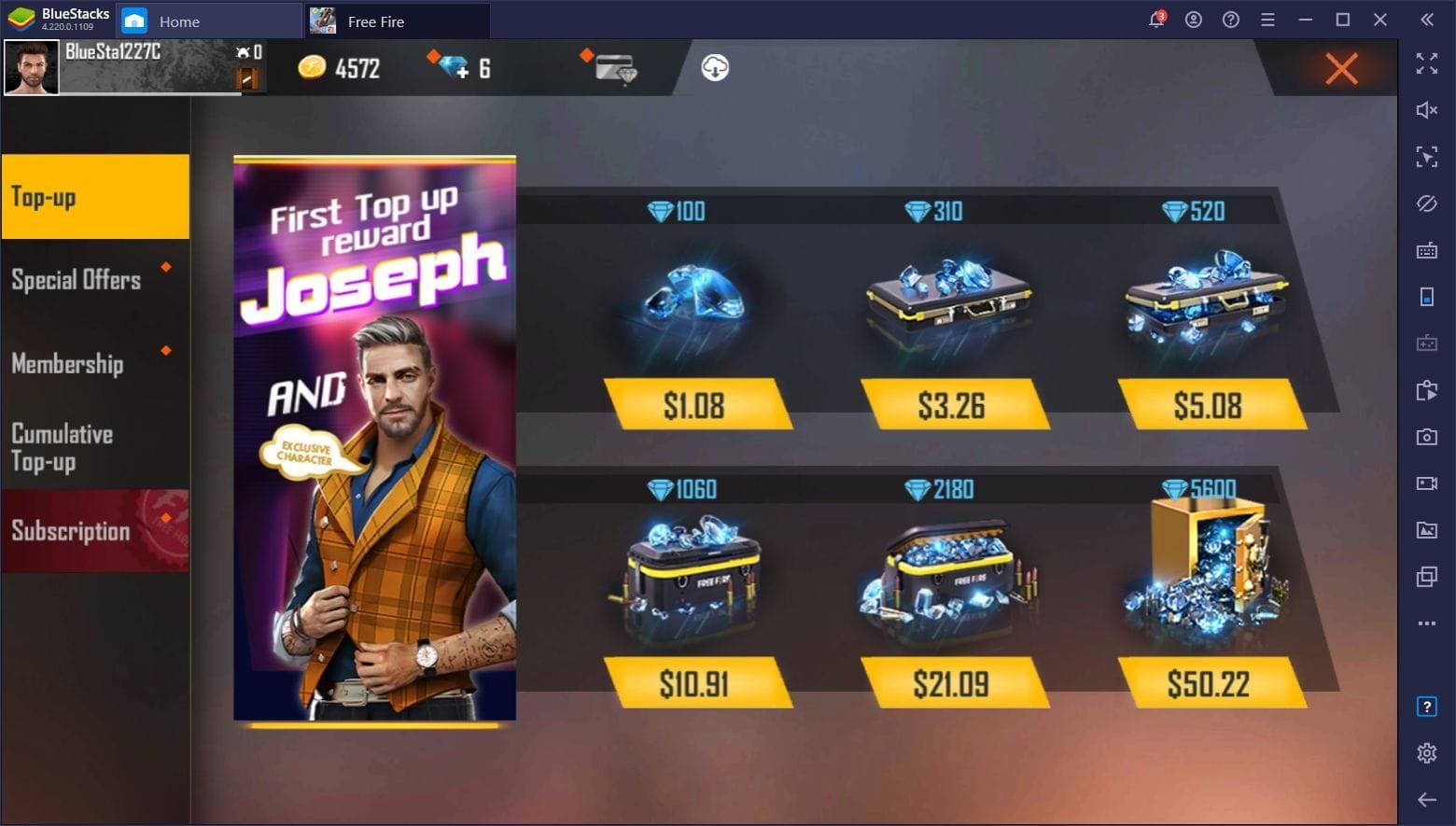
Officially, PH top-ups are priced in Philippine peso. On Codashop, confirmed examples include:
From comparing checkout paths, this is why GCash works well for local buyers:
You can cash-in first, then pay from wallet balance
The amount is shown in PHP, not converted at card rates
The payment step uses GCash approval, MPIN, or OTP wording users already know
It works on Android, iPhone, and mobile browser
Personally, I prefer the route with clearer PHP totals and fewer bank declines. For most PH users, that's an e-wallet flow, not a card flow.
Why is checking your Free Fire UID before payment so important?
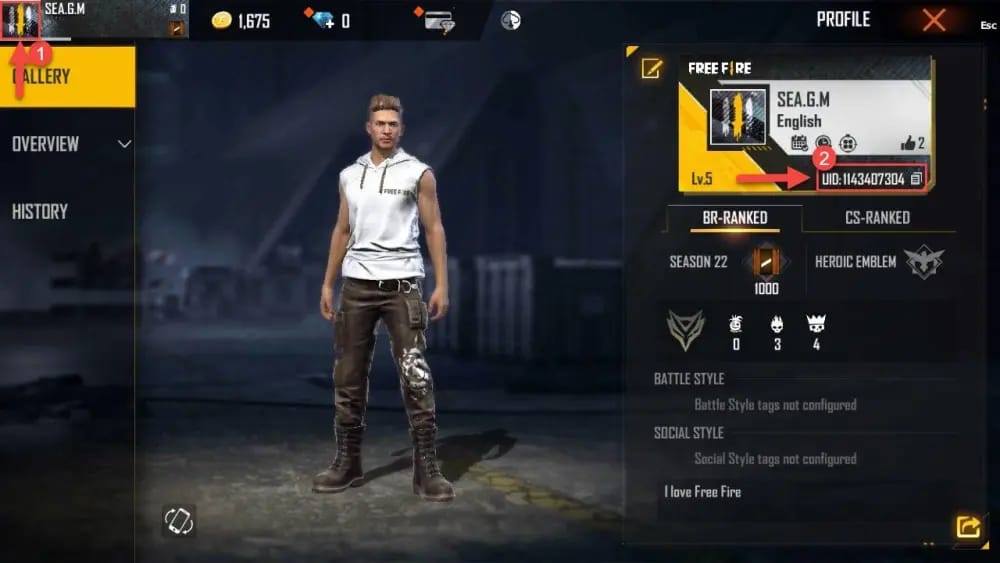
Because a wrong UID is harder to fix than a failed payment. Official guidance is clear on verifying the UID and PH server before payment to avoid sending the top-up to the wrong account.
Users commonly report that the Free Fire Player ID is a 9 to 12 digit UID. That number is what the top-up system uses. Not your nickname. Not your login email. Just the UID.
In my experience reviewing recharge issues, the most common PH wallet problem isn't GCash itself. It's a mismatch between the entered account identifier and the intended recipient. And once a top-up lands on the wrong UID, support usually becomes much slower than a normal failed-payment case.
Check this before you confirm:
Correct 9-12 digit Free Fire UID
PH server account only for PH GCash top-ups
Exact Diamonds package selected
Order summary before payment
Screenshot of the checkout page if you're buying a larger amount
Why do GCash payments for Free Fire sometimes fail or get delayed?
Most failures come from low wallet balance, verification limits, or a broken app handoff during OTP or approval. That's the practical answer.
Common causes reported across official and community sources:
Honestly, delayed delivery is frustrating when the money already left your wallet. But a successful charge doesn't always mean the order fully cleared every verification step. That's why I would check the payment status page, in-game balance, and your receipt details before trying again. Double-paying is a very real risk when users panic-refresh.
Users also commonly report that failed-order refunds through GCash can take 5 to 7 business days.
How to top up Free Fire Diamonds with GCash Wallet step by step?
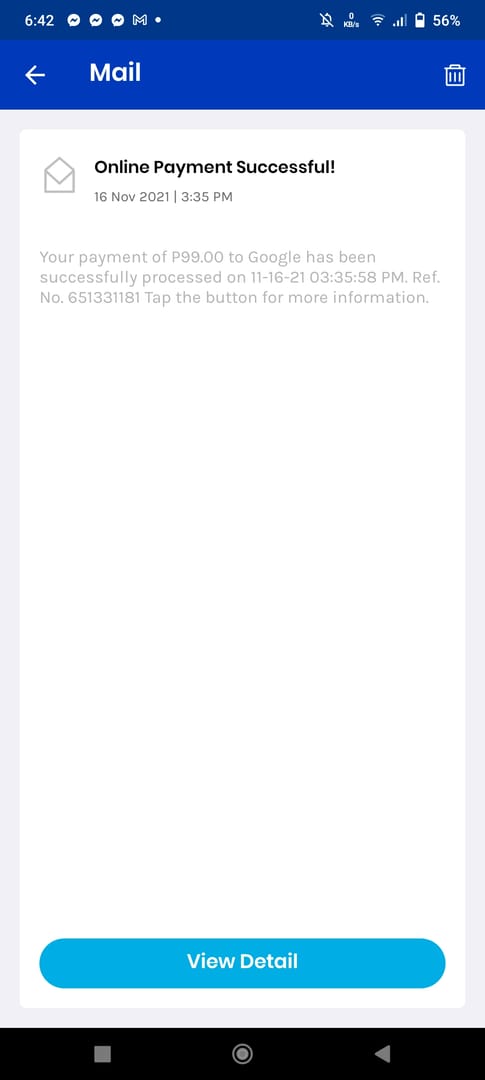
Use a trusted PH channel such as Codashop or the official Garena Topup Center at shop.garena.ph, then complete the GCash approval flow. That's the cleanest method.
Open the PH top-up page
Go to the Free Fire top-up page on a trusted PH channel. Codashop is an official trusted top-up platform for Garena Free Fire PH, and Garena also has the official PH top-up site.Enter your Free Fire UID and server
Type your UID carefully and select the correct server. For PH GCash top-ups, the account should be on the PH server.Choose your Diamonds package
Pick the amount you want and confirm the PHP total. If you're comparing options for Free Fire recharge with Maya wallet, the same rule applies: verify the UID before you pay, not after.Select GCash as payment method
Choose GCash from the payment list. In PH checkout language, this is the e-wallet option most users expect.Approve the payment in GCash
You'll be redirected or prompted to authorize in the GCash app or payment window. Complete the MPIN or OTP step. Don't switch networks mid-checkout if you can avoid it.Wait for the success page
After successful confirmation, Diamonds are officially expected to arrive instantly, either as direct Diamonds or as Garena Shells/code depending on the route.Open Free Fire and verify delivery
Check your in-game balance first before starting a second order.
What should you prepare before tapping Pay?
Prepare these first:
Active GCash wallet
Enough wallet balance
Verified GCash account, especially for larger top-ups
Correct UID
PH server confirmation
Stable mobile data or Wi‑Fi
Ability to receive OTP if required
How do you fix a pending, failed, or missing Free Fire Diamonds order?
First, don't repay immediately. Check whether the issue is payment-side or delivery-side.
Use this order:
Wait a few minutes and refresh in-game
Delivery is usually instant, but users commonly report that checking in-game after payment confirmation solves many "missing Diamonds" cases.Review your receipt details
Confirm:UID entered
package bought
order ID
GCash transaction ID or payment reference
exact amount charged
Check whether the wallet was charged successfully
If GCash shows failed, reversed, or incomplete, this is a payment issue. If GCash shows successful but Diamonds are missing, this is usually a delivery or account-detail issue.If payment succeeded but Diamonds didn't arrive, contact Garena support
Use the official Free Fire help center at ffsupport.garena.com. Officially, you should submit your UID, receipt email, amount, order ID, and payment proof.If the payment itself failed or is disputed, contact GCash support
Use help.gcash.com and prepare the transaction ID and reference number.
Who should you contact?
One detail many guides skip: if a refund leads to negative Diamonds, official guidance says you may need to top up again to remove restrictions.
Can I buy Free Fire Diamonds with GCash in the Philippines?
Yes. PH players can officially buy Free Fire Diamonds with GCash through trusted channels such as Codashop PH and the official Garena Topup Center, with payment shown in PHP.
How do I find my Free Fire UID before topping up?
Find the numeric Player ID inside your Free Fire account profile. Community reports consistently describe it as a 9 to 12 digit UID, and that's the number you should enter at checkout.
Why did my GCash payment go through but my Free Fire Diamonds did not arrive?
Usually because of a UID/server mismatch, temporary processing delay, or order verification issue after payment. Check in-game first, then gather your order ID, UID, amount, and GCash payment reference before contacting Garena support.
What should I do if my Free Fire top up says pending or failed?
Check your wallet balance, account verification status, and network stability first. If the wallet wasn't successfully charged, contact GCash support; if it was charged and the Diamonds are still missing, contact Garena.
Can I get a refund if I entered the wrong Free Fire UID?
Not reliably. Users commonly report that wrong-UID top-ups usually require a support ticket and may not be reversible, so I would treat UID entry as the most important check in the whole process.
Is it safe to top up Free Fire Diamonds using GCash?
Yes, if you use trusted channels and review the order summary before payment. Official guidance also recommends using trusted sites like Codashop and keeping your receipt, order ID, and payment reference.
Do I need a verified GCash account to pay for Free Fire Diamonds?
For small payments, some users may get through without issues, but a fully verified GCash account is the safer setup. Community reports say unverified wallets are more likely to hit transaction limits, especially on higher-value top-ups.
Free Fire top up with GCash works well in the Philippines because the whole flow is local: PHP pricing, e-wallet approval, and fast delivery when your UID and server are correct. My recommendation is simple: use a trusted PH checkout, verify your UID twice, make sure your GCash wallet is funded and verified, and keep your order ID plus payment reference until the Diamonds appear.