
To recharge Bigo Live Diamonds with PayPal safely, use a legitimate checkout channel, verify the correct Bigo account before paying, review the final currency and fees, and keep your PayPal transaction ID and order receipt until the Diamonds arrive. Most problems come from wrong account details, unsupported region routing, or PayPal risk checks—not from PayPal itself.
PayPal is officially available on Bigo Live’s app and official recharge site, and many authorized ID-based top-up checkouts also support it. In practice, the safest flow is simple: confirm your Bigo ID, check your account region, pay through HTTPS, then verify delivery before closing the receipt page. If you want a cleaner web checkout for Bigo Live Diamonds top up with PayPal, the same safety rules still apply.
Why do users choose PayPal for Bigo Live Diamonds recharge?
Yes—mainly because PayPal is familiar, doesn’t require a credit card, and gives better dispute visibility than direct card payments. Community reports also show PayPal top-ups succeed quickly in most normal cases, with 95% arriving in 30 seconds to 5 minutes.
From comparing checkout paths, PayPal’s real advantage is control. You can pay with PayPal balance or a linked bank account, and you don’t have to expose card details at every checkout. Users also commonly report fewer comfort issues with PayPal than with direct card entry, especially for digital goods.
But PayPal doesn’t remove the main recharge risks:
entering the wrong Bigo ID
paying in the wrong region or checkout country
getting flagged for risk review
missing currency conversion fees of about 2.5% to 4% on non-USD payments
Personally, I prefer PayPal over direct card for Bigo Live because dispute tracking is clearer. Still, once Diamonds are credited, refund options get much weaker.
Why can Bigo Live Diamonds PayPal payments fail or get delayed?
Because Bigo Live top-ups have three separate checkpoints: payment success, order approval, and final Diamonds delivery. Many guides miss this distinction. A successful PayPal charge does not always mean the order has cleared verification or reached the right account.
The most common failure points users report are:
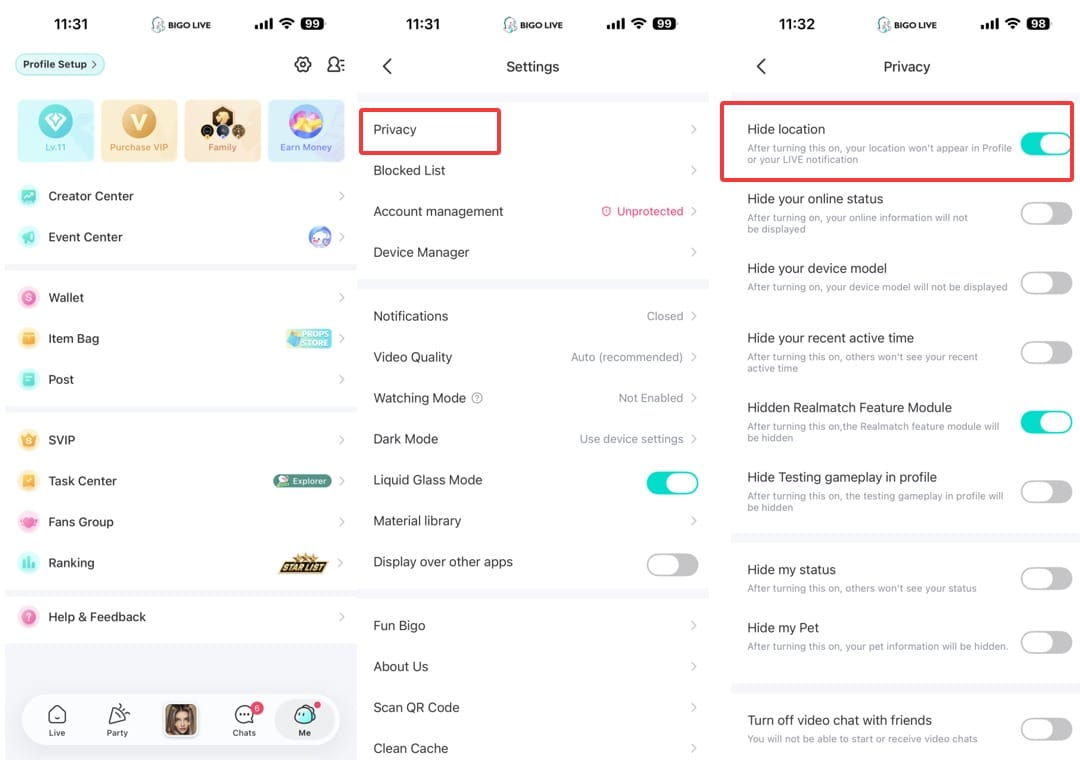
A big edge case is region mismatch. PayPal works in 150+ countries, but that doesn’t mean every Bigo account can use every PayPal profile. Users commonly report mismatches blocking a US-linked account being recharged from India. I would check Me > Settings > Region in the app before anything else.
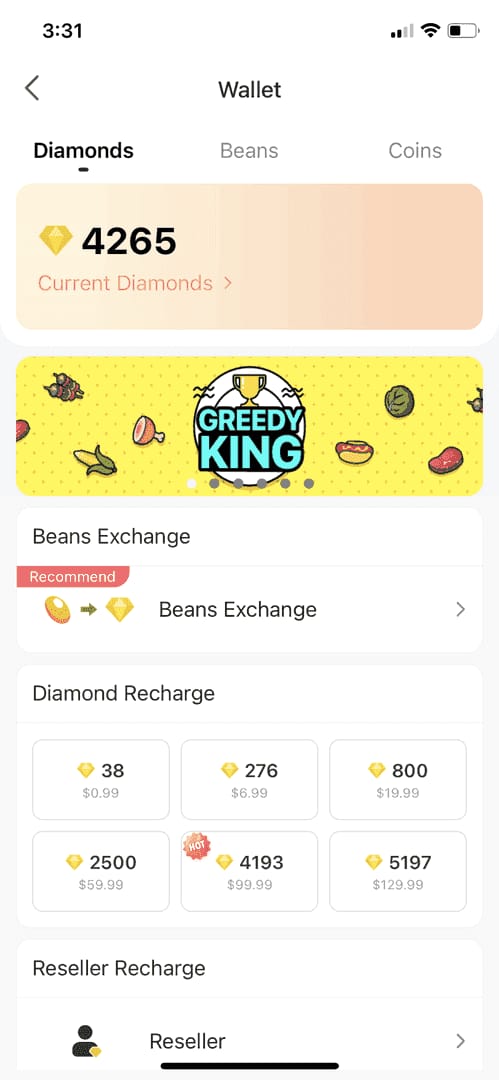
And then there’s pricing. In-app purchases often include App Store or Google Play fees, usually adding 25% to 30%. Web and ID-direct top-ups are often cheaper, with community reports of 25% to 60% savings versus in-app pricing.
Is official app checkout or third-party PayPal top-up better?
Official checkout is clearer, but third-party ID-based top-up is often cheaper. Which is better depends on what you value more: direct platform familiarity or lower cost.
Here’s the practical comparison:
In my experience reviewing recharge issues, the most preventable mistake is using the wrong account identifier on ID-direct top-ups. These checkouts usually need only your 7-10 digit Bigo ID, not your password. That’s good for privacy. It also means one typo can send Diamonds elsewhere.
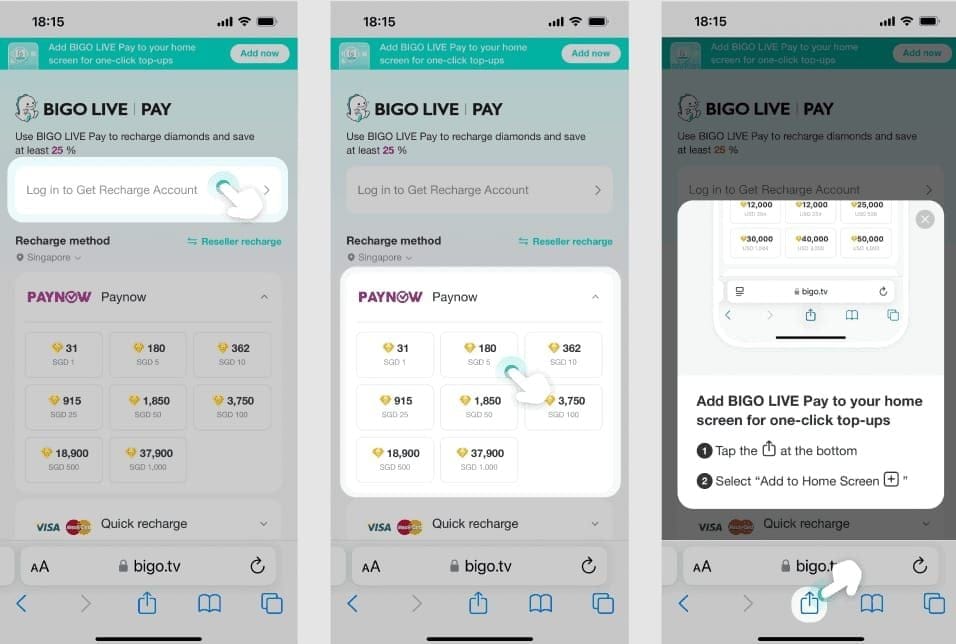
If you’re comparing value, Bigo Live Diamonds PayPal recharge through an ID-based checkout can make sense when in-app pricing is inflated by store fees and taxes. Just verify the site uses HTTPS and never share your Bigo password.
How to recharge Bigo Live Diamonds with PayPal safely step by step?
Follow this order. It prevents most avoidable mistakes.
Check your account region first.
In Bigo Live, go to Me > Settings > Region. If your Bigo account region and your PayPal/payment routing don’t match, the order can fail or trigger error 4301.Choose a legitimate checkout path.
Safe options are the Bigo app, the official recharge site at mobile.bigo.tv, or an authorized top-up checkout with strong reviews and HTTPS. Ignore unsolicited sellers and random social media offers.Verify the correct Bigo account.
If the checkout uses Bigo ID, enter the exact 7-10 digit ID. Double-check every digit before paying. If the checkout is account-linked, confirm you’re logged into the right Bigo profile.Select the Diamonds package and review the real total.
Example: community pricing puts 660 Diamonds at about $10 on official pricing, while resellers are often cheaper. Check:package size
currency shown, usually USD
conversion fees if your PayPal isn’t in USD
taxes, which users report at roughly 1% to 3% in some regions and 5% to 15% on some US/Canada web payments
Pay with PayPal and save proof immediately.
Log in to PayPal, authorize the payment, and keep:PayPal transaction ID
order ID
payment timestamp
package selected
Bigo ID used
Confirm delivery inside Bigo Live.
Most PayPal recharges arrive within 30 seconds to 5 minutes. Refresh the wallet 3 to 5 times. If needed, log out and back in.If it’s your first time or your region is tricky, test a small amount first.
Honestly, this saves a lot of frustration. A small test order is smarter than forcing a large payment through a setup that may be region-blocked.
How do you fix common Bigo Live Diamonds PayPal problems?
Start with the evidence, not guesses. When troubleshooting delayed delivery, the details that consistently matter are the Bigo account ID, order number, PayPal transaction ID, payment time, and selected package.
Payment completed but Diamonds not received
Do this in order:
Refresh the Bigo wallet 3-5 times.
Log out and back into the app.
Clear app cache.
Disable VPN if you used one.
Check Bigo purchase/recharge history and PayPal transaction status.
Wait 10-30 minutes if the order looks pending. Community reports say holds can stretch to 72 hours.
If still missing, contact Bigo feedback or the seller with your ID, amount, time, and proof. If there’s no delivery and no response, PayPal dispute is the fallback within 180 days.
Why did the payment fail or stay pending?
Usually because of risk review, OTP failure, spending limits, bank flags, or region mismatch. Retry only after checking the cause. Repeated blind attempts can make PayPal more suspicious.
I would check this first:
What if you entered the wrong Bigo account?
Recovery is possible only if support can intervene before or without final credit. Once Diamonds are fully credited to the wrong account, reversal is hard.
Act fast and prepare:
wrong Bigo ID entered
correct Bigo ID
order ID
PayPal transaction ID
payment time
package amount
This is why I’m strict about ID verification. Wrong-account top-ups are one of the few mistakes that are entirely preventable.
FAQ
Can I buy Bigo Live Diamonds with PayPal?
Yes, PayPal is officially supported on the Bigo Live app and official recharge site. Availability still depends on region and checkout path, so a supported PayPal account in one country doesn’t guarantee every Bigo account can use it.
Is it safe to recharge Bigo Live Diamonds online?
Yes, if you use official or authorized channels with HTTPS and never share your Bigo password. Enable 2FA on both PayPal and Bigo, and keep the order receipt until the Diamonds show up.
Why did my PayPal payment for Bigo Live Diamonds fail?
The usual causes are region mismatch, PayPal risk review, bank flags, OTP issues, or app-store routing problems. Also check currency conversion and whether your PayPal funding source is allowed for digital goods.
How long does it take for Bigo Live Diamonds to arrive?
Most arrive in 30 seconds to 5 minutes. Delays of 10 to 30 minutes are commonly reported, and payment holds can take up to 72 hours.
What happens if I enter the wrong Bigo Live account?
If the order was sent to the wrong Bigo ID, contact support immediately with the order ID and PayPal transaction ID. If the Diamonds were already credited, refunds or reversals are difficult.
Can I get a refund if Bigo Live Diamonds are not received?
Sometimes, but don’t expect an easy refund once Diamonds are credited. Community guidance says digital-goods sales are generally final, with exceptions mainly for non-delivery; PayPal disputes can be opened within 180 days, but reported success is limited and case-by-case.
Does PayPal work for Bigo Live Diamonds in every country?
No. PayPal itself is broad, but Bigo recharge availability is still region-dependent. Mismatched account region and payment region are a common reason for blocked orders.
To recharge Bigo Live Diamonds with PayPal safely, use an official or verified checkout, confirm the exact Bigo ID or logged-in account, and review region, currency, taxes, and fees before paying. Keep your transaction records until delivery is confirmed. If you want the smoothest result, prioritize clear order tracking, test with a small amount when region support is uncertain, and never share your password.