
To top up PUBG Mobile UC with crypto safely, use a trusted seller, enter the correct Player ID, choose the exact supported coin and network, and send the exact amount before the payment window expires. Most failed crypto top-ups happen because of wrong account details, wrong blockchain network, or paying through an unverified site.
PUBG Mobile doesn’t officially accept crypto in-app. The safe workaround users commonly rely on is buying a UC code or gift card from a trusted crypto-enabled seller, then redeeming it on the official Midasbuy site. If you want PUBG Mobile UC top up with crypto, that redeem-by-code flow is the part I’d trust most because it keeps the final UC claim on PUBG’s official redemption channel.
Why do people choose crypto for PUBG Mobile UC top ups?
Crypto is usually chosen because cards fail, local billing is limited, or users want more privacy. Officially, PUBG Mobile supports cards, Google Play balance or gift cards, and carrier billing — not crypto. So crypto buyers typically use third-party sellers that issue redeemable codes for Midasbuy.
From comparing checkout paths, crypto is often more practical for:
users in restricted payment regions
buyers without a credit card
people who want BTC, ETH, USDT, USDC, LTC, or TRX payment options
cross-border purchases where bank approval is unreliable
But there’s a trade-off. Crypto is irreversible, and gift cards are commonly non-refundable after delivery. Personally, I prefer methods with clear order tracking even if they aren’t always the cheapest.
Why is topping up PUBG Mobile UC with crypto sometimes risky?
It’s risky because one small input mistake can become permanent. The biggest issue isn’t usually the coin itself — it’s the network. Users commonly report failed orders after sending USDT on the wrong chain or paying after the invoice expired.
The main failure points are:
A detail many guides miss: coin choice and network choice are not the same thing. USDT accepted does not mean every USDT chain is accepted. In my experience reviewing recharge issues, this is the most expensive mistake because recovery is often difficult or impossible.
How can you check whether a PUBG Mobile UC crypto top up is safe before paying?
You can check safety by verifying the account details, region, supported network, and support trail before you send anything. I would check these four items first:
Player ID
PUBG Mobile commonly requires a 10-digit Player ID.
Open the game, go to settings, and copy the Character ID or Operator ID exactly.
Don’t type from memory.
Region
Match the seller’s region to your PUBG account.
Global redemptions commonly exclude China, Japan, Korea, Taiwan, and Vietnam.
If redemption fails, changing the Midasbuy country to match the account region is a common fix.
Payment details
Confirm the exact coin and exact blockchain network.
Send the exact payable amount.
Include enough balance for network fees so the invoice itself isn’t underpaid.
Proof and support
Save the order ID, transaction hash, coin type, and network used.
Check that the seller has visible support access and user reviews.
Never share your PUBG login. Safe flows use code redemption on official Midasbuy, not account login handover.
For first-time buyers, start with a small 60 UC pack. Honestly, that tiny test order can save you from a much bigger irreversible mistake.
How do you top up PUBG Mobile UC with crypto safely step by step?
You do it safely by treating it like a payment verification process, not a quick impulse buy.
Copy your PUBG Mobile Player ID
Open PUBG Mobile.
Go to settings.
Copy the Character ID or Operator ID exactly.
Choose a trusted seller and UC pack
Commonly used sellers include Bitrefill, Baxity, Coinsbee, Cryptorefills, LDShop, Lootbar, and GGPick.
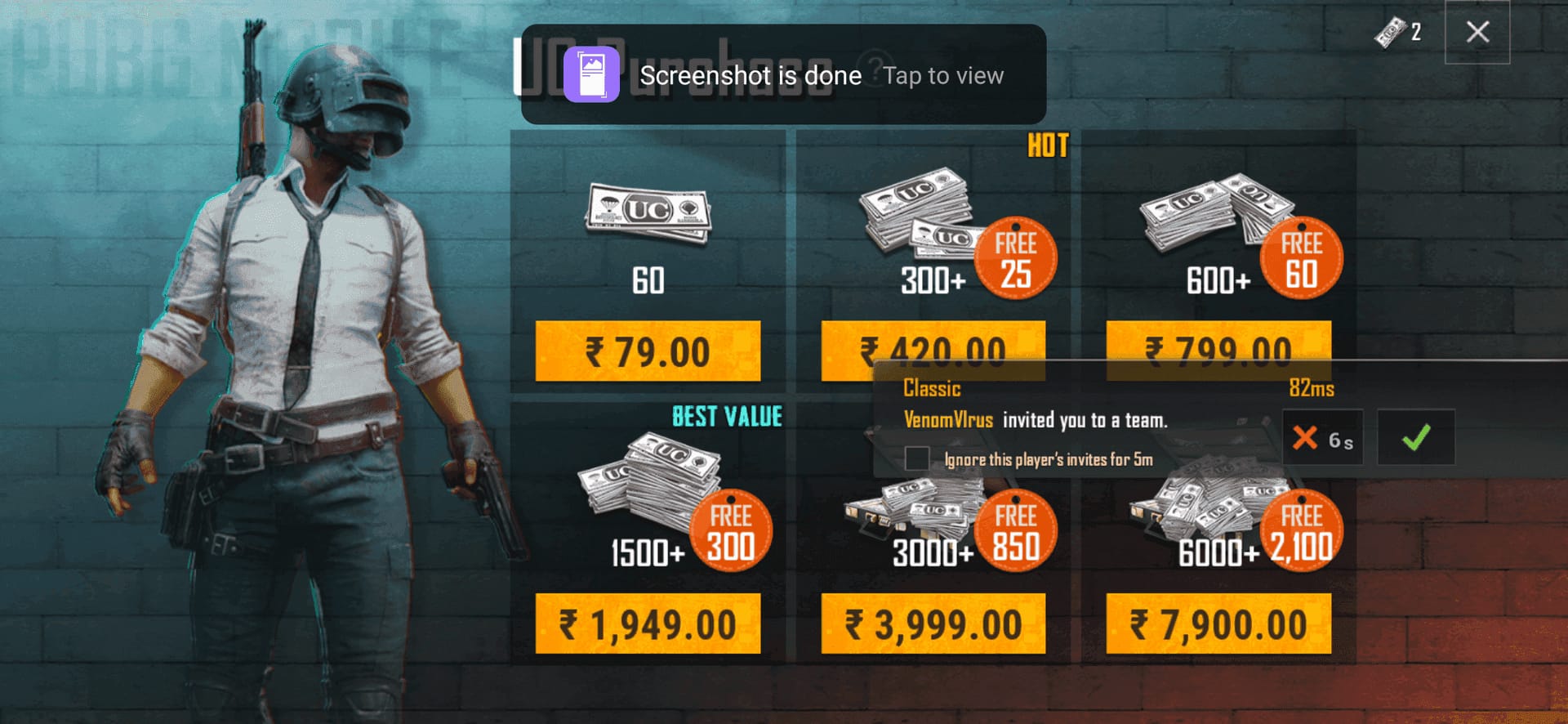
Most sites offer packs like 60, 325, 660, 1800, and 8100 UC.
Some 2026 offers reportedly reach 20–35% below official pricing, while official Midasbuy promotions can also discount selected packs.
Check region before checkout
Select the correct country or region on the seller site if required.
Make sure it matches your PUBG account region.
This is where many payment succeeded, redeem failed cases start.
Select crypto and confirm the network
Supported coins commonly include BTC, ETH, USDT, USDC, LTC, and TRX.
If paying with USDT, confirm whether the invoice requires TRC20 or another chain.
Don’t assume the wallet will auto-correct network mistakes.
Send the exact amount before expiry
Use the provided wallet address exactly.
Send the full invoice amount promptly.
If the seller asks for a tx hash, save it immediately after sending.
Wait for blockchain confirmation
Delivery is commonly instant after confirmation, usually by email code or PIN.
If it’s pending, check the tx hash on a blockchain explorer. Users commonly see normal delays of 5–30 minutes.
Redeem on official Midasbuy
Go to Midasbuy.com.
Select the correct region first.
Enter your Player ID and the code, then confirm the UC.
If you’re comparing checkout options before paying, some users also look for ways to buy PUBG Mobile UC using bitcoin when card billing isn’t available. The same rules apply: exact ID, exact network, exact amount.
What should you do if your PUBG Mobile UC crypto payment fails or the UC is delayed?
First, check whether the blockchain payment actually confirmed. A successful wallet send does not always mean the order cleared verification yet. Delayed delivery is frustrating when the payment already left your account, but many cases are just pending confirmations.
Use this order:
Check the tx hash
If it’s still pending on-chain, wait.
5–30 minutes is commonly reported for normal confirmation delays.
Check the amount and network
Compare what you sent with the invoice.
Confirm the token and chain match exactly.
Underpayment or wrong-network sends are common causes of failure.
Check your email and spam folder
Many sellers deliver the code by email after confirmation.
If the code arrived, try redeeming again on Midasbuy with the correct region selected.
Restart the game
Official guidance includes restarting PUBG Mobile if UC seems missing after redemption.
Contact support with complete proof
Seller support: order ID, tx hash, coin type, network, and payment time.
PUBG support: Player ID, code, tx hash, and receipt details through the official Help Center.
Here’s the realistic support picture:
FAQ
Can you buy PUBG Mobile UC with crypto?
Yes, but not directly through PUBG Mobile’s official in-app payment system. The common method is buying a redeemable UC code or gift card from a crypto-enabled seller and redeeming it on official Midasbuy.
Is it safe to top up PUBG Mobile UC with USDT?
Yes, if you match the exact network and send the exact amount. USDT is practical, but wrong-chain sends — like mixing TRC20 with another network — are one of the most common irreversible mistakes.
What details do I need to top up PUBG Mobile UC safely?
You need your correct 10-digit Player ID, the right account region, the selected UC pack, the supported coin, and the exact blockchain network. Keep the order ID and transaction hash until the UC is fully delivered.
Why did my PUBG Mobile UC not arrive after crypto payment?
Most delays come from pending confirmations, wrong region selection, underpayment, or the code landing in spam instead of inbox. If the payment is confirmed and nothing arrives, contact the seller first, then PUBG support if redemption failed after code delivery.
What happens if I send crypto on the wrong network?
Recovery is often difficult or impossible. That’s why I’d treat network selection as the single most important payment check, especially for USDT and other multi-chain assets.
Can I get a refund for a PUBG Mobile UC crypto payment?
Usually not after the crypto payment is confirmed, because crypto transfers are irreversible and delivered gift cards are commonly non-refundable. Officially, PUBG support may allow refunds within 7 days for unspent UC in some cases.
Does PUBG Mobile UC top up work in every region?
No. Region matching matters, and global gift cards commonly exclude China, Japan, Korea, Taiwan, and Vietnam. Android and iOS users can redeem through Midasbuy, but there is no direct in-app crypto payment.
PUBG Mobile UC crypto top-up is safe when you keep the process simple: verify the 10-digit Player ID, match the account region, use a trusted seller, send the exact amount on the exact network, and keep your tx hash until delivery is complete. My clear recommendation: test with a small pack first, redeem only through official Midasbuy, and escalate quickly with full proof if the code or UC doesn’t arrive.