
If your Honkai: Star Rail top up payment failed, first confirm which state you're actually in: a true decline, a pending authorization, or a successful charge with delayed delivery. Most failures come from bank security blocks, insufficient funds, 3D Secure not completing, wrong UID/server, or account-region mismatch. And don't spam retry. From reviewing recharge issues, that's the most common preventable mistake because it can create duplicate charges.
If you're unsure whether the order failed or is still processing, check your bank/app wallet status first, then verify UID, server, billing country, currency, and payment method before trying again. If money was deducted but Oneiric Shards or Express Supply Pass didn't arrive, log out and back in, reopen the purchase flow without paying again, and prepare proof for support.
Why did my Honkai: Star Rail top up payment fail?
It usually fails because the payment was blocked before capture or the account/payment details didn't match checkout requirements.
The official help center points to a few repeat causes:
Insufficient funds or expired card: instant decline is common.
Bank issuer security block: officially common for international gaming transactions.
3D Secure failure: users commonly report the payment fails if the verification step isn't completed.
Fraud screening: banks may flag cross-border digital purchases as high risk.
Unsupported payment method: some methods aren't accepted in official checkout.
App Store/Google Play billing issues: especially if the game was downloaded from the wrong regional store.
From comparing checkout paths, web top-up is often easier to troubleshoot than in-app billing because the in-app store is tied to platform billing and region rules. If you're dealing with Honkai: Star Rail top up payment failed, that distinction matters more than most guides admit.
What account mistakes cause Honkai: Star Rail payment failure?
Wrong UID, wrong server, or wrong account region can directly break the order.
Before retrying, verify:
A small but real edge case: users commonly report that copy-pasting UID can add invisible characters. I would check this first if everything else looks correct.
Why was I charged but my Honkai: Star Rail top up did not arrive?
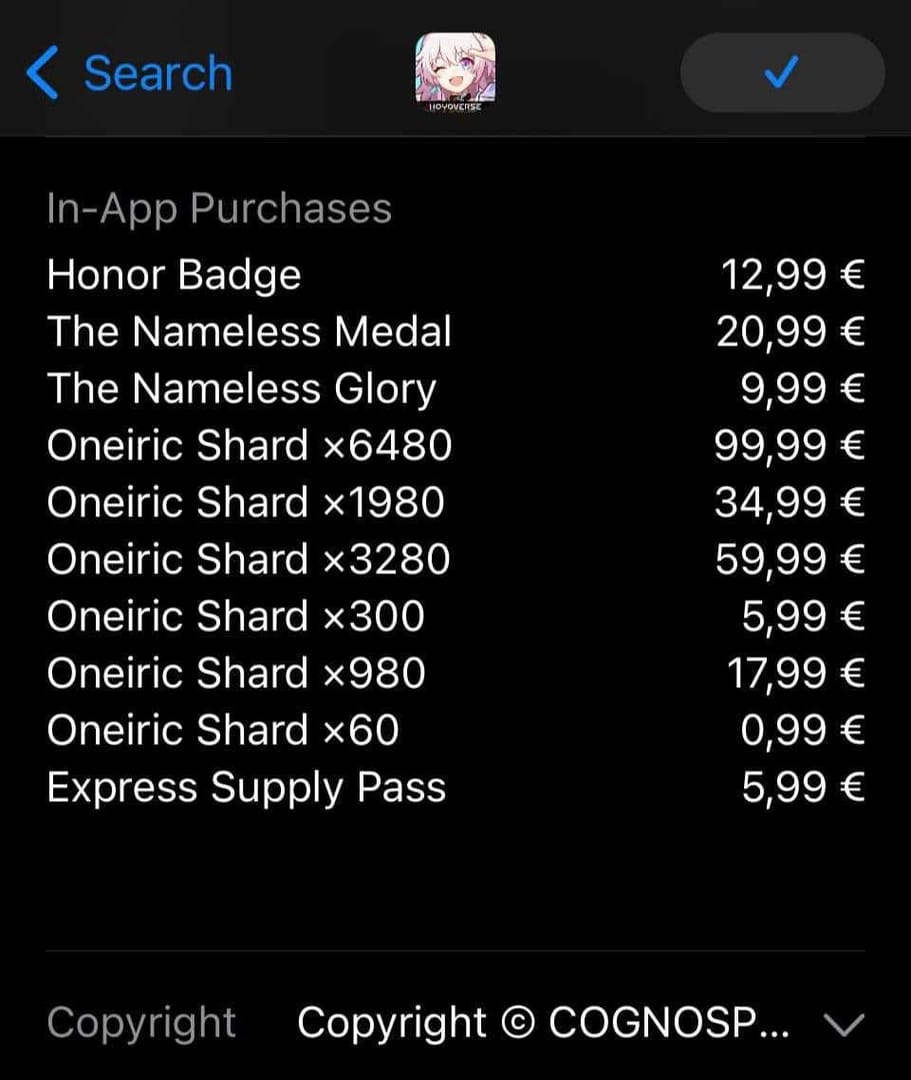
A bank charge does not always mean the order fully cleared. It may be pending, under review, or captured but not yet delivered.
This is where people get frustrated, and honestly, for good reason. Seeing money leave your account feels final. But there are four different states:
Official guidance says that if you were charged but got no credits, manually activate in-game on the same account and platform. Also log out and back in, and restart the purchase flow without making a new payment. During peak events, users commonly report delays of up to 24 hours.
If your issue is closer to Honkai: Star Rail recharge charged but no shards, don't jump straight to another purchase. Check whether the first transaction actually settled.
Can account region mismatch cause Honkai: Star Rail payment failure?
Yes, officially it can.
HoYoverse states that mismatch between your account region, billing country, and payment method can cause payment failure. This shows up a lot in cross-border setups: a card issued in one country, a store region in another, and a game account tied elsewhere. In checkout troubleshooting, region details usually matter more than users expect.
Platform matters too:
In-app store: tied to App Store or Google Play billing and more region-locked
Web top-up: usually offers more payment flexibility
PSN: your HoYoverse account must match the game login linkage
If you use a VPN, turn it off. Officially, VPN use can interfere with region detection and payment approval.
How can I fix a failed Honkai: Star Rail top up step by step?
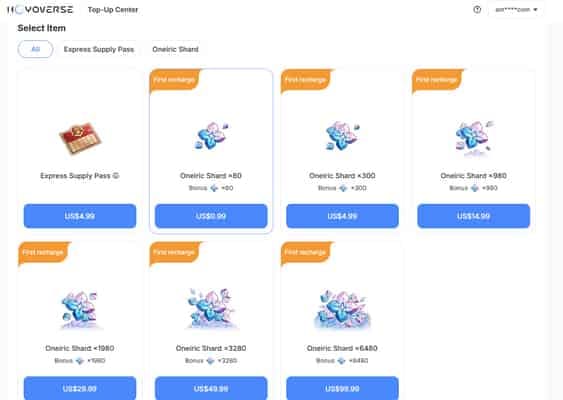
Use a clean checklist first, then retry once. Don't keep testing random combinations.
Check whether the payment truly failed
Look at your bank, Apple Pay, or Google Pay status.
If it says pending or processing, wait.
If it says declined, move to the next step.
If charged already, don't pay again.
Verify account details
Confirm your 9-digit UID.
Confirm the correct server: America, Europe, Asia, or TW/HK/MY.
Confirm the exact package you intended to buy.
Re-enter UID manually if you pasted it.
Check payment setup
Make sure the card is valid and has enough balance.
Complete any OTP or 3D Secure prompt.
If using Apple Pay, users commonly fix failures by updating iOS, checking Apple ID balance, or removing and re-adding the payment method.
If using Google Play or App Store, confirm the game came from the correct regional store.
Fix connection and region issues
Disable VPN.
Use a stable network or switch to mobile data/hotspot.
Reboot the device before retrying.
Retry safely
Wait a few minutes first.
Retry only once after checks are complete.
If the first payment is pending or charged, stop here to avoid duplicates.
Personally, I would avoid repeated in-app retries if the failure reason is unclear. Web checkout is often cleaner for diagnosis because card and billing errors are easier to isolate.
How do I contact support for a Honkai: Star Rail payment problem?
Contact your bank first for declines or holds, and HoYoverse support for missing delivery or stuck orders.
Prepare this before opening a ticket:
Official channels:
HoYoverse Help Center: support.hoyoverse.com
Payment issue email: honkaistarrail_payment@hoyoverse.com
If the purchase was through a third-party seller, official guidance says to contact that seller's support, not HoYoverse. Also, cheap unofficial top-ups and crypto-only routes carry higher fraud and account-risk concerns; I personally wouldn't use them for urgent purchases.
Why did my Honkai: Star Rail top up payment fail?
Usually because of a bank decline, insufficient funds, 3D Secure failure, wrong UID/server, or region mismatch. Officially, unsupported payment methods and wrong app store region can also cause failure.
What should I do if Honkai: Star Rail charged me but I got no credits?
First, don't pay again. Log out and back in, reopen the purchase flow on the same account/platform without making a new payment, then collect your order ID, receipt, UID, timestamp, and screenshots if the items still don't appear.
Can account region mismatch cause Honkai: Star Rail payment failure?
Yes. HoYoverse officially notes that mismatch between account region, billing country, and payment method can block payment, especially on App Store and Google Play billing.
Why is my card declined for Honkai: Star Rail top up?
The most common reasons are insufficient funds, expired card details, bank fraud screening, or an international gaming transaction block. In my experience reviewing these cases, calling the bank is often faster than changing cards blindly.
How long should I wait if my Honkai: Star Rail order is pending?
Wait at least a short processing window first, and longer during busy periods. Users commonly report delays up to 24 hours during peak events, so don't retry immediately if the bank or wallet still shows pending.
Can I retry a failed Honkai: Star Rail payment right away?
Only if the first attempt clearly failed and no money was deducted. If the order is pending or charged, retrying right away is how duplicate charges happen.
How do I contact official support for Honkai: Star Rail payment issues?
Use the HoYoverse Help Center at support.hoyoverse.com or the official payment email at honkaistarrail_payment@hoyoverse.com. Send the order ID, receipt, UID, timestamp, and screenshots in the first message to speed things up.
If your Honkai: Star Rail top-up fails, treat it as a diagnosis problem, not a speed problem. First separate decline, pending, charged-but-delayed, and wrong-account risk. Then verify UID, server, region, billing country, and payment method before one safe retry. If money was already deducted, stop retrying and escalate with proof. That's the fastest path to either a clean payment or a clean resolution.