
Genshin Impact Top Up Region Lock Error usually means your account region, server, app store country, or payment method doesn’t match the recharge path you’re using. The safest fix is simple: verify your UID and server, use the correct official or supported top-up route for that account setup, and don’t force cross-region workarounds.
From reviewing failed recharge cases, this is usually a mismatch problem, not a ban. Most errors clear once you stop using the wrong server, disable VPN, and switch to a region-aligned payment method or the official HoYoverse top-up center.
Why does Genshin Impact Top Up show a region lock error?
It shows because one of several region layers doesn’t match the checkout flow. And that’s exactly where many guides get sloppy: server, account region, billing country, and payment issuer country are not the same thing.
Common triggers users report:
Account was created in one region and is permanently tied there
Wrong server selected for the UID
Apple App Store or Google Play billing country doesn’t match the account region
Card issuer country or wallet region conflicts with the merchant check
VPN or travel IP triggers payment restrictions
Platform-specific rules, including PSN region matching the game server
Community reports also show a common error wording: UID could not be processed due to restriction from game provider. That appears most often on UID-based recharge flows when HoYoverse blocks a mismatch.
Here’s the clean way to think about it:
If you need a quick reference while checking your setup, this overview of Genshin Impact top up region lock fix is useful when comparing recharge paths.
Does Genshin Impact top up depend on your account region, server, or app store country?
Yes — but the answer depends on where you’re trying to pay. Official web top-up, in-app purchases, and UID/server recharge flows don’t behave the same way.
The official top-up center at sdk.hoyoverse.com/payment/genshin/ is the clearest baseline. Community consensus is that it bypasses most third-party region errors, as long as your payment method still passes region checks. Users also commonly report that cross-region top-up can work through the official UID-based center if the payment matches.
In-app purchases are stricter:
App Store billing country must match the account region
Google Play country changes have a 12-month cooldown
Apple Pay and Google Pay often fail when the store region is wrong
PSN region must match the game server for crystal delivery
That’s why the same account can fail on mobile but work on the official web checkout. Personally, I would check this first before changing cards or retrying five times.
One more detail many people miss: Genesis Crystals are platform-locked until converted to Primogems. So even when payment succeeds, the delivery context still matters.
What official restrictions are confirmed, and what issues are only community-observed?
Officially, HoYoverse confirms payment failures can come from bank security blocks, insufficient funds, and regional restrictions. HoYoverse also advises disabling VPN and using stable internet. The official help center is support.hoyoverse.com.
Community-observed patterns are broader:
Third-party UID top-ups are increasingly blocked by region enforcement
Some region-specific accounts, including PH accounts, need PH-specific top-up paths
Crypto/USDT top-ups commonly fail under region lock enforcement
Razer Gold and Codashop can also be region-locked for some accounts
There’s also a practical conflict worth stating clearly: users often chase 20% to 60% discounts on non-official channels, but the trade-off is more region friction and chargeback-related risk. In my experience reviewing recharge issues, official checkout is less flexible on price, but much better for order tracing and support.
How can you fix Genshin Impact Top Up Region Lock Error step by step?
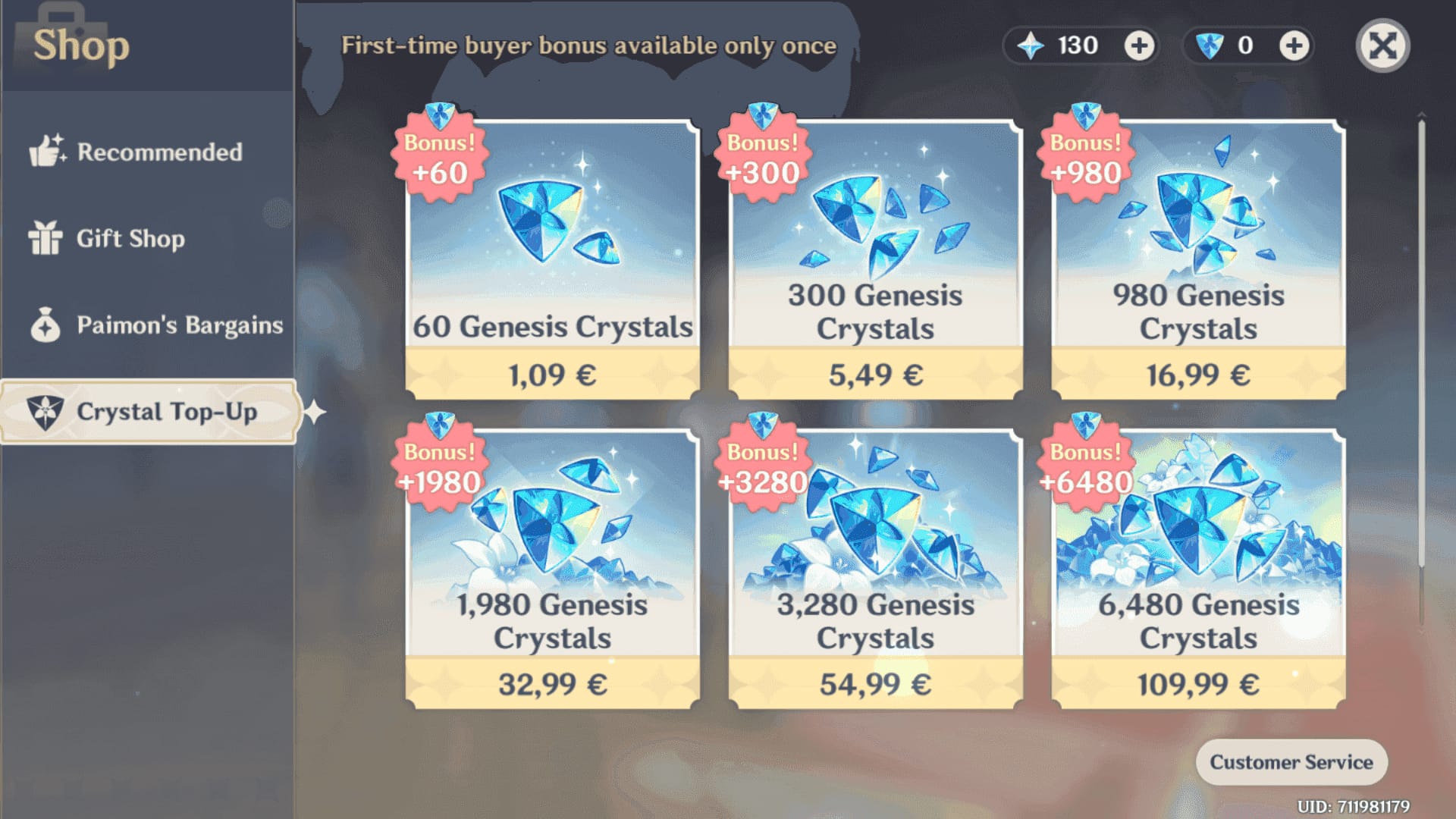
You fix it by matching the recharge path to the account’s actual region setup, then using a payment method that belongs in that same billing context.
Copy the correct UID from the game
Open the Paimon menu and copy the UID exactly.
Don’t type it manually if you can avoid it.
Then confirm the server: Asia, NA, EU, SAR, or TW/HK/MO.
Use the right recharge path
First choice: official HoYoverse top-up center
If buying in-app, confirm your Apple App Store or Google Play country matches
On PlayStation, confirm PSN region matches the game server
Disable VPN and unstable routing
HoYoverse officially warns that VPN use can trigger payment restrictions.
Travel IP changes can also cause temporary blocks.
If your home network keeps failing, try a stable mobile hotspot.
Check payment details before paying
Billing country
Card 3D Secure
Currency shown at checkout
Taxes and final amount
Sufficient funds
Bank approval for international HoYoverse transactions
Switch payment method if needed
If your card keeps failing, prepaid cards or local wallets are often safer for region mismatches than credit cards, according to community reports.
Don’t jump straight to crypto; community reports suggest crypto top-ups often fail under region enforcement.
Wait before retrying
If a payment was declined, don’t spam retries.
Users often create duplicate pending authorizations by retrying too fast. Honestly, that’s one of the most frustrating avoidable mistakes.
Retry after 24 hours if the block looks temporary
This is commonly recommended when the issue is tied to payment risk screening rather than a hard region mismatch.
For users comparing safer UID-based options after checking server and billing details, this page on Genshin Impact recharge any region uid can help you understand what to verify before paying.
Which checks matter most before you click pay?
These are the ones I would never skip:
What should you do if your payment went through but the top up did not arrive?
First, don’t pay again immediately. A successful bank charge does not always mean the order has cleared verification.
Official and community troubleshooting lines up here:
Restart the game
Relog the account
Force-stop the game and clear app cache
Restart the device if needed
Check transaction status and order status
Confirm you used the correct UID and server
If crystals still don’t appear, contact support through in-game feedback or the HoYoverse Help Center. The fastest cases usually happen when the user already has all evidence ready.
Prepare:
Order ID
UID
Server
Payment receipt
Screenshots
Date and time of payment
And avoid duplicate payment attempts while the first order is still pending. That can turn one issue into two.
What are the safest ways to recharge Genshin Impact without triggering more issues?
The safest way is to use official channels first, then only use a seller flow that does not require risky account sharing and clearly verifies UID/server before payment.
Safe habits:
Prefer the official top-up center for region-sensitive purchases
Avoid VPNs used to chase cheaper regions; users commonly report account flags or bans
Don’t share your account when UID-based recharge is enough
Verify server, billing country, and final amount before checkout
Keep receipts and screenshots until crystals arrive
If you’re buying for someone else, ask for:
Exact UID
Correct server
Whether they play on mobile, PC, or PlayStation
Their account region if they’ve moved countries
That last point matters more than people expect. Community reports say account region can’t be changed after registration, so relocated players may need a new account if their old setup keeps conflicting with local billing.
FAQ
Why does Genshin Impact say top up is unavailable in my region?
Usually because your account region, server, app store country, or payment method country doesn’t match the checkout route. VPN use, travel IP changes, and store-region mismatches are common triggers.
Can I top up Genshin Impact from a different country?
Yes, sometimes — especially through the official web top-up center — but the payment still needs to pass region checks. Cross-border attempts fail more often on in-app billing and region-specific payment methods.
How do I fix a Genshin Impact account region mismatch?
Start by confirming the account’s original region and matching server, then use a payment method and billing country that fit that setup. If your app store country is wrong, that can block mobile purchases even when the account itself is fine.
Does Genshin Impact top up depend on server or account country?
Both. Server controls UID routing and delivery, while account country and billing country affect whether the payment is accepted.
What payment methods work if my Genshin Impact top up is region locked?
Region-aligned cards, prepaid cards, and local wallets are usually the best fallback. If a bank card fails, ask the bank to authorize HoYoverse international transactions before retrying.
What should I do if I paid but did not receive Genesis Crystals?
Restart the game, relog, and check order status first. If nothing arrives, submit a support ticket with your order ID, UID, server, receipt, screenshots, and payment timestamp.
Conclusion
Genshin Impact Top Up Region Lock Error is usually a mismatch, not a mystery. Check the exact layer that’s failing — server, account region, app store country, billing country, or payment issuer — then use the recharge path that matches it. My recommendation: start with the official HoYoverse top-up center, avoid VPN-based region tricks, and contact support with full evidence if payment clears but crystals don’t arrive.