
If your Genshin Impact payment failed, stop retrying immediately and first check whether the charge is pending, reversed, or fully declined. Most top-up issues come from bank security checks, app-store region mismatch, wrong UID/server details, or temporary payment gateway blocks—and each has a different fix path.
I would check four things first: payment status in your bank or store, your UID and server, your store country/billing region, and whether a VPN was on. If you need a cleaner path after repeated checkout errors, compare official options first, then review this practical guide to Genshin Impact top up payment failed cases before trying again.
Why does Genshin Impact say payment failed?
Usually because the payment was blocked before final capture, not because the game itself is broken. According to official HoYoverse guidance, the first checks are whether your payment method is valid and has enough balance; in practice, users also commonly run into bank fraud filters, 3D Secure prompts that weren’t completed, and store-region mismatches.
From reviewing failed recharge cases, the most common preventable issue is a mismatch between the player account, selected server, and the billing region of the store or card.
The fastest first checks
Check these before another attempt:
Bank/store status: declined, pending, authorization hold, or captured
UID and server: especially if using any UID-based checkout
Store country: App Store/Google Play billing is tied to store region
Billing address: must match card records
VPN/proxy: disable it
Connection: switch to mobile data or a hotspot if checkout keeps timing out
A successful bank charge does not always mean the order cleared verification. Pending or authorization-held charges often reverse later, and users commonly make things worse by retrying too fast.
Common causes and what they mean
Users also widely report repeated small transactions getting flagged as suspicious. Honestly, this is common when you try several low-value purchases in a row after one failure.
Can region mismatch or platform rules cause Genshin Impact top-up errors?
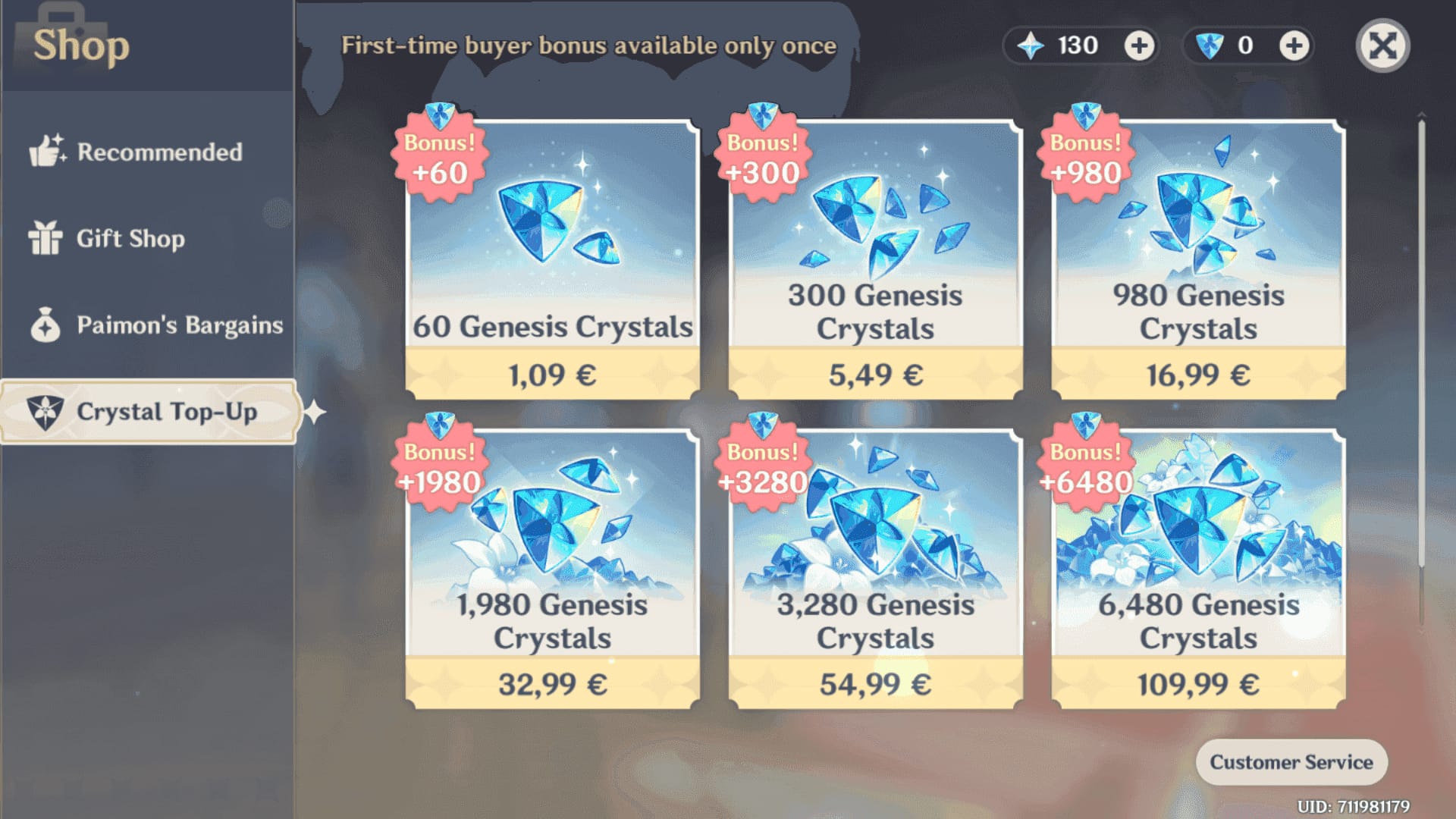
Yes—very often. Officially, the payment country/region must match your physical location and the game download store, and mobile billing follows the App Store or Google Play region rules.
This is where many generic guides are weak: they talk about region as one thing, but in real checkout failures there are three moving parts:
Game server: America, Europe, Asia, TW/HK/MO
Store country: your Apple/Google/console store region
Payment billing region: your card or wallet billing country
If one of those conflicts, payment can fail even when your login is fine. Since 2025, users commonly report stricter region-lock behavior across servers and payment flows.
Which platform causes the most confusion?
Mobile stores do. App Store and Google Play purchases are tied to the store account region, and gift cards are a safer fallback when cards keep failing there. On PlayStation, users commonly report that adding funds to the PS wallet first works better than charging the card directly.
Platform-specific caveats:
Official top-up center: often the cleanest way to bypass device-specific app issues
App Store / Google Play: region-locked billing; clear cache if billing fails
PlayStation Store: wallet funding can succeed when direct card billing fails
Genesis Crystals: platform-specific usability matters; community reports note PS Store crystals don’t freely transfer to mobile/PC without conversion
And if you’re chasing a Genshin Impact recharge region lock fix, check the store country before anything else. Personally, I would avoid changing regions casually unless your billing and physical location genuinely match, because that creates more support friction later.
How do you fix a failed Genshin Impact top-up step by step?
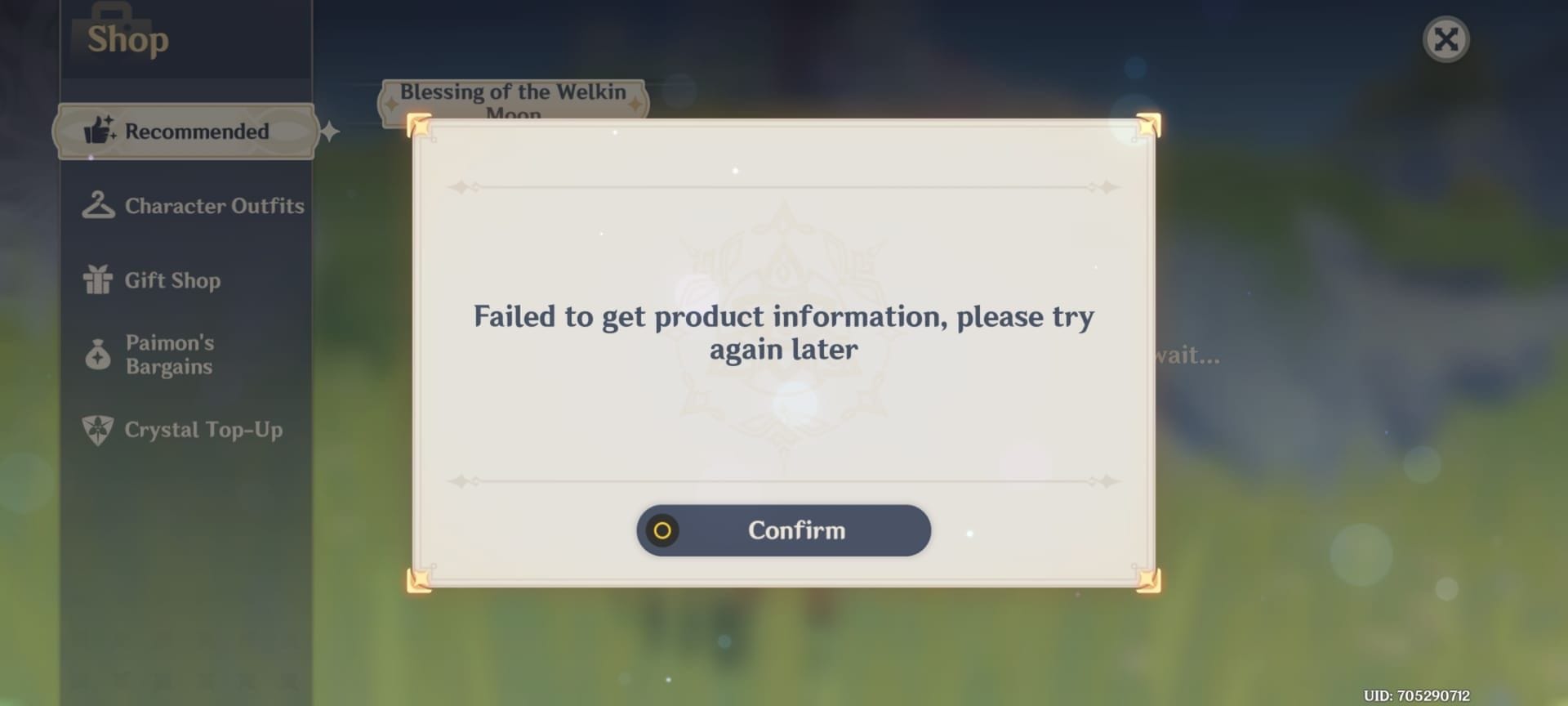
Use a safe troubleshooting order that separates declined, pending, and paid-but-not-delivered cases. In digital checkout troubleshooting, the biggest mistake is retrying before you know which state you’re in.
Confirm the payment state
Open your bank, Apple, Google, or PlayStation transaction history.
Check whether the charge is:
Declined: safe to troubleshoot and retry later
Pending/authorization hold: don’t retry yet
Captured/completed: move to delivery checks
If it’s pending, users commonly wait 24–48 hours for reversal before retrying.
Recheck account details
Confirm UID, server, and login account.
If the checkout uses UID, verify the correct 9-digit format and server.
Wrong UID/server errors are more common than people think, and wrong-account top-ups are hard to reverse.
Check region and billing alignment
Match your store country, billing address, and payment method region.
On mobile, make sure the game was downloaded under the same store region you’re billing through.
Disable VPNs. Official guidance specifically recommends this.
Fix payment-method issues
Verify enough balance and online transaction access.
Complete any 3D Secure bank prompt.
Ask your bank to approve gaming or international transactions if needed.
For bank transfer methods, check daily limits and online-payment settings.
Fix device/store issues
Reboot device and update the game/app.
Force stop and reopen the app.
Clear App Store/Google Play cache if billing keeps failing.
Switch networks; a mobile hotspot often rules out local connection issues.
Retry once, not repeatedly
Retry only after the previous attempt is clearly declined or reversed.
If mobile billing keeps failing, use the official top-up center or a supported alternative like Apple Pay, Google Pay, prepaid card, or store gift card where available.
Officially supported methods include credit/debit/prepaid cards, Apple Pay, and Google Pay.
Don’t use unsupported methods
Crypto/USDT is not officially supported and often leads to declines.
Non-official purchases carry account and asset risk, and community reports since late 2025 also mention more region-lock and scam problems.
What should you do if the payment went through but the top-up did not arrive?
First, treat this as a delivery issue, not a payment-failure issue. Officially, HoYoverse recommends restarting the game, logging out and back in, checking in-game mail/history, and checking the purchase platform transaction history.
Use this order:
Restart the game
Restart the app or client.
Log out and back in.
Check whether Genesis Crystals or Blessing of the Welkin Moon updated after refresh.
Verify the order really completed
Confirm the charge is captured, not just pending.
Check Apple/Google/PS/website order history.
If the order is still processing, wait before buying again.
Wait a reasonable window
Delayed delivery is frustrating when the payment already left your account.
Community advice commonly suggests waiting 3–5 days before opening a support ticket for delayed delivery, unless the platform already marks the order failed.
Collect support evidence
UID
Server
Order ID
Transaction ID
Timestamp
Payment method
Screenshot of the charge or receipt
Contact the right support team
HoYoverse Help Center: payment errors after basic troubleshooting
Apple/Google billing support: app-store billing failures
Your bank: declines, holds, fraud blocks
Seller support: only if you used a non-official but trusted seller
From comparing checkout paths, the fastest resolutions usually happen when all evidence is sent in one message. Don’t drip-feed screenshots one by one.
Why was my Genshin Impact card declined?
Most card declines come from insufficient funds, bank fraud checks, card limits, or incomplete 3D Secure verification. If the card is valid, call the bank and ask whether gaming or international transactions were blocked.
What should I do if my Genshin Impact top-up is pending?
Don’t retry right away. Check whether it’s only an authorization hold, then wait 24–48 hours for reversal unless the platform confirms the order completed.
How long does a Genshin Impact top-up take to arrive?
Usually fast, but not every successful charge delivers instantly. If payment is captured and nothing arrives, restart the game, check order history, and if it still hasn’t shown up, wait up to 3–5 days before escalating.
Can region mismatch cause Genshin Impact payment failure?
Yes. Store country, billing region, and account/server setup can conflict, especially on App Store and Google Play. This is one of the first things I’d check after a bank decline.
What happens if I entered the wrong UID for Genshin Impact top-up?
Wrong-account top-ups are difficult to fix and usually can’t simply be transferred. Contact the seller or support immediately with the order ID, UID entered, correct UID, and timestamp.
Who should I contact for a failed Genshin Impact payment?
Start with your bank for declines or holds, Apple/Google for mobile billing issues, and HoYoverse for official payment errors or paid-but-not-received orders. The right contact depends on where the failure happened.
Can I retry a failed Genshin Impact payment right away?
Only if the previous attempt is clearly declined. If it’s pending or authorization-held, retrying can create duplicate charges and more confusion.
Genshin Impact payment failures are usually fixable once you identify the real state of the order: declined, pending, captured, or delayed. Check payment status first, then verify UID, server, store region, billing details, and bank authentication. If one method keeps failing, use a supported alternative with clear tracking—VGTopup is one option if you’ve already confirmed your account details and need a simpler checkout path.