
If your Genshin Impact payment failed, first check whether the order was actually declined, still pending, or charged without delivery before you retry. Most top up issues come from bank security checks, app store payment settings, account-region mismatches, or wrong account details. The fix depends on which one happened.
According to HoYoverse support guidance, start with the basics: confirm your payment method has enough balance, disable any VPN or proxy, and make sure your billing country, store region, and physical location match. If money was already taken, don't spam retries—wait, check purchase history, and collect proof first. If you need a broader troubleshooting path for Genshin Impact top up payment failed, the key is separating a decline from a pending or delayed order.
Why does Genshin Impact payment failed appear during top up?
It usually appears because the payment was blocked before completion, held for review, or accepted by the bank but not yet fulfilled by the game side.
From reviewing failed recharge cases, the most common avoidable mistake is retrying too fast. Users see an error, hit pay again, then end up with a pending hold or duplicate-charge confusion. A successful bank charge does not always mean the order has fully cleared verification.
Here’s the practical difference:
Officially listed common causes include insufficient balance, bank decline, and fraud or risk checks. Users also commonly report billing mismatch, account-region mismatch, and platform restrictions.
Can account region, billing details, or platform rules block a Genshin Impact top up?
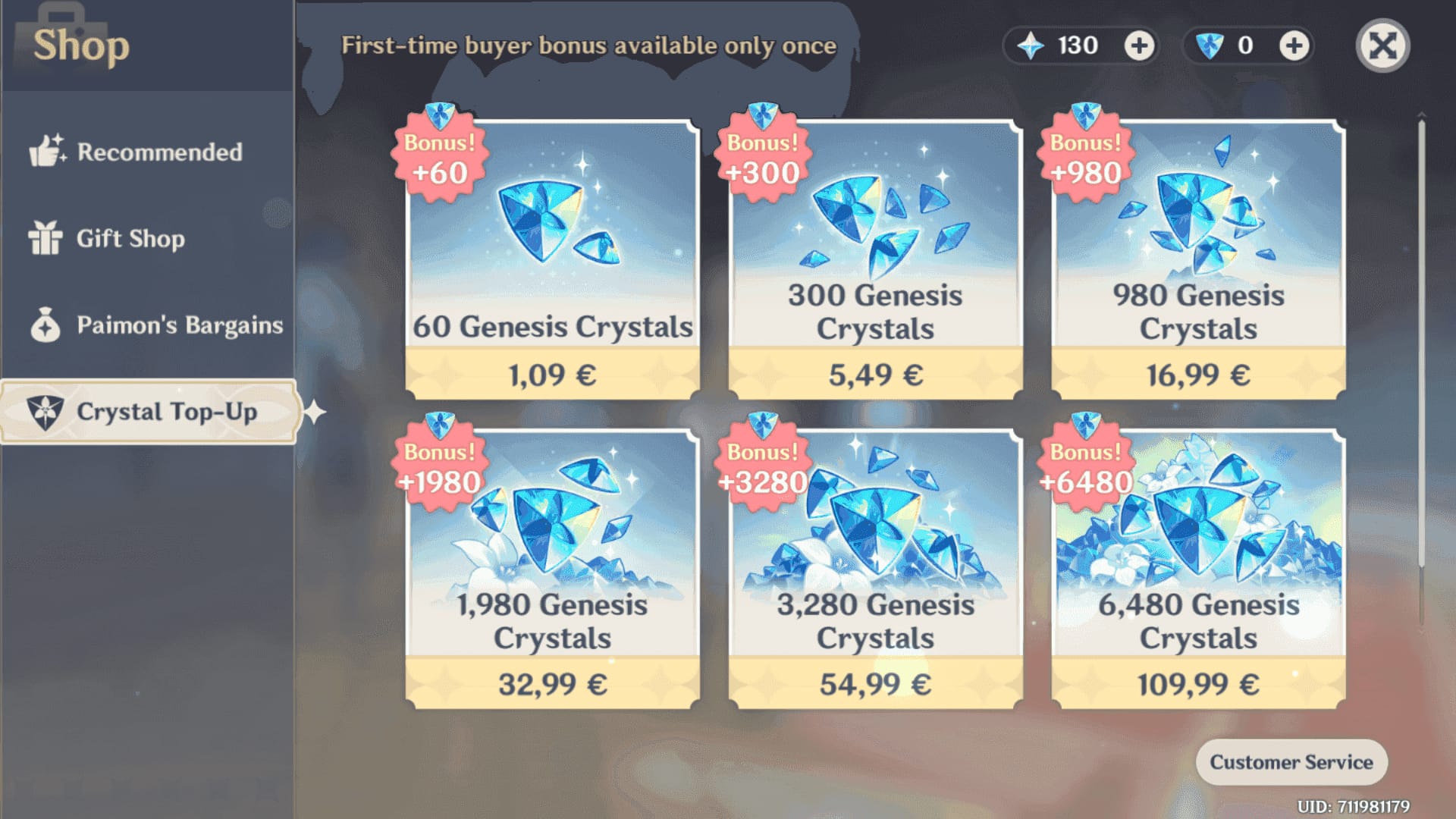
Yes—region mismatch and platform-origin rules are some of the most common reasons a Genshin Impact purchase fails.
This is where many guides stay too generic. In checkout troubleshooting, region and platform rules cause more confusion than card balance alone, especially when players move between mobile and PC. HoYoverse officially notes that payment can fail if the country or region in payment settings doesn't match your physical location. On PC/web, the official advice is to use the HoYoverse Top-Up Center and match your billing address to the correct region.
Check these before paying again:
Billing country and store region match your actual location
Game download source matches the platform you're buying on
UID and server are correct
Account login is the intended HoYoverse account, not an alt
Platform restrictions aren't forcing you back to the original store flow
Users commonly report that region-locked accounts need a matching region top-up path. Community reports also say third-party top-ups have become more sensitive to region lock errors and UID rejection. Personally, I would avoid experimenting with random checkout paths when the account region is already unclear—sort out the region first.
What should you verify in your UID and server before retrying?
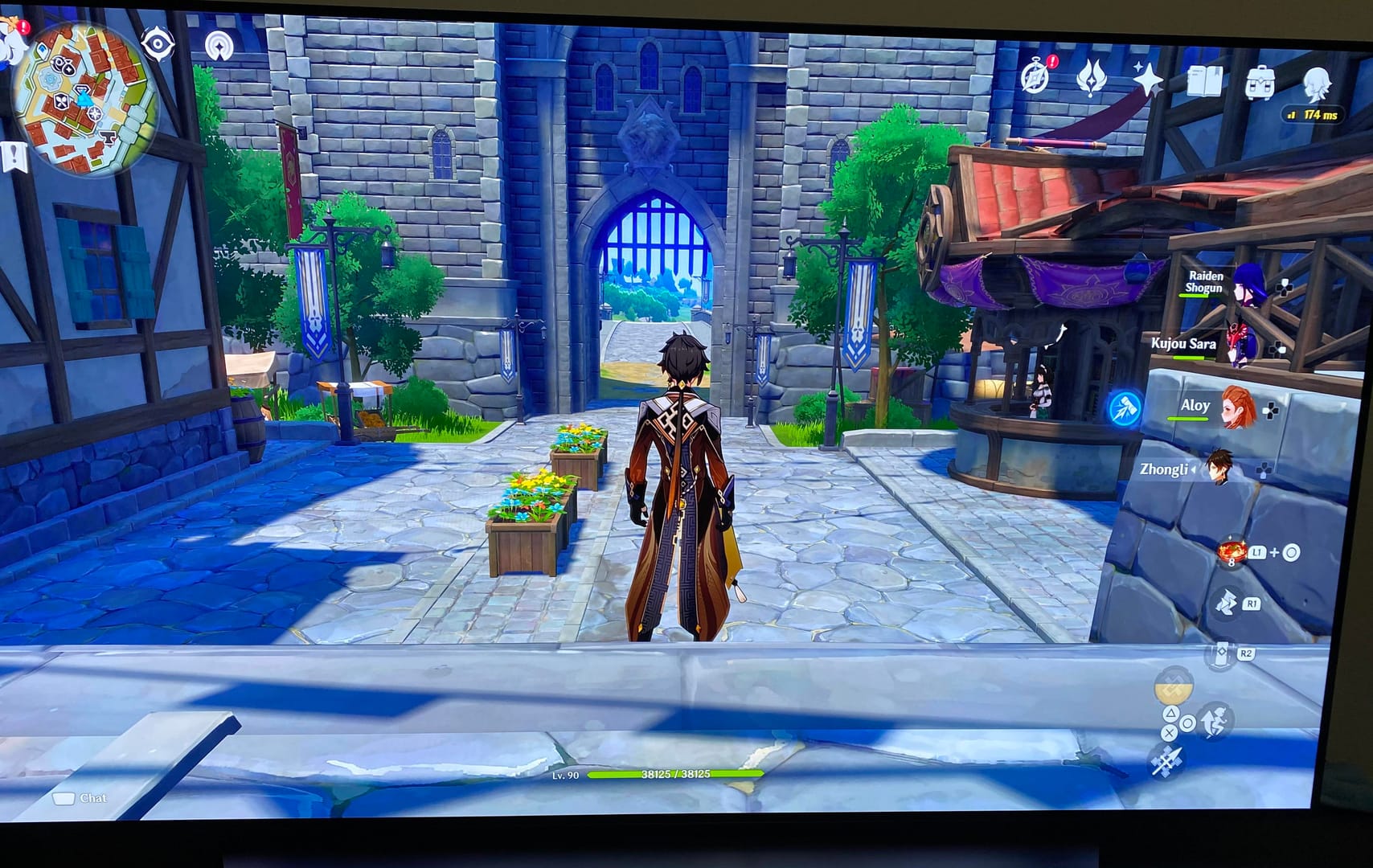
Verify the exact UID and server shown in-game before you pay again.
Open the Paimon menu and note your 9-digit UID and server. UID mismatch is a common failure point, especially when users copy the wrong account or top up the wrong region profile. And if Genesis Crystals were purchased but not visible, official guidance says they may need to be activated in-game on the same platform.
Why do App Store, Google Play, and PC/web payments fail differently?
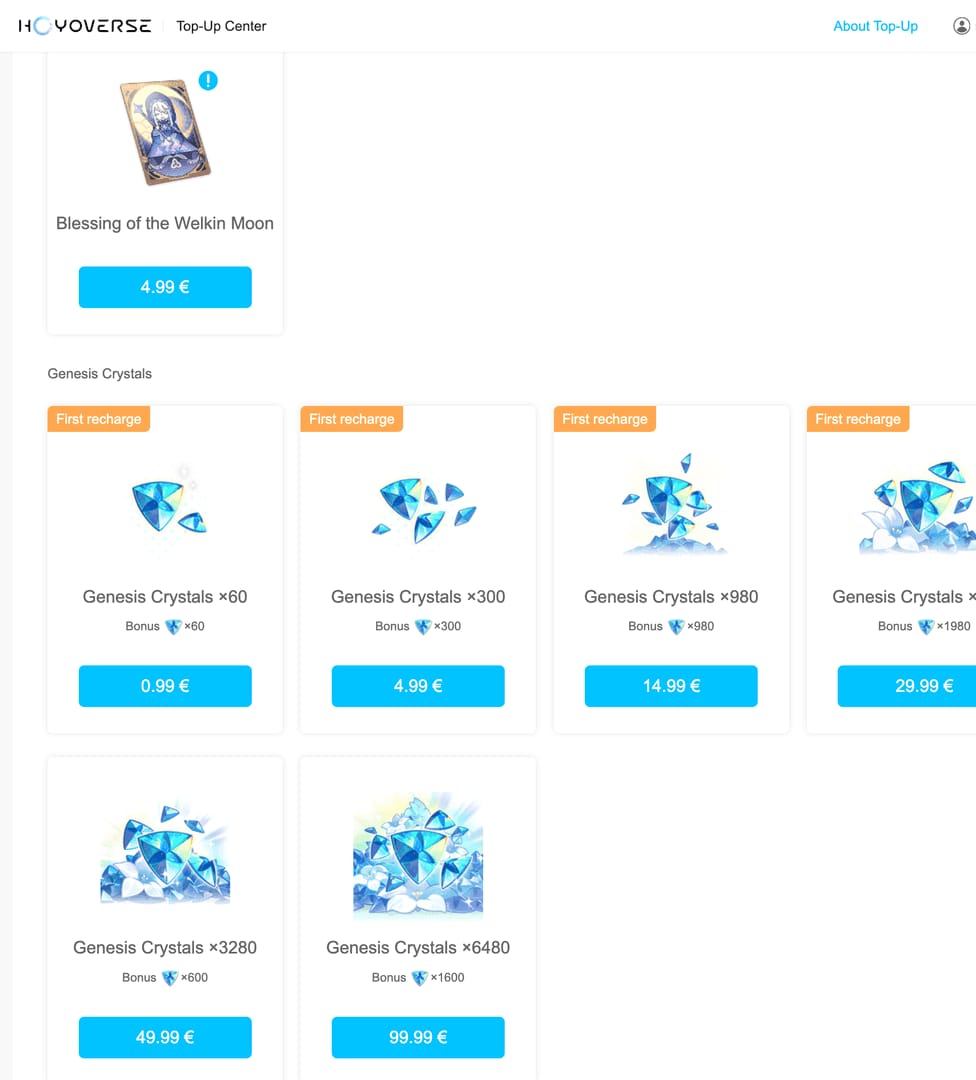
They fail differently because each platform controls a different part of the payment chain.
App Store: update the app, check your Apple payment method, and look for unpaid orders. Users commonly report Apple Pay declines when there are unresolved store billing issues.
Google Play: clear cache, verify Google Pay, and make sure international transactions are enabled if required by your bank.
PC/web: use the official HoYoverse Top-Up Center and make sure billing address and region match.
In-game checkout: restart the game and device, and avoid multiple rapid attempts.
Officially, app-store-specific issues should go to Apple or Google support first. Bank declines or unauthorized holds should go to your bank first. Charged-but-not-delivered orders belong with HoYoverse support.
How do you fix Genshin Impact top up issues step by step?
Fix it by identifying the payment status first, then checking account details, region, platform rules, and only retrying once it's safe.
Check whether the payment was declined, pending, or charged
Look at bank history, app store purchase history, or web order status.
If it's pending, wait up to 24 hours before retrying.
If it's charged, don't pay again yet.
Verify account details
Confirm your UID, server, and login account.
Double-check the selected product: Genesis Crystals or Blessing of the Welkin Moon.
If you're using any alternate checkout path, verify the account identifier exactly. This is where many Genshin Impact recharge failed fix attempts go wrong.
Check payment method and bank restrictions
Confirm enough balance.
If using a debit or credit card, ask your bank whether gaming or international transactions were blocked.
Prepaid cards often fail, according to user reports; standard debit/credit with international enabled is usually more reliable.
Remove connection and risk triggers
Disable VPN or proxy.
Switch networks if needed; a mobile hotspot is a good test.
Reboot your device and restart the game before trying again.
Refresh the platform payment layer
App Store: update app, verify Apple billing, resolve unpaid orders.
Google Play: clear cache, verify Google Pay, enable international transactions if needed.
PC/web: use the official top-up center and match billing address to region.
Retry once, safely
Retry only if the first attempt was clearly declined.
If the first attempt is pending or charged, wait and monitor instead.
If one method keeps failing, switch to another officially supported method such as card, PayPal, or e-wallet where available.
What should you do if your Genshin Impact payment failed but money was taken?
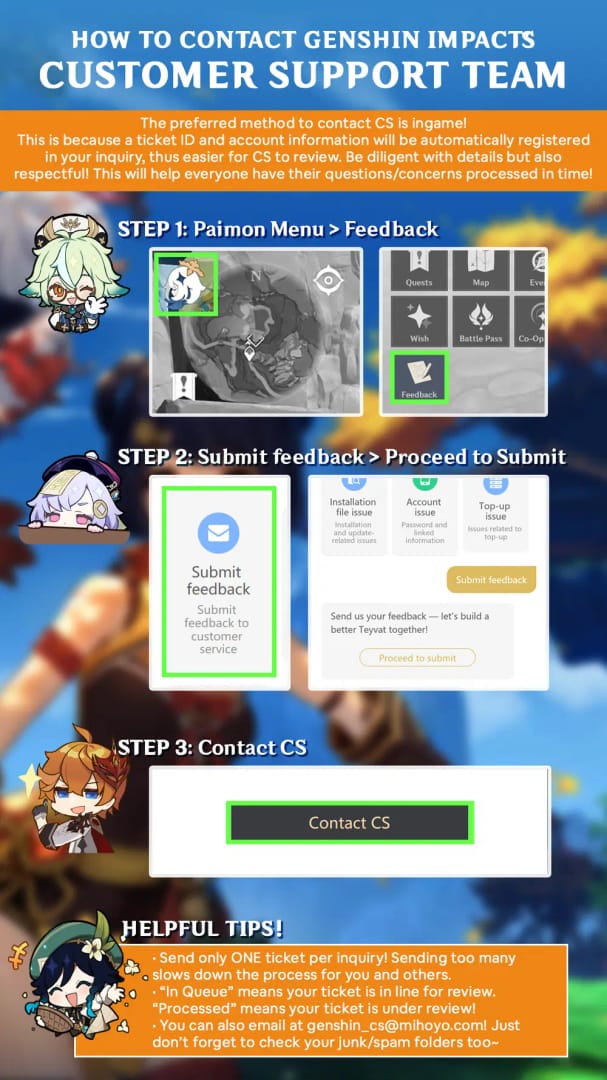
If money was taken, first confirm whether it's a temporary hold, a delayed fulfillment, or a duplicate charge.
Honestly, this is the most frustrating case. You see the money leave, but no Genesis Crystals arrive. Official guidance says processing delays do happen, so check transaction history and purchase history first. Then wait for processing before escalating.
Use this escalation map:
When resolving delayed delivery, the details that consistently speed things up are:
Order ID
Transaction ID
UID
Server
Timestamp
Payment method used
Screenshots of payment status and missing delivery
Refunds are less straightforward. Officially, app stores handle their own refund policies, and if refunded crystals were already spent, HoYoverse may deduct them, which can create a negative balance. Users commonly report negative Primogems after refunds; if that balance isn't corrected, account penalties are a real risk. So I would only push for a refund after confirming the order won't settle normally.
FAQ
Why does Genshin Impact say payment failed?
Usually because the bank, app store, or risk system blocked the transaction. The first checks are balance, billing details, VPN use, and region mismatch.
Why was I charged but did not receive my Genshin Impact top up?
Because the payment may still be processing or the delivery has not cleared yet. Check purchase history first, wait for processing, then contact HoYoverse support with your order ID, UID, and screenshots if nothing arrives.
How do I fix a declined card in Genshin Impact?
Start with your bank. Users commonly report immediate declines from security filters, spending limits, or disabled international transactions. Also check that your billing address and region match the checkout.
Can region mismatch cause Genshin Impact top up to fail?
Yes, officially. If your payment settings country or region doesn't match your physical location, the purchase can fail. Region-locked accounts and mismatched store setups also commonly cause problems.
How long should I wait if my Genshin Impact payment is pending?
Wait up to 24 hours before retrying. During that time, monitor your bank or store history and avoid repeated attempts that can create duplicate-charge confusion.
Who should I contact for a failed Genshin Impact purchase: bank, app store, or official support?
Contact the bank for declines or suspicious holds, the app store for Apple/Google billing issues, and HoYoverse support for charged-but-undelivered Genesis Crystals or Welkin. That split saves time because each party controls a different part of the transaction.
Can I get a refund for a failed or duplicate Genshin Impact payment?
Sometimes, but the process depends on platform policy. App stores handle their own refunds, and if refunded currency was already used, HoYoverse may deduct it and leave the account with a negative balance.
Genshin Impact payment failures are usually fixable once you identify the exact failure type: declined, pending, charged-but-undelivered, or region/platform blocked. Check balance, disable VPN, verify UID and region, then contact the right owner—bank, app store, or HoYoverse. If you need another checkout path after confirming your account details, VGTopup can be an option, but accuracy on UID, server, and region matters more than speed.