
If Age of Empires Mobile restore purchase is not showing, the fastest fix is to identify where the payment actually happened. Apple App Store and Google Play purchases may restore or re-sync inside the app when you are using the same store account. A web top-up is different: it usually does not appear through Restore Purchases and instead depends on the correct game account, UID, and server being credited. In practice, many restore failed cases are not restore problems at all—they are billing-route or account-context problems.
Quick diagnosis: was this Apple, Google Play, or a web checkout?
A missing purchase can look identical on screen, but the support logic changes completely depending on the billing route.
If the charge appears on your Apple ID billing history, this is an App Store purchase. In that case, the in-app Restore Purchases option is relevant, and you should be signed into the same Apple ID used to buy the item. Age of Empires Mobile on iOS is listed under app ID 6476261995 and publisher Level Infinite, so the purchase trail should live inside Apple’s ecosystem.
If the order appears in Google Play purchase history, this is a Google Play billing case. The app on Android uses package com.proximabeta.aoemobile, and the purchase is tied to the Google account that completed the order. Here, restore may happen automatically after sync, or you may need to verify the correct Google account, reopen the app, or reinstall.
If you paid through the official web checkout, the logic changes again. Age of Empires Mobile has an official certified web top-up route through Midasbuy. Those orders are generally tied to the game account details entered during checkout, not to Apple ID or Google Play entitlement restore. That is why repeatedly tapping restore after a web payment often leads nowhere.
This is the key rule to keep in mind: restore purchase is mainly for app-store billed entitlements, not for direct web top-ups.
When does Restore Purchases actually help?
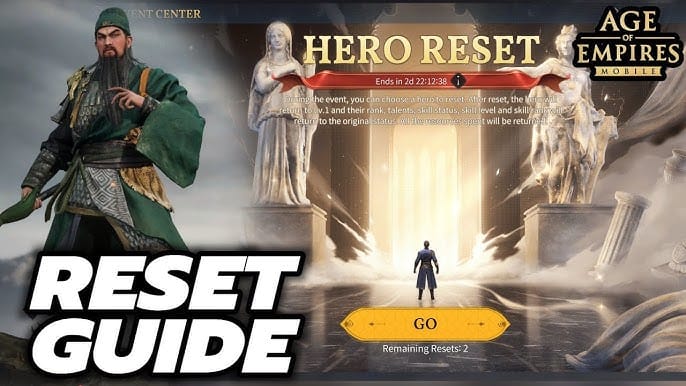
The phrase sounds universal, but it is not. Restore is useful only in a narrower set of cases than many players assume.
On iPhone or iPad, the official path is to open the app, find Restore Purchases in the store main menu or Settings, and restore using the same Apple ID that made the purchase. Apple Pay billing still follows App Store rules, because the billing owner is still the Apple account. One important limitation is that Family Sharing does not transfer in-app purchases to another Apple ID. If the wrong Apple ID is active, restore will not find the entitlement.
On Android, the equivalent issue is usually less about a visible restore button and more about Google Play account sync. Check Play Store purchase history from your profile, confirm the right Google account is signed in, then reopen the game. If sync is stuck, official troubleshooting includes clearing Google Play cache or data, force stopping the app, and restarting the device.
Where I would not tell someone to keep trying restore is a web top-up case. If you used the official web store and the item did not arrive, the likely issue is account targeting, order review, or delivery sync—not a missing store entitlement. In that situation, restore is the wrong tool.
There is another nuance that matters: official restore guidance generally applies to non-consumable in-app purchases. Consumable currency such as gems is not always restored in the same way. So even when the billing route is correct, the type of item affects what restore can realistically recover.
Why can a valid payment still fail to show in Age of Empires Mobile?

Most missing-purchase cases come down to a mismatch between billing account, game account, and server context.
The most common version is the simplest: you paid on one Apple ID or Google account, then checked on another. Official guidance supports this directly—using the wrong store account prevents restore. On shared devices, this happens more often than people expect. A charge can be real, the receipt can be valid, and the game can still show nothing because the active store identity is not the one that owns the purchase.
The next common cause is the wrong game login method, UID, or server. This matters especially for web top-ups, but it can also affect app-store purchases after reinstalling the game or switching devices. Age of Empires Mobile progress is described as server-based, and account binding is important for transfer. If you log into a different profile after reinstalling, the purchase may seem missing even though it belongs to another character context.
Pending or reviewed payments are another frequent source of confusion. A bank authorization or card activity does not always mean the store has fully completed the order. For Google Play, official guidance and common user experience both support checking whether the payment is still pending, restarting the device, and waiting before escalating. Community guidance commonly points to up to 24 hours for pending or reviewed payments to settle. The same waiting window is often sensible after an app update if a subscription renewal has not synced yet.
Platform switching creates a different kind of disappointment. Community guidance consistently indicates that iOS and Android purchases are not transferable across store ecosystems. So if you bought through Apple and then moved to Android, or bought through Google Play and moved to iPhone, you should not expect a cross-platform restore of store-billed purchases. Your game progress may transfer if the account is properly bound, but the billing entitlement itself follows the original store rules.
Then there is the messy issue of region and local currency mismatch. If the store account region changes, or the billing country no longer matches the account setup, users can run into currency display problems or checkout confusion. The facts available here support that region mismatch can cause billing issues, and that changing Apple ID country may require spending remaining balance first. This does not prove every missing purchase is a region problem, but it is a real edge case when the charge history and the current store setup no longer line up cleanly.
A few short examples show how these failures happen in real life:
A player buys on iPhone, reinstalls the app on a new iPhone, and sees no premium state. The Apple receipt is valid—but they restored while logged into the wrong game profile. The billing proof is real; the account context is wrong.
Another player sees a Google Play charge and assumes delivery failed. But the Play order is still pending review. The game cannot unlock what the store has not fully confirmed yet.
A web top-up buyer has a valid invoice but entered the wrong server during checkout. The payment exists, yet the intended character never receives the pack because the order was targeted elsewhere.
These are all payment completed but not received stories on the surface, but the fix is different in each one.
What does your receipt prove—and what does it not prove?

Support tickets move faster when the evidence matches the billing route.
An Apple receipt or App Store billing email proves that Apple billed your Apple ID for an in-app purchase. It does not prove that you are currently signed into the correct game account, or that the item should appear on a different platform. If you are troubleshooting an iPhone restore issue, this is useful proof, but it is only one part of the case.
A Google Play order number is stronger than a generic bank screenshot because it confirms that Google Play created the order on that Google account. It is the right proof for Google billing cases. But even that does not automatically prove the order has fully synced into the game yet.
A web order confirmation or invoice is the key document for web top-up problems. It shows that the order was placed through the web route. What it does not prove by itself is that the correct UID or server was credited. For web cases, support usually needs both the invoice and the exact in-game account details.
A payment authorization screenshot is the weakest form of proof on its own. It may show that money was reserved or charged, but it usually does not identify which store account owns the entitlement or which game account should receive delivery.
That is why the best evidence bundle is not just here is my charge. It is: here is my charge, here is my UID, here is my server, here is the exact item, and here is the device and platform where I expected it to appear.
Who should you contact first, and when should you wait?
The right support path depends on who can actually see the order state.
If the purchase was billed through Apple App Store, start by confirming the same Apple ID is active, then use the in-app restore option. If the receipt exists and restore still fails, the game’s support path is the next practical step because they can inspect account state. If the charge does not appear properly in Apple billing history, that points back to Apple’s side rather than the game.
If the purchase was billed through Google Play, first verify the order in Play purchase history and check whether it is pending. If it is still under review or incomplete, waiting is often the correct move. If the order is completed and still missing after roughly 24 hours, then escalate to the game support team with the Google Play order number and account details. If the order itself is missing or unresolved inside Google Play, that is a store-side issue first.
If the purchase came from the official web checkout, skip restore and go straight to account matching. Check the UID, server, and order details. If the top-up is not reflected, use the game’s customer service path and include the web invoice. For Age of Empires Mobile, the in-game support route is available through profile picture > Settings > Customer Service.
A simple way to think about it is this:
The wait versus escalate question matters because contacting the wrong team too early often wastes a day. If the payment is visibly pending or under review, waiting up to 24 hours is reasonable. If the order is completed, the account details are confirmed, and nothing has changed after that window, escalation makes sense.
What should you prepare before opening a support ticket?
The best ticket is not the longest one. It is the one that gives support enough context to verify both the payment and the intended recipient.
Before contacting support, collect:
your UID
your server
the timestamp of the purchase
the exact item, pack, or subscription
the store account email if visible in the receipt context
the Apple receipt, Google Play order number, or web invoice
your device and platform details
whether you changed phones, reinstalled the app, or switched between iPhone and Android
That last point matters more than many players realize. A changed device often introduces two separate issues at once: progress login confusion and billing entitlement confusion. On iOS, official guidance supports reinstalling the app, signing into the same account, and restoring on the new device. On Android, Google Play purchases are tied to the Google account and should be recognized on any Android device using that same account. But none of that creates cross-platform restore between Apple and Google billing systems.
If you plan to switch devices often, account binding is worth doing before trouble starts. The available guidance points to binding through in-game settings to reduce data-loss and login confusion on a new device.
A practical buyer memo for next time
If you buy regularly in Age of Empires Mobile, the cleaner billing route depends on how you play.
App-store billing is usually easier for players who stay inside one ecosystem and want purchases or subscriptions managed through the same Apple ID or Google account. If continuity on the same platform matters most, this route is simpler to audit later.
Web checkout is often easier to document when you want the order tied directly to a specific game account context. But that convenience comes with a trade-off: if the wrong UID or server is entered, restore will not save you. The order has to be reviewed as an account-targeting problem.
Shared devices make both routes riskier. Multiple Apple IDs, multiple Google accounts, and multiple game logins on one phone are a perfect recipe for purchase not showing confusion. In those cases, the safest habit is to verify the active store account and the active game profile before paying.
Bottom line for missing purchases
The fix for Age of Empires Mobile restore purchase not showing is usually not tap restore again. It is to identify the billing route first.
If the payment was through Apple App Store, sign into the same Apple ID and use Restore Purchases in the app. If it was through Google Play, confirm the order in Play history, make sure the correct Google account is active, and allow time for pending or delayed sync. If it was through the official web top-up route, do not rely on restore at all—check the UID, server, and invoice, then contact customer service if delivery does not appear.
In short: restore for Apple and Google, account matching for web top-up, and escalation after about 24 hours if a completed order still has not synced. That approach solves the problem faster than treating every missing purchase like the same bug.
👉 Age of Empires Mobile restore purchase 👈
✅ Safe and convenient digital top-up service
✅ Orders are processed promptly after successful payment
✅ Supports popular products and recharge scenarios
✅ Customer support can help with order issues