
If your Poppo Live Coins Not Received After Payment issue happened, don’t pay again yet. Most cases are a delay, a wrong User ID, a login/account mismatch, or a payment that was authorized but not fully cleared for delivery. Normal delivery is usually 30 seconds to 3 minutes, but users commonly report waiting 15 minutes before treating it as a real problem.
I would check the account first, then the payment status, then refresh the app wallet. If you’re comparing options after this is fixed, this page on Poppo Live Coins top up not received is useful because it keeps the troubleshooting tied to actual recharge flow instead of vague advice.
Why are my Poppo Live Coins not showing after payment?
They usually aren’t showing because the coins haven’t finished syncing, the payment is still under authorization, or the top-up went to the wrong account.
From reviewing digital top-up support cases, the biggest confusion is this: a successful charge is not the same as completed coin delivery. A bank, card, PayPal, Google Play, or Apple receipt can confirm money movement while the coin order is still pending review or waiting for server sync. Community data says 98% of orders arrive within 10–60 seconds, and normal delivery is 30 seconds to 3 minutes. But delays still happen.
Common causes:
Wrong Poppo User ID — users commonly report this in about 30% of missing-coin cases
Wrong login or duplicate account — you paid on one login method, then checked another
App-store sync lag — especially after Google Play or Apple purchases
Anti-fraud or 3D Secure review — common with card and PayPal payments
Region mismatch — overseas recharge can fail if payment region and app/account region don’t match
Unsupported payment route — some prepaid cards are reported to fail fulfillment
Daily reset sync issue — around 00:00 UTC+8, temporary wallet delay is widely observed
A lesser-known point: after daily reset, a 90–120 second server sync reportedly restores about 70% of temporarily missing balances after a manual refresh. Generic guides often miss that.
Why does payment say successful but the balance is unchanged?
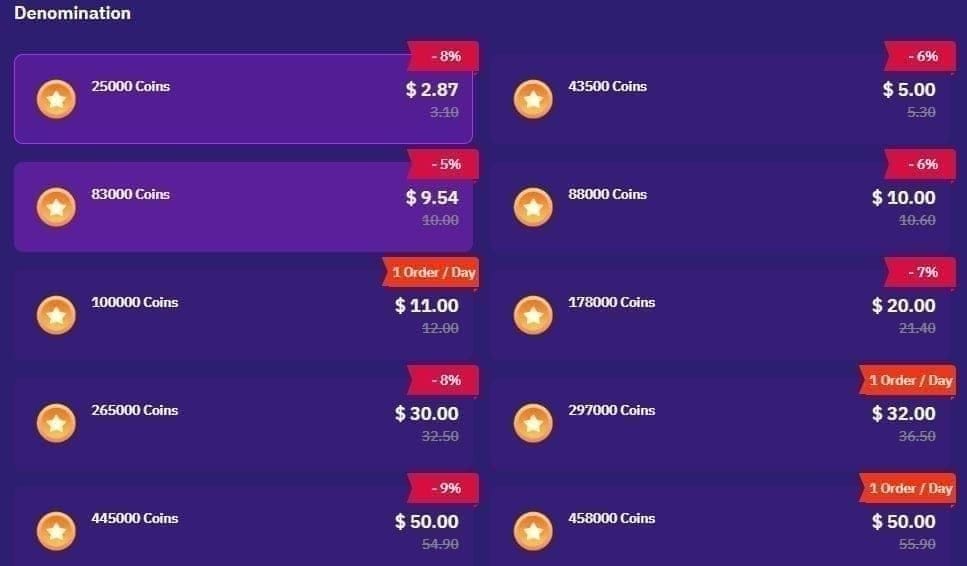
Because payment successful, payment authorized, and coins delivered are three different statuses.
That distinction matters:
Honestly, this is where people panic and buy twice. Don’t. A completed charge screen can still sit behind anti-fraud review, 3D Secure checks, app-store sync lag, or regional restrictions.
Edge cases I would check early:
Google Pay / app-store region mismatch
PayPal country not matching app region
VPN left on during overseas payment
International card payments, which some reports say can take up to 24 hours
Card payments, where some sources report a 1–3 hour delivery window
If you bought through the app, the app store receipt matters. If you bought through a direct top-up site, the seller order status matters more. Those are not the same support path.
How do I fix Poppo Live Coins not received after payment step by step?
Use this order. It solves most cases without creating a refund mess.
Wait 2–3 minutes first.
Most successful orders land fast. Restarting too early won’t help.Refresh the Poppo wallet.
Restart the app, open your wallet, and pull down to refresh. Community troubleshooting steps specifically recommend this.Wait the full 15 minutes before escalating.
This is the practical threshold users commonly follow for delayed Poppo coin delivery.Verify the exact Poppo User ID.
In the app, go to Profile > Settings. Your numeric User ID is shown below your profile picture. Check that against the ID used during payment.
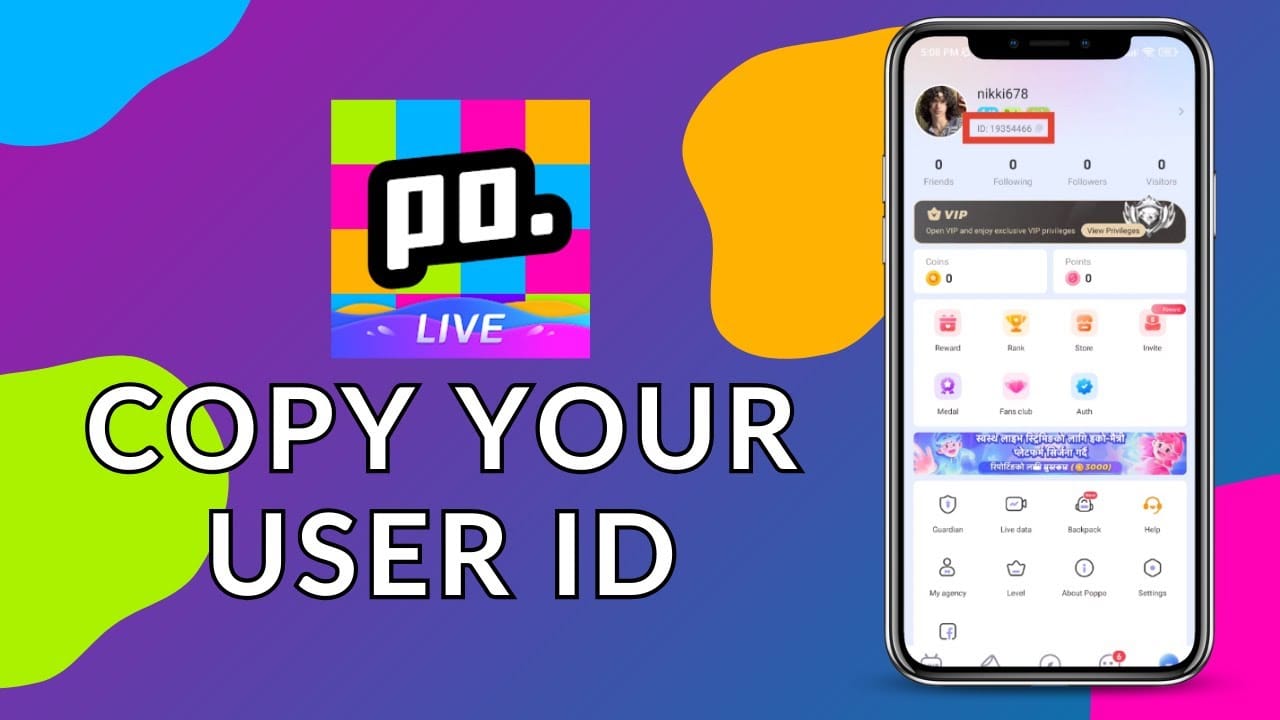
Confirm you’re in the right account.
If you use multiple social logins or duplicate accounts, log out and back into the exact account used for purchase. Coins sent to the wrong UID are commonly reported as irreversible.Check payment channel status.
App purchase: verify Google Play or Apple receipt, then see whether the purchase is completed or pending
Direct purchase: check the top-up site order page for paid/pending/failed status
Check region conditions.
For overseas issues, match payment region to app region, turn VPN off, and use a local card if possible.Do not file a chargeback yet.
Community guidance is consistent here: wait for support resolution first, and avoid chargebacks for 24–48 hours unless support fails to respond.
If you’re trying to avoid a repeat issue on the next order, this guide to Poppo Live Coins payment failed fix is relevant because the same UID, region, and payment-route mistakes often cause both failed and delayed top-ups.
What should I send support if Poppo Live Coins are still missing?
Send complete proof in the first message. That’s usually the fastest path.
From comparing support outcomes, the users who get quicker replies usually include everything upfront:
Use the official in-app path: App > Help Centre > Submit ticket.
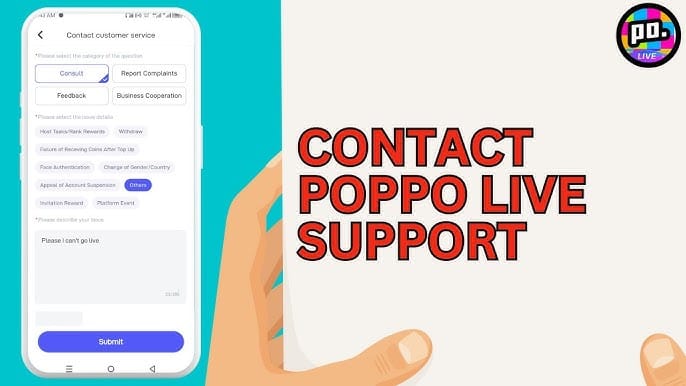
A clean support message should include:
Your Poppo User ID
Purchase amount and coin package
Payment method used
Exact payment time
Transaction ID / order number
A short description: Payment completed, coins not received after refresh and 15-minute wait
And contact the right team:
In-app purchase pending over 24 hours: contact Google Play / Apple App Store
Direct top-up issue: contact the seller first, then Poppo support if needed
No response after support review: escalate to payment provider or bank after 48 hours
Officially, if Poppo confirms an error and fewer coins were credited, it corrects the amount. But refunds are usually only possible when coins were not delivered. Once credited, they’re commonly treated as non-refundable.
Why are my Poppo Live Coins not showing after payment?
Usually because the order is delayed, the app hasn’t synced, or the coins went to a different account. Wrong User ID, wrong login, and payment authorization delays are the most common real-world causes.
How long does it take for Poppo Live Coins to arrive?
Most orders arrive in 10–60 seconds, and normal delivery is usually 30 seconds to 3 minutes. Wait 15 minutes before reporting it missing; some card payments can take 1–3 hours, and international cases may take longer.
What should I do if I was charged but did not receive Poppo Live Coins?
Don’t repay immediately. Refresh the app, verify your numeric User ID, confirm you’re logged into the right account, check whether the payment is pending or completed, then submit a support ticket with full proof.
Can I get a refund if Poppo Live Coins were not delivered?
Yes, refunds are commonly possible if the coins were never delivered. But once coins are credited to an account, refunds are usually not available, and coins sent to the wrong UID are commonly not reversible.
Who should I contact for missing Poppo Live Coins support?
Start with Poppo in-app support for undelivered coins. For app-store purchases pending over 24 hours, contact Google Play or Apple; for direct top-ups, contact the seller first, then your payment provider if support fails after 48 hours.
Can Poppo Live Coins go to the wrong account?
Yes. And this is one of the costliest mistakes. If you entered the wrong numeric User ID or checked a different login account after payment, the coins may appear missing even though they were delivered elsewhere.
If your Poppo Live Coins were not received after payment, the safest fix is simple: don’t buy again, verify the exact account and payment status, refresh the app, wait the proper window, then contact official support with complete proof. In my experience, early chargebacks and incomplete tickets slow everything down. Check the UID first, use in-app support only, and keep every receipt until the wallet balance updates.