
If your Party Star Top Up Not Credited After Payment, do not rush into paying again. The fastest fix is to confirm whether the payment truly completed on the merchant side or is only showing as a bank or wallet authorization. Most missing-credit cases come down to a short processing delay, a wrong account detail such as Player ID or login method, or a payment that never fully settled. In practice, checking those in the right order saves more time than any quick retry button ever does.
Verdict first: should you wait, retry, or contact support?
In most cases, you should wait briefly, refresh properly, and avoid a second payment until you know what happened to the first one. Available guidance around Party Star top-up delays points to a normal delay window of about 5 to 15 minutes. That means a missing balance right after checkout is annoying, but not automatically a failed order.
The key distinction is this: a charge visible in your banking app is not always the same as a completed Party Star order. Card and wallet payments can show a deduction before the merchant receives final settlement. That is why users often describe the situation as money deducted but top up missing even when the order is still pending or never fully captured.
A simple way to think about it:
If the payment is still marked pending, processing, or authorization, waiting is usually the right move.
If the order appears in Party Star or the transaction menu as queued or processing, it may still be a normal delivery delay.
If more than 15 minutes have passed, the balance is still unchanged, and you have proof of payment, it becomes a support case.
If you entered the wrong Party Star account ID, UID, username, or used the wrong login method, contact support immediately rather than hoping it corrects itself.
If you see more than one charge attempt, stop retrying. Duplicate orders create extra confusion and can lead to multiple pending authorizations.
If you need broader troubleshooting beyond this page, the Party Star payments and top-up help hub can help you branch into the right issue faster.
Why is my Party Star top up not credited after payment?
The phrase payment successful sounds clear, but in digital purchases it often is not. What looks successful from the bank side may still be incomplete from the merchant side, and what looks complete in a checkout flow may still be delayed by account matching or app sync.
One common cause is bank-side authorization without final settlement. This is especially relevant for card payments, including credit card and debit card flows. Your bank may reserve funds first, while Party Star has not yet received a confirmed, settled payment. In that case, the top-up will not arrive because the merchant has nothing final to fulfill yet.
Another frequent cause is payment review or anti-fraud screening. The brief for this article requires that possibility to be covered, and it fits the pattern users often see when a payment appears stuck after verification. A card can pass an initial check, including 3D Secure-style verification, and still remain under review before the order is released. From the user side, this often looks like payment done but no credits.
Then there is the account problem that wastes the most time: wrong recipient details. Party Star top-up delivery depends on accurate account information. The available facts show that Party Star top-up commonly uses a Player ID, and that UID or username may also be required for accurate delivery depending on the route. Party Star also collects user ID and the third-party payment channel during the top-up process. If you entered the wrong ID, copied it incorrectly, or signed into Party Star with a different login method than expected, the credits may go elsewhere or fail to match your intended account.
App-store purchases can add another layer. If you paid through the Apple App Store or Google Play, the payment can complete on the store side while the in-app entitlement sync lags behind. That is why a receipt may exist while your Party Star coins or diamonds still do not show. In those cases, the issue is not always the payment itself; sometimes the app simply has not refreshed the purchase state.
Finally, there are region, currency, or account-state mismatches. The facts available here do not provide a detailed official policy breakdown, but they do support a practical warning: before retrying, verify that your payment method is valid and supported in your region, and make sure you are using the correct account login method on a stable network. If those basics are off, repeated attempts usually create more noise rather than a clean result.
How do you diagnose the problem in the right order?

The best diagnosis path is not complicated, but the order matters. From reviewing missing-credit cases, the biggest time saver is separating a true completed charge from a temporary authorization that only looks successful in the banking app.
Start with the payment status itself. Look closely at the wording in your bank, card, or wallet record. If it says pending, processing, or authorization, that is not the same as a final merchant capture. In that situation, do not open another Party Star order yet.
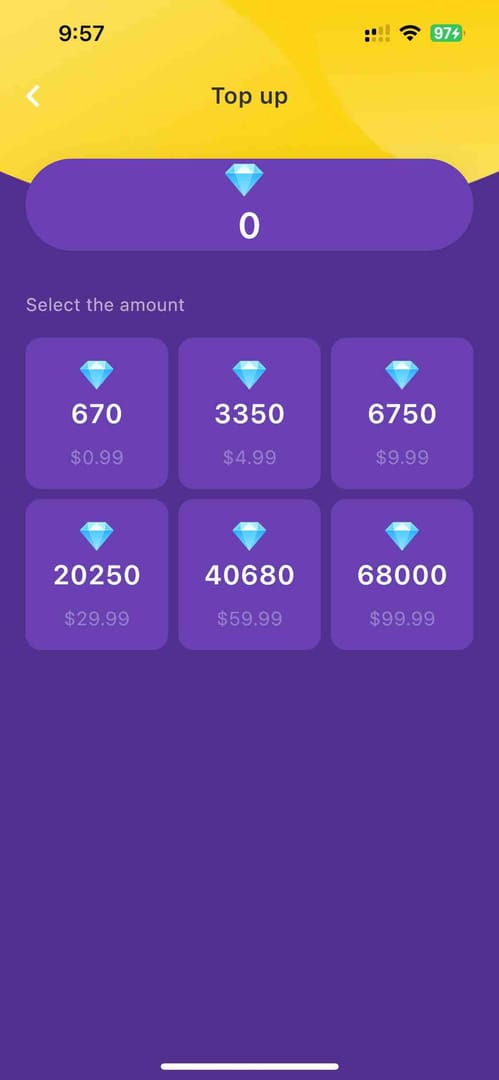
Next, check the Party Star side. Open the app, look at your balance, and check whether there is a Transaction menu entry showing the order as queued or processing. If you have an email receipt or checkout confirmation, compare that with what appears in-app. If there is no order history at all, that often points to a payment that did not finish merchant-side, even if your bank app already shows a deduction.
Then refresh the app properly instead of just staring at the same screen. Force stop and reopen Party Star. If the receipt exists but the balance is still zero, restart the device. If the issue happened through in-app billing, Android users can also clear Google Play Store cache and data if the purchase flow failed there. More generally, clearing the Party Star app cache or reinstalling can help with payment glitches, and checking app permissions related to payments is also worth doing when the app behaves inconsistently.
After that, verify the account details with more care than most users expect. Confirm the exact Party Star Player ID, UID, or username used at checkout. Also confirm that you are signed in with the same login method you normally use. This matters because a top-up can appear missing when it actually landed on a different account tied to another email, device, or social login. If you recently changed devices, signing in with the same account on the new device may restore the purchase view.
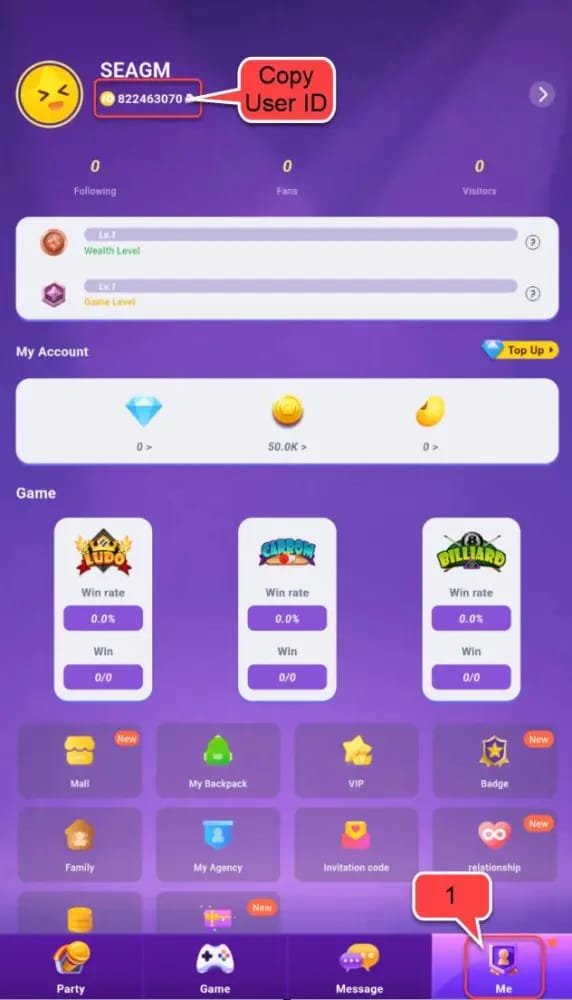
Only once you have checked payment status, order visibility, app refresh, and account identity should you decide whether to wait longer or escalate. If you are still inside the 5 to 15 minute window, patience is reasonable. If you are beyond that window and nothing has changed, gather evidence and contact support. If the issue is clearly a wrong-account case, go straight to support rather than waiting for an automatic fix.
If your branch points to an account mismatch or missing receipt details, these related guides may help: the Party Star wrong account top up guide and the Party Star receipt and order ID help.
What changes depending on web checkout, app billing, or card review?
Not every purchase route fails in the same way, and that matters when you are deciding whether to wait, troubleshoot locally, or escalate.
With web checkout, the main advantage is usually clearer order tracking. If the order was created successfully, you are more likely to have a merchant-side order ID to work with. That makes support tracing easier. If there is no order history after payment, the problem may be on the payment side rather than the Party Star fulfillment side.
With Apple App Store or Google Play billing, the payment record may exist even when the app has not yet reflected the purchase. That is why app-store cases often need both the store receipt and the Party Star account details. On Android, clearing Google Play Store cache and data can help if the purchase flow itself failed. On either platform, force closing and reopening Party Star is a sensible first check before assuming the credits are gone.
With credit card or debit card payments, review and authorization issues are more common. Make sure card details were entered correctly and not expired; the facts specifically mention confirming Visa card details correctly for Party Star top-up. If the card passed verification but the order remains pending, it may still be under review or waiting on settlement. That is frustrating, but it is not a good reason to submit the same payment again.
A practical rule here is simple: when delivery speed matters, the best route is usually the one that gives you the clearest order trail and the least ambiguity about whether payment actually completed. A small promo or convenience feature is not worth much if it leaves you with no usable order record and no easy way to prove what happened.
What should you send to support so they can actually trace the order?
When support resolves a delayed Party Star delivery quickly, it is usually because the first message already includes both merchant-side and payment-side proof. A vague complaint like I paid but got nothing forces support to ask basic follow-up questions and slows everything down.
Before contacting Party Star support, collect:
Order ID
Transaction ID
Receipt
amount paid
payment method used
timestamp of payment
your Party Star account ID, Player ID, UID, or username
screenshots showing the missing balance or stuck status
any error message shown during checkout or in the app
One detail users often miss is the difference between a bank reference and a merchant order ID. They are not interchangeable. The bank reference helps prove the payment attempt; the merchant order ID helps locate the actual top-up order. Support may need both to connect the dots.
Use official Party Star channels first. The available official locations in the facts database are:
official Party Star website:
partystar.chatofficial Party Star help center:
help.partying.twofficial Party Star help center:
help.partystar.cloud
Official guidance also indicates that users should inform Party Star customer service promptly for recharge complaints.
A concise support message works better than a long emotional one. For example:
My Party Star top up was paid but not credited.
Party Star account ID / Player ID: [your ID]
Order ID: [order ID]
Transaction ID: [transaction ID]
Payment method: [card / Apple Pay / Google Pay / bank transfer / app store]
Time of payment: [date and time]
Issue: [no credits / stuck processing / wrong account / duplicate charge]
Attached: receipt and screenshots
If the issue began in app billing, include the app-store purchase proof as well. If the issue looks like a pure authorization hold with no merchant order, your payment provider may also need to confirm whether the charge settled or is still pending. The right escalation path depends on which side has the missing piece.
What if it went to the wrong account, stayed pending, or charged twice?
These situations look similar at first, but they do not resolve the same way.
If the payment is only pending or authorized, the most likely outcome is that it either settles and the order completes, or it reverses automatically if the merchant never captures it. In that case, waiting is usually better than escalating too early. What you should not do is create a second order while the first one is unresolved.
If the order exists and the payment appears complete, but the Party Star credits, coins, or diamonds still have not arrived after the normal delay window, this is a standard support case. Provide the evidence set above and ask support to trace the order against your account identifier.
If the top-up went to the wrong account, the situation is more difficult. Community experience in the facts database suggests that a wrong Player ID can send credits to the incorrect account with no automatic recovery. That does not mean support can never help, but it does mean speed matters. Contact official support immediately and provide both the intended account details and the account that may have received the credits, if known.
If you suspect a duplicate charge, stop all further attempts and gather every receipt and transaction record. Duplicate retries are a known way to create multiple pending authorizations. Support can only sort that out cleanly if you give them a full picture of each attempt rather than one screenshot from the middle of the mess.
As for refunds, the facts available here do not provide a detailed official refund timetable. What can be said safely is this: some failed or uncaptured payments may reverse automatically, while cases involving completed orders, wrong-account delivery, or duplicate charges may require manual support review. That is another reason not to rely on guesswork when the first payment is still unresolved.
Before you buy again
Most repeat problems are preventable. In digital top-up troubleshooting, wrong account identifiers and alternate login methods are more common than users expect, especially after changing devices or signing in differently than usual.
Before your next Party Star purchase, slow down long enough to confirm the basics. Make sure the Player ID, UID, or username is correct. Make sure you are logged into the intended account with the correct login method. Use a stable network. Check that the payment method is valid, supported in your region, and entered correctly. If you are using a card, confirm the details are accurate and the card is not expired.
Just as important, avoid panic behavior. Do not keep tapping pay because the first attempt feels slow. Save the receipt, screenshot the order page, and give the system a few minutes before deciding it failed. If the app looks out of sync, force stop and reopen it, restart the device, and only then move to support.
Party Star officially supports third-party payment tools for account recharge, but support clarity can vary by route. If you need a fresh top-up only after confirming the earlier order failed or was voided, use the path that gives you the clearest order record and account verification. If you need that next step, VGTopup is one option through the Party Star account and purchase support center.
The short version is this: treat a missing top-up like a diagnosis problem, not a speed problem. First confirm whether the payment truly settled. Then verify order history, app sync, and account identity. If the credits still do not appear after the normal delay window, contact Party Star through official support with complete proof. That gives you the best chance of fixing the issue without creating a second one.