
If your Onmyoji Arena gift card says code already used, do not keep retrying it over and over. In most cases, the problem falls into one of a few buckets: the code was genuinely redeemed before, it was applied to a different account, the voucher does not match your server or region, or the code was issued incorrectly and needs seller review. The fastest fix is to confirm your player ID, server, login account, and redeem route first, then decide whether this is a seller-side code issue or an official account-delivery issue.
Quick diagnosis: what code already used usually means
The frustrating part of this error is that the message is often too broad. It sounds final, but it does not always mean the same thing.
A true already used case is the simplest explanation: the code has been consumed before. But in Onmyoji Arena, similar failures can also happen when you are redeeming through the wrong path, using a code meant for a different server, or logging into a different account than the one you intended to top up. In some reported cases, the page even recognizes the player ID correctly and a second attempt succeeds, which suggests that not every used message reflects a permanently invalid code.
Start with the official redeem flow. The official redeem page is:
https://www.onmyojiarena.us/m/giftgrab/
There, you enter your player ID and code. One useful built-in check is that the page can show whether the player ID is valid by displaying the nickname tied to that ID. If the nickname does not appear, stop there. You may be troubleshooting the wrong account before you even get to the code itself.
There is also a community-reported in-game path for coupon redemption through Jizo Statue > Notification > Coupon Redemption, and some code types such as ARPay-style gift cards follow their own flow, including server selection, player ID entry, code, serial number, and activation. That matters because a code can fail simply because it is being entered in the wrong place.
Before you escalate, do a short two-minute check:
confirm the code type you bought
confirm your player ID resolves to your nickname
confirm the server tied to your account
retry once if the account is recognized correctly
If it fails again with the same message, stop guessing and move into evidence collection.
If you need broader payment troubleshooting, the Onmyoji Arena payments and top-up help hub can help you compare code redemption issues with direct top-up problems.
Did you buy the code for yourself, or are you on the wrong account?
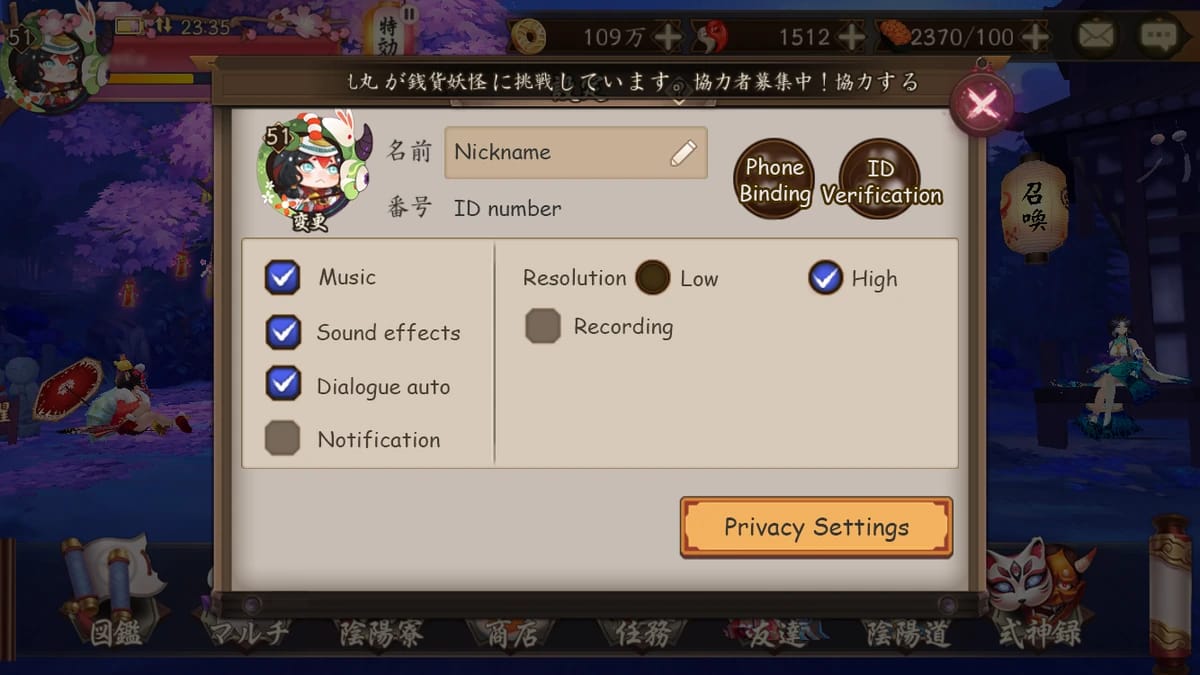
When players buy a code for themselves and still get a used error, the cause is often less dramatic than it first appears. It is frequently an account-match problem.
The first thing to verify is the basic redeem format. Copy-paste mistakes, character confusion, or entering a PIN into the wrong redemption form can all produce misleading errors. If your player ID is valid on the official redeem page and your nickname appears, that tells you the account identifier is good. The next question is whether you are logged into the account you actually meant to fund.
That sounds obvious, but it is one of the most common failure points. Onmyoji Arena accounts can be tied to different login methods, and platform switching may involve logging in through Google, Facebook, or using a transfer code. Officially, platform switching is supported through account login methods or transfer code, and transfer codes expire after use and are limited in frequency. So if you recently changed devices, reinstalled the game, or switched from iOS to Android, it is entirely possible to be looking at the right character on one device and redeeming against a different bound account on another.
Server also matters. Community guidance consistently points to separate server environments such as NA, SEA, SA, and JP, and progress is region-specific. There is no normal server transfer for account progress. If your account lives on one server and the voucher was issued for another, the code may fail even though everything else looks correct.
A practical way to think about it is this:
If the page recognizes your player ID but the code still fails, the problem is usually one of three things: the code status itself, a server mismatch, or a wrong-account login. If the page does not recognize your player ID, fix that first before doing anything else.
If you recently switched accounts or devices, check the User Center and account binding before assuming the code is bad. A wrong-account redemption is not the same problem as a dead code, and support will treat those cases differently.
What changes when the code came from someone else?
Gifted codes fail more often because there are more ways for the details to drift apart.
When someone sends you a voucher, you are relying on them to have bought the right code type for the right game, the right server, and the right account region. A mismatch in any of those can produce a generic redeem error that looks like a used or invalid code. Community reports specifically note that gift cards and prepaid top-up PINs can be region-locked to server, and that mismatch can cause redemption failure.
This is where many support tickets go nowhere: the recipient has only a screenshot of the code, but not the original purchase proof. If the sender bought the code for the wrong server, official support may not be able to convert it. If the sender was given a reused or resold code, the seller usually needs to investigate first.
Before opening a ticket, ask the sender for:
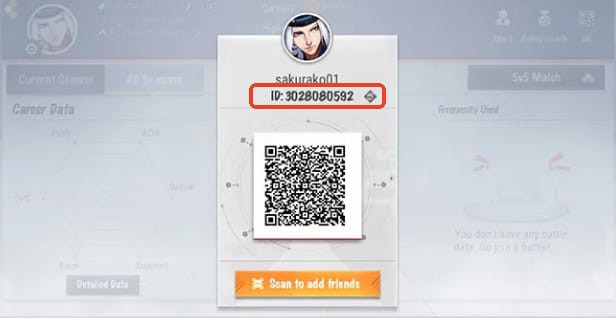
the original receipt or order confirmation
the order ID
the purchase timestamp
the exact code type purchased
the intended server or region
That information does two things. First, it helps you rule out a simple mismatch. Second, it gives either the seller or official support something concrete to verify.
A useful rule here is that gifted code disputes are harder to resolve without the sender’s proof, even if the recipient has the code itself. If the sender cannot provide the order details, your options narrow quickly.
If your issue looks specifically tied to server targeting, it may also help to review the Onmyoji Arena voucher region mismatch fix and compare your account setup before you keep testing the code.
The code was accepted, but no credits appeared. What now?
This is a different problem from a code that fails immediately.
If the code was accepted but your Jades, package, or entitlement did not show up, the issue may be with delivery or display rather than redemption itself. In other words, the code may no longer be available because it was processed, but the value has not appeared where you expected.
That is why it helps to separate three stages:
redeemed code, delivered item, and visible balance
Those are not always the same moment.
Start by checking the account itself. Make sure you are on the same login method and server you intended to use. Then check where the value should appear. Jades should affect the in-game currency balance, while package or membership-related issues may show up in the Events tab or Free Gifts tab if compensation was issued. Official notes have also indicated that some top-up failures can be auto-reissued, and if the issue persists, service intervention is needed.
If the problem started after an update or maintenance, update the game first. Official bug-fix notes indicate that installing the latest version can resolve some redeem-related issues. Maintenance windows are also a realistic source of temporary odd behavior, so a short wait, relog, and recheck is reasonable before escalating.
What support needs in a missing-credit case is not just the code worked but I got nothing. They need enough detail to verify whether the redemption landed on the wrong account, whether the entitlement is delayed, or whether the item is sitting in a tab you have not checked.
For that reason, screenshots matter. Capture:
the success or error screen
your UID or player ID
your server
your current balance or missing entitlement screen
any mailbox, Events, or Free Gifts pages relevant to the item
If your issue is specifically a paid order that completed but did not show up, the Onmyoji Arena payment successful but not received path is often more relevant than a pure code-error guide.
Should you contact the seller first, or official support?
This is where many players lose time. They send the same incomplete message to everyone and wait for each side to redirect them.
A better approach is to decide where the failure most likely happened.
If the code arrived looking compromised from the start—already used, invalid on first entry, or inconsistent with what you purchased—that is usually a seller-side problem first. Sellers are the ones who can verify whether a code was issued correctly, whether inventory was duplicated, or whether the wrong product was delivered.
If the code appears to have processed but the value is missing, that is usually an official account-side problem. At that point, the code itself may no longer be the issue; the issue is where the entitlement went.
A simple way to separate the two:
Contact the seller first when:
the code appears used immediately
the code type does not match what you bought
the retailer may need to verify prior redemption status
you suspect a reused, resold, or mismatched code
Contact official support first when:
the code was accepted but no Jades or item appeared
you redeemed on the wrong account and still control it
the issue is tied to account access, login method, or server confusion
a package or membership entitlement seems missing after an update
The official support center is here:
https://en.onmyojigame.com/m/support/
You can read support articles there or open a ticket.
If you do need to escalate, send one complete message instead of a back-and-forth chain. The most useful proof set is:
full code image or exact code text
masked receipt
order ID
purchase timestamp
payment method
player ID / UID
server
login method
screenshot of the error
screenshot showing nickname resolution on the redeem page, if available
That evidence pack is especially important because payment success does not automatically prove code validity, and code validity does not automatically prove delivery to the right account.
If you need help organizing those details, the Onmyoji Arena receipt and order ID guide can save time before you open a ticket.
Can region mismatch really look like a used code?
Yes, and that is one reason this error is so confusing.
Community reports consistently describe server-locked vouchers and prepaid PINs that fail with generic redeem errors. In practice, that means a code bought for one server may not work on another, even if the code itself is genuine and unused. Onmyoji Arena accounts are tied to region-specific progress, and there is no normal server transfer for that progress. Changing devices does not change the account’s server region, and platform switching does not solve a server mismatch.
This is also why I moved from iPhone to Android and my code stopped working are not necessarily connected in the way players assume. Officially, iOS-to-Android transfer is possible through the account-transfer system, but that does not rewrite the server identity of the account. A transfer code helps you access the account on another device; it does not convert a SEA-targeted voucher into a JP-compatible one.
There are also separate payment contexts to keep in mind. Community information notes that NetEase Pay QR top-up is tied to CN payments and the CN server context, so it is not a universal workaround for region problems.
The hard truth is that a true region mismatch is often not something you can fix yourself. If the code was bought for the wrong server, the realistic outcome depends on the seller’s policy and whether they can replace or correct the product. Official support may confirm the mismatch, but that does not mean they can reissue the code for another region.
How can you avoid reused or mismatched codes next time?
The safest prevention is not a giant checklist. It is simply slowing down at the point where most mistakes happen: before payment.
Confirm your player ID, and if possible use the official redeem page to make sure it resolves to your nickname. Confirm your server before buying anything, especially if someone else is buying for you. Make sure you know whether you are purchasing a promo redeem code, a gift card, a voucher, or a prepaid top-up PIN, because those do not always use the same redemption flow.
Keep the receipt and order ID from the start. Do not wait until something breaks to ask for them. And if you are buying for another person, verify their server and account details first rather than assuming their device region tells you everything you need to know.
It is also worth being cautious with suspiciously cheap codes. Community guidance repeatedly points to the same pattern: reused or mismatched codes create the worst support dead ends. A lower price is not much help if the code cannot be verified later.
In many cases, direct top-up is safer than voucher redemption because there are fewer places for the process to go wrong. If you want to reduce the chance of future disputes, the How to buy Onmyoji Arena top-ups safely route is usually the better long-term reference.
Best next step if you need this fixed today
If you need a practical answer right now, do this in order: verify your player ID on the official redeem page, confirm the server and login account, retry once if the nickname resolves correctly, then stop. If the code still says used, collect your proof before contacting anyone.
Go to the seller first if the code looks bad at delivery or may have been reused. Go to official support if the code was accepted or appears tied to the wrong account, missing credits, or entitlement delay. In either case, send one complete message with your UID, server, login method, code, receipt, order ID, timestamp, and screenshots.
That is the shortest path because it turns a vague my Onmyoji Arena code already used complaint into something support can actually verify and act on.