
If your Identity V top up failed, don't keep retrying right away. First confirm whether the payment was declined, is still processing, or was charged without delivery, because the fix changes based on the actual status.
Most Identity V payment failures come from four buckets: payment verification, region mismatch, app store billing problems, or temporary processing delays. From reviewing recharge issue patterns, the fastest way to avoid duplicate charges is simple: check order status first, verify UID/server/region second, and only retry if no money was deducted.
Why does my Identity V top up keep failing?
It usually keeps failing because the payment route and the account setup don't match. In practice, that means card verification fails, your store region conflicts with your account region, or the app store billing layer breaks before Identity V can complete delivery.
The first thing many guides miss is that failed, pending, and charged-but-not-delivered are not the same problem:
Platform matters too:
Officially, the NetEase GamesClub top-up platform supports Visa, Mastercard, and PayPal for Identity V. Community reports also consistently show that prepaid and Visa debit gift cards fail more often than standard cards, especially on cross-border payments or when billing details don't match.
Honestly, this is where many users get stuck: a successful bank charge does not always mean the order fully cleared verification.
For a cleaner troubleshooting path, this Identity V top up failed fix guide is useful when you need to compare payment prep steps before trying again.
Can region mismatch or account details cause an Identity V payment error?

Yes, region mismatch is one of the most common causes. If your Identity V account region, app store country, and card issuing country don't line up, the payment can fail outright or pass payment but still create delivery problems.
From comparing checkout paths, I would check this first if you've changed store country, use a foreign-issued card, or play on a region-locked account. Community reports repeatedly point to these conflicts:
Identity V accounts can be region-locked
Some countries have recharge restrictions
Cross-border cards are declined more often
Billing country mismatch can trigger fraud checks
Japan-region iOS loopholes for cheaper Echoes were patched
A practical check list before retrying:
Confirm the correct UID/account ID
Confirm the server/region
Confirm the selected package
Confirm the payment country and billing address
Confirm the store region on iOS/Google Play if using in-app purchase
One painful edge case: if you top up the wrong account, community reports say Echoes are generally non-transferable and support usually won't refund that mistake. So verify UID and server before every retry.
Another lesser-known point: users commonly report that the official NetEase top-up website allows more region flexibility than in-app purchases. That doesn't override region locks, but it can avoid app store-specific restrictions and store fees.
How do app store billing failures differ from direct web checkout failures?

They differ because the app store and NetEase don't control the same parts of the transaction. App Store and Google Play handle in-app billing, while the official web checkout uses NetEase's own payment flow.
On iOS, official and community reports both show recurring issues such as:
iTunes purchase window not appearing
Payment processed but not applied in-game
Apple payment declined until a new payment method is added
Unpaid Apple ID balance blocking all new purchases
Apple Pay failing due to card addition or identity verification issues
Officially, if Apple declines payment, adding a different payment method and removing the old one can fix it. If your Apple ID has an unpaid balance, you must clear it first with a new method or gift card before purchases work again.
Direct web checkout has a different failure pattern:
3D Secure blocks the first attempt
Prepaid card limits trigger declines
Billing address mismatch causes issuer rejection
Cross-platform authentication can fail in NetEase User Center
Region/payment-country mismatch causes recharge errors
Personally, I prefer the official web route when card payments fail in-app because order tracking is usually clearer and it avoids some store-layer glitches. But if the original purchase happened inside Apple App Store or Google Play, refunds are handled by the app store, not NetEase.
How do you fix an Identity V top up failed error step by step?
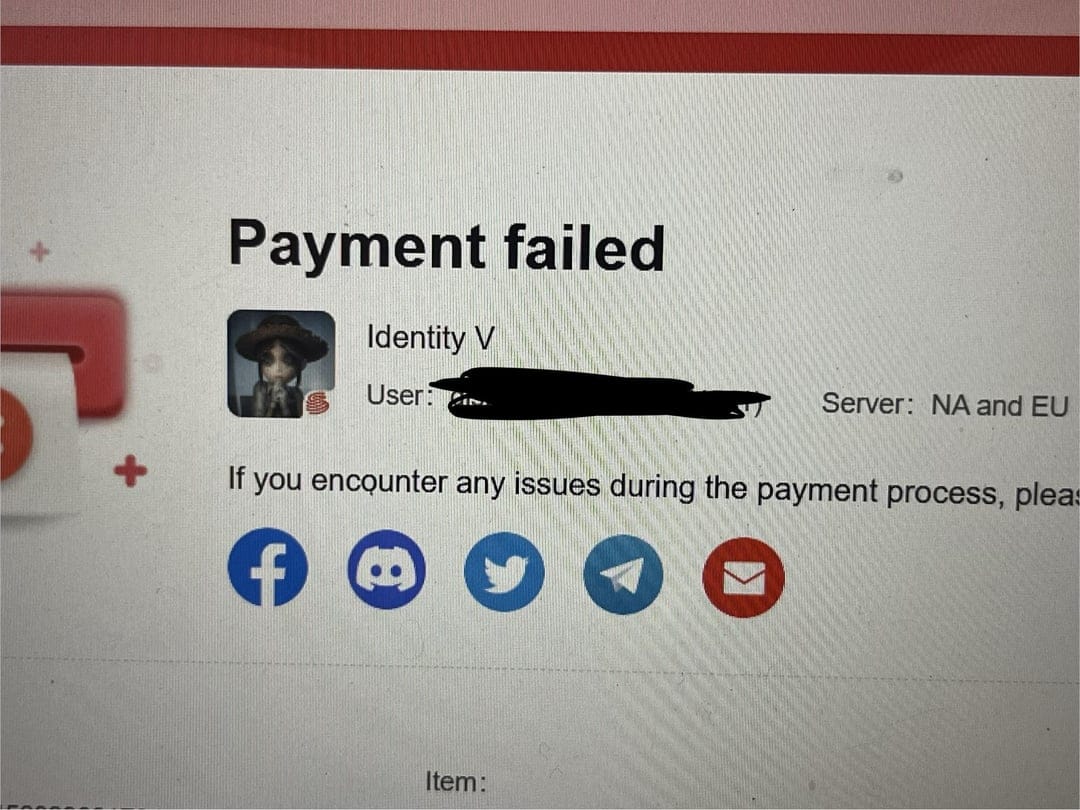
You fix it by checking status first, then account details, then payment verification, and only then retrying once. That order matters.
Check whether the order is actually pending
Look for a bank hold, app store receipt, or order confirmation
Check in-game mail and account balance
If there was a known maintenance/hotfix window, delays can be normal
If you were charged, wait before placing another order; community advice is to avoid duplicates and allow up to 48 hours for delivery/support response
Verify UID and server before any retry
Match the exact account ID
Confirm the correct server/region
Recheck the package selected
This is the highest-value check because wrong-account top-ups are usually not reversible.
Recheck the payment method
Confirm card number, expiry, CVV, and available funds
Make sure billing address matches issuer records
Approve any 3D Secure prompt
If using Apple billing, clear unpaid Apple ID balance
If Apple Pay fails, remove and re-add the card, then contact the bank if verification still fails
Try basic device/app fixes if the payment window is broken
Force close the app
Clear cache if available
Restart the device
Check storage; low free space can interfere with payment flow
Switch platform only when it fits your account
If in-app billing keeps failing, the official NetEase site may work better for supported regions and methods
Officially supported methods on GamesClub include Visa, Mastercard, and PayPal
Don't assume a different platform bypasses region locks; it may only bypass store-specific billing issues
Retry once only if no charge was deducted
Community reports say retrying is generally safe after a failure if no money left your account
If money was deducted, stop and move to the charged-but-not-delivered path instead
If you want a pre-check list before another purchase attempt, this Identity V recharge payment failed page is a reasonable reference for supported-method prep and account verification.
What should you do if Identity V charged you but the credits did not arrive?
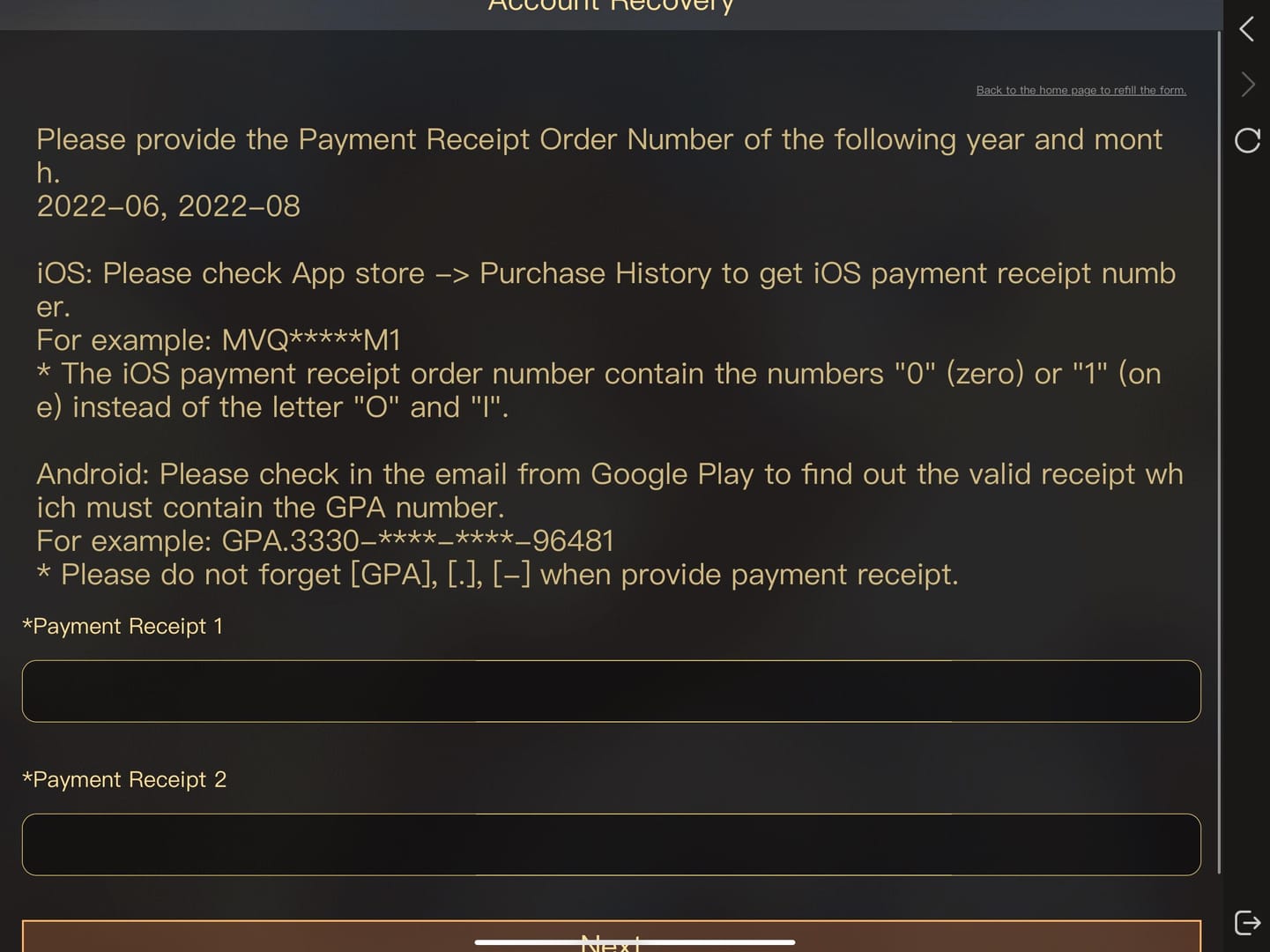
Wait briefly, then escalate with proof to the right support channel. The right channel depends on where you paid.
Use this path:
Wait for processing
Temporary delays happen
Check in-game mail
Check whether there was server maintenance; delayed Echoes delivery can happen during hotfix periods, including the April 16, 2026 08:00 UTC+8 maintenance window noted in official update timing
Do not place duplicate orders
This is the mistake I would avoid most
If the first payment later clears, you'll create a second charge and a harder refund case
Collect the proof support actually needs
Order ID or transaction ID
Receipt or payment screenshot
Account ID / UID
Server
Timestamp
Amount
Payment method used
Contact the correct support team
NetEase / Identity V support: charged but no Echoes, wrong delivery status, official top-up issues
Apple or Google support: refund requests for in-app purchases
Bank/card issuer: card declines, fraud blocks, verification failures
Avoid chargebacks unless absolutely necessary
On Google Play-related cases, chargebacks are widely reported to risk account penalties, including negative Echoes debt or bans
If a reversal already happened, negative Echoes may need repayment
What are the most common Identity V top up questions?
Why does my Identity V top up keep failing?
Usually because of payment verification, billing mismatch, region conflict, or app store billing errors. Check whether it's a true decline or just pending before trying again.
What should I do if Identity V charged me but I got nothing?
Wait, check in-game mail, then contact official support with your order ID, receipt, UID, timestamp, amount, and payment method. If the purchase was made through Apple App Store or Google Play, refund handling goes through that store.
How long does an Identity V top up take to arrive?
Many top-ups are fast, but pending payments and maintenance delays can slow delivery. If you've been charged, don't duplicate the order; wait and escalate if it doesn't clear.
Can region mismatch cause an Identity V payment failure?
Yes. Community reports consistently link recharge errors to mismatched account region, store country, and payment-country details.
Why is my card declined for Identity V top up?
Common reasons are issuer fraud checks, cross-border restrictions, billing address mismatch, prepaid card limits, and incomplete 3D Secure approval. Gift cards and prepaid cards fail more often than standard cards.
Should I retry an Identity V payment or wait?
Retry only if no charge was deducted. If money already left your account, wait and gather proof instead of creating duplicate orders.
How do I contact Identity V support for recharge problems?
Use official in-game support or the official support email/help channel. Send complete payment evidence in the first message to speed up resolution.
Identity V top-up failures are usually fixable once you identify the real status: declined, pending, or charged without delivery. Check UID, server, region, and payment verification before retrying, and stop immediately if you've already been charged. My recommendation: use the official payment route that matches your account region, keep every receipt, and escalate to the correct support team instead of forcing repeated retries.