
Before any Honor of Kings top up, verify the UID or Player ID first, then confirm the server and region from the live account screen. Do not rely on memory, a nickname, a copied chat message, or an old screenshot. Most wrong-account mistakes start there. The safest rule is simple: UID matters more than display name, and the server and region must match that live UID before you pay. If anything looks unclear—especially on a first purchase, a gift, or a high-value recharge—pause and re-check before checkout.
If you need the broader process after this account check, see the Honor of Kings top up guide.
Best route for avoiding wrong-account top ups
Not every top-up route gives the same level of confidence. For first-time buyers, the safer choice is usually the one that gives clearer account confirmation and cleaner payment records. Based on the available guidance, that generally means in-app purchase flow or official Midasbuy, because Midasbuy requires UID input and is part of the official route.
That does not mean every other checkout is automatically unsafe. It means the risk changes depending on how much account confirmation you have before payment and how much proof you can save after payment. In support-heavy situations, the route that leaves you with a visible UID match, a receipt, and an order reference is usually the route that gives you the best chance if something goes wrong.
For a small personal recharge, many buyers move too quickly because the amount feels low-risk. But the real risk is not only payment failure. It is account mismatch. A small wrong-account top up is still a wrong-account top up, and support outcomes are not guaranteed.
For a large recharge, the standard should be stricter. If the UID was copied from chat, if the screenshot is old, if the account was recently moved to a new phone, or if the user has multiple accounts, that is the moment to stop. Community guidance consistently points to the same practical rule: high-value buyers should capture the UID and server before payment and make sure the account is bound before spending more.
If you want a safety-first approach, use this buyer logic:
First-time buyer: prefer in-app or official Midasbuy, verify live UID first
Returning buyer: still re-check UID and server, especially after reinstall or device change
Gift buyer: do not proceed on a stale screenshot
High-value buyer: no payment until UID, server, region, login method, and binding status all make sense together
That same logic also fits the wider Honor of Kings recharge safety hub: the safest payment is the one made only after the recipient account is clearly verified.
How do you verify Honor of Kings Player ID, UID, server, and region before top up?
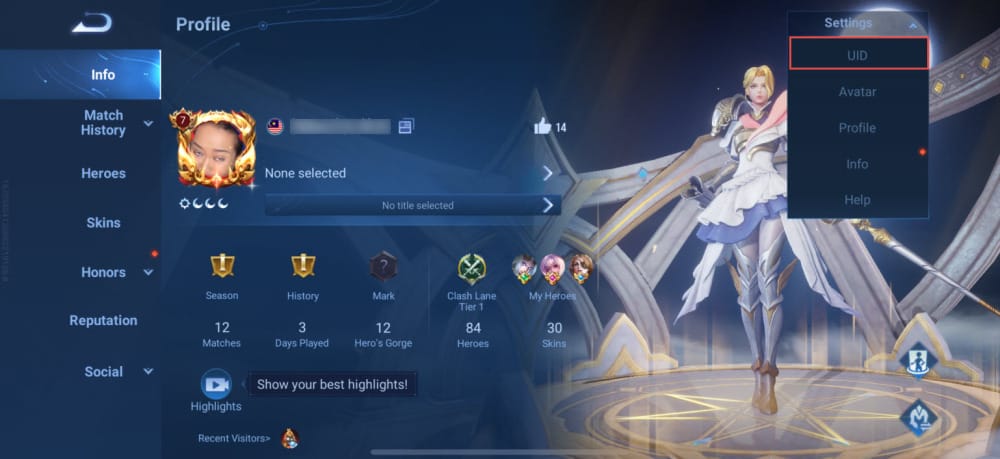
The most reliable order is not complicated, but it matters. Community guidance is consistent here: check UID first, then server and region, then login method, then account binding status. That order catches most preventable mistakes because it starts with the one identifier that actually matters at checkout.
To find the UID, the commonly shared path is:
Launch Honor of Kings
Tap the avatar at the top-left
Tap settings at the top-right
Select View UID and copy it fresh
On Android, the same profile-to-settings path is commonly used before Google Pay or other checkout. On iOS, the UID is checked in the same profile settings area, and buyers are also advised to make sure the App Store region matches the game account.
The reason this first step matters so much is that display names are unsafe for top-up. They are changeable and not unique. A familiar nickname can still point you toward the wrong account, especially on shared devices or among alt accounts with similar names and profile images. By contrast, the Player ID or UID is the identifier used for UID-based top-up flows, including official Midasbuy and other UID-entry checkouts.
The UID is commonly described as a long numeric string, often 17 digits. There is also a community-observed point that buyers should treat seriously: the UID is not universal across servers. It is tied to the account-server combination, not just the person. That is why a buyer can be right about the account owner and still be wrong about the top-up target if the server does not match.
Server confirmation should come from the live profile or lobby view, not from memory. One community-cited reference places the server list in the profile graph icon at the top-right of the lobby. For some buyers, especially on SEA accounts, checking the visible server number before payment is treated as an important extra step.
Region is where buyers often become too casual. Community-named regions include SEA, NA, EU, LATAM, and MENA, and reports consistently warn that server or region mismatch can block delivery or lead to missing credits. Officially, you should be careful not to overstate what every mismatch will do in every case. Practically, though, the safe decision is obvious: if the account’s current region and server are not clear, do not pay yet.
Finally, confirm how the account is logged in and whether it is bound. For high-value top ups, community guidance recommends linking the account to social media first. That does not prevent every issue, but it reduces the chance that you are paying into a loosely tracked or easily confused account state.
Why names, screenshots, and chat IDs cause so many mistakes
Most wrong-account top ups are not caused by a mysterious system error. They usually begin with a very ordinary shortcut.
A buyer sees the right nickname in chat. Or they use a screenshot saved weeks ago. Or they borrow a shared phone and assume the same account is still active. Or they switch devices and forget that the game may now be logged into a different account. These are small mistakes, but top-up systems are not forgiving when the wrong UID is entered.
From reviewing failed recharge patterns, the most common preventable issues are:
copied IDs from chat with a typo or missing digit
old screenshots taken before an account or server change
shared devices where another user was last logged in
alt-account confusion
changed login method after reinstall
gifting based on outdated recipient details
These are exactly the situations where a display name becomes dangerous. A nickname can look correct while the UID behind it is not. A profile image can look familiar while the active account is different. Even a successful payment does not prove the intended account was matched correctly.
Phone changes deserve special caution. Community guidance says that after changing phones, buyers should re-log in and re-check UID and server before any external top up. The same caution applies if you are restoring a purchase or trying to confirm missing credits. The first question should always be: what UID and server is the game showing right now?
There is also a practical difference between I know this is my account and I can prove this was the intended account. Support cases move faster when those two things are the same. If all you have is a memory or a chat message, your case is weaker. If you have a live UID screenshot before payment and a receipt after payment, your case is much easier to understand and investigate.
If this topic is your main concern, the next step after reading this should be the dedicated guide on Honor of Kings wrong account top up: what to do.
Do server and region really matter for Honor of Kings top up?
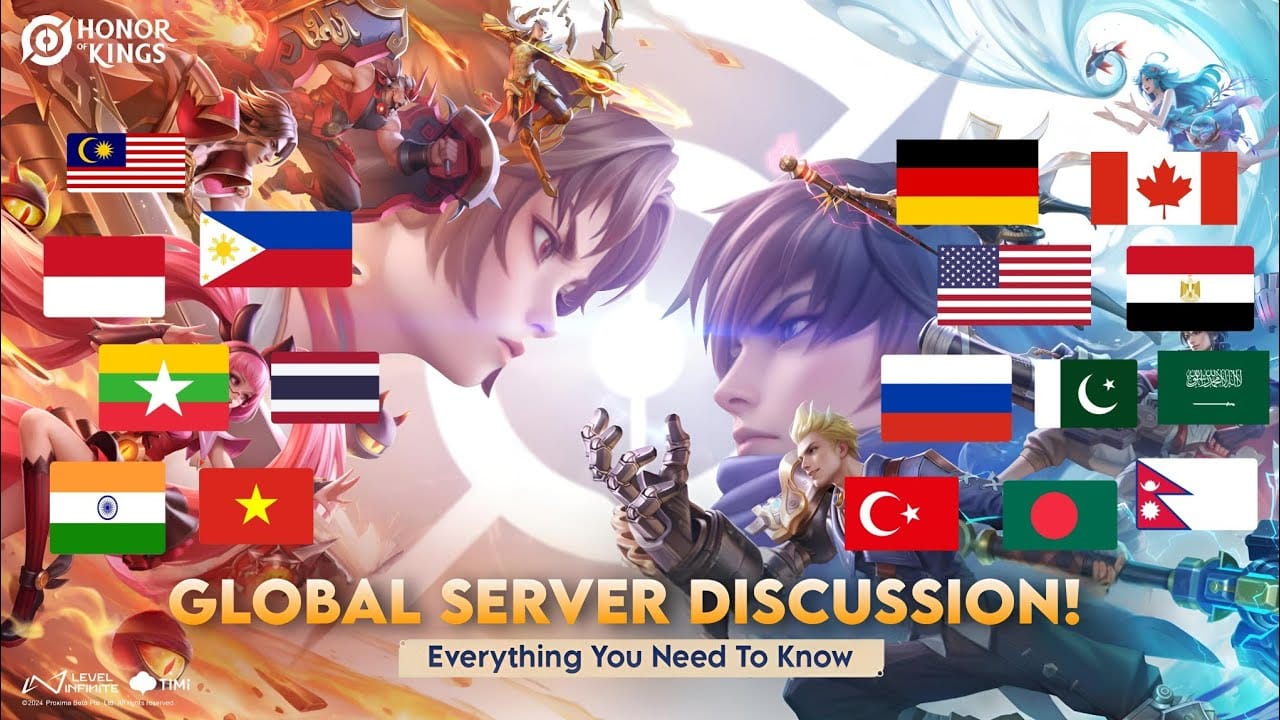
Yes, but it helps to separate what is clearly practical from what is only community-observed.
The practical part is straightforward: buyers are widely advised to match the UID, server, and region exactly before paying. Community reports repeatedly say that a wrong server can cause top-up failure or result in no credits appearing where expected. There are also repeated reports that there is no cross-server transfer for top-up and no UID sharing across CN and Global servers.
That said, not every detail in circulation should be treated as a hard official rule unless it comes from official support or payment policy pages. The safest interpretation is this:
Officially confirmed behavior: official support exists through the help center, and official Midasbuy requires UID input.
Strong community pattern: server and region mismatch can block delivery or account matching.
Buyer decision: if there is any mismatch or uncertainty, do not proceed until the live account details are confirmed.
This matters even more for overseas or cross-region buyers. Community guidance notes that region can affect ping and delivery expectations, and buyers are often advised to match their location and account server where possible. There is also a community-cited region change path in Settings with a 180-day cooldown, but that is not something to treat casually right before a purchase. If a buyer is already unsure whether the account is on the correct region, that uncertainty itself is a reason to pause.
A useful way to think about it is this: server and region are not extra details. They are part of account identity for top-up purposes. If the UID is the key, the server and region are the lock it fits into.
What proof should you save before and after payment?

The best support evidence is built in two stages: proof of intended account before payment, and proof of completed transaction after payment. Buyers often save only the receipt, then discover later that the receipt alone does not show which account they meant to recharge.
Before payment, save screenshots that show as much of the following as possible:
the current UID
the current server
the region, if visible
the active logged-in account screen
a visible timestamp
Community guidance strongly favors this step for high-value purchases, and it is just as useful for gifts. If you are topping up for someone else, ask for a fresh screenshot rather than trusting an old message. The extra minute is worth it.
After payment, save the transaction trail completely. That means:
order ID
receipt or invoice
payment timestamp
amount
payment route used
The facts database also supports keeping proof across common payment methods such as Apple Pay, Google Pay, credit card, and debit-style wallet routes. The exact method matters less than the quality of the record. If support needs to review the case, they need something concrete to match against the account evidence.
This is why buyers with clean records usually have a better support experience. A vague message like payment succeeded but credits are missing leaves too much open. A stronger ticket says, in effect: here is the UID I intended, here is the server, here is the time I paid, and here is the order reference. That is much easier for support to work with.
If your issue is not a wrong account but a delay after successful payment, the related guide on Honor of Kings top up not received after payment is the right follow-up.
What should you do if the top up went to the wrong account?
Act quickly, keep your evidence intact, and be realistic about the outcome.
Community guidance says that if wrong credits appear to have gone to the wrong account, you should not log out and should contact support immediately. At the same time, do not panic too early if credits seem missing right after payment. Community reports say tokens can take around 5 to 10 minutes to arrive, so the first step is to check the in-game store and confirm whether this is a delay or a true mismatch.
If it does look like a wrong-account or wrong-server issue, the immediate workflow is:
check the in-game balance or store status
keep screenshots of what the account currently shows
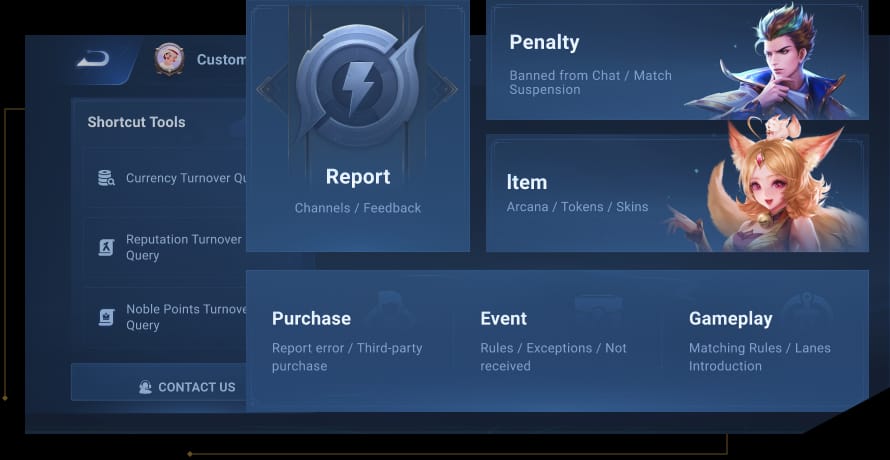
go to Settings > Player Support > Contact Us
submit the issue through the official support form at support.honorofkings.com
attach the UID screenshot, server screenshot, order ID, receipt, timestamp, and a short explanation of what account you intended to top up
The wording of the ticket matters. Keep it specific. State the intended UID, the entered UID if known, the server, the payment time, and the order reference. Avoid emotional or vague descriptions. Support teams can only act on details they can verify.
The difficult part is expectation management. Community reports consistently say that reversals are rare and there is no reversal guarantee. Some users report accidental-buy refunds in a few days through support, but that is community-level information, not a promise. Escalation to the payment provider is possible, yet success is commonly described as low. In other words, support is still worth contacting immediately, but buyers should not assume a wrong-account recharge will simply be undone.
That is exactly why prevention matters more than recovery in this category.
Final buyer verdict
If you only keep one rule from this guide, keep this one: never top up Honor of Kings using only a display name, memory, or an old screenshot. Always copy the UID fresh from the live account, then confirm the server and region, then check the login method and binding status if the purchase is important.
For first-time buyers, the safer route is usually in-app or official Midasbuy because the account confirmation is clearer and the proof trail is cleaner. For gifts and large recharges, the standard should be higher: fresh UID, fresh server check, saved screenshots before payment, and a complete receipt trail after payment.
If anything does not match exactly, do not try anyway. Pause. Re-open the account. Re-copy the UID. Re-check the server. That extra minute is cheaper than a wrong-account top up and far easier than a support dispute.
For next steps, you can also review the related guides on Honor of Kings app store vs web checkout comparison and How to top up Honor of Kings for a friend safely.