
Yes—How to Top Up PUBG Mobile UC with Crypto usually means buying a PUBG UC gift card from a crypto-enabled merchant, then redeeming it on Midasbuy, the official PUBG Mobile UC redemption site. PUBG Mobile does not officially support native in-game crypto payments.
The safe path is simple: prepare your 10–11 digit Player ID, choose the correct account region, pay with a supported coin on the exact blockchain network shown, and send the exact quoted amount before the invoice expires. From reviewing failed recharge cases, the biggest mistakes are wrong network, wrong Player ID, and region mismatch—not the coin itself.
If you’re comparing checkout options for PUBG Mobile UC top up with crypto, focus less on cheap and more on order tracking, region fit, and clear payment instructions.
Why do users choose crypto for PUBG Mobile UC top up?
Crypto is mainly used because it solves card-access and cross-border payment problems. If your bank blocks gaming payments, you don’t have a credit card, or app-store billing fails, wallet payment is often the cleaner fallback.
From comparing checkout paths, crypto has three practical advantages:
No card required
Better privacy than card entry
Useful for cross-border buyers, as long as the gift card region matches the PUBG account
But there’s a trade-off. Crypto is less forgiving. A confirmed blockchain transfer is usually not refundable, and a wrong account ID usually can’t be corrected after redemption starts. Personally, I would use crypto only when you’re confident about the account details and network.
What should you check before paying for PUBG Mobile UC with crypto?
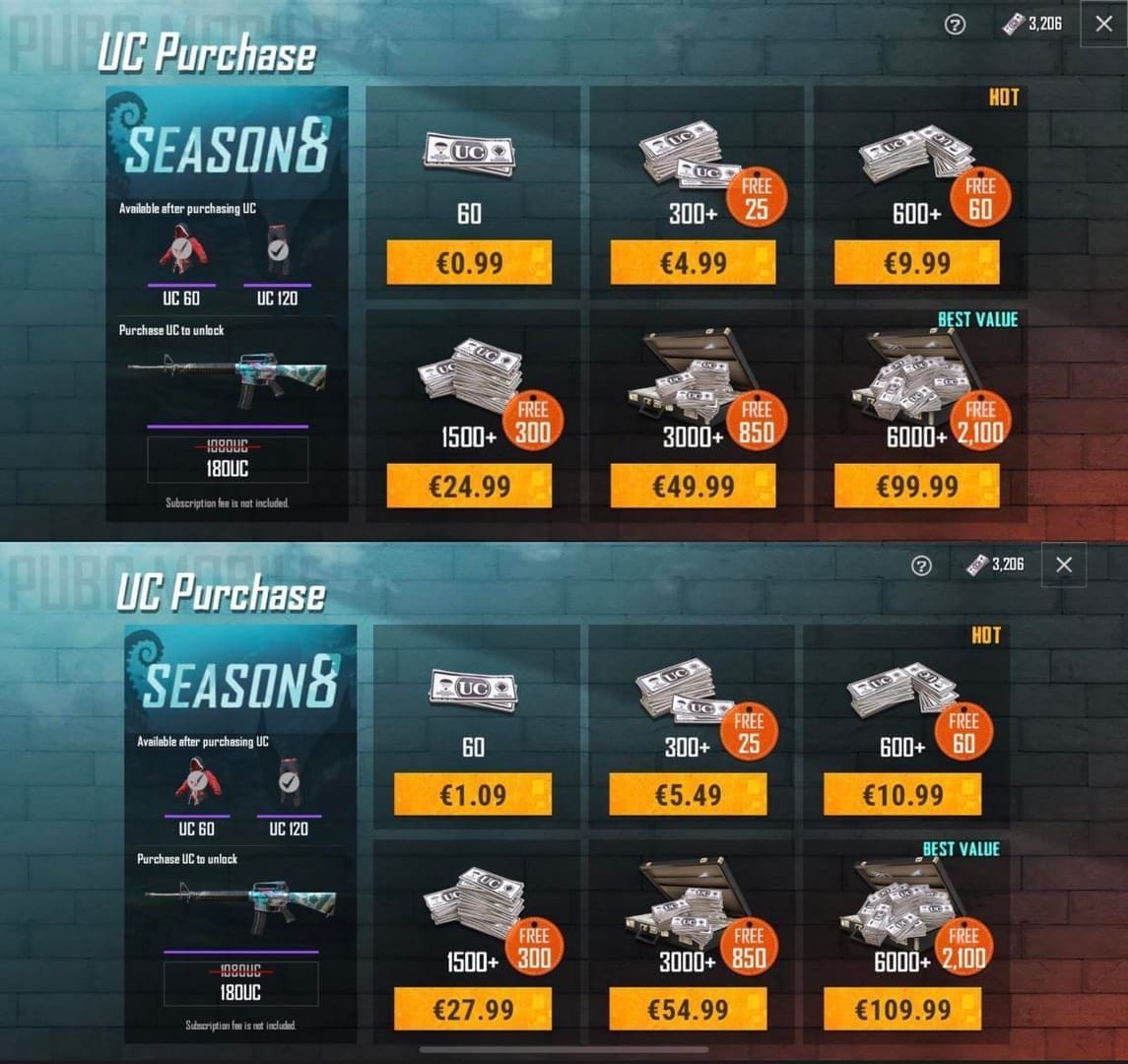
You should check Player ID, region, package, network, and payment window before sending anything. This is where most preventable failures happen.
Pre-payment checklist
One detail many guides miss: crypto support usually exists at the merchant checkout level, not inside PUBG Mobile itself. Officially, PUBG support doesn’t mention crypto recharge; Midasbuy is the official redemption path for issues. So your flow is split in two parts: merchant payment first, Midasbuy redemption second.
And if you plan to PUBG Mobile UC buy with bitcoin, remember there’s no official direct Bitcoin button in-game. It’s typically a gift-card route.
Why do region and network mistakes cause so many PUBG UC crypto failures?
Because both checks happen before UC delivery, and neither is very forgiving. Users commonly report that a payment can leave the wallet successfully but still fail the top-up if the gift card region doesn’t match or the coin was sent on the wrong chain.
Two high-risk examples:
USDT confusion: TRC20 and ERC20 are not interchangeable. If checkout asks for TRC20 and you send ERC20, the order may not clear.
Region mismatch: A valid code may still fail on Midasbuy if the selected region doesn’t match the account’s country setup.
There’s also a less obvious issue: VPN use and new devices can trigger fraud review delays, according to user reports. Honestly, this is frustrating because the payment may already be gone from your wallet while the order sits in review. If speed matters, avoid VPNs during checkout and use a stable device.
KR/JP versions are also more restrictive than standard global accounts. If you use a region-specific version, I would check compatibility first rather than assuming any global UC code will work.
How to top up PUBG Mobile UC with crypto step by step?
You top up by buying a UC gift card with crypto, then redeeming it on Midasbuy with your Player ID and region.
Get your PUBG Mobile Player ID
Find your 10–11 digit account ID in-game.
Copy it carefully. Don’t type from memory.
Choose the correct UC amount and region
Select the denomination you want.
Make sure the gift card region matches your PUBG account region.
Pick your crypto and network
Commonly accepted coins on crypto gift-card merchants include Bitcoin, Ethereum, USDT, USDC, Litecoin, TRX, and Solana.
If using USDT, confirm whether checkout requires TRC20 or ERC20.
Review the quoted payment
Crypto pricing is based on current exchange rates plus network fees.
Some sellers advertise discounts; community and single-source reports mention offers up to 20–21% on some stores, while official Midasbuy has also run 10% off 300+ UC packs for limited users.
Don’t chase a discount if the region or redemption flow looks unclear.
Send the exact amount before the timer ends
Use the exact wallet address shown.
Add the memo/tag if required.
Don’t underpay. Don’t wait until the last minute.
Wait for blockchain confirmation
Code delivery is commonly instant by email after confirmation.
In practice, many orders clear in 1–5 minutes after confirmation, but delays can stretch to 1–30 minutes if the chain is congested.
Redeem on Midasbuy
Go to Midasbuy, select your region, enter your Player ID, and redeem the code.
Then refresh the game and check your UC balance.
What’s the best way to avoid missing UC or stuck crypto orders?
The best way is to treat the order like an irreversible transfer: verify first, pay once, document everything. In top-up troubleshooting, the first two details that usually resolve cases fastest are the order ID and the transaction hash, followed by the exact Player ID entered.
If your UC doesn’t arrive, do this in order
Check the blockchain transaction
Confirm it’s completed on the correct network.
Verify the amount sent matches the invoice.
Check your email, including spam
Gift card PINs are often sent by email after confirmation.
Refresh both sides
Refresh Midasbuy.
Restart or refresh PUBG Mobile.
Recheck redemption inputs
Player ID
Region
Code entry
Prepare support proof
Transaction hash
Merchant order ID
Screenshot of payment
Player ID
Selected region
Timestamp
Contact support through the proper path
Start with the seller if the code never arrived.
Use Midasbuy/PUBG support if the code redeemed but UC didn’t show correctly.
Common causes and fixes
A successful wallet send does not always mean the order has cleared verification. That’s one of the most misunderstood parts of crypto checkout.
FAQ
Can I buy PUBG Mobile UC with crypto?
Yes, but usually not directly inside PUBG Mobile. The standard method is buying a redeemable UC gift card from a crypto-enabled merchant, then redeeming it on Midasbuy.
What crypto coins are usually accepted for PUBG Mobile UC top up?
Common options reported by merchants include Bitcoin, Ethereum, USDT, USDC, Litecoin, TRX, and Solana. Availability depends on the seller and region.
How long does PUBG Mobile UC take to arrive after crypto payment?
Usually a code is delivered after blockchain confirmation, often within a few minutes. Typical post-confirmation timing is around 1–5 minutes, but chain congestion or review checks can push it longer.
Why did my PUBG Mobile UC crypto payment fail?
Most failures come from wrong network, underpayment, expired payment window, invalid Player ID, or region mismatch. Users also report delays or review flags when using a VPN or a new device.
What happens if I enter the wrong PUBG Mobile player ID?
That’s one of the worst mistakes because crypto transfers are generally irreversible. If the wrong ID was submitted, correction is often impossible, so double-check before paying and before redeeming.
Are crypto payments for PUBG Mobile UC refundable?
Usually no once the blockchain transaction is confirmed. Some sellers may mention limited refund windows for unused UC orders, but the crypto transfer itself is generally non-refundable.
Is it safe to top up PUBG Mobile UC with USDT?
Yes, if you use a trusted HTTPS checkout, verify the wallet address, and send on the exact network requested. USDT is popular for UC top-ups, but TRC20/ERC20 mix-ups are one of the most common user errors.
To keep the process simple, I prefer sellers that show package details, payment instructions, and order status clearly; that’s also where a service like VGTopup can make the flow easier to review before you send funds.
PUBG Mobile UC can be topped up with crypto safely, but the safe method is merchant checkout + Midasbuy redemption, not native in-game crypto payment. Check your Player ID, region, coin network, and quoted amount before sending. If you want the fewest headaches, prioritize clear tracking and exact payment instructions over the lowest advertised price.