
Yes, you can top up Bigo Live Diamonds with PayPal when your checkout route and region support it. The official paths are the Bigo Live app and official web checkout, and the key detail you need before paying is the correct Bigo ID.
From reviewing recharge issues, the biggest failures usually aren't PayPal itself. They're wrong account IDs, region or currency mismatch, VPN-related instability, or a payment that is only authorized in PayPal but not fully cleared yet. If you want a simple route, Bigo Live Diamonds top up paypal options should always be checked against your account ID and region first.
Why do some users see PayPal for Bigo Live Diamonds while others do not?
PayPal availability depends on checkout path, region, currency, and payment-risk checks. Officially, Bigo Live supports PayPal in the app through Me > Wallet > Recharge and on official web checkout, but users commonly report that PayPal doesn't appear in every country or every billing flow.
Two things trip people up most:
App vs web checkout: payment methods can differ between the Bigo app and web route
Region mismatch: your Bigo account region and payment setup need to align
Currency mismatch or risk review: PayPal may block or hide the option if the transaction looks unusual
VPN use: community reports say disabling VPN often improves checkout stability
This is the part many guides miss: seeing PayPal on one device doesn't guarantee you'll see it everywhere. Across payment-method reviews, web checkout and in-app wallet billing often expose different options even for the same account.
What details should you check before topping up Bigo Live Diamonds with PayPal?
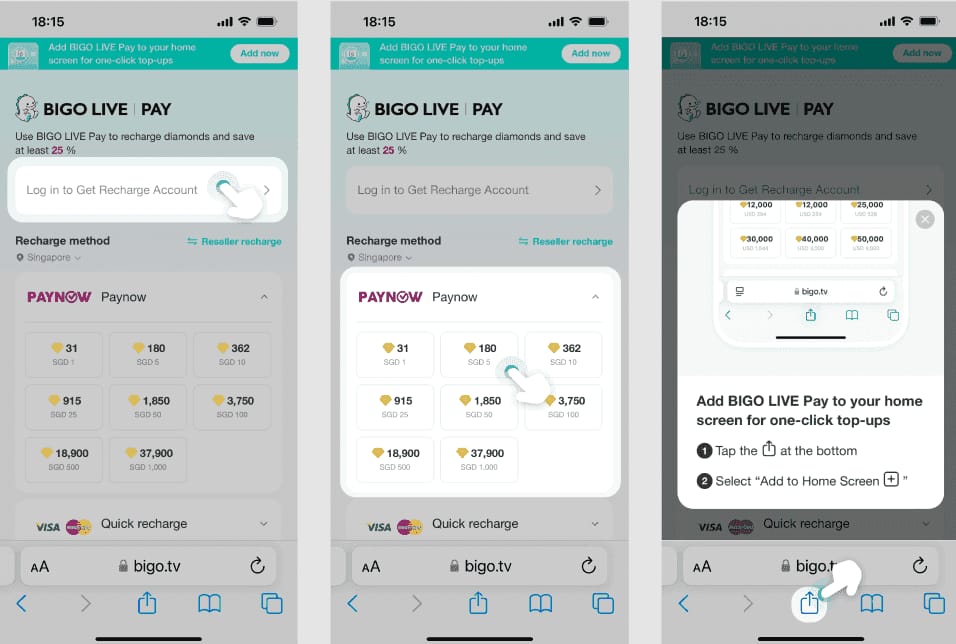
Check your Bigo ID, package, displayed currency, and payment total before you authorize PayPal. That one-minute check prevents most avoidable mistakes.
Your required details are:
In my experience reviewing recharge failures, I would check the Bigo ID first. Wrong ID entry is one of the most common causes of "paid but not received" complaints. And no, you usually don't need a password for a top-up flow that only asks for the account identifier.
Also save:
the PayPal transaction ID
the Bigo order ID if shown
a screenshot of the selected package
the exact Bigo ID used
That evidence speeds up support a lot.
Why do PayPal payments fail even when your account has money?
Because available funds don't guarantee the recharge has cleared merchant checks. A successful bank charge or PayPal authorization can still sit in review before Bigo credits the Diamonds.
Common causes:
Community and single-source reports suggest 70-90% of issues are resolved by wallet refresh or cache clear, and around 90% of payment failures improve after basic fixes like OTP resend, clearing cache, and retrying with a small amount such as $5.
Honestly, delayed delivery is frustrating when the money already left your account. But that doesn't always mean the order failed. For large packs, manual crediting can take 1-2 hours. Normal delivery is usually 30 seconds to 3 minutes, with 5-30 minutes still considered within a normal delay window.
How to top up Bigo Live Diamonds with PayPal step by step?
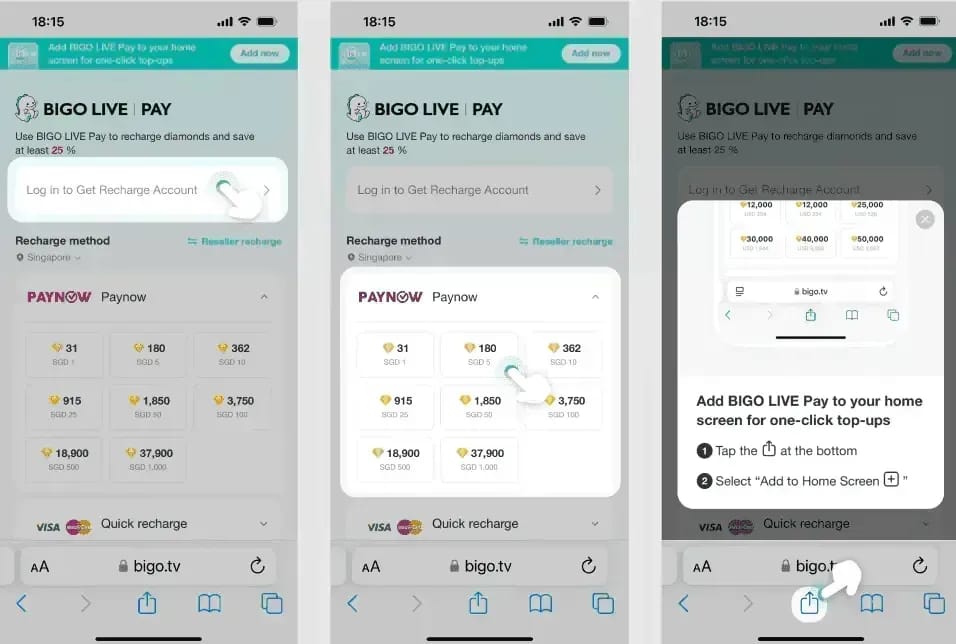
Use the official Bigo Live app or official web checkout, enter the correct Bigo ID, choose a package, then complete PayPal authorization and verify delivery in Wallet History.
Open the official recharge path
App: Me > Wallet > Recharge
Or use the official Bigo web checkout
Enter or confirm the Bigo ID
Use the correct 7-10 digit account identifier
Double-check every digit before continuing
Choose the Diamonds package
Review package size and final total
Check the displayed currency before payment
Select PayPal
Officially supported where available
Pay with PayPal balance or linked bank funding; no credit card is required
Authorize the payment
Complete PayPal login, OTP, and confirmation
Save the receipt or screenshot immediately
Verify the Diamonds arrived
Go to Me > Wallet
Refresh balance
Check Wallet > History for the recharge record
If you want another route to buy Bigo Live Diamonds with PayPal, I personally prefer options that show clear order tracking and recipient ID confirmation, even if they're not always the absolute cheapest.
What should you do if your Bigo Live Diamonds PayPal payment fails or the Diamonds do not arrive?
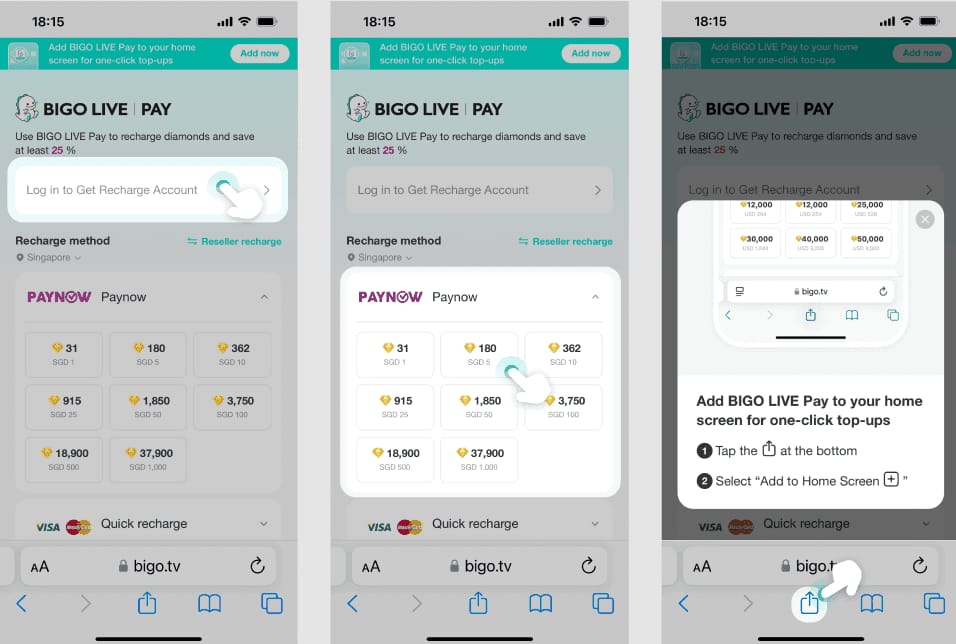
First, separate a pending authorization from a true failed recharge. If PayPal shows pending, wait 10-30 minutes and refresh the Bigo wallet before assuming the order is lost.
Use this order:
Check Wallet balance and History
Refresh the app
Reopen Wallet and look for the recharge entry
Confirm payment status in PayPal
If it's pending authorization, wait a bit
If completed but no Diamonds arrived, move to support checks
Try the fast fixes
Clear app cache
Disable VPN
Update the app
Resend OTP if approval failed
Retry with a smaller package if the first attempt never completed
Verify the Bigo ID used
Wrong recipient ID is a common mistake
Check the exact digits from your receipt or order page
Contact the right support team
Bigo support for account crediting or delivery issues
PayPal support for authorization holds or payment-side problems
What details should you send to support?
Send the order ID, Bigo ID, PayPal transaction ID, screenshot of payment confirmation, and a short note explaining whether the payment is pending, completed, or charged without delivery.
Officially, Bigo Live support is available in-app through Me > Help or by email at support@bigo.tv. From troubleshooting cases, the fastest resolutions usually happen when users provide both the order ID and the exact Bigo ID used during payment.
FAQ
Can I buy Bigo Live Diamonds with PayPal?
Yes. Officially, PayPal is available for Bigo Live top-ups through supported app and web checkout routes. Availability still depends on your region and the payment flow shown to your account.
Why is PayPal not showing for my Bigo Live top up?
Usually because of region restrictions, merchant setup, currency mismatch, or a temporary risk check. Users also commonly report that disabling VPN and switching between app and web checkout helps.
How long does it take for Bigo Live Diamonds to arrive after payment?
Most successful top-ups arrive in 30 seconds to 3 minutes. Delays of 5-30 minutes are still normal, and larger packs can take up to 1-2 hours if manually reviewed.
What should I do if I paid but did not receive Bigo Live Diamonds?
Check Me > Wallet > History first, then refresh the app and clear cache. If the payment is completed and nothing arrives after 30 minutes, contact Bigo support with your order ID, Bigo ID, and payment screenshot.
Can I top up Bigo Live Diamonds for another account?
Yes, if the checkout accepts a Bigo ID for the recipient account. Be careful here: entering the wrong 7-10 digit ID is one of the most common irreversible mistakes.
Is it safe to buy Bigo Live Diamonds online with PayPal?
Yes, the safest option is the official Bigo app or official web checkout. Community experience also favors PayPal over direct card entry because of buyer protection and dispute handling, but official channels remain the safest for avoiding account issues.
Can I get a refund for a Bigo Live Diamonds purchase?
Refund handling depends on where and how the order was processed. For unauthorized PayPal charges, PayPal dispute tools may help; for delivery or account-credit issues, contact Bigo first with full order evidence.
What Bigo account details do I need before paying?
You need the correct Bigo ID, usually a 7-10 digit identifier. No server selection is normally required, but region still matters in the background for payment availability.
Bigo Live Diamonds top-up with PayPal is straightforward when PayPal is actually enabled for your checkout path and you verify the right Bigo ID before paying. My recommendation is simple: use the official app or official web route first, save every receipt, and treat pending PayPal authorizations differently from true failed orders. If the payment completes but Diamonds don't show after 30 minutes, contact Bigo support with full order details.