
Yes, you can top up Poppo Live Coins with Binance only through a checkout that explicitly supports Binance Pay or crypto. The official Poppo Live app and poppo.com don't mention Binance, so this is not an official in-app payment method.
The safe flow is simple: copy your Poppo Live UID from the Me tab, choose a coin package on a supported checkout, pay with Binance Pay or USDT, then refresh your wallet. In my experience reviewing recharge issues, the biggest mistake is treating a manual wallet transfer like a normal checkout order. It isn't.
If you need a supported checkout path for Poppo Live Coins top up with Binance, verify your UID first and keep the order record until the coins arrive.
Why do users try to top up Poppo Live Coins with Binance?
Because Binance solves two common problems: card failure and cross-border payment friction. Users commonly report that official in-app purchases rely on Google Play or Apple billing, while third-party checkouts often accept Binance Pay or USDT and can be cheaper.
The price gap is real in market listings. Community and seller data show third-party pricing can be up to 70% lower than in-app rates. Sample public prices also vary a lot by seller:
That doesn't mean every crypto route is equal. From comparing checkout paths, I would choose the one with clear order tracking over the absolute lowest price. When a payment gets stuck, the merchant order ID plus Binance payment reference matters more than saving a few cents.
Can you top up Poppo Live Coins with Binance directly or only through supported checkout?
Only through supported checkout. Users commonly report there is no direct Binance top-up inside Poppo Live, and the official app doesn't list Binance as a payment option.
This distinction matters:
That's the point many guides miss. A supported Binance checkout creates an order first, then maps your payment to your Poppo UID. A manual transfer without that order often leaves support with nothing to reconcile.
What details do you need before paying for Poppo Live Coins?
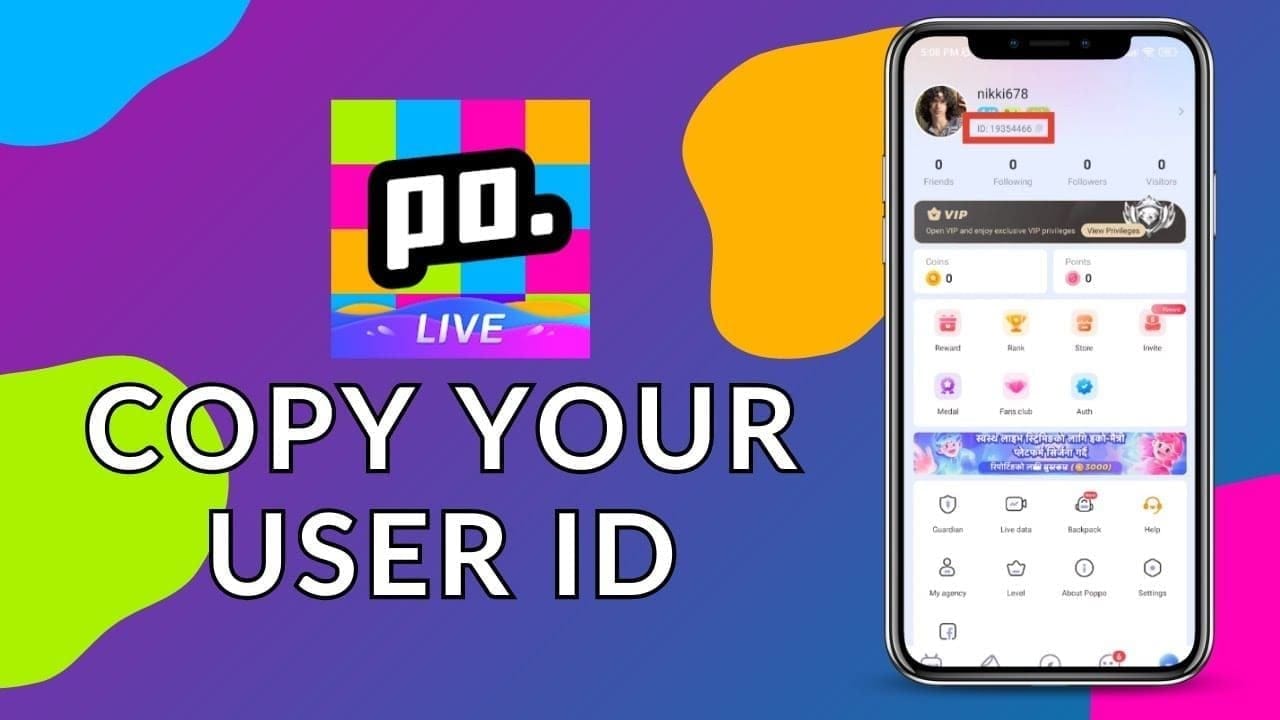
You mainly need your Poppo Live UID. Community reports say top-up sites usually require only the User ID from the Me tab, not server name, profile verification, or character name.
Check these before you pay:
UID: copy it directly from the Poppo app's Me tab
Package: make sure the coin amount matches what you want
Currency: most global sites use USD as the main display currency
Payment method: Binance Pay or USDT must be shown at checkout
Network: if paying with USDT transfer, BEP20 is the commonly recommended network
Exact amount: underpaid transfers often fail
Order proof: save the merchant order ID and Binance transaction ID
Honestly, wrong UID is the most painful avoidable error. Once coins are delivered to the wrong account, refunds are rare.
How do you top up Poppo Live Coins with Binance step by step?
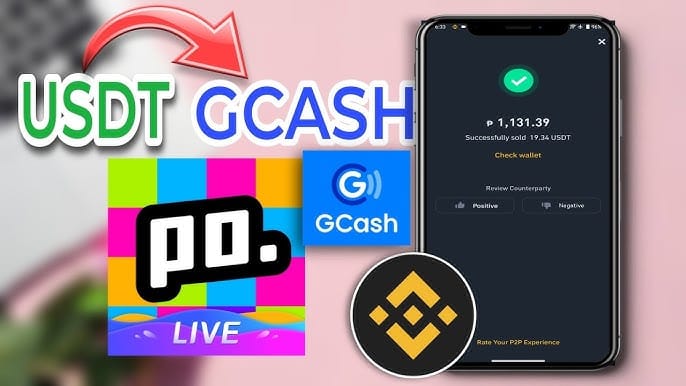
Use a checkout that supports Binance Pay or crypto, then follow the order exactly.
Open Poppo Live and copy your UID
Go to the Me tab.
Copy the User ID carefully.
Don't type it from memory. I would paste it, then recheck the last 3-4 digits.
Choose a supported checkout and package
Select the Poppo Live Coins package you want.
Confirm the payable currency and final amount.
If you're comparing options for Poppo Live Coins crypto recharge, prioritize clear payment instructions and visible order status.
Enter your UID
Most crypto top-up flows need only the UID.
No server name is usually required.
If the page asks for extra details, review them carefully before continuing.
Select Binance Pay or USDT
If Binance Pay is available, that's usually the cleaner route.
If paying by USDT transfer, use the exact network requested. BEP20 is commonly recommended in these flows.
Some tutorials note keeping enough BNB for gas when withdrawing from Binance.
Pay the exact amount
Don't round down.
Don't switch networks.
For agent-style recharge, send USDT to the provided address and include any required memo or UID exactly as instructed.
Wait for delivery and refresh your wallet
Reported delivery time is often under 1 minute.
During peak periods around 18:00-23:00 UTC+8, delays of 10-15 minutes are widely observed.
Pull down to refresh the wallet 2-3 times. Community reports say this resolves about 70-85% of delayed-credit cases.
Keep records until coins appear
Save screenshots of:
UID entered
package selected
merchant order ID
Binance payment reference or tx ID
What's the best way to avoid failed or stuck Binance top-ups?
Use a proper checkout order, match the UID exactly, and never improvise the transfer details. From failed recharge investigations, the first things I check are the account identifier, selected package, paid amount, and whether the order expired before payment cleared.
Here are the common failure points:
A successful Binance charge does not always mean the top-up order cleared verification. That's a real-world issue users run into. Payment completion and coin delivery are related, but not identical.
What should you do if Poppo Live Coins are not received?
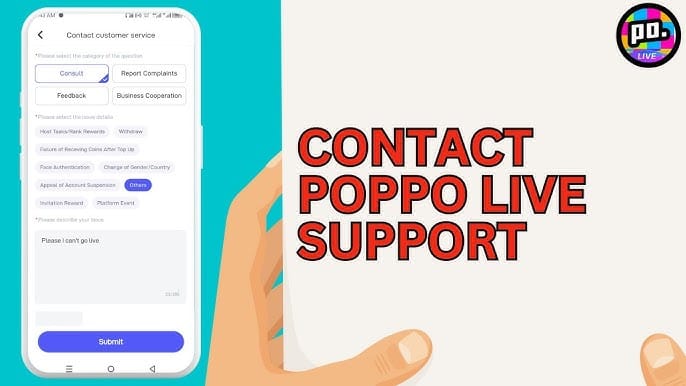
First, wait briefly and refresh the wallet. Then contact the checkout's support with complete proof.
Use this order:
Refresh the Poppo wallet 2-3 times
Restart the app after 2-3 minutes
Check whether the UID on the order matches your account
Confirm the transfer used the correct network and exact amount
Gather proof
merchant order ID
Binance tx ID/payment ID
payment screenshot
entered UID
Contact support
For delayed delivery cases, having both the merchant order ID and the Binance payment reference usually speeds up support handling significantly. If coins were already credited to an incorrect UID, refund chances are low. Community and seller policies commonly treat delivered coins as non-refundable.
FAQ
Can I buy Poppo Live Coins with Binance Pay?
Yes, but only if the checkout explicitly supports Binance Pay. The official Poppo Live app does not officially list Binance as an in-app payment method.
What details do I need to top up Poppo Live Coins?
Usually just your Poppo Live UID from the Me tab. You normally don't need server name or profile verification for standard coin top-ups.
Why did my Poppo Live Coins payment fail on Binance?
The usual causes are wrong network, underpayment, expired payment window, or a checkout order that didn't match the transfer. I would check the paid amount and network first.
How long does it take for Poppo Live Coins to arrive after payment?
Often under 1 minute on supported crypto checkouts. During busy hours, users commonly report 10-15 minute delays.
Can I top up Poppo Live Coins from another country?
Often yes. Some global crypto top-up flows are reported to work in 123+ countries and can bypass some region restrictions, but checkout availability still depends on the seller and payment route.
Is it safe to top up Poppo Live Coins with crypto?
It can be safe if you use a supported checkout, verify the UID, and keep payment records. Personally, I would avoid any "free coins" offer or unsupported direct transfer because that's where scams and unrecoverable mistakes happen.
Can I get a refund if I sent coins to the wrong account?
Usually not after delivery. Refunds are rare for digital coin top-ups, especially when the wrong UID was entered or the order already completed.
Poppo Live Coins can be topped up with Binance, but not directly inside the official app. The reliable method is a supported Binance Pay or USDT checkout tied to your Poppo UID. Double-check the UID, use the exact payment instructions, and keep both the order ID and Binance transaction record. If your order is urgent, choose the path with the clearest tracking, not just the lowest price.