
To top up Identity V with crypto, you usually need a merchant checkout that accepts cryptocurrency, not an official in-game crypto payment option. NetEase officially supports Visa, Mastercard, and PayPal on its top-up page, and official channels do not confirm Bitcoin, Ethereum, or USDT support.
The safe path is simple: confirm your UID and server first, choose the exact coin and blockchain network shown at checkout, send the exact amount before the invoice expires, then verify delivery in-game. If anything stalls, your order ID and transaction hash are what support needs fastest.
If you want a card-free route, Identity V top up with crypto usually works through a crypto-accepting checkout or redeemable gift card flow rather than direct publisher billing.
Can you top up Identity V with crypto directly?
No — officially, Identity V does not support direct crypto payments. NetEase’s official top-up page and GamesClub payment flow accept Visa, Mastercard, and PayPal, while official help sources stay silent on USDT, Bitcoin, and Ethereum.
That distinction matters. Many pages say Identity V accepts crypto, but what they really mean is a seller accepts crypto and then delivers the Echoes or gift code. That is not the same as NetEase processing your blockchain payment itself.
In practice, there are two working crypto paths:
A confirmed example of the gift-card route is Bitrefill, which supports BTC, ETH, USDT, USDC, Lightning, LTC, PYUSD, DAI, and EUROC for Identity V gift cards in selected regions including PH, VN, MY, ID, and TH. CryptoRefills and Bidali also list some regional Identity V gift cards, but region support is narrower.
Why do users choose crypto for Identity V top up?
Because crypto solves payment access problems that cards often don’t. Users commonly report overseas bank declines, and PayPal becomes the fallback when card billing fails. If you don’t have a credit card, this is usually where crypto becomes useful.
From reviewing recharge issues, the real advantage is checkout access, not magic savings. Crypto helps when:
your bank blocks foreign gaming payments
app-store billing is unavailable
you need a card-free checkout
your country has limited payment options
But there are trade-offs:
blockchain confirmations can delay payment clearance
wrong network selection can break the order
underpaying after withdrawal fees can leave the invoice pending
chargebacks aren’t a safety net; in fact, chargebacks can create negative Echoes and ban risk
Honestly, delayed delivery is frustrating when the payment already left your wallet. Still, crypto is often the better option for cross-border users — as long as you treat every payment detail as final.
What should you check before paying for an Identity V crypto recharge?
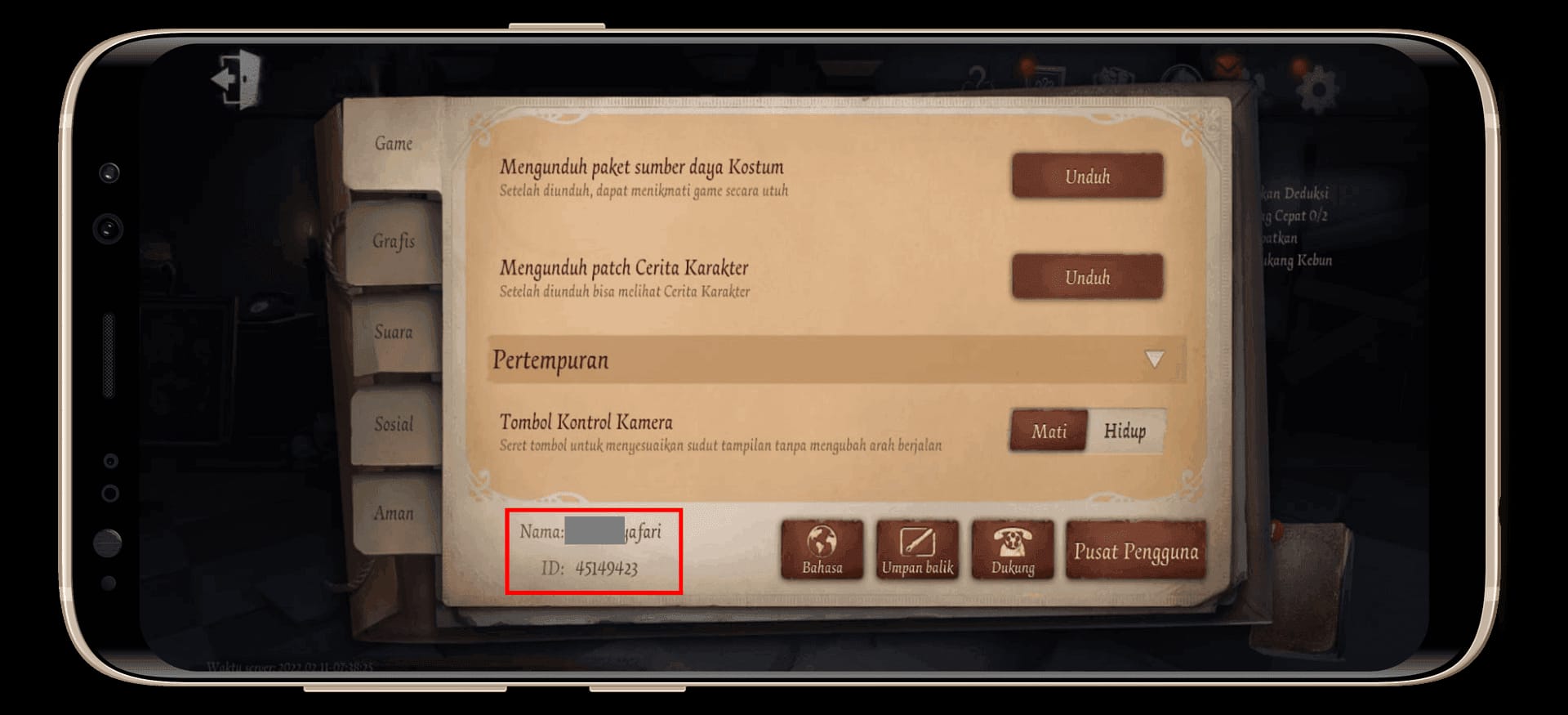
Check your UID, server, package, coin, and network before you send anything. In my experience reviewing top-up failures, most missing orders come from account mismatch or payment mismatch, not from the game itself.
Pre-payment checklist
A few practical points many guides miss:
Platform usually doesn’t matter for top-up delivery; UID and server matter more.
No cross-server transfer means Asia and NA-EU balances are separate.
Restricted-country users commonly report third-party top-ups still working if the UID/server is correct, often without needing a VPN.
Never share your password or login. A legitimate top-up only needs UID and server.
For users comparing options, Identity V crypto recharge is worth checking only after you’ve verified those account details first. I would check the server twice before I check the price.
How do you top up Identity V with crypto step by step?

Use a checkout that accepts crypto, then verify delivery in-game. The flow is straightforward, but one wrong field can waste hours.
Choose the Echoes package or gift card
Common packages include 60+6 for $0.99, 185+18 for $2.99, 305+30 for $4.99, and 690+bonus.
Some third-party offers beat in-game value. One listed example: $9.99 for 690+69 bonus, about $0.0131 per Echo. Another common benchmark is 690+33 for $9.99, about $0.0138 per Echo.
Enter your Identity V UID and server
Use the exact UID.
Select the correct server: Asia or NA-EU.
If your account is region-locked, match the server exactly.
Select crypto at checkout
Pick only from the coins shown.
For USDT, confirm the network carefully. TRC20 and ERC20 are not interchangeable.
Send the exact amount before the invoice expires
This is where many payments fail.
Exchange withdrawal fees can reduce the amount received.
Delayed blockchain sends can also expire the invoice.
Wait for payment confirmation and delivery
Community reports say many third-party top-ups arrive instantly to within 5 minutes.
A normal delay can still be 1–30 minutes.
If there’s no blockchain confirmation after an hour, that’s no longer normal waiting.
Verify the top-up
Check the merchant panel for payment status.
Save the order ID and transaction hash.
Open Identity V and confirm the Echoes balance or item receipt.
How do you redeem an Identity V gift card bought with crypto?

Use the official redeem flow. For supported gift cards, the common process is:
Go to
idvpay.comSelect Others for the region if required
Enter your User ID
Input the gift code
Confirm the rewards
The same redeem route may also appear in the in-game code section.
Why does an Identity V crypto payment fail or stay pending?
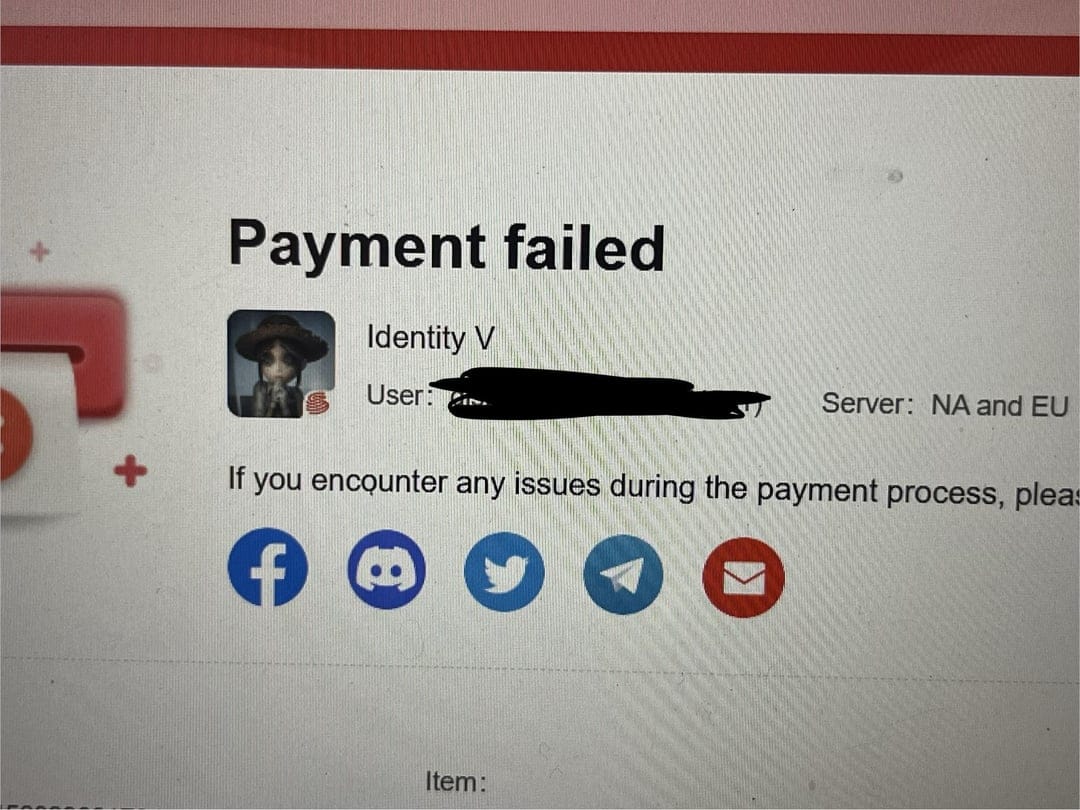
It usually fails because of network mismatch, underpayment, invoice expiry, or wrong account details. From comparing checkout paths, the coin itself is rarely the problem.
Most common failure points
One insider detail generic guides skip: a successful wallet send does not always mean the order has cleared merchant verification. The merchant still has to match the amount, network, and invoice window. So if your exchange says completed, but the order panel says pending, check confirmations and exact received amount first.
Personally, I would avoid resending payment when delivery hasn’t arrived. Users commonly report that wrong UID/server cases can sometimes be fixed by support with re-delivery, but duplicate payment creates a mess.
What is the safest way to top up Identity V with crypto?
Use official product references for account and redeem details, and use only well-established checkout pages with clear order tracking. Community advice consistently favors official NetEase routes when possible and established sellers over random USDT-only pages.
Safety rules that actually matter:
verify the checkout URL before paying
confirm refund/support policy before sending crypto
keep screenshots of the order page
save the order ID and blockchain transaction hash
share only UID and server, never login credentials
avoid chargebacks after successful delivery because negative Echoes and account penalties are a real risk
I personally prefer the method with clearer order tracking, even if it isn’t always the cheapest. When something goes wrong, support can only act on evidence.
FAQ
Can you top up Identity V with crypto directly?
No. Officially, Identity V top-up supports cards and PayPal, not direct crypto. Crypto works through a merchant checkout or gift-card route.
What crypto coins can be used for Identity V top up?
It depends on the checkout provider. Confirmed gift-card support from one provider includes BTC, ETH, USDT, USDC, Lightning, LTC, PYUSD, DAI, and EUROC in selected regions.
How long does an Identity V crypto top up take?
Most successful third-party deliveries are reported as instant to 5 minutes. A 1–30 minute delay is still commonly observed, especially while blockchain confirmations complete.
Why is my Identity V crypto payment still pending?
Usually because the transaction is still confirming, the invoice expired, or the received amount was short after fees. Check the order status, transaction hash, and whether you used the exact required network.
What happens if I send crypto on the wrong network?
That is one of the highest-risk mistakes. If the merchant asked for USDT on TRC20 and you sent ERC20, recovery may be difficult or impossible, so contact support immediately and do not send again.
What should I do if my Identity V top up was not received?
Wait 5–30 minutes first, then contact the seller’s support with your UID, order ID, and transaction hash. Also verify your in-game Echoes balance before assuming the order failed.
Do I need an Identity V account ID to recharge?
Yes. Community guidance consistently points to UID plus server as the required delivery details, usually with a 9–10 digit User ID.
Is it safe to buy Identity V top up with USDT?
Yes, if you use a trusted checkout page, match the exact network, and keep proof of payment. The unsafe part is not USDT itself — it’s sending to the wrong address, wrong network, or an unverified seller.
Identity V doesn’t officially take crypto directly, but crypto top-up still works through merchant checkout and gift-card redemption. The safest approach is to verify UID and server first, send the exact amount on the exact network, and keep your order ID plus transaction hash. If you need a card-free option, choose the path with the clearest tracking and support before you pay.