
Yes—if the checkout supports Apple Pay, you can top up Marvel Rivals Lattices without entering a traditional credit card at payment. But Apple Pay is only a wallet layer. For a true no-credit-card route, your Apple Wallet still needs a valid funding source such as Apple Cash or a non-credit source already loaded into the wallet.
Before you authorize anything, verify your Marvel Rivals account details, region, platform, final price, and Apple Pay availability. Most failed orders aren't about Lattices at all—they come from wrong UID entry, region mismatch, unsupported browser, or issuer-side declines. If you want a supported checkout path first, compare options for Marvel Rivals Apple Pay top up.
Why do some users say Apple Pay works without a credit card, but others still get declined?
Yes, both can be true. Apple Pay can work for Marvel Rivals, but it doesn't magically remove the need for a funded payment source.
Community reports show Apple Pay is available through Epic Games Store checkout for Lattice purchases, and some third-party sellers also support it. Officially, the NetEase top-up page supports Visa, Mastercard, and PIX—not Apple Pay. That's the first split users miss: Apple Pay support depends on the checkout path, not just the game.
From reviewing recharge failure patterns, the real issue is usually underneath Apple Pay:
Works as no-credit-card: if your Apple Wallet is funded by Apple Cash or another non-credit source
Not truly no-card: if Apple Pay is just passing through a debit or bank card
Fails outright: if the issuer blocks gaming or cross-border transactions, or Apple Pay is disabled for that merchant
Users commonly report Apple Pay declines from bank authentication mismatch, unsupported browser, or issuer restrictions. Personally, I would avoid assuming "Apple Pay available" means "any Apple Pay setup will pass."
What payment methods actually work for Marvel Rivals Lattices if you don't have a credit card?

The best no-credit-card methods are usually Apple Pay with a funded wallet, platform prepaid cards, Google Pay on supported sellers, and official PIX where available.
Here’s the practical comparison:
One important point competitors usually skip: there is no direct official Binance Pay or USDT support in the extracted data, and crypto support is described as rare on third-party routes. So if you're searching for a stablecoin path, don't assume it's available for Marvel Rivals Lattices.
For buyers who want to avoid cards entirely, Marvel Rivals top up without credit card usually means choosing a wallet or prepaid route that your region and platform actually accept.
What should you check before using Apple Pay for Marvel Rivals Lattices?
Check your UID or account path, platform, region, browser, and final payable amount before Face ID confirmation.
In recharge support cases, users lose the most time by skipping pre-checks. Honestly, it's frustrating when the payment already left your account and the problem turns out to be a wrong identifier.
Use this checklist:
Account identifier: Third-party UID top-ups require your Marvel Rivals UID. Find it in the in-game avatar menu.
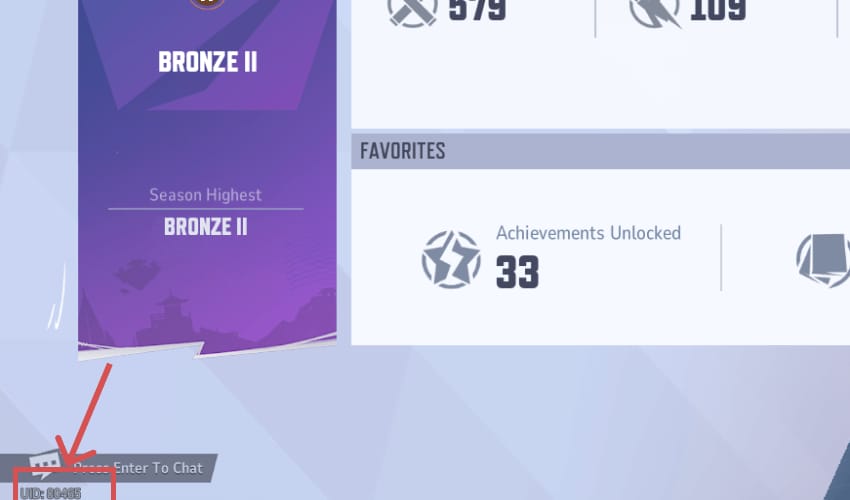
Platform path: In-game purchases usually go through the platform store. Third-party top-ups use UID delivery.
Region: Region-locked top-ups can fail, especially when voucher region and account region don't match.
Browser/device: Apple Pay may not appear outside supported environments. Community experience strongly points to Safari on iPhone, iPad, or Mac as the safest route.
Wallet funding: Apple Pay must have a usable funding source. If it's unfunded, it's not a no-card solution.
Price review: Official NetEase pricing is region-specific. Third-party prices vary; examples include 100 Lattice at $0.96, 500 at $4.85, 1000 at $9.71, and 2180 at $19.42 on one seller.
Value target: The Battle Pass is widely reported at 990 Lattice, so 1000 Lattice is the clean minimum if that's your goal. Better-value buyers often choose 2180 or 5680 packs.
How to top up Marvel Rivals Lattices with Apple Pay step by step?
Use a checkout that actually supports Apple Pay, confirm the right account details, then save your order proof before leaving the page.
Apple Pay through a supported checkout
Open a supported device and browser.
Use Safari on iPhone, iPad, or Mac if possible. Apple Pay often goes missing on unsupported browsers.
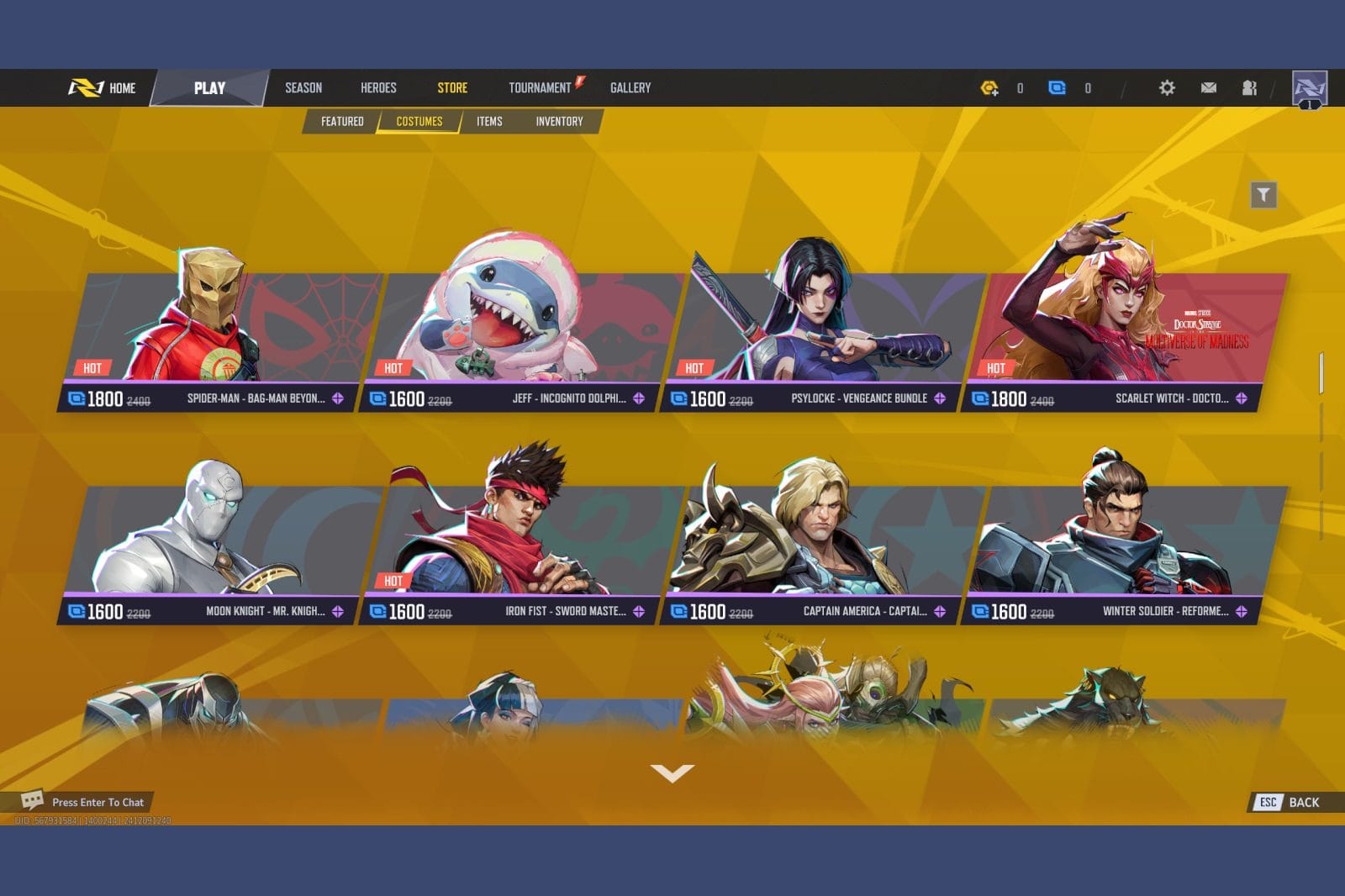
Choose your top-up route.
In-game/platform route: Log into Marvel Rivals, click the top-right Lattice icon, select a pack, and continue to platform checkout.
UID top-up route: Enter your UID on a supported seller, choose the denomination, and proceed to payment.
Verify the account carefully.
Check UID, platform, and region before payment. I would check this twice if you're using a UID-based top-up, because wrong-account mistakes are much harder to fix than payment failures.Select the Lattice pack.
If you're buying for Battle Pass access, 1000 Lattice usually makes more sense than smaller packs. Heavy spenders often get better value from 2180 or above.Choose Apple Pay at checkout.
Review:final amount
taxes or fees
currency
delivery expectation
account/UID shown on the order
Authorize with Face ID, Touch ID, or device passcode.
Save the order ID and receipt immediately.
This is your best evidence if the payment clears but Lattices don't show up.Check delivery.
Third-party UID top-ups are commonly reported as instant. If bought through the Apple ecosystem, restore purchases through the App Store if needed.
What's the best way to fix Apple Pay failures or missing Lattices?
First separate payment failure from delivery delay. They are not the same problem, and treating them the same causes duplicate charges.
If Apple Pay is missing or fails
Switch to Safari.
Apple Pay may not show on unsupported browsers.
Check wallet funding and issuer support.
A valid Apple Pay button doesn't guarantee approval. Bank auth mismatch and issuer blocks are common.Re-authenticate Apple services if needed.
One reported fix for repeated Apple Pay declines is changing the Apple ID password to trigger reauthentication.If buying through Steam, enable Steam Overlay.
Users report this fixes loading issues during Lattice purchase flow.Restart Steam and clear cache if the purchase page loops or hangs.
Don't spam retries.
A successful bank charge does not always mean the order has fully cleared verification. Repeating payment too quickly can create duplicate pending charges.
If payment succeeded but Lattices didn't arrive
Wait a short window first.
Most UID top-ups are instant, but delays happen.For Apple ecosystem purchases, try restore purchases.
If still missing, collect proof:
order ID
UID
payment timestamp
receipt screenshot
exact pack purchased
Contact support with complete evidence.
In my experience reviewing delayed-delivery cases, the fastest resolutions start with order ID plus the exact account identifier entered.Watch the bank status.
Some payment processing delays can take 3–4 days before the charge fully settles or reverses.
Can you top up Marvel Rivals Lattices with Apple Pay without a credit card?
Yes, if the checkout supports Apple Pay and your Apple Wallet is funded without a credit card. Apple Pay itself isn't the funding source; your wallet setup determines whether this is truly no-credit-card.
Why is Apple Pay not showing up for Marvel Rivals Lattices checkout?
Usually because of browser, device, region, or merchant support. Safari on iPhone, iPad, or Mac is the safest check first, and Apple Pay won't appear on official NetEase top-up based on the available payment methods.
Does Apple Pay work for Marvel Rivals on web or only on iPhone?
It can work on web and Apple devices, but only on supported checkout pages and compatible Apple environments. In practice, web checkout is most reliable on Safari with Apple Pay already configured.
What should you verify before buying Marvel Rivals Lattices with Apple Pay?
Verify UID or login path, platform, region, final price, and wallet funding source. Also save the order ID after payment—support will ask for it if delivery is delayed.
How long does it take for Marvel Rivals Lattices to arrive after payment?
Most third-party UID top-ups are commonly reported as instant. If they don't arrive quickly, wait briefly, avoid duplicate payment attempts, then check order status and contact support with proof.
Can you get a refund if the wrong Marvel Rivals account was topped up?
Don't count on it. Wrong-account top-ups are exactly why checking UID, platform, and region before payment matters so much.
Apple Pay is a solid Marvel Rivals Lattices payment option when the checkout supports it and your wallet is properly funded. For true no-credit-card buying, use Apple Cash or another non-credit source, or switch to prepaid cards, PIX, or Google Pay where supported. My recommendation: verify UID, region, browser, and final price first—then pay once, save the order ID, and don't retry blindly if delivery is delayed.