
Yes — you can often top up Genshin Impact without a credit card by using debit cards, prepaid cards, app store balance, PayPal, Apple Pay, Google Pay, or some local wallets. But the options change by country, device, and checkout channel. The safest route is the official HoYoverse top-up flow or an authorized partner, with your UID and server entered exactly.
If you need Genshin Impact top up without credit card, focus on channels that match your account region and billing country. From reviewing recharge support patterns, that's where most payment failed cases start — not the card itself.
Why can you top up Genshin Impact without a credit card in some checkouts but not others?
Because Genshin Impact doesn't use one universal payment menu. The payment methods you see depend on whether you're paying through the official top-up center, in-game mobile billing, or an authorized seller checkout.
Officially, HoYoverse supports multi-channel payments for Genesis Crystals and Welkin Moon through its top-up center. PayPal is supported on the official site and on authorized partner checkout. Debit and prepaid cards usually work anywhere Visa or Mastercard is accepted. On mobile, Apple Pay and Google Pay are often available through App Store or Google Play billing, and gift card balance can fund those purchases.
What users often miss: platform billing changes the item flow too. Genesis Crystals are the main recharge currency, and Welkin Moon is officially listed at US$4.99 for 300 Genesis Crystals plus 90 Primogems daily for 30 days. Battle Pass pricing also varies by item tier, with Gnostic Chorus officially listed at US$19.99. If you're trying to buy one of these without a credit card, the easiest path is usually the billing system native to your device.
Why do Genshin Impact payment methods differ by region and device?
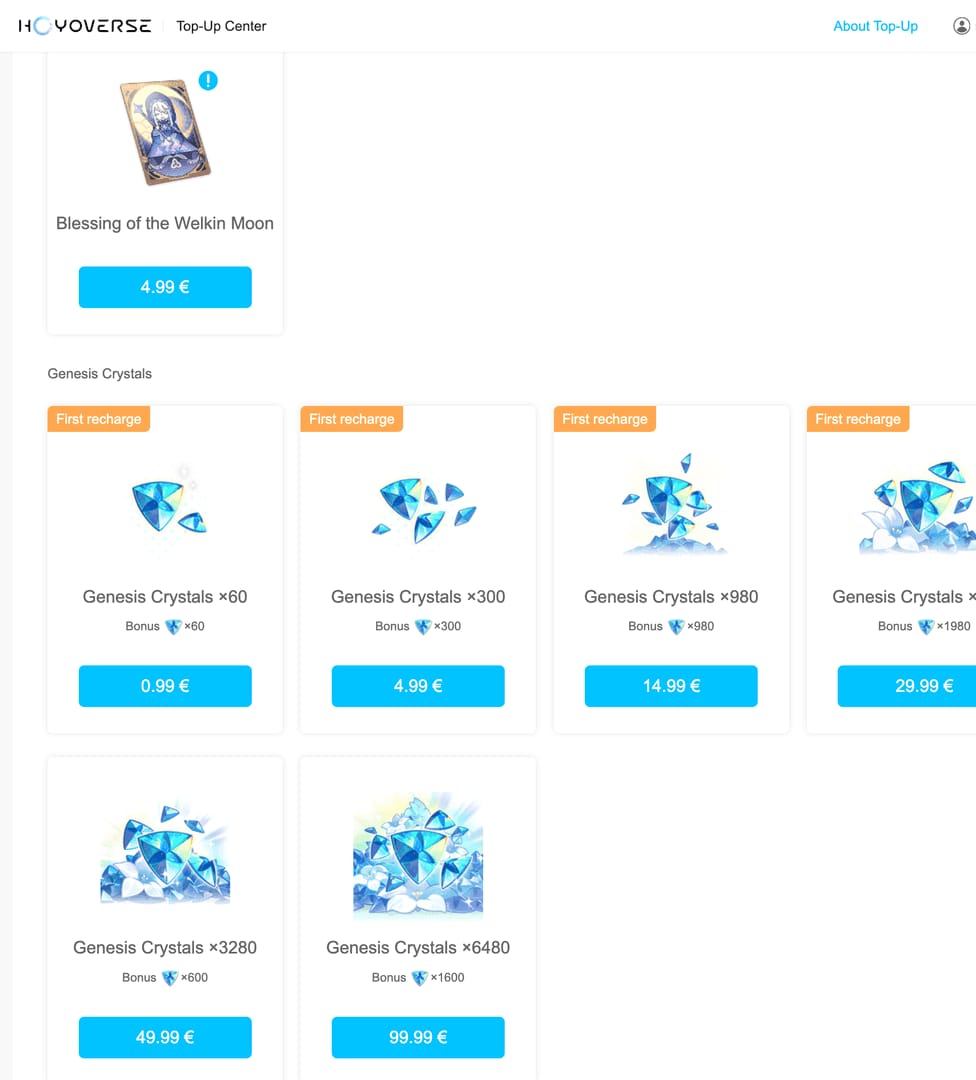
Because billing country, server region, and store policy all affect eligibility. Officially, your billing country must match the account region or server requirements shown by the checkout flow.
In practice, region mismatch is one of the biggest blockers. Users commonly report that a top-up fails even with valid funds when the billing profile doesn't match the account's server region. And there are no server or account transfers to fix that later — game progress stays locked to its region. I would check this first:
A less obvious point: mobile purchases are widely reported to cost more because app store billing can add roughly 30% platform fees. Community pricing comparisons often show the cheapest route as PC official checkout or authorized partner checkout, while mobile is mainly about convenience.
What is the safest way to top up Genshin Impact without a credit card?
Use official or authorized channels only. That's the clearest recommendation.
Official guidance and support patterns are consistent here: use the official top-up center or an authorized partner, keep receipts and order IDs, and avoid account sharing or off-platform trades. Chargeback problems can create negative Primogem balances, and unresolved negative balances can lead to bans. Honestly, that's a miserable problem to fix after the fact.
Here's the practical trade-off:
Sources differ on how broad local wallet support is by country, but community reports mention options like prepaid mobile load and wallets in some regions. Personally, I prefer the route with the clearest order tracking, even if it isn't always the cheapest.
How to top up Genshin Impact without a credit card step by step?
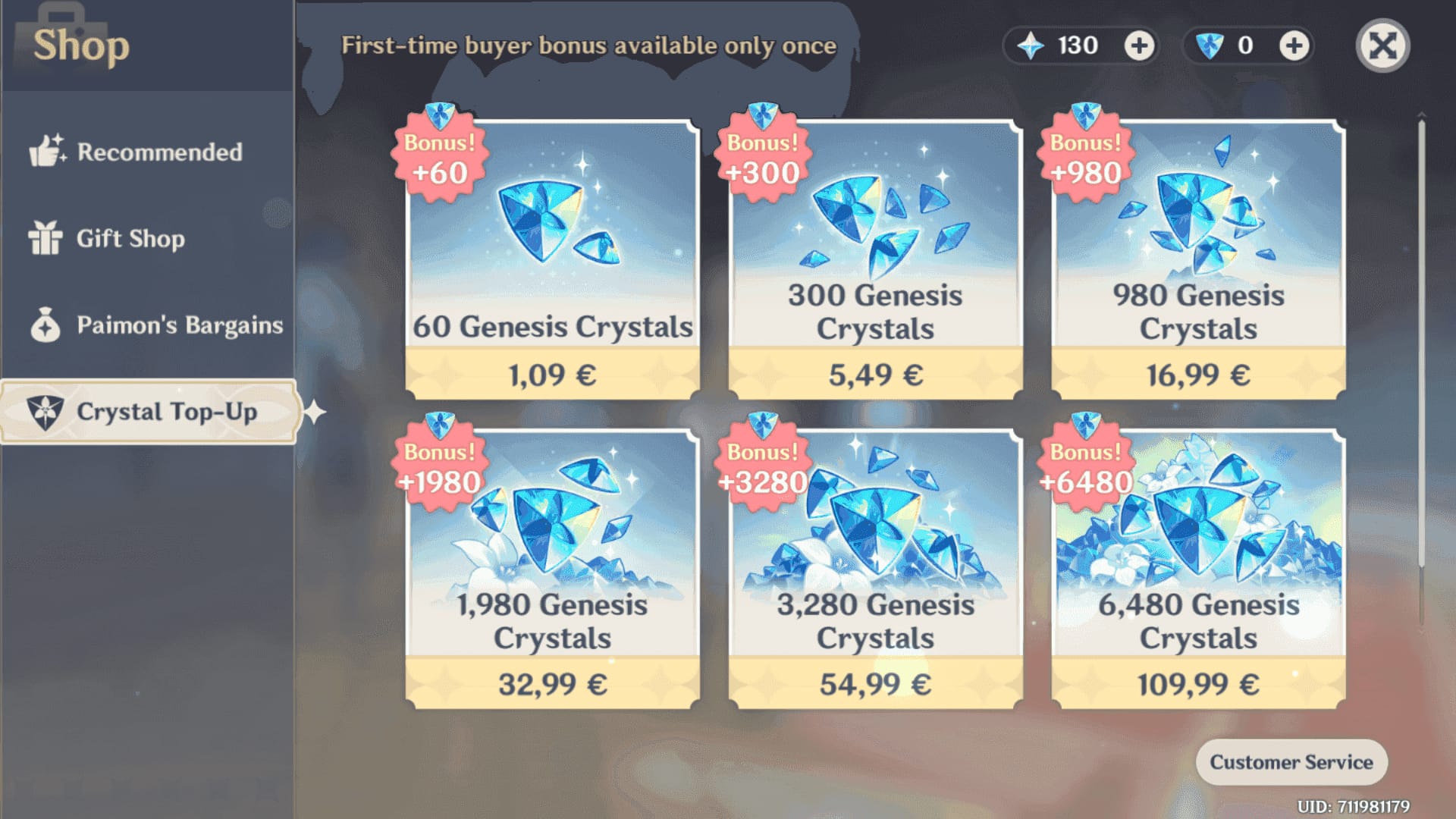
Start with the checkout channel that matches your device and region. In top-up comparisons, users usually succeed faster with native billing first instead of forcing an unsupported payment method.
Find your UID and server in-game.
Officially, exact UID and server match are required. Copy them carefully. One wrong digit can send the order elsewhere.Choose the right channel.
PC/web: official top-up center first
iPhone/iPad: App Store balance, Apple Pay, or gift card-funded balance
Android: Google Play balance, Google Pay, or gift card-funded balance
Need alternate checkout: use an authorized partner accepted in your region
Pick the item.
Common choices:Genesis Crystals
Blessing of the Welkin Moon
Battle Pass tiers where available by platform
Select a non-credit-card payment method.
Options commonly available:Debit card
Prepaid Visa/Mastercard
PayPal
Apple Pay / Google Pay
App Store / Google Play balance
Region-specific wallet methods where supported
Check region before paying.
Match:account server
billing country
store region
checkout currency, if shown
Complete payment and save proof.
Keep:order ID
receipt
payment timestamp
payment status
Restart the game if the crystals don't appear immediately.
Official troubleshooting says to restart the game and check payment history first.
If you want another checkout comparison for Genshin Impact recharge no paypal, compare supported methods before you pay, not after a decline. That's usually faster than retrying the same blocked route.
How do you fix common Genshin Impact top up problems without using a credit card?
Fix the payment condition first, then the delivery issue. A successful bank charge does not always mean the order has cleared verification.
Payment failed
Officially, common causes include:
bank decline
insufficient balance
security block
billing country mismatch
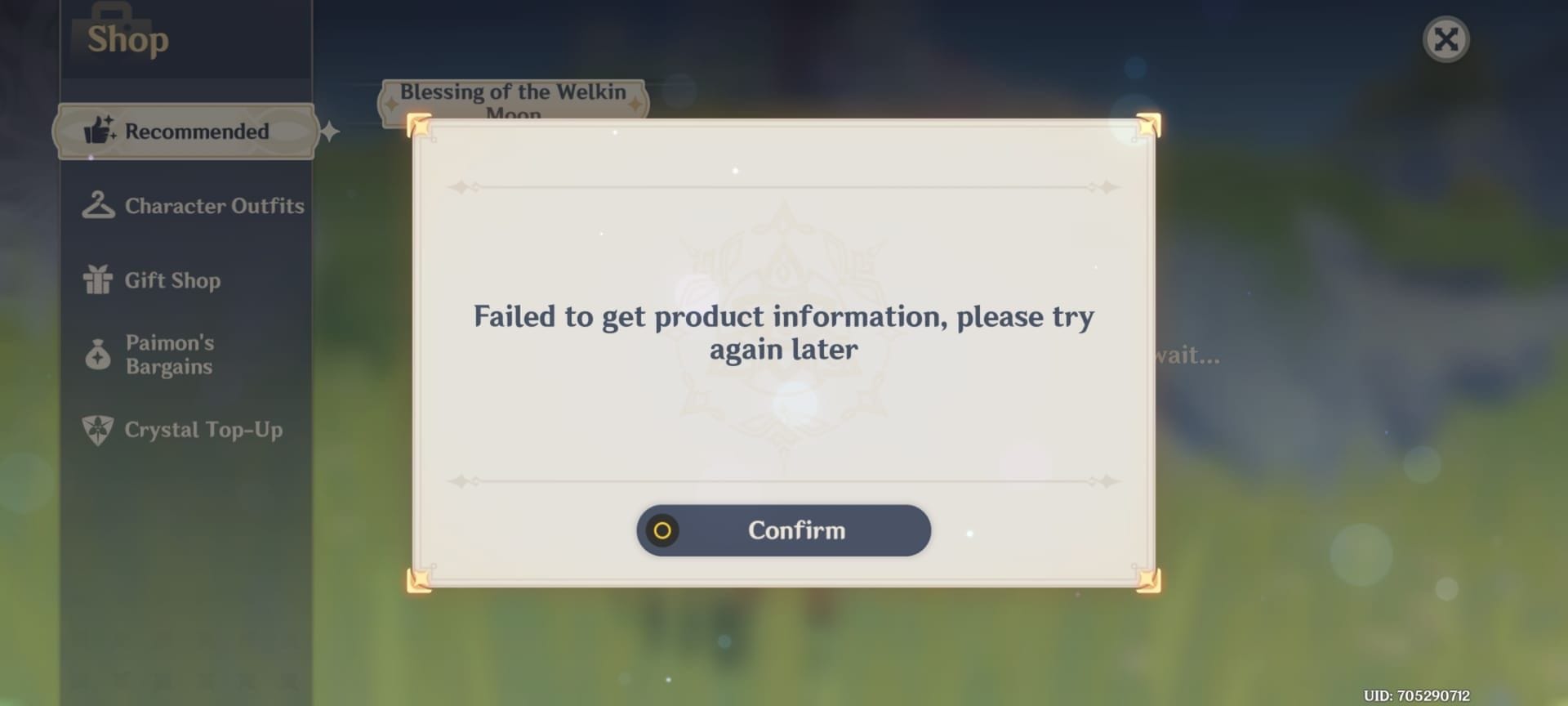
Try this in order:
Confirm your available balance.
Check whether the charge is pending or completed.
Verify your billing country and server region match.
Contact your bank or wallet provider if the payment was blocked.
Switch to the platform-native route, such as App Store or Google Play balance.
Charged but not received
Do this first:
Restart the game.
Check payment history.
Confirm whether you bought Genesis Crystals or Welkin Moon.
Community reports note that Welkin benefits still require daily manual claim.
Wrong UID or wrong server
Contact support immediately with:
order ID
UID entered
correct UID
server
receipt
Users commonly report that support asks for these exact details. And yes, timing matters.
Delays or disputes
Keep every receipt. Official support guidance consistently favors users who can show order ID, timestamp, and payment status. Support also commonly refuses refunds for used items, so don't spend the currency until the issue is clearly resolved if something looks wrong.
FAQ
Can I top up Genshin Impact without a credit card?
Yes. Official and community-supported options include debit cards, prepaid cards, PayPal, app store balance, Apple Pay, Google Pay, and some local wallet methods depending on region.
What payment methods does Genshin Impact accept?
The accepted methods vary by checkout. Officially supported options include PayPal, debit/prepaid cards where Visa or Mastercard is accepted, and mobile store billing through App Store or Google Play.
Can I buy Genesis Crystals with a debit card?
Yes, in many regions you can. Debit cards are accepted where the checkout supports Visa or Mastercard, but bank security checks and region mismatch can still block the payment.
Why is my Genshin Impact payment failing?
Most failures come from insufficient balance, bank declines, security checks, unsupported store settings, or a billing-country and server-region mismatch. From comparing failed checkout cases, region mismatch is one of the most overlooked causes.
Can I use Apple Pay or Google Pay for Genshin Impact?
Yes, usually through App Store or Google Play billing rather than a universal in-game option. Availability depends on your country and store account setup.
What should I do if my Genshin Impact top up is delayed?
Restart the game, check payment history, and confirm whether the charge is still pending. If the order doesn't arrive, contact support with your UID, server, order ID, receipt, and timestamp.
Does Genshin Impact top up depend on region or platform?
Absolutely. Payment methods, billing approval, and even visible checkout options can differ between web, iOS, Android, and authorized partner channels.
Genshin Impact can be topped up without a credit card, but only if your payment method, device, billing country, and account region line up. For most users, the safest choice is official web checkout or native App Store/Google Play billing, with UID and server checked twice. Save the receipt, avoid risky off-platform deals, and switch channels quickly if one route keeps failing.