
If you get a Genshin Impact region lock error during top-up, the fix is usually simple in principle: your account details, checkout region, and payment billing country must line up. Verify your UID and server first, then use the official HoYoverse top-up center or a region-supported authorized route with VPN off and a matching payment method.
From reviewing failed recharge cases, the biggest mistake is assuming the game server caused the block. Usually it’s the store country, billing country, App Store/Google Play region, or anti-fraud checks. If you’re comparing options for a Genshin Impact top up region lock, don’t force a fake region switch just to get cheaper pricing. That often creates more failures.
Why does Genshin Impact show a region lock error when I try to top up?
It usually means the payment flow detected a mismatch between your account region, store region, or payment origin. Community reports commonly describe messages like UID could not be processed due to restriction or a plain Region Lock Error.
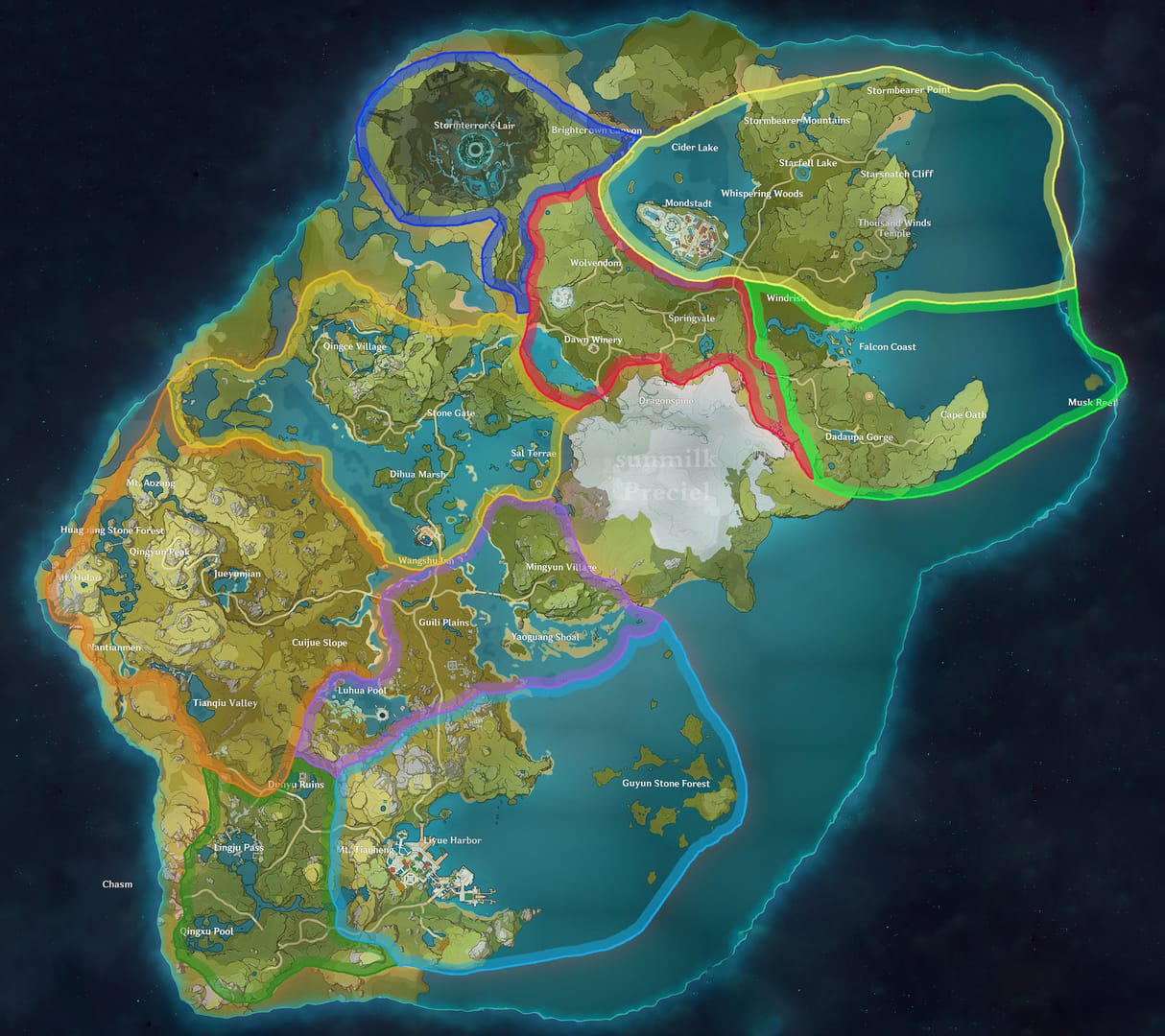
The key distinction many guides miss: server is not the same as account country or store country. Your UID can indicate server group — commonly 10xxx Asia, 5xxx America, 6xxx Europe, 8xxx SAR, 9xxx TW/HK/MO — but your account region is fixed when the account is created. That’s separate from the App Store or Google Play country and separate again from your card’s billing country.
Officially, HoYoverse payment checks can fail when:
your card billing country doesn’t match the account region and physical location
your App Store or Google Play region is wrong
VPN or location inconsistency triggers anti-fraud review
Users also commonly report failures from:
unsupported local payment methods
issuer declines on cross-border gaming transactions
platform restrictions on PSN or Epic purchases
late-2025 restrictions on third-party UID top-ups, especially for Europe accounts
Which region mismatch causes Genshin Impact top up failures most often?
The most common failure is store-country or billing-country mismatch, not the selected game server. In my experience reviewing recharge issues, this is where most people lose time.
Here’s the practical breakdown:
Two edge cases matter:
Apple Pay or Google Play can still fail even when the card works elsewhere. Users commonly report that a region mismatch inside the mobile store blocks the purchase. Official guidance points to reinstalling from the correct store region if needed.
A successful bank charge does not always mean the order cleared verification. Honestly, this is the frustrating part. Payment can be captured first, then delayed by review or delivery checks.
And yes, some regions have stricter behavior. Community reports say PH-region accounts often need PH-specific top-up handling to avoid delays or failures.
Why is using VPN, fake region switching, or random crypto checkout a bad fix?
Because it often makes the anti-fraud problem worse. Officially, VPN and location inconsistency can block payments. Community advice is even clearer: fake region switching for cheaper pricing risks failures and can lead to account trouble.
I would avoid:
VPN during checkout
changing App Store or Google Play region just to force a purchase
account sharing or login-based top-up help
unsupported crypto sites for region-locked accounts
There’s no reliable crypto fix for region lock in the fact set here. Unconfirmed shortcuts are exactly what break under stricter payment review. Third-party discounts can look attractive — one data point shows 20–25% savings — but that trade-off gets worse after HoYo’s 2025 crackdown on third-party UID top-ups.
If you need an alternative path, stick to region-supported authorized options and verify recent success for your country before paying. That’s also where a Genshin Impact recharge region mismatch check is useful: compare supported routes, then match UID, server, and payment region before you submit.
How can I top up Genshin Impact safely when I get a region lock error?
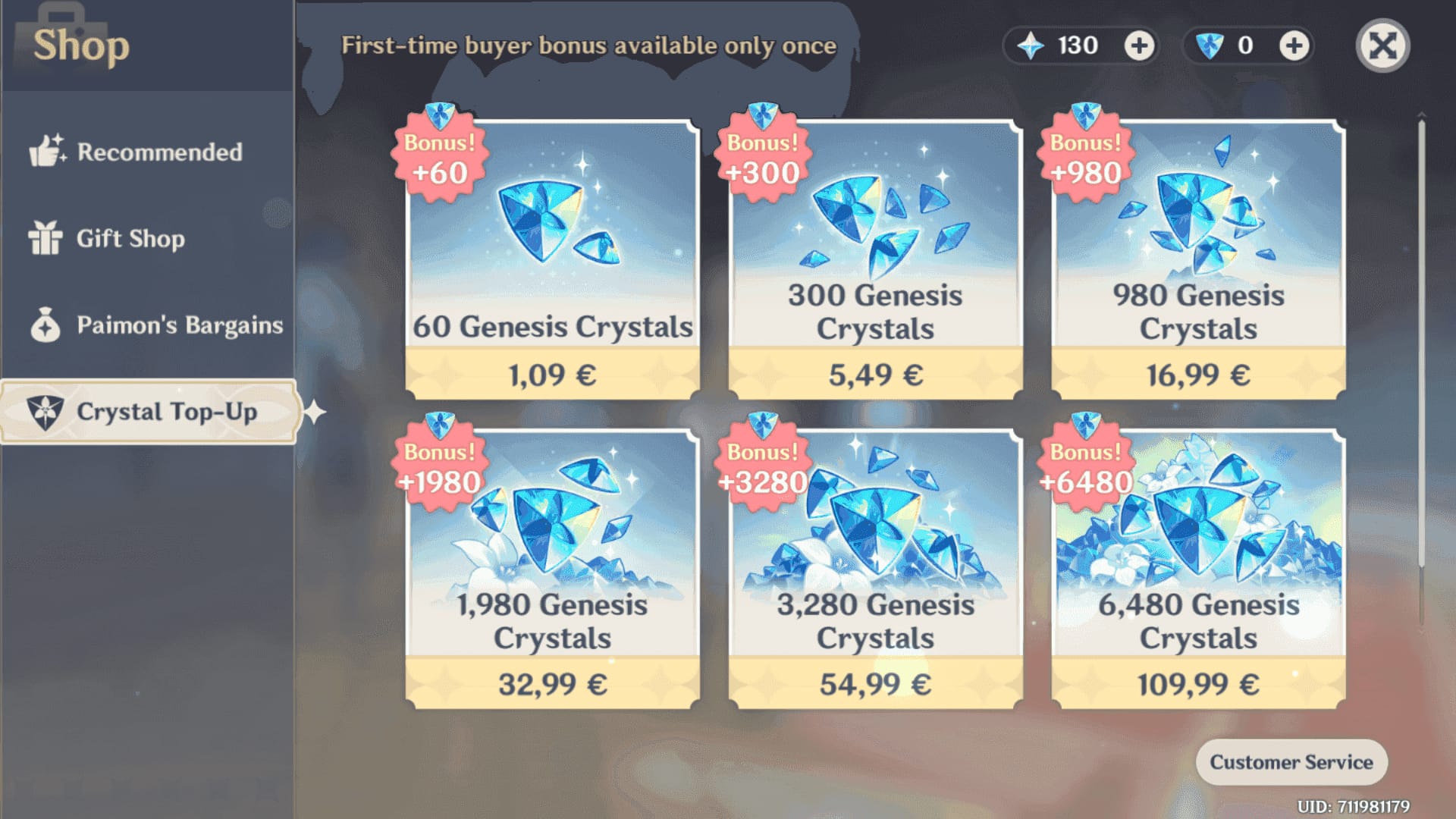
The safest method is to verify account details first, then retry through the official web checkout with matching payment details and no VPN. If that route is blocked, use a region-supported authorized seller or a store-matched prepaid option.
Confirm UID and server
Open Genshin Impact and copy your UID from the Paimon menu/settings.
Screenshot the UID before paying. Typos are common.
Check the server from the UID prefix or server indicator. Don’t guess.
Choose the correct purchase path
Official top-up center:
genshin.hoyoverse.com/paymentOfficially supported products include Genesis Crystals, Blessing of the Welkin Moon, and Gnostic Hymn/Chorus.
If you originally buy through App Store or Google Play, make sure that store region matches the account/payment setup.
Match payment region
Use a credit card, debit card, Apple Pay, or Google Pay only if the billing country fits the account and checkout region.
If your bank blocks cross-border gaming charges, call them and authorize the transaction.
If mobile wallet checkout fails, try the web top-up page or a store-matched prepaid/gift card.
Disable risk triggers
Turn off VPN.
Use a stable connection.
If the official retry fails, switch network and wait 30 minutes before trying again.
Don’t spam multiple rapid attempts. Users commonly report that this makes review delays worse.
Use an authorized fallback only when needed
Community consensus: official is safest.
Authorized region-specific options such as Codashop or Razer Gold are commonly used when region-matched.
A known workaround is buying Razer Gold locally, then redeeming through the official Genshin payment flow.
Save proof until delivery completes
Keep the order ID, payment timestamp, UID screenshot, server, and device info.
This is what support will ask for first if the order stalls.
What should I do if my Genshin Impact top up is paid but still not received?
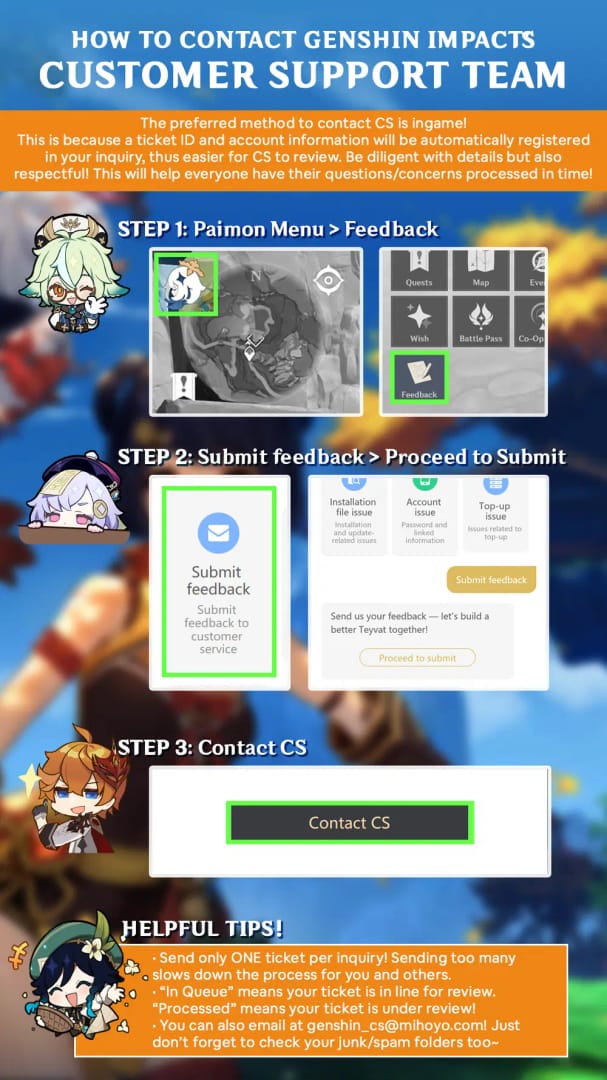
First, check in-game mail, restart the client, and wait up to 24 hours. That’s the standard first response for a paid-but-undelivered top-up.
Then work through this checklist:
Contact HoYoverse through the official help center if the order still hasn’t arrived. Prepare:
transaction ID
payment proof
UID screenshot
server
timestamp
device info
From comparing checkout paths, the fastest resolutions usually happen when those details are ready in the first message. Support can’t do much with I paid but didn’t get it alone.
Why does Genshin Impact say this top up is not available in my region?
Because the checkout sees your account, store, payment, or location as unsupported for that purchase. It doesn’t always mean your game server is unsupported.
Can I top up Genshin Impact from a different country?
Yes, but only if the payment route still matches the account and store rules. Travel itself isn’t the problem; mismatched billing country, store region, or VPN use is.
Does Genshin Impact top up depend on server or account region?
Both matter, but in different ways. Server decides where the purchase is delivered; account region and store/payment region decide whether checkout is allowed.
How do I fix a payment country mismatch in Genshin Impact?
Use a payment method whose billing country matches the allowed checkout region, or switch to the official web top-up or a store-matched prepaid option. If your bank is blocking it, authorize international gaming transactions first.
What account details do I need before buying Genesis Crystals?
You need the correct UID, server, item choice, and ideally a screenshot of the in-game account page. If support becomes necessary, add order ID and payment timestamp.
Is it safe to change App Store or Google Play region just to top up?
I wouldn’t recommend it as a quick fix. Officially, store-region mismatch causes failures, but forcing a region change just for one purchase often creates new payment and verification issues.
When should I contact HoYoverse support for a recharge problem?
Contact support after the payment is confirmed, the client has been restarted, and up to 24 hours have passed without delivery. Use the official help center and include all proof in the first ticket.
What is the safest way to complete a Genshin Impact top up after a region lock error?
Use the official HoYoverse top-up center first, with VPN off, correct UID/server, and a payment method that matches the checkout region. If that fails, use a region-supported authorized route or prepaid option instead of forcing a fake region change.
Personally, I prefer the method with clearer order tracking, even if it isn’t always the cheapest. For urgent orders, that usually means official web checkout. For blocked card users, a region-matched prepaid or authorized local payment route is often cleaner than fighting App Store or Google Play region rules.
Genshin Impact region lock errors are usually fixable once you separate server, account region, store country, and billing country. Check UID and server first, turn off VPN, then retry through the official top-up center with a matching payment method. If the official route still fails, use a region-supported authorized option, keep your order proof, and contact HoYoverse support after 24 hours if delivery doesn’t complete.