
Yes — if USDT is available at checkout, you can top up Dragon Nest M Classic Cash without using a credit card. Before paying, verify the exact account details, the correct USDT network, the final amount after fees, and the order expiry time to avoid a failed or delayed recharge.
Officially, Dragon Nest M Classic SEA routes top-ups through Cherry Credits, which supports card, Bitcoin, Razer Gold, and prepaid options. For no-card buyers, third-party checkout paths such as Dragon Nest M Classic Cash USDT top up may offer crypto, debit card, and local wallet methods depending on region.
Why do buyers choose USDT to top up Dragon Nest M Classic Cash without a card?
USDT is usually the most practical no-card option when your bank declines gaming payments or your card isn't supported. That's the real use case. In my experience reviewing recharge issues, card failure is often less about balance and more about issuer checks or missing 3D Secure support on the payment side.
Officially, Dragon Nest M Classic SEA top-up goes through Cherry Credits after you log in at the SEA site and select Eye Cash. Cherry Credits supports Visa, Mastercard, Bitcoin, Razer Gold, and prepaid card paths via Razer Gold PIN. But if you don't want to use a card, users commonly turn to local wallets or crypto-enabled checkout options on third-party sellers.
The trade-off is simple:
USDT avoids card verification friction
Local wallets are easier for domestic buyers
Prepaid/Razer Gold PIN works well if you want fixed spending
Cards are still the simplest when they clear
Honestly, crypto is not the easiest method. It's the method that works when cards don't.
What should you verify before paying USDT for Dragon Nest M Classic Cash?
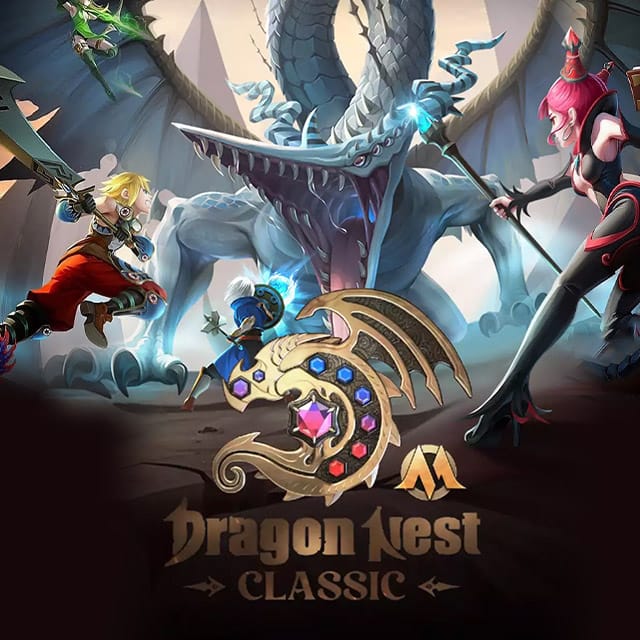
You should verify your account ID, server, region, payment network, exact payable amount, and order expiry before sending anything. This is where most preventable mistakes happen.
For Dragon Nest M Classic Cash, community reports across top-up sellers consistently show you usually need:
User ID
Server ID / Zone ID
No character info required in most cases
And yes, that distinction matters. People often overfocus on the wallet and forget the game account fields. A perfect on-chain payment won't fix a wrong server entry.
Payment check table
One point many guides miss: payment confirmation timing and recharge delivery timing are not the same thing. A blockchain transfer can confirm first, while the game credit arrives a few minutes later. Community reports commonly put third-party delivery around 1–5 minutes, though some sellers note 5–60 minutes depending on server conditions.
Which payment method is best for Dragon Nest M Classic Cash if you don't have a credit card?
For most no-card buyers, the best method depends on whether you value simplicity or payment access. I would choose local wallets first for domestic SEA payments, USDT second for cross-border or bank-decline cases, and prepaid/Razer Gold if you want tighter spending control.
Officially supported local methods in the broader SEA payment ecosystem include Touch 'n Go (Malaysia), GCash (Philippines), GoPay (Indonesia), TrueMoney (Thailand), and GrabPay (Singapore). Community sources also widely report no-credit-card checkout through local wallets for SEA buyers.
If you're comparing paths before checkout, Dragon Nest M Classic Cash no credit card recharge makes sense when you want crypto, local payment, or debit alternatives in one place.
How do you top up Dragon Nest M Classic Cash with USDT step by step?
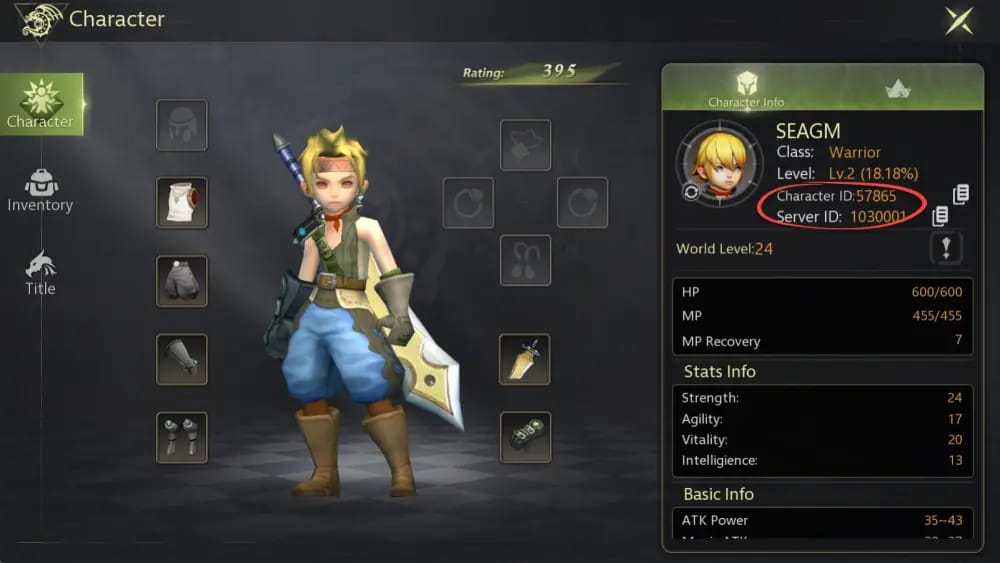
You top up by selecting the package, entering the correct account details, choosing USDT if available, then sending the exact amount on the exact network before the quote expires.
Choose your top-up path
Official SEA route: log in at the Dragon Nest M Classic SEA site, click Eye Cash, enter amount, and continue to Cherry Credits.
If you need no-card options beyond the official flow, use a seller that supports crypto or local payments.
Select the Cash package Community-listed packs commonly include:
600 + 26 Cash
3000 + 130 Cash
6000 + 366 Cash
12000 + 800 Cash
Enter account details carefully
Input your User ID
Input your Server ID / Zone ID
Don't guess. Copy from the game/account page if possible.
Choose USDT at checkout
Confirm whether the checkout specifies TRC20, ERC20, or another network
If Binance Pay is offered and you already use it, that can be cleaner than manual transfer
Review the payable amount
Check the exact amount due
Check whether network fees are separate
Make sure the amount arriving to the merchant matches the quote, not just the amount leaving your wallet
Send payment before expiry
Use the exact address shown
Use the exact network shown
Complete payment within the countdown window
Save proof immediately Keep:
Order ID
Transaction hash
Screenshot of entered User ID and Server ID
Wait for fulfillment
Many third-party orders are credited in 1–5 minutes
If nothing arrives after 10 minutes, I would check order status first, then contact support with your proof
Personally, I prefer the checkout path with clearer order tracking, even if it's not always the cheapest. Crypto is unforgiving. Better tracking beats a tiny price difference.
Why did your Dragon Nest M Classic Cash USDT payment fail or stay pending?
Most failed or pending USDT top-ups come from wrong network selection, underpayment after fees, expired quotes, or incorrect account details. Not from the blockchain itself.
From comparing checkout paths, these are the repeat offenders:
Wrong network
You sent USDT on a chain different from the one shown at checkout
This is the most serious mistake because blockchain payments are usually irreversible
Underpayment
Network fees reduced the received amount
The order won't auto-match if the merchant receives less than required
Expired quote
Crypto checkout rates often have a payment window
Paying after expiry can leave the order unmatched
Wrong User ID or Server
Payment succeeds, but fulfillment can't complete correctly
Region mismatch
Official top-up is tied to the SEA environment
If your account/server doesn't match the expected region flow, the order can stall
Platform-side issue
Officially, Cherry Credits had a 500 Internal Server Error issue fixed on Apr 11, 2025
Officially, a Cash Shop Top-Up display error had a browser URL copy-paste workaround noted on Mar 20, 2025
And one more thing: a successful wallet deduction does not always mean the recharge has cleared verification. That's frustrating, especially when the payment already left your account, but it's normal in manual or semi-automated matching flows.
If your order is pending, support usually needs:
Order ID
Exact account ID entered
Server/Zone
USDT transaction hash
Payment screenshot
Time of payment
How long does Dragon Nest M Classic Cash top up take after payment?
Usually a few minutes, but not always. Community reports commonly cite 1–5 minutes on fast third-party fulfillment, while some sellers note 5–60 minutes depending on server conditions.
If it passes 10 minutes, don't just wait blindly. Check order status first. Then contact support with the order ID and transaction hash. For official issues, support contact through the in-game Menu > Settings path is the documented route.
FAQ
Can I top up Dragon Nest M Classic Cash with USDT without a credit card?
Yes, if the checkout you use offers USDT. Official SEA top-up confirms Bitcoin and other standard methods on Cherry Credits, while some third-party checkouts also support cryptocurrency and local no-card payments.
What network should I use when paying USDT for Dragon Nest M Classic Cash?
Use only the exact network shown at checkout. If the payment page says TRC20, send TRC20; if it says ERC20, send ERC20. Don't assume.
Why did my Dragon Nest M Classic Cash USDT payment fail?
Usually because of wrong network, underpayment after fees, expired quote, or incorrect account details. In support cases, these are far more common than actual chain failure.
What details do I need before recharging Dragon Nest M Classic Cash?
You typically need your User ID and Server ID/Zone ID. Community sources consistently say character info is usually not required.
Is USDT safer or cheaper than card payment for Dragon Nest M Classic Cash?
USDT is often better for access, not necessarily safer. Cards are easier to reverse in some payment disputes, while crypto transfers are usually final. Cost depends on network fees, exchange spread, and any checkout markup.
What should I do if Dragon Nest M Classic Cash is not received after payment?
First, confirm the order status and wait through the stated delivery window. If it's still pending, contact support with your order ID, account details, and transaction hash. Keep in mind that official in-game purchase refunds are not supported through the payment gateway, and official accounts may face restrictions after payment disputes.
If USDT is available for your order, it's a solid no-card way to top up Dragon Nest M Classic Cash — especially for cross-border buyers or anyone dealing with card declines. But don't rush the payment. Verify User ID, Server ID, region, network, amount, and expiry first. If you want the smoothest checkout, choose the method that matches your region and gives you clear order tracking, then complete the recharge through VGTopup.