
Yes, sometimes—but only when the region controlling the purchase is clear. In practice, Destiny: Rising top-ups from abroad succeed most reliably when your account region, store country, and payment method billing country are compatible. The safest order is simple: use official in-app billing first if your account and store region still match, try official web checkout if your region supports it, and consider a trusted direct top-up route that does not require account sharing only after that. Most overseas payment trouble comes from mismatch, not from the card being bad.
My recommendation first: the safest route depends on which region controls the purchase
Destiny: Rising is a region-locked mobile game, and users commonly report that purchases, saves, friends, and clan data stay tied to a specific region or server. Community reports also say progress and purchases cannot be transferred across regions, and there is no practical account-region change just for topping up. That means the real question is not Can I pay from another country? but Which region is this account allowed to buy in?
For a traveler who is only temporarily abroad, the cleanest route is usually still the official in-app purchase flow—if the Apple ID or Google Play payments profile remains aligned with the account’s original region. If nothing has changed except your physical location, in-app billing is still the most support-friendly option.
For an expat or student who now lives long-term in a different country but still uses an old-region Destiny: Rising account, official web checkout can be easier to troubleshoot than app-store billing when it is available for that region. A web order usually gives clearer order details, which matters if the payment is delayed or the credits do not post.
Where people get into trouble is trying to force a store-country change just to make one game purchase work. Community workarounds exist, including creating a new Apple ID in a supported country or using VPN access to download the game in blocked regions. But a workaround that gets the app installed is not the same thing as a stable, low-risk payment method. If you do not fully understand the account consequences, store switching is not the first move I would recommend.
Can you top up Destiny: Rising from a different country?
Often yes, but not simply because you are physically somewhere else. The purchase is usually governed by a three-way relationship:
your current physical location
your Destiny: Rising account region or server
your billing country, which may be tied to your Apple ID, Google Play payments profile, or card issuer
This is the check most users skip. They assume the game only cares where they are now, or only cares what card they use. Cross-border failures usually happen because one of those three points does not match the others.
The account region tends to matter more than travel location. Destiny: Rising launched worldwide on August 28, 2025 for Android and iOS, but with regional exceptions, and the game remains region-locked. Cross-server play was later enabled, but that does not erase purchase boundaries. Community reports also note unsupported regions such as Belgium, Netherlands, and Austria under NetEase policy. So even if a payment tool is available in your country, the game itself may still reject the purchase path.
That distinction matters. Apple Pay, for example, may be officially available in a country, but that does not automatically mean Destiny: Rising purchases are supported there. Payment availability and game-region eligibility are separate layers.
It is also important to separate confirmed rules from workaround chatter. Strongly established behavior includes region-locked accounts and store-region dependence for App Store and Google Play purchases. By contrast, reports about creating a new Apple ID in a supported country, or using VPN plus a new Gmail account to access the game in geo-blocked regions, sit in workaround territory. Those reports may explain why some users get access, but they should not be treated as official payment guidance.
Which route should you choose: in-app billing, web checkout, or an alternative?

If your goal is the safest Destiny: Rising top up from abroad, think in terms of approval odds, support traceability, and account safety, not just convenience.
In-app billing is still the best first choice when your account region and store country match. It is official, familiar, and usually the easiest route for a traveler who has not changed store settings. The weakness is that app-store billing can fail for reasons that are hard to see from the user side: Apple ID country mismatch, Google Play payments profile mismatch, tax or currency rules, unsupported local payment methods, or a foreign transaction block from the bank.
Official web checkout can be cleaner when supported. It often gives better visibility into the order itself: amount, currency, timestamp, and order ID are easier to capture. From reviewing failed recharge cases, that matters more than people expect. When a payment is delayed, the first useful proof is usually the exact account identifier plus the receipt, not a vague description of what should have happened. Official payment pages tied to NetEase GamesClub exist for activation and payment flows, so if your region is supported there, web checkout may be the easier route to document.
Only after those two should you consider an alternative direct top-up route that does not require account credentials. The key safety principle is simple: if a service can complete the recharge using your UID/account ID and server or region, that is materially safer than handing over your login. If you are comparing options for Destiny: Rising top up from abroad, region fit matters more than chasing the lowest displayed price.
A small test purchase is often smarter than a full-value recharge, especially for a first-time overseas payer. That is not because the smaller package is magically safer, but because it lets you confirm the region path, currency display, and bank approval behavior before you risk a larger amount.
Why do cross-border Destiny: Rising payments fail even when your card works elsewhere?
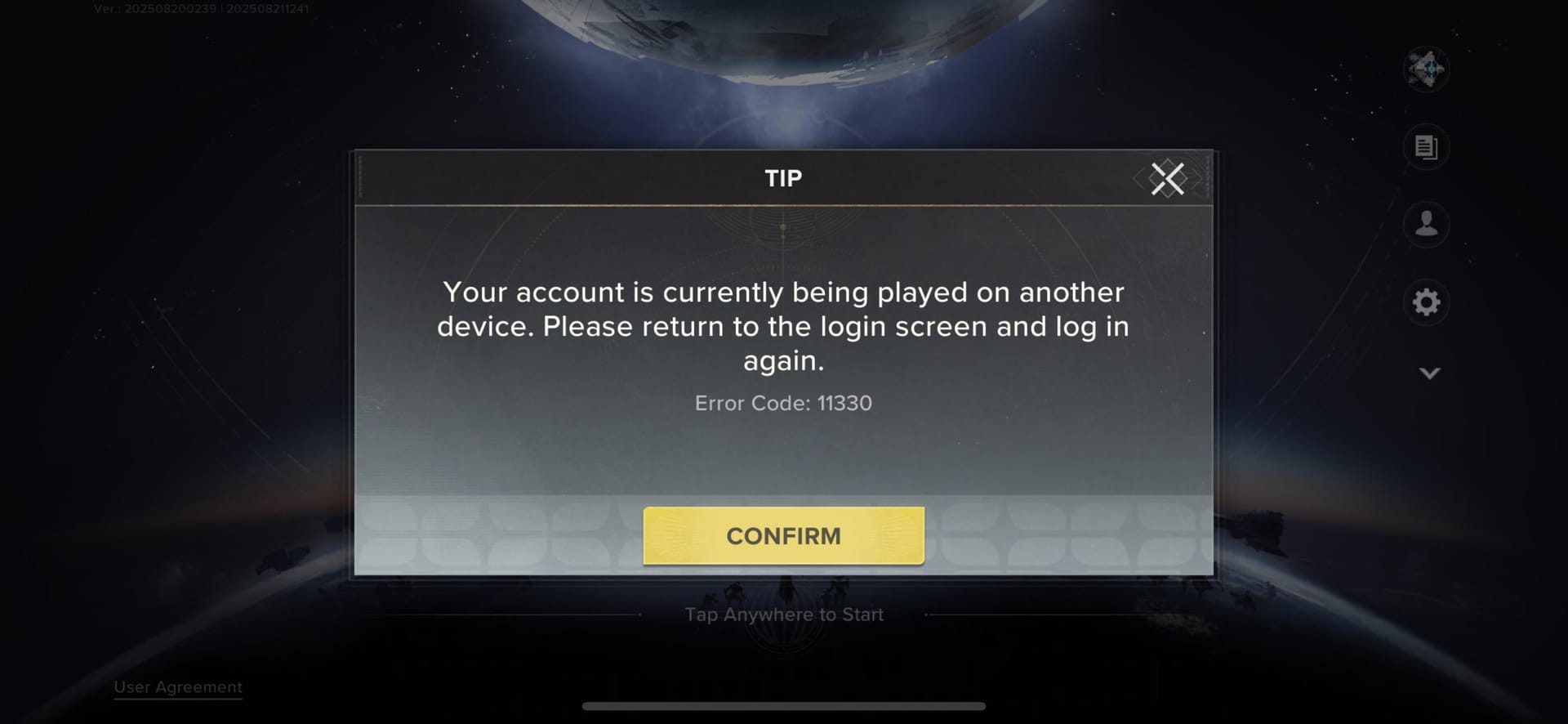
This is where most thin guides oversimplify the problem. A card can work perfectly for travel, shopping, and subscriptions, yet still fail on a game purchase abroad because the payment is being screened by more than one system.
One common pattern is the foreign transaction block. Community reports repeatedly mention declines caused by region mismatch, fraud alerts, or issuer restrictions on foreign digital merchants. Even when the card has enough balance, the bank may stop the transaction before it settles.
Another frequent issue is the 3-D Secure loop. You complete the authentication challenge, but the order remains pending, disappears, or never posts to the game account. From the user side, this feels like a random bug. In reality, the bank, store, and game payment system may not all agree that the transaction completed cleanly.
App-store region settings are another major source of failure. Community reports say App Store and Google Play top-ups require a matching Apple ID or Google payments profile region. Apple Pay and Google Pay can also fail if the country on the profile does not line up with the purchase context. This is why a user can be physically abroad, have a valid card, and still see unsupported country or repeated payment failure.
Then there is the quieter problem: currency confusion. One reported case described USD display in Canada, which is exactly the kind of mismatch that leads to duplicate attempts. A user sees a strange currency, assumes the first payment failed, tries again, and ends up with multiple authorizations or a bank review. Exchange rates and local tax display can make the total look unfamiliar even when the account itself is valid. That does not always mean the purchase path is wrong—but it is a reason to stop and verify before retrying.
Delayed credit posting is the final pattern worth watching. Community reports mention overseas top-ups getting stuck pending because of region checks and needing reprocessing through a user center. So if the charge appears but the Silver does not, do not immediately buy again. A second attempt can turn one solvable issue into a duplicate-charge dispute.
What should you verify before paying from another country?
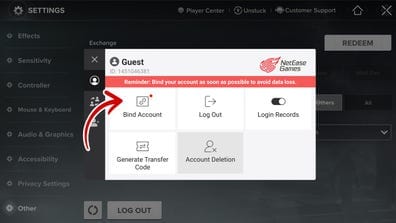
Before any Destiny: Rising overseas recharge, verify the account details first and the payment path second.
On the account side, confirm your UID/account ID, the correct server or region, and the bound login method. If you are topping up for a friend, verify the recipient details with the same care. This is especially important in a region-locked game where purchases and progression are isolated. Community guidance consistently points to UID, server, and login binding as the first checks before any direct top-up.
Also confirm what you are buying. A consumable currency purchase, such as Silver, is not the same as a pass-like item, bundle, or subscription-style entitlement. Consumables are usually simpler to trace. Ongoing entitlements can be more sensitive to region and account-state mismatches. Community reports mention Journey Packs and daily bundles as strong value for low spend, but value only matters if the package is valid for the account and region you are actually using.
The most common practical mistake is not paying the wrong amount. It is paying the right amount through the wrong regional channel.
That becomes clearer when you look at buyer profiles:
A traveler should usually keep things simple: if the original store region is still active and the card can handle foreign digital transactions, try official in-app billing first.
An expat with an old-region account should resist the urge to rebuild store settings around one purchase. Check whether official web checkout supports the account’s region. If not, a direct top-up route based on UID and server is generally safer than account-sharing or improvised store switching.
Someone sending a top-up to a friend abroad should only use a route that asks for account identifiers, not login credentials. Region-locked games punish small recipient mistakes.
A first-time overseas payer should make a small test purchase and watch the currency, tax display, and bank response carefully before spending more.
There are also a few things not to do. Do not rely on VPN-based store switching for payment unless you fully understand the account consequences. Do not buy random region-specific codes unless the server and region are explicitly confirmed; community reports say redeem codes can be region-specific. And do not use any channel that requires unsafe account credentials just to deliver currency.
If the top up is stuck or missing, who should you contact first?
The right support path depends on where the failure happened.
If you paid through official in-app billing, start with the game’s official help path and keep the store receipt ready. If the App Store or Google Play shows a completed charge but the Silver never arrived, the game side needs your account details and proof of payment. If the charge never finalized, was reversed, or is still pending at the billing layer, Apple, Google, or your bank may be the real owner of the issue.
If you used official web checkout, contact the support channel tied to that payment page first. This is one reason web checkout can be easier abroad: the order trail is usually clearer.
If the issue looks like a bank or card problem—foreign transaction block, repeated decline, or failed 3-D Secure challenge—contact the card issuer or bank next. Ask specifically whether the transaction was blocked as a foreign digital purchase, whether 3-D Secure completed, and whether the charge is only authorized or fully settled.
Whatever the channel, build a proper evidence pack before you open a ticket. The useful items are straightforward:
order ID
payment timestamp
amount and currency
UID/account ID
server or region
bound login method
screenshot of the package purchased
receipt or invoice from the store or checkout page
screenshot showing the missing credits or error message
That package of evidence speeds up billing investigations far more than a generic complaint. When delayed delivery is reported after an overseas payment, the exact account identifier plus the receipt is usually the first proof support can act on.
Bottom line: who should use each route?
If your account region, store country, and billing country still line up, use official in-app billing. It is the safest and simplest route.
If your account is old-region and you now live elsewhere, try official web checkout next if that region is supported. It usually gives better order visibility and cleaner support follow-up.
If neither official route is practical, use only a trusted direct top-up method that works by UID/server and does not require account sharing. That is the safer fallback for a Destiny: Rising region lock top up problem.
The low-risk next step is not to force a payment. It is to pause and verify the three-region check, your UID, your server, and the exact package type before you spend again. In cross-border top-ups, that minute of verification is often what prevents the failed charge, the duplicate attempt, and the long support thread afterward.