
To top up Crystal of Atlan before the Battle Pass expires, check three things before you pay: the official end time, the exact account and server you want to receive the purchase, and the payment route most likely to clear without delay. The real danger is usually not clicking buy. It is discovering too late that the pass ended at server reset, your payment is still pending, or the top-up went to the wrong UID. If you need a fast overview first, see this Crystal of Atlan Top Up Guide.
Before you pay, make sure the deadline is still real for your account
Late-season purchases fail for surprisingly ordinary reasons. A player sees that the Battle Pass ends today, assumes that means local midnight, and only then learns the actual cutoff followed server time, a listed timestamp, or maintenance. That is why the first check is not your card or wallet. It is the event clock.
Crystal of Atlan does publish event windows. One official example is Battle Pass Phase 9, which ran from July 3 to August 14, 2026. Another official event, Adventurer's Diary, ran from July 30 to August 11, 2025, but its exchange period continued until August 13. That split matters. A pass, event, and exchange shop do not always close at the same moment, and buying currency for the wrong window is one of the easiest ways to waste a last-minute top-up.
The safest approach is to confirm the current pass end time through the in-game notice, developer announcements, the official product website, or the official help center. Do not rely on the date alone. Convert the posted time to your own local time only after you know what time standard the notice is using.
Once the timing is clear, verify the account details that actually control delivery. Officially, Player ID or UID is required for all top-ups, and the standard flow is simple: enter Player ID, select a denomination, complete checkout, then receive items. Simple does not mean foolproof. If you use more than one account, changed devices recently, or switched login methods, this is where mistakes happen.
A quick mental check before payment should cover:
the exact UID or Player ID
the correct server
the region tied to the account and payment method
whether your account is properly bound
whether the pass can still be claimed and used in time
That last point is easy to ignore when the deadline feels urgent. But it matters just as much as the payment itself.
Can you still top up on the last day of the Battle Pass?
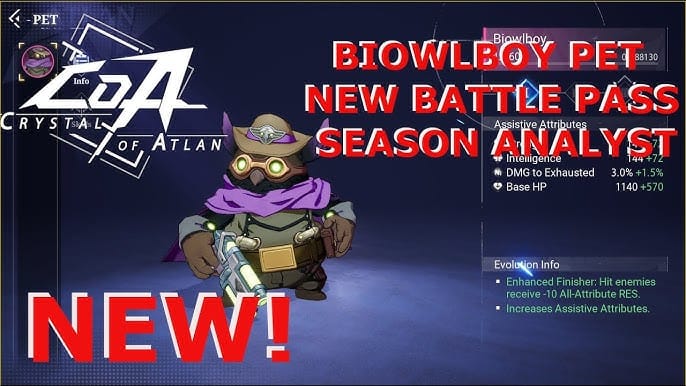
Sometimes yes, but the final hours are where most avoidable losses happen.
From reviewing urgent recharge cases, the pattern is consistent: buyers trust the calendar date, not the reset time. They assume a successful payment means immediate entitlement. Or they leave no room for maintenance, verification, or a relog. Any one of those can turn a valid purchase into a missed pass.
The final day is not automatically impossible. If your account details are already verified, your region is supported, and you are using a payment route that has worked before, an early final-day purchase may still go through in time. The problem is that the margin for error becomes tiny. A payment review, a 3-D Secure prompt, or a store-side pending state can consume the only buffer you had.
Maintenance makes this worse. Official notices have indicated that the top-up page can be affected by server maintenance, and pending top-ups may resolve only after maintenance ends. There have also been official top-up anomalies where delayed items were later dispatched urgently. That is useful to know, but it is not comforting if the Battle Pass closes before the delayed delivery appears.
So the practical answer is this: yes, you can try on the last day, but you should treat the final few hours as high risk. If the pass matters, buy early enough that one problem does not ruin the purchase.
How do you verify the right account before paying?
This is the least glamorous step and the one most likely to save you.
Crystal of Atlan top-ups depend on the UID or Player ID you enter. If that identifier is wrong, support may need to verify ownership before any correction is possible, and that process may outlast the event deadline. A wrong-account recharge is much harder to fix quickly than a delayed but correctly addressed one.
Start with the account you actually play. Check the UID, character, and server on the device where you normally log in. If you recently changed phones, make sure your progress was saved to the server and that the account is bound correctly. Community guidance also points to restoring purchases through server data upload on a new device, which is relevant if you are trying to confirm whether an older purchase is visible after switching hardware.
Platform changes add another layer. Before choosing app-store billing, verify that the account binding and platform match are correct. Community reports repeatedly warn that platform mismatch can create restore problems, especially when players move between devices or login methods and assume the same character is attached everywhere.
Region matters too. Community reports note that some Google purchases require an account from a country where microtransactions are enabled, and country restrictions can block premium currency or Battle Pass purchases. Region mismatch can also cause code redemption failure. If you are topping up for Vouchers or using a redeem-code route tied to events or packs, that mismatch can become a deadline problem very quickly.
If you want a deeper account check before paying, this related guide may help: How to verify Crystal of Atlan account ID before recharge.
Which payment route is safer when time is short?
When the Battle Pass is close to expiry, clarity matters more than convenience.
Officially, Crystal of Atlan uses the web top-up site at coa.xsolla.site for iOS, Google Play, and PC, and official guidance indicates you cannot rely on a direct in-game top-up flow in the same way. That makes the web route especially important when you need a purchase trail you can actually use.
In practice, the route that feels fastest is not always the route that settles fastest. Credit card payments can trigger bank review or 3-D Secure verification. Apple App Store and Google Play purchases can enter pending states that look approved from the buyer’s side while the entitlement is still not posted in game. Near a pass deadline, that distinction is everything.
Web checkout often has one advantage in urgent cases: it is explicit. You enter the Player ID, choose the denomination, and complete payment in a flow built around account delivery. If something goes wrong, you are more likely to have a usable order trail. That does not make it immune to delay, but it does make troubleshooting cleaner.
App-store billing can still be fine when everything is already aligned. But before using it, confirm the account binding, platform match, and region eligibility. If any of those are uncertain, the convenience of the store can disappear the moment the purchase does not land where you expected.
For a fuller comparison, see Crystal of Atlan app store vs web checkout.
As for what you are actually buying, do not assume every top-up directly unlocks the pass. Official and community information shows that Crystal of Atlan uses Vouchers and Opals in different ways. Vouchers obtained through top-up or redeem-code flows are used for Battle Pass, events, and exchanges for packs. Opals are sold through the official store in multiple denominations. Community reports also describe products such as the Phantasium Pass and Prismadium Pass, which are separate value options rather than simple substitutes for a Battle Pass purchase. If you are buying late, make sure the item you choose can still be converted into the pass or reward you want before the deadline.
Is a late Battle Pass purchase still worth it?
Sometimes it is, but only if the pass unlock rules still work in your favor.
A late purchase makes sense when you have already done most of the progression and the premium track unlocks rewards retroactively. In that situation, the top-up is less about finishing in time and more about converting progress you already earned into premium rewards before the claim window closes. Community discussion around the Advanced Battle Pass, for example, often frames it around the value of a specific reward rather than the full season grind.
A late purchase is much weaker if you still need to complete missions after buying. If the season is nearly over, the pass may technically still be on sale while the practical chance of extracting value is already gone. The same is true if you are counting on support to rescue a delayed payment before expiry. Support can help with missing entitlements, but it cannot reliably create extra event time after a deadline.
This is also where players should separate panic from value. Community reports mention 15- to 30-day pass packs, monthly-card style XP boosts, and subscription-like options such as the Prismadium Pass. Those may be better long-term purchases than forcing a Battle Pass buy in the final hours just because the timer is visible.
If you are weighing that decision, this related topic is useful: Is Crystal of Atlan battle pass worth buying late.
Why does a payment show as approved but the top-up is still missing?

Because payment approval and in-game delivery are not always the same event.
In digital checkout troubleshooting, this is one of the most misunderstood moments. A card can be charged while the order is still under review. A store can show a successful purchase while the entitlement has not yet posted. And a correctly completed order can still require a relog before the Battle Pass or currency appears.
Community experience around Crystal of Atlan includes a simple but important fix: log out and log back in after purchase if the pass does not appear immediately. That should be one of your first checks, especially if the payment route itself looks complete.
If the top-up is still missing, work in stages. In the first few minutes, refresh the game, relog, and recheck the balance or pass page. Then look for maintenance or service notices. Officially, pending top-ups have been known to resolve after maintenance, and official anomaly notices have acknowledged delayed dispatch in some cases.
If the purchase still has not arrived, stop guessing and start collecting proof. The fastest support conversations usually begin with the essentials already attached: order ID, receipt, account identifier, timestamp, and screenshots. Community guidance specifically recommends collecting order ID, receipt screenshots, and timestamps for support, and that advice becomes much more important when the event deadline is close.
Useful evidence includes:
order ID
payment receipt
UID or Player ID
server
timestamp with time zone
screenshot of the current in-game balance or missing pass state
screenshot of the checkout confirmation page
the payment route used, such as web checkout, Apple App Store, or Google Play
If you need more help on this exact problem, see Crystal of Atlan top up not received and Crystal of Atlan Payment Troubleshooting.
What should you send to support before the pass expires?
Be brief, specific, and complete.
Urgent tickets go wrong when players send a long story but omit the one detail support needs to locate the order. If the pass deadline is near, your goal is not to explain your frustration. It is to make the case actionable in one read.
A good support message should identify the account, the order, the time, and the missing entitlement. If you changed devices recently, mention that too, because restore and binding issues can affect how purchases appear. If you used a code or voucher route, include that context as well, especially if region mismatch may be relevant.
A clean format looks like this:
Purchased top-up/Battle Pass before expiry but items not received.
UID / Player ID: [your ID]
Server: [server]
Order ID: [order ID]
Payment time: [timestamp and time zone]
Payment route: [web / Apple App Store / Google Play]
Issue: charged or confirmed, but currency/pass not delivered before deadline.
Attached: receipt, confirmation screenshot, current balance/pass screenshot.
Use official support resources such as the official help center and official product channels. Keep expectations realistic. Support may be able to confirm a valid order, resolve a delayed entitlement, or explain whether maintenance is involved. What support often cannot do is guarantee that a pass benefit will be restored after the event window has fully closed.
The best deadline strategy is still prevention. If the Battle Pass matters, do not buy at the exact moment you can no longer absorb one problem. Give yourself enough room for a review check, a relog, or one support exchange. That is the difference between a routine top-up and a last-minute scramble.